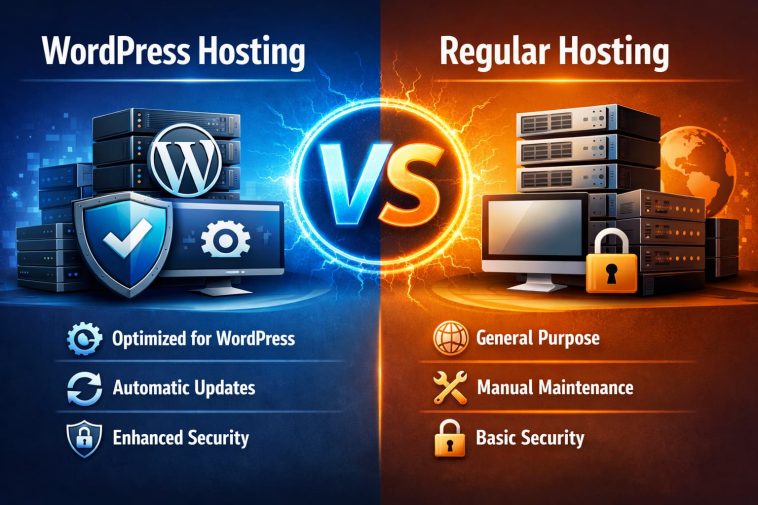
I made the same mistake a lot of beginners make. When I launched my first WordPress site, I just picked the cheapest shared hosting plan I could find, installed WordPress, and assumed I was done. It worked — barely. Pages loaded slowly, I had no idea whether my site was secure, and every time WordPress released an update, I had to deal with it myself.
It took me longer than I’d like to admit to realize that WordPress hosting and regular hosting are fundamentally different products — and that choosing the wrong one for your site has real consequences for speed, security, and your time.
If you’re comparing WordPress hosting vs regular hosting and trying to figure out which one you actually need, this guide breaks it all down clearly — without the marketing fluff.
First, Let’s Define the Terms
Before diving into differences, it’s worth being precise about what these terms actually mean.
Regular hosting (also called standard or shared hosting) is a general-purpose hosting environment. Your website shares a physical server with hundreds of other sites, splitting CPU, RAM, storage, and bandwidth. The provider manages the server hardware. You manage everything else — software installations, updates, security settings, caching, and performance optimization.
WordPress hosting is a hosting environment specifically configured to run WordPress. Everything on the server — from the PHP memory limits to the caching layers to the firewall rules — is tuned for one purpose: making WordPress run as fast and securely as possible.
There’s one important nuance worth knowing upfront: most WordPress hosting plans under $10 per month are technically still shared hosting at the infrastructure level. What makes them “WordPress hosting” is the layer of optimization, tooling, and management built on top of that shared environment. True managed WordPress hosting — from providers like Kinsta, WP Engine, or DreamPress — goes further, with fully dedicated environments and hands-on management included.
How They Work Under the Hood
Regular shared hosting is a blank slate. The server handles requests from dozens or hundreds of different websites running different software — WordPress, Joomla, Magento, custom PHP apps, static HTML sites, and more. Because the environment has to accommodate everything, it’s optimized for nothing in particular.
You’re essentially renting an empty room. The landlord provides the walls, electricity, and plumbing. Everything inside — furniture, security locks, temperature control — is your responsibility.
WordPress hosting flips that model. The server is pre-configured for WordPress from the ground up. PHP versions are optimized for WordPress performance. Caching is handled at the server level. Firewall rules are written specifically to block WordPress-targeted attacks. The environment knows what software you’re running — and it’s built to make that software perform.
Key Differences: WordPress Hosting vs Regular Hosting
1. Server-Level Caching
This is one of the most impactful technical differences between the two.
On regular hosting, caching is your responsibility. You install a plugin like W3 Total Cache or WP Super Cache, configure it correctly, and hope it doesn’t conflict with your theme or other plugins. If something goes wrong — and it often does — you troubleshoot it yourself.
On WordPress hosting, caching is handled at the server level before your site even starts processing requests. Technologies like LiteSpeed with LSCache, Nginx FastCGI Cache, or provider-specific solutions like SiteGround’s SuperCacher deliver cached pages directly from memory. This dramatically reduces Time to First Byte (TTFB) — the key metric Google uses to evaluate server performance.
In 2026, Google’s Core Web Vitals are a significant ranking factor. Sites with TTFB under 800ms are rated “Good” by Google. Managed WordPress hosts like Kinsta consistently achieve TTFB scores around 182ms. Shared hosts without WordPress-specific caching often exceed 500ms or more.
2. WordPress-Specific Security
WordPress powers over 43% of all websites on the internet, which makes it the single biggest target for hackers, bots, and malware attacks. Reports suggest over 90,000 WordPress sites are targeted every minute.
Regular hosting provides generic security: a firewall, DDoS protection, and an SSL certificate. These protections aren’t designed with WordPress vulnerabilities in mind.
WordPress hosting includes security layers built specifically around how WordPress is attacked:
- Firewall rules that block WordPress-specific exploit attempts
- Automatic malware scanning tuned for WordPress file structures
- Protection against common attack vectors like XML-RPC abuse, brute-force login attempts, and plugin vulnerabilities
- AI-powered bot blocking that filters malicious traffic before it reaches your site
When a new WordPress vulnerability is discovered, WordPress hosting providers patch it at the server level before most users even know it exists.
3. Automatic Updates
On regular hosting, you manage all WordPress updates yourself — core software, themes, and plugins. If you skip an update and a plugin has a known security flaw, your site is exposed until you manually apply the fix.
On WordPress hosting, the provider handles WordPress core updates automatically. Many also manage plugin and theme updates, testing them for compatibility before deployment so you don’t accidentally break your site during an update.
This alone can save several hours of maintenance per site per year — more if something ever goes wrong during a manual update.
4. Pre-Installed and Pre-Configured WordPress
On regular hosting, you install WordPress manually through your control panel’s one-click installer (or via FTP if you’re going old-school). You then configure settings, install a caching plugin, set up security tools, configure your CDN, and handle a dozen other tasks before your site is properly set up.
On WordPress hosting, WordPress comes pre-installed and pre-configured. SSL is automatically enabled. Caching is already running. Basic security settings are already applied. You log in and start building.
For someone launching their first site, this difference is significant. Instead of spending an afternoon configuring hosting settings you barely understand, you’re writing your first post.
5. Performance-Optimized Infrastructure
Regular hosting uses whatever server software the provider defaults to — often Apache, which has been around for decades and handles general web traffic fine but isn’t tuned for WordPress.
WordPress hosting increasingly uses LiteSpeed Enterprise, Nginx, or similar modern server software that handles WordPress’s PHP-based requests significantly faster. The critical differentiation comes down to server software, caching strategy, and resource isolation.
LiteSpeed in particular has become the benchmark for serious WordPress deployments. Its LSAPI integration with PHP processes requests faster than Apache’s mod_php, and its built-in cache handles full-page caching, object caching, and image optimization natively — with no plugin required.
6. Staging Environments
On regular hosting, testing changes to your live site is a gamble. You make an edit, push it live, and hope it doesn’t break anything in front of your visitors.
Most WordPress hosting plans — especially managed ones — include a staging environment: a private copy of your site where you can test theme changes, plugin updates, or new features without affecting the live version. When you’re satisfied with the results, you push the staging site live with a single click.
For anyone running a business website, this feature alone is worth a significant amount of peace of mind.
7. WordPress-Expert Support
On regular hosting, when something breaks, you contact general tech support. They can help with server-level issues, but if the problem is a WordPress plugin conflict, a theme error, or a WordPress configuration issue, you’re often left to figure it out yourself.
On WordPress hosting, the support team knows WordPress. They’ve seen the same errors hundreds of times. They can diagnose a plugin conflict, recommend a caching configuration, or fix a broken theme without you needing to explain what WordPress even is.
Side-by-Side Comparison Table
| Feature | Regular Hosting | WordPress Hosting |
|---|---|---|
| Server optimization | Generic | WordPress-specific |
| Caching | Plugin-based (manual) | Server-level (automatic) |
| Security | General firewall + SSL | WordPress-specific threat protection |
| WordPress updates | Manual | Automatic |
| Setup time | Moderate (manual config) | Fast (pre-configured) |
| Staging environment | Rarely included | Often included |
| Support expertise | General | WordPress-focused |
| PHP optimization | Default settings | Tuned for WordPress |
| Average TTFB | 500ms+ | 182ms–300ms (managed) |
| Price range | $2–$6/mo (intro) | $3–$30+/mo depending on tier |
| Best for | Non-WordPress sites, developers | WordPress sites of all sizes |
What About Cost?
Regular shared hosting is cheaper — often starting at $2–4 per month at introductory rates. If you’re running a simple WordPress blog with low traffic and you’re comfortable managing updates and security yourself, that price difference is real money.
WordPress-optimized shared hosting (like SiteGround, Hostinger’s WordPress plans, or Bluehost’s WordPress hosting) starts at roughly the same price as regular shared hosting — $3–5 per month — but includes meaningful performance and security improvements.
True managed WordPress hosting (DreamPress, WP Engine, Kinsta) starts at $15–30 per month and goes up from there. These are for websites where performance, uptime, and expert support directly affect business revenue.
The key question isn’t just the dollar amount — it’s the hidden cost. Regular hosting is cheaper upfront, but slower performance costs you in SEO rankings and conversions. A one-second delay in page load time can cut conversions by 7%. Manual maintenance takes real hours. A security breach can cost far more than months of premium hosting fees.
Does WordPress Run on Regular Hosting?
Yes — and millions of WordPress sites do exactly that. WordPress is flexible enough to run on almost any PHP-capable server.
The question isn’t whether WordPress works on regular hosting. It’s whether it performs well there.
For a personal blog with light traffic, a portfolio site, or a site you’re testing before launch, regular shared hosting is perfectly adequate. For a business website where every visitor counts, a WooCommerce store, a membership site, or any site you depend on for income, the optimizations that come with WordPress hosting make a measurable difference.
Is WordPress Hosting Worth It?
It depends entirely on what you’re building.
You probably don’t need WordPress hosting if:
- You’re building a small personal blog or hobby site
- You have low traffic and no revenue tied to the site
- You have technical skills and are comfortable managing updates, caching, and security yourself
- You’re just testing WordPress for the first time
- Your budget is genuinely tight and every dollar matters
WordPress hosting is worth the upgrade if:
- Your website generates leads, sales, or revenue
- You don’t have time to manage updates, security, and backups manually
- Your site has grown beyond a few hundred daily visitors
- Your site is frequently slow and you’ve run out of DIY optimization tricks
- You’ve had a security issue on regular hosting and want better protection
- You want expert support that actually understands WordPress
When to Switch from Regular Hosting to WordPress Hosting
Some signs that it’s time to upgrade:
- Your pages consistently take more than 2–3 seconds to load
- You’ve been hit by malware or a hack
- You’re spending significant time on WordPress maintenance instead of creating content
- Your site crashes under moderate traffic spikes
- You’re losing sales or leads because of site downtime
- You need a staging environment to test changes safely
- Your support requests are taking too long because the team doesn’t know WordPress
FAQ: WordPress Hosting vs Regular Hosting
Q: Is WordPress hosting the same as shared hosting?
Not exactly. Most budget WordPress hosting plans under $10 per month are technically shared hosting at the infrastructure level — your site still shares a server with others. What makes it “WordPress hosting” is the optimization layer on top: server-level caching, WordPress-specific security, automatic updates, and pre-configured settings. True managed WordPress hosting (WP Engine, Kinsta, DreamPress) uses fully isolated environments and is a more premium product.
Q: Can I run a WordPress site on regular shared hosting?
Yes, absolutely. WordPress runs on any PHP-capable server, and millions of sites do it. For small blogs and low-traffic personal sites, regular shared hosting works fine. You’ll need to manage caching, updates, and security yourself, but for simple sites, that’s manageable.
Q: Is WordPress hosting faster than regular hosting?
Generally, yes — and significantly so. WordPress hosting uses server-level caching, optimized PHP configurations, and modern server software like LiteSpeed or Nginx that processes WordPress requests faster than standard Apache setups. Managed WordPress hosts consistently achieve TTFB scores under 300ms, while generic shared hosting often exceeds 500ms.
Q: What is managed WordPress hosting, and how is it different?
Managed WordPress hosting is the premium tier of WordPress hosting. The provider handles everything: WordPress core updates, plugin and theme updates, daily backups, security monitoring, performance optimization, and expert-level support. You focus entirely on your content and business. It costs more — typically $15–30+ per month — but for business sites, the time savings and performance gains justify the price.
Q: Do I need WordPress hosting if my site is small?
Not necessarily. If your site has low traffic, isn’t generating revenue, and you’re comfortable handling basic maintenance tasks, regular shared hosting is perfectly adequate. WordPress hosting becomes worthwhile as your site grows, as your time becomes more valuable, or as your business becomes more dependent on the site’s performance.
Q: Is regular hosting cheaper than WordPress hosting?
Introductory prices are often similar between regular and WordPress-optimized shared hosting — both start at $3–5 per month with most major providers. The price gap widens significantly when you move into fully managed WordPress hosting, which starts at $15–30 per month. Over time, though, the hidden costs of slower load times, security incidents, and manual maintenance time on regular hosting can exceed the price difference.
Q: Can I switch from regular hosting to WordPress hosting later?
Yes, and it’s usually straightforward. Most WordPress hosting providers offer free migration tools or services that move your site without downtime. If you start on regular hosting and outgrow it, switching to WordPress hosting — or upgrading to managed hosting — is a common and well-supported process.
Q: What’s the best WordPress hosting for beginners in 2026?
For most beginners, SiteGround, Bluehost, or Hostinger’s WordPress-optimized plans offer the best balance of ease of use, performance, and price. All three include pre-configured WordPress environments, automatic updates, and WordPress-focused support at reasonable introductory rates. For users who need fully managed hosting, DreamPress and WP Engine are strong options worth the additional cost.
