
macOS
News, tips, and practical guides for macOS users, covering productivity, updates, and system optimization
More stories
- in macOS
MacBook Microphone Not Working? Here’s How I Actually Fixed Mine
My MacBook microphone not working problem showed up right before a client call, and for a second I genuinely thought the mic was dead. It wasn’t. Turns out the fix took less than ten minutes once I knew where to look, and I want to walk you through exactly what worked, in the order that […] More
- in macOS
How to Connect USB-A Devices to MacBook
I tried to plug my old USB flash drive into my MacBook Pro and just stared at the side of the laptop for a second. No slot. Nowhere for it to go. If you’ve had the same moment of confusion, you’re not alone, and the fix takes about thirty seconds once you know what to […] More
 in macOS
How to Connect HDMI to MacBook (Without the Guesswork)
I plugged an HDMI cable straight into my MacBook Air the first time I tried hooking it up to a TV, and nothing happened. No port. No signal. Just me standing there feeling silly. Turns out most MacBooks don’t have a built-in HDMI port at all, and once I understood why, connecting to a TV […] More
- in macOS
How to Connect an External Monitor to a MacBook
Plugged an external monitor into my MacBook Air for the first time expecting it to just work, and it did — right up until I tried adding a second one and got nothing but a blank screen. Turns out there’s more to this than just finding the right cable, especially depending on which MacBook you […] More
- in macOS
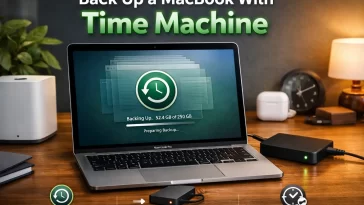
How to Back Up a MacBook With Time Machine
Time Machine backup on MacBook is Apple’s built-in way to automatically save copies of your entire drive, so a dead SSD or a bad update doesn’t wipe out years of files. I put off setting mine up for way longer than I should have — the kind of thing you only regret once, right after […] More
- in macOS
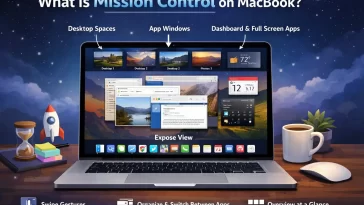
What Is Mission Control on MacBook and How Do You Use It?
Mission Control on MacBook is Apple’s built-in way to see every open window, desktop, and full-screen app at once, instead of digging through Cmd+Tab one app at a time. I didn’t actually use it properly for the first year I owned a Mac — just Cmd+Tab’d everywhere like a Windows habit I never dropped. Once […] More
- in macOS
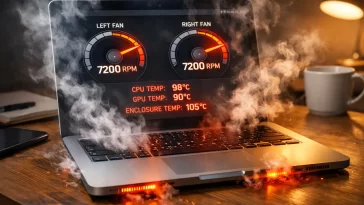
MacBook Fans Running Constantly? Here’s Why (and How to Stop It)
MacBook fans running constantly usually means something’s pinning your CPU, not that your Mac is broken. I’ve had a MacBook Pro sound like it was about to take off just from a browser tab I forgot was open, and an M2 Air that ran hot for days because of one background process I never would’ve […] More
- in macOS
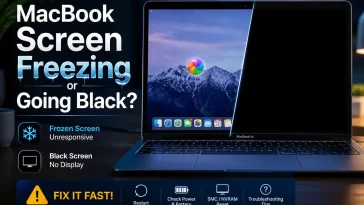
MacBook Screen Freezing or Going Black? Here’s What Actually Fixes It
MacBook screen freezing is one of those problems that looks catastrophic the first time it happens and then turns out to have a handful of predictable causes. I’ve had it happen on a 2019 Intel MacBook Pro mid-render and on an M1 Air just sitting idle on a Zoom call. If your cursor’s stuck, the […] More
- in macOS
MacBook Keyboard Not Responding: What’s Actually Going On
A MacBook keyboard that stops responding mid-session is one of those problems that feels random but almost never is. I’ve run into this twice — once on a 2019 MacBook Pro with the butterfly keyboard, once on an M1 Air — and the causes were completely different both times. The fix depends heavily on which […] More
- in macOS
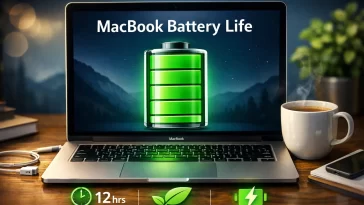
MacBook Battery Life: What Apple Claims vs. What You Actually Get
MacBook battery life varies more than Apple’s spec sheet suggests, and if you’ve ever wondered why your brand-new MacBook isn’t hitting those advertised numbers, you’re not imagining things. I’ve used several MacBook models over the years and the gap between “up to 18 hours” and reality is real — but it’s also explainable. What Apple […] More
- in macOS
Can You Install Windows on a MacBook? Boot Camp, Parallels, and What Actually Works
Installing Windows on a MacBook is possible — but the answer depends entirely on which MacBook you have, and that distinction changes everything. On Intel-based Macs, Boot Camp is still a legitimate option. On Apple Silicon (M1/M2/M3/M4), Boot Camp is completely gone, and your options are… different. First, Figure Out Which Mac You Have Go […] More
- in macOS
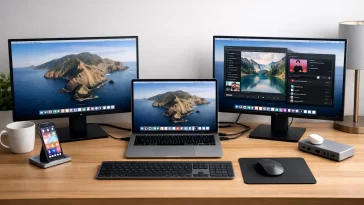
MacBook Air Dual Monitor Setup: How to Beat the One-Display Limit
I spent an embarrassing amount of time last year trying to get two 4K monitors running off my M2 MacBook Air before I figured out the problem wasn’t my cables. A proper MacBook Air dual monitor setup isn’t something Apple’s chip lets you do out of the box on most models, and that one fact […] More


Load More
Congratulations. You've reached the end of the internet.