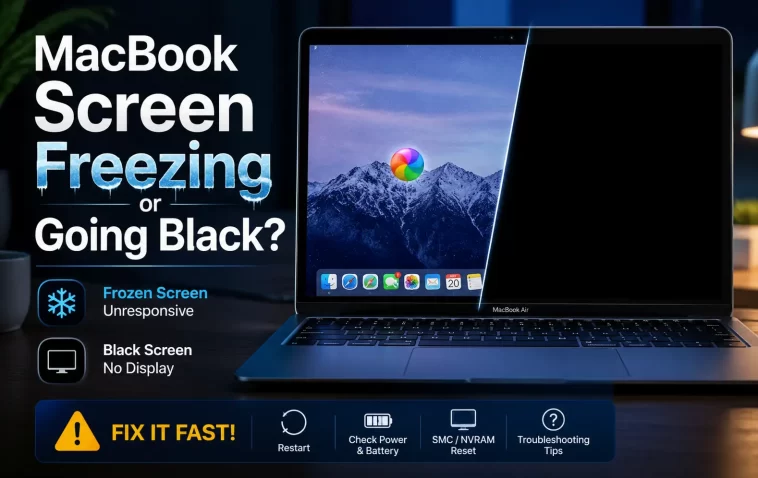
MacBook screen freezing is one of those problems that looks catastrophic the first time it happens and then turns out to have a handful of predictable causes. I’ve had it happen on a 2019 Intel MacBook Pro mid-render and on an M1 Air just sitting idle on a Zoom call. If your cursor’s stuck, the screen’s gone black, or everything just locks up for ten seconds and comes back, this is going to walk through what’s actually going on and how to fix it.
Quick Answer
- Force quit the frozen app first — Cmd+Option+Esc, not a hard reset
- Check Activity Monitor for a process pinning your CPU or memory near 100%
- Reset NVRAM/SMC if freezes happen randomly, not tied to one app
- Update macOS and GPU-heavy apps — outdated drivers cause more of this than people admit
- A failing battery or bad RAM can cause freezes that look software-related but aren’t
Why It Fails
There isn’t one cause here — that’s honestly the annoying part of troubleshooting this. So let’s go through the ones that actually show up in real cases, not the generic “restart your Mac” advice you’ll find everywhere else.
GPU switching problems (Intel MacBooks only). Older Intel MacBooks with both integrated and discrete graphics chips sometimes fail to switch between them cleanly. The screen freezes or flashes black for a second when a demanding app launches or closes. This one’s almost invisible unless you know to look for it — I didn’t, for months.
Memory pressure. When RAM fills up and macOS starts swapping aggressively to disk, the whole system can stutter or freeze for several seconds at a time. This gets worse on 8GB machines running Chrome with thirty tabs open, which, let’s be honest, is most of us.
Kernel panics disguised as freezes. Sometimes what looks like a freeze is actually the start of a kernel panic that never fully triggers the gray restart screen. And this one’s genuinely hard to diagnose without checking the logs, which we’ll get to further down.
A failing SSD or bad RAM module. Not common, but it happens more than people expect. If freezes correlate with specific file operations — saving large files, exporting video — hardware is worth suspecting.
Third-party kernel extensions or menu bar apps. Old antivirus tools, some VPN clients, and janky menu bar utilities can cause freezes that have nothing to do with Apple’s software at all. From what I’ve seen, this is the most overlooked cause on this list.
Common Scenarios
The pattern of when it happens tells you a lot about why it’s happening.
- Freezes during video calls or streaming — usually GPU or thermal related, especially on fanless MacBook Air models
- Freezes when waking from sleep — often a display driver or external monitor handshake issue
- Screen goes black but the Mac is still on (you can hear fans, or Siri responds) — this is a display/GPU fault, not a full system freeze
- Random freezes with no pattern — points toward memory pressure or a failing storage drive
- Freezes only on battery, not plugged in — check battery health before anything else
Step-by-Step Fixes
Step 1: Don’t hold the power button immediately
I know it’s tempting. But a hard shutdown mid-freeze can occasionally corrupt files if something was writing to disk. Give it 15–20 seconds first — a lot of “freezes” are actually just a busy process that resolves on its own.
Step 2: Force quit the offending app
Press Cmd+Option+Esc. If the Force Quit window itself won’t open, try clicking on the Apple menu directly — sometimes the app is frozen but the rest of the OS is still responsive underneath it.
Step 3: Check Activity Monitor
Open Activity Monitor and sort by CPU, then by Memory. Anything sitting near 100% for an extended period is your prime suspect. Photos, in particular, has a bad habit of running background indexing that eats resources for hours without telling you.
Step 4: Reset NVRAM and SMC
- NVRAM: Shut down, then hold Cmd+Option+P+R while powering on, until you hear the startup chime twice (or see the Apple logo twice on Apple Silicon, since the key combo doesn’t apply the same way — just restart normally on M-series Macs, NVRAM resets automatically on most issues)
- SMC (Intel only): Shut down, hold Shift+Control+Option+Power for 10 seconds, then release and power on normally
This fixes graphics-switching freezes more often than any other single step, in my experience. Not always. But often enough that it should be near the top of your list, not the bottom.
Step 5: Update macOS and check for driver conflicts
Go to System Settings > General > Software Update. If an app like Chrome, Adobe products, or a VPN client is outdated, update those too — they’re common freeze triggers on newer macOS versions.
Step 6: Boot into Safe Mode to isolate third-party software
Restart while holding the power button (Apple Silicon) or Shift (Intel) until you see the login screen. If the freezing stops in Safe Mode, something you installed is the cause, not macOS itself.
What Actually Worked For Me
So here’s the honest version. My MacBook Pro started freezing for 5-10 seconds at random, sometimes idle, sometimes not. I assumed it was Chrome — it’s always Chrome, right? Killed every tab, restarted the browser, even reinstalled it. Nothing changed.
Then I tried the NVRAM reset, mostly out of habit more than any real diagnosis. That didn’t fix it either, not entirely — the freezes got less frequent but didn’t stop.
The actual fix came from a half-remembered forum comment about Photos re-indexing in the background after a library merge. I checked Activity Monitor again, this time sorted by energy impact instead of CPU, and there it was — photoanalysisd chewing through resources nonstop. Turned it off temporarily (sudo launchctl unload on the relevant plist, though you can also just wait it out), and the freezing stopped within an hour. Your mileage may vary here, since this only applies if you’ve recently imported or merged a photo library.
Advanced Fixes and Edge Cases
Check the Unified Log for kernel panic signatures. Open Console.app, select your Mac under Devices, and search for “panic” in the search bar covering the last 24 hours. If you find panic reports, that’s not a simple freeze — that’s a deeper hardware or kernel extension conflict, and it’s worth booking a Genius Bar diagnostic rather than continuing to troubleshoot solo.
Run Apple Diagnostics. Shut down, then hold D while powering on. This checks RAM, logic board, and battery hardware. It won’t catch everything, but it catches actual hardware failures that no software fix will ever resolve — and that’s a scenario people skip past far too often.
DNS and network stack issues masquerading as freezes. If the freeze always happens right when you open a browser or join a call, it’s occasionally not the Mac at all — a corrupted DNS cache or VPN conflict can cause the whole system to appear locked while it’s actually just waiting on a network call. Try sudo dscacheutil -flushcache and restart the relevant app.
Secure Boot / firmware issues (Apple Silicon). On some M1 and M2 machines, a botched firmware update leaves the Secure Enclave in a weird state. This is rare, but if freezes started right after a macOS update, a full firmware reinstall via Recovery Mode (reinstall macOS, not just update) has resolved it for people I’ve talked to, even though it’s not officially documented as a fix for this.
What Rarely Works
Resetting PRAM repeatedly won’t help if the actual cause is memory pressure or a failing drive — I see this recommended constantly and it’s basically a placebo for those cases. Reinstalling macOS from scratch is also overused as advice; it’s a massive time investment that fixes maybe one in five freeze cases, mostly the ones caused by deep system file corruption, which is honestly rare.
Prevention Tips
- Keep at least 15–20% of your drive free — freezes get noticeably worse on nearly-full SSDs
- Restart weekly instead of just closing the lid every day for months
- Check Activity Monitor occasionally even when nothing’s wrong, just to know your baseline
- Avoid installing menu bar utilities from unfamiliar developers — a lot of freeze reports trace back to these
- Run Apple Diagnostics once a year even if nothing’s currently wrong, especially on machines older than 3 years
FAQ
Why does my MacBook screen go black but the fans keep running? That’s almost always a display or GPU issue, not a full freeze — try plugging in an external monitor to confirm whether it’s the panel or the graphics output itself.
Is a freezing MacBook screen covered under AppleCare? If it’s tied to hardware (GPU, RAM, logic board), yes. Software-caused freezes aren’t a warranty issue, but a Genius Bar diagnostic is free either way.
Can a bad charger cause screen freezes? Indirectly, yes — if the battery isn’t charging properly and drops below a certain threshold mid-use, some Macs freeze during the power state transition. Not super common, but it happens.
Does resetting SMC delete my files? No. It only resets low-level hardware settings like fan control, battery management, and backlight behavior. Your data’s untouched.
My MacBook only freezes when plugged into an external monitor. Why? Usually a resolution or refresh rate mismatch, especially with 4K/144Hz monitors on older Intel MacBooks. Try a different cable first — it fixes this more often than you’d expect.
Editor’s Opinion
Honestly, most freeze problems come down to either background processes nobody notices or a GPU switch quirk on older Intel machines. People jump straight to reinstalling macOS way too fast. Check Activity Monitor first, always. It’s boring advice but it’s right more than half the time in my experience, and it costs you five minutes instead of an afternoon.
