
More stories
- in Windows
Every Way to Screenshot on Windows 11 (And Which One to Actually Use)
Taking a screenshot on Windows 11 sounds like a one-liner topic, but there are at least six different ways to do it — and they don’t all behave the same way. Some save to a file, some copy to clipboard, some open an editor, and one of them quietly fails depending on your keyboard layout. […] More
- in Windows, Technology
How to Fix 7-Zip Not Working on Windows 11
7-Zip stopped showing up in my right-click menu out of nowhere, and double-clicking a .7z file just did nothing — no error, no window, nothing. 7-Zip not working on Windows 11 usually comes down to file association problems, a broken context menu integration, or a version mismatch with newer Windows builds, and the actual fix […] More
- in Windows
How to Reinstall the Bluetooth Driver on Windows 11
My Bluetooth headphones just stopped showing up one day, no warning, no error message, just gone from the list. How to reinstall the Bluetooth driver on Windows 11 turned out to be the actual fix, and it’s a quick one once you know where to look — no need to dig through BIOS settings or […] More
 in Windows
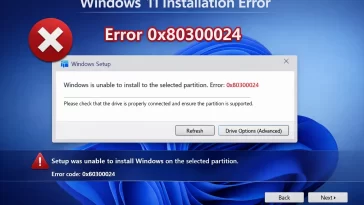
How to Fix Windows 11 Installation Error 0x80300024 When Selecting Drive
I hit this one trying to do a clean install on a spare SSD that had an old Linux partition table left on it from years back. Windows 11 installation error 0x80300024 shows up right at the “where do you want to install Windows” screen, and it basically means Setup looked at the drive you […] More
- in Technology
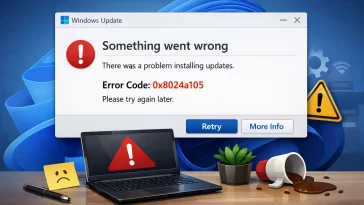
How to Fix Windows 11 Error Code 0x8024a105 Windows Update Failure
I had this one pop up on a client’s machine three days in a row, same spot, same retry button doing nothing. Windows 11 error code 0x8024a105 shows up when Windows Update fails to download or install a patch, and it’s usually tied to a stuck update component, a network hiccup, or corrupted cache files […] More
- in Uncategorized, Windows
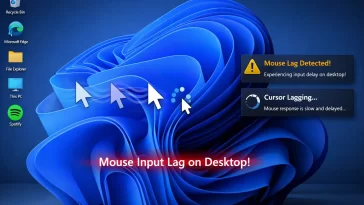
How to Fix Windows 11 Sudden Mouse Input Lag Only on Desktop (Not in Games)
My mouse turned into molasses every time I closed a game and went back to the desktop — smooth as anything mid-match, then laggy the second I alt-tabbed out. Windows 11 mouse input lag that only shows up on the desktop, not in games, almost always points to something in the shell or background processes, […] More
- in Windows
How to Fix Windows 11 Taskbar Flickering or Blinking Randomly
My taskbar started blinking like a busted fluorescent light about two weeks after a Windows 11 update, and no, I hadn’t installed anything weird. Windows 11 taskbar flickering usually comes down to a graphics driver conflict, a corrupted system file, or one specific visual effect setting that nobody thinks to check. The fix isn’t always […] More
- in Wordpress
How to Create a WordPress Contact Form (Best Free Plugins)
I’ve set up contact forms on probably thirty different WordPress sites at this point, and the plugin choice matters less than people think — what actually breaks things is almost always email delivery, not the form builder itself. Creating a WordPress contact form with a free plugin takes maybe ten minutes, but getting the submissions […] More
- in Technology
IndexNow Cloudflare Workers Setup: Auto-Ping Bing on Publish
I’d been manually pasting URLs into Bing Webmaster Tools every time I published a post, which is exactly as tedious as it sounds. IndexNow Cloudflare Workers automation fixes that by pinging Bing (and Yandex, Seznam, Naver, and a few others) the moment new content goes live, without you touching a dashboard. So here’s the plan: […] More
- in Technology
GPU Hotspot Temperature: How to Monitor It and Fix 90°C+ Readings
I almost RMA’d a perfectly fine GPU because I didn’t understand what hotspot temperature actually measures. GPU hotspot temperature is the single hottest point on your graphics card’s die, not the average core temp most people are used to checking, and that distinction matters more than you’d think once you start chasing 90°C readings. So […] More
- in macOS
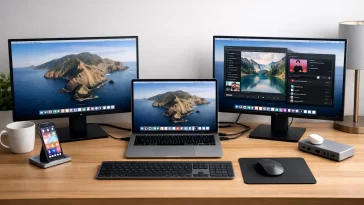
MacBook Air Dual Monitor Setup: How to Beat the One-Display Limit
I spent an embarrassing amount of time last year trying to get two 4K monitors running off my M2 MacBook Air before I figured out the problem wasn’t my cables. A proper MacBook Air dual monitor setup isn’t something Apple’s chip lets you do out of the box on most models, and that one fact […] More
- in Technology
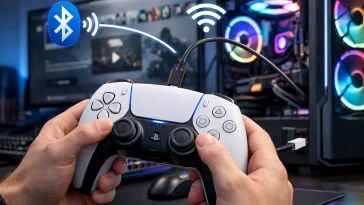
How to Connect a DualSense Controller to PC with Full Haptic Feedback Support
Connecting a DualSense controller to a PC sounds simple — plug in USB, done. But if you’ve tried it and noticed the haptic feedback is completely dead or the adaptive triggers feel like regular rumble motors, you’re not alone. Getting full DualSense haptic support on PC is a different problem from just getting it recognized […] More




Load More
Congratulations. You've reached the end of the internet.