Windows 11
More stories
 in Windows
How to Configure Kiosk Mode (Assigned Access) on Windows 11
How to configure Kiosk Mode (Assigned Access) is one of those tasks that sounds incredibly technical, but once you get under the hood of Windows 11, it’s actually quite straightforward. Whether you are a small business owner wanting to turn a tablet into a digital menu, or an IT manager setting up a public library […] More
- in Windows
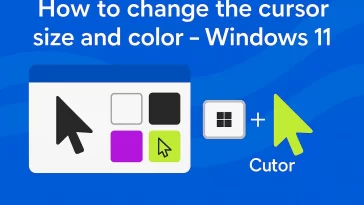
How to change the cursor size and color – Windows 11
Finding yourself squinting at your screen trying to locate that tiny white arrow? You aren’t alone. Whether you’ve upgraded to a high-resolution 4K monitor or you’re dealing with eye strain after a long day of work, knowing how to change the cursor size and color in Windows 11 can make a world of difference in […] More
- in Windows
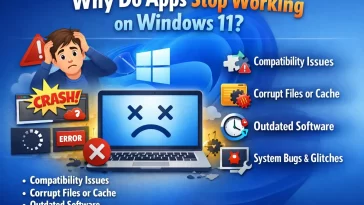
Why Do Apps Stop Working on Windows 11?
Before we dive into the “how,” let’s talk about the “why.” Software is built to talk to a specific version of Windows. Over time, Windows changes its language. It removes old libraries, updates how it handles graphics, and tightens security. When you try to run a program from 2010 on a 2024 operating system, the […] More
- in Windows
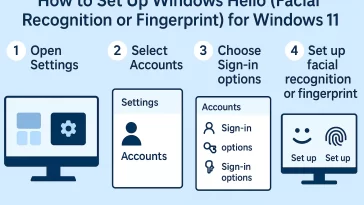
How to set up Windows Hello (facial recognition or fingerprint) for Windows 11
How to set up Windows Hello (facial recognition or fingerprint)? for Windows 11 is one of the best ways to make your computer sign-in process both super fast and much more secure. Seriously, ditching that old, boring password for a simple look at your camera or a quick touch of your finger feels like a […] More
- in Windows
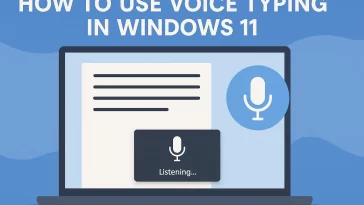
Stop Typing, Start Talking: How to Use Voice Typing in Windows 11
How to use Voice Typing in Windows 11? That’s the big question, and the good news is that Microsoft has made it incredibly simple. If you’ve ever felt like your thoughts move faster than your fingers, or if you simply need a break from the keyboard, the built-in Voice Typing feature in Windows 11 is […] More
- in Windows
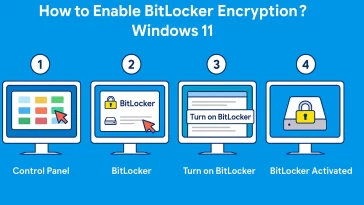
How to Enable BitLocker Encryption? Windows 11 – Complete Guide
How to Enable BitLocker Encryption? Windows 11 is one of the most common security questions asked by PC users who want to keep their data safe. BitLocker is a built-in encryption tool in Windows that helps protect your files from unauthorized access, especially if your device gets lost, stolen, or compromised. In this guide, I’ll […] More
- in Windows
How to Defragment a Hard Drive (HDD) in Windows 11: A Simple Guide
If your computer seems to be running slower than it used to, especially when opening large files or booting up, a fragmented Hard Disk Drive (HDD) might be the culprit. Over time, as you save, delete, and modify files, your HDD can become disorganized, scattering pieces of the same file all over the disk. This […] More
- in Technology, Windows
Can Windows 11 Run Older Programs?
Windows 11 run older programs – this is one of the most common questions people ask when considering upgrading to the latest Windows version. Many users rely on software they have used for years, and the thought of it not working on Windows 11 can be worrying. In this article, we will explore how Windows […] More
- in Technology
Essential Guide: Master Your Windows 11 Password and PIN Settings
Windows 11 Password and PIN Settings are absolutely crucial for keeping your data safe and your machine secure. You’ve got to start taking security seriously, and on your PC, that begins right at the log-in screen. You might think a simple password is enough, but with Windows 11, Microsoft has made the PIN and other […] More
- in Windows
Critical Guide: How to Update Windows 11 Hardware Drivers
The most critical thing you can do to keep your system fast, secure, and error-free is to regularly manage your Windows 11 Hardware Drivers. These drivers are the fundamental software components that allow your operating system to communicate with every piece of hardware, from your graphics card to your Wi-Fi adapter. Delaying these updates doesn’t […] More
- in Technology, Windows
How to Instantly Enable Dark Mode in Windows 11: A Stunning Visual Upgrade
Is the glaring white light of your monitor causing you headaches late at night? Does your screen feel like a flashlight shining directly into your retinas? If so, it is time to save your eyes and upgrade your aesthetics. You need to enable Dark Mode in Windows 11. The sleek, charcoal-gray interface of Windows 11 […] More
- in Technology, Windows
How to Effortlessly Manage Virtual Desktops in Windows 11: The Ultimate Guide
Are you constantly drowning in a sea of open windows? Do you find yourself alt-tabbing frantically between your Spotify playlist, an Excel spreadsheet, and a confidential work email? If so, it is time to learn how to manage Virtual Desktops in Windows 11. For years, Mac and Linux users bragged about their multiple desktop capabilities. […] More
Load More
Congratulations. You've reached the end of the internet.