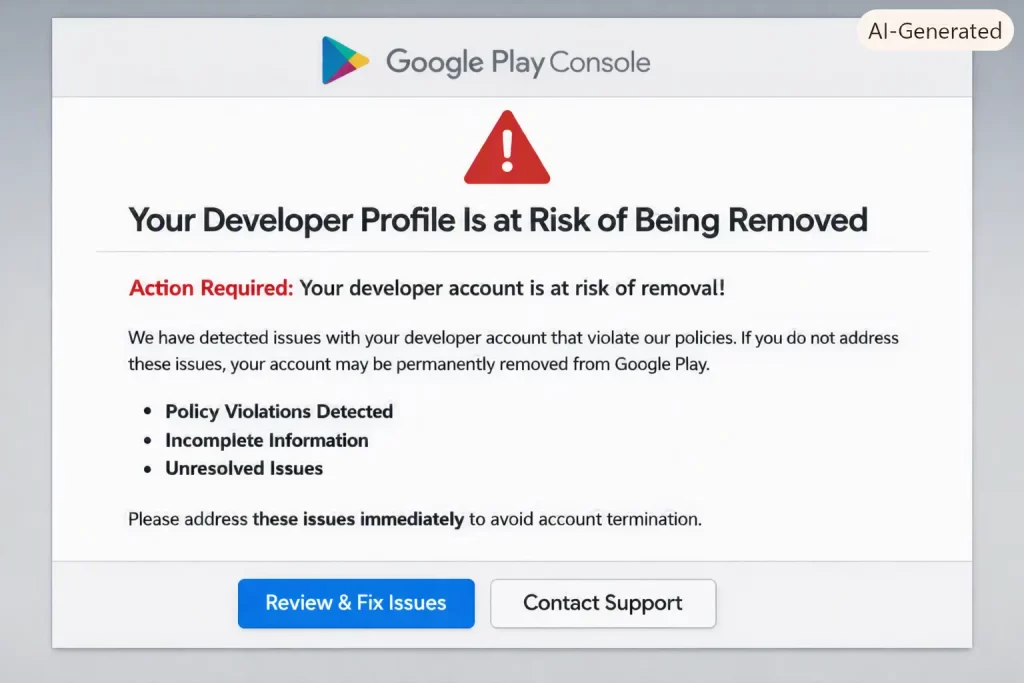
Logged into Play Console one morning to push a small update and got hit with a banner warning my entire developer profile was at risk of being removed. No context beyond a vague line about account standing. If you’re staring at the same alert right now, don’t panic — it’s almost always one of a handful of specific, fixable issues, not an instant ban.
So let’s figure out which one applies to you.
Quick Answer
- This warning almost always traces back to one of four things: unverified identity/contact info, an unverified payment profile, account inactivity, or a policy violation
- Check Account details > Account information first — incomplete or mismatched legal name/address is the most common trigger
- Verify your contact email and phone number if you haven’t already
- If you haven’t published or updated anything in a long stretch, publish even a minor update to reset the inactivity clock
- Organizations must match their Dun & Bradstreet profile exactly — a mismatch here silently causes verification failures
Why This Warning Shows Up
Google doesn’t always spell out the exact reason in the alert itself, which is honestly the most frustrating part of dealing with this. But the underlying causes fall into a short list.
Identity or contact verification gaps. Google requires your legal name, address, and contact details to be accurate and verifiable. For individual developers, this usually means matching government ID info. For organizations, your legal name and business address need to match what’s on file with Dun & Bradstreet from when you set up the account — and if your business has moved, renamed, or restructured since then without updating that record, Google’s system sees a mismatch even though nothing’s actually wrong on your end.
An unverified payment profile. If you’ve added a bank account or payment method to receive earnings but never completed verification, that alone can trigger a profile-at-risk warning, separate from anything about your apps’ content or policy compliance.
Account inactivity. Google closes developer accounts that meet certain inactivity thresholds — created over a year ago with no app ever submitted, or all apps combined sitting under 1,000 lifetime installs with no Play Console activity in 180 days, or an unverified account phone number and email. Any of these alone can be enough.
Policy violations stacking up. Multiple app suspensions, unresolved policy strikes, or egregious violations on even one app in your catalog can escalate to account-level risk, not just an issue with that single app.
Common Scenarios
- Solo developers with a single low-download app who haven’t logged into Console in months — inactivity is the likely cause
- Businesses that changed their legal name or address after initial account setup — identity mismatch
- Developers who added a payment method years ago but never finished bank verification — payment profile issue
- Accounts with a recently suspended app for a policy violation — this one’s usually accompanied by a more specific email, but can compound into the general warning too
Step-by-Step Fixes
Step 1: Check Account Details First
Play Console > Account details > Account information. Confirm your legal name, address, and (for organizations) that everything matches your Dun & Bradstreet record exactly — spelling, abbreviations, and all. If anything’s outdated, use Google’s account information update form to correct it.
Step 2: Verify Contact Email and Phone
Same Account details area. If either shows as unverified, complete verification immediately — it’s usually just a confirmation code sent to the email or phone on file.
Step 3: Check Your Payment Profile
Play Console > Setup > Payments profile, or through the linked Google Payments Center. If you’ve added a bank account, confirm it shows as fully verified rather than pending. Unverified payment methods left dangling for a long time are an easy thing to forget about.
Step 4: Address Inactivity
If you haven’t published anything in a while, this is the fastest fix available: upload a new app bundle, even a minor version bump on an existing app, or publish something through internal testing if you’re not ready for a public release. This resets the inactivity clock.
Step 5: Review Policy Status on All Apps
Play Console > Policy > App content, or check each app’s individual policy status page. Resolve any outstanding violations, even minor ones, especially if you’ve had a suspension in the past — multiple strikes compound faster than people expect.
Step 6: Use the Help Page If the Cause Isn’t Clear
If none of the above turns up an obvious issue, Play Console has a Help page where you can request direct support. This matters because the automated warning email often doesn’t specify which exact criteria triggered it — sometimes you genuinely need a human to look at your account.
What Actually Worked For Me
My first assumption was a policy violation, since I’d had a minor content warning on an old app months earlier that I thought I’d resolved. Spent a good hour combing through that app’s policy status, found nothing new, and got a little annoyed since the warning gave me zero specifics to work from.
Turned out — and this took a support ticket to figure out, not systematic troubleshooting on my part — it was the inactivity criteria. That old app had barely any installs, and I genuinely hadn’t touched Play Console in around six months because I’d been focused on other projects. Published a small update, verified my phone number was still current (it was, but I checked anyway), and the warning cleared within a few days. Not the dramatic policy issue I’d braced for — just simple neglect on my end.
Advanced Fixes and Edge Cases
Organization accounts with recent legal restructuring should specifically re-verify their Dun & Bradstreet listing before assuming the Play Console side is broken. Sometimes the D&B record itself is stale even if you’ve updated everything on Google’s end.
Accounts managed by multiple users should check whether the account owner (not just an admin) has completed verification — some verification steps are tied specifically to the primary account owner and won’t register as complete if a different team member did them.
If you’ve transferred an app to your account from another developer, verify that the transfer fully completed on both ends. Partial transfers can sometimes leave an account in a state that looks like inactivity even with real apps present.
Check for any pending emails from Google you might have missed or filtered. Play Console warnings are usually accompanied by an email with more specific detail than the in-console banner — worth checking spam or a secondary inbox if the in-app alert feels vague.
Prevention Tips
- Log into Play Console at least every few months even if you’re not actively publishing
- Keep contact email and phone verification current, especially after switching devices or numbers
- Update your legal name/address promptly with Google if your business details change
- Complete payment profile verification as soon as you add a payment method, not “eventually”
- Don’t let old, low-download apps sit completely untouched for a year plus if you want to keep the account itself in good standing
FAQ
Will this warning definitely result in my account being closed? Not necessarily. It’s a warning with a fix window, not an immediate termination in most cases. Address the underlying cause before the deadline mentioned in the email.
Can I appeal if I think this was triggered in error? Yes, through the Play Console Help page. This is the right path if you’ve checked everything and genuinely can’t find a cause.
Does deleting an old, unused app help? It can, if that app is what’s dragging down your install-count threshold, but it won’t fix an identity or payment verification issue. Check the actual cause first.
How long do I have before the account is actually closed? Varies, and the specific deadline is in the warning email — don’t rely on general timelines you find online for your specific case.
Does this affect my Google account overall, not just Play Console? No. Your general Google account (Gmail, Drive, etc.) stays active regardless of what happens to your Play Console developer account.
Editor’s Opinion
the vague wording on this warning is honestly the worst part, google tells you your profile is at risk but not why, which just sends people into a panic spiral guessing at policy violations that might not even be the issue. check account info and payment verification before you assume the worst, most of the time its something boring like an unverified phone number, not some scary policy strike
