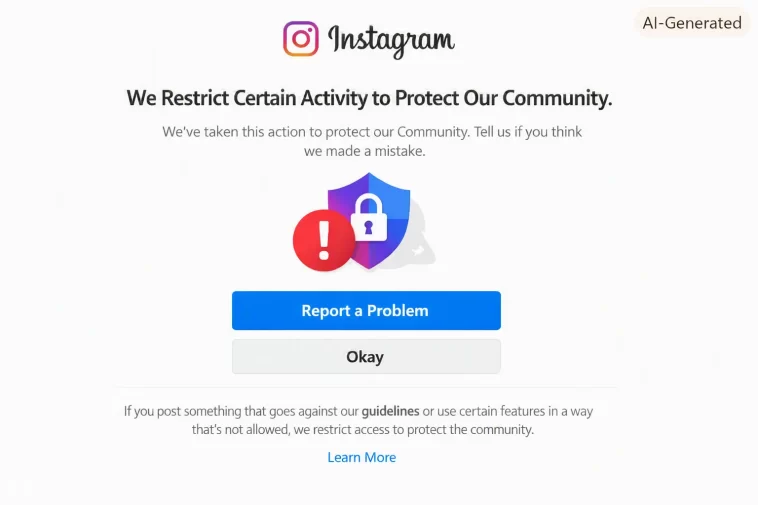
Was liking a handful of posts on a client account one morning, nothing unusual, and got hit with “we restrict certain activity to protect our community” mid-scroll. No warning, no explanation, just suddenly couldn’t like anything. If you’re seeing this and haven’t done anything you’d consider rule-breaking, that’s actually the normal experience — this triggers on patterns, not just clear violations.
So let’s go through what actually causes it and how to get back to normal without gaming the system.
Quick Answer
- This is a temporary, automated action-block, not a permanent ban — most clear up within a few hours to a few days
- Common triggers: third-party scheduling/automation tools, using a VPN, rapid engagement (fast liking/following in a short window), a flagged link in your bio
- Stop all activity for a bit rather than retrying repeatedly — repeated attempts can extend the restriction
- Disconnect any third-party apps with Instagram access and see if that resolves it
- If you genuinely believe it’s an error, use the in-app “Tell us” option rather than just waiting indefinitely
Why This Happens Even Without Breaking Rules
This is the part that confuses people the most, and honestly it’s a fair complaint — Instagram’s automated systems flag patterns that resemble spam or inauthentic behavior, and legitimate use can accidentally match those patterns.
Third-party automation and scheduling tools. Apps that post, like, or follow on your behalf — even ones you’ve knowingly connected for legitimate business purposes — can trigger this if their behavior looks bot-like from Instagram’s side. And that’s true even when you’re using a reputable tool; it’s about the pattern, not the tool’s reputation.
VPN usage. Logging in from an IP address associated with a VPN, especially one that’s flagged for other abuse elsewhere, can trigger a restriction even though you personally did nothing wrong. Instagram can’t always tell the difference between “person using a VPN for privacy” and “person trying to mask location for spam.”
Rapid or high-volume engagement. Liking, following, or commenting on a lot of content in a short window — something that happens naturally if you’re catching up after being away, or running a promotion — looks similar to spam behavior even when it’s genuine.
A flagged link in your bio. Some users have found their bio link itself was the trigger, especially if that domain has been associated with spam or scams elsewhere, even unrelated to your actual use of it.
New device or location login combined with other activity. Logging in from an unfamiliar device while also doing a burst of activity stacks two flags at once.
Step-by-Step Fixes
Step 1: Stop All Activity Immediately
Don’t keep trying to like, follow, or comment to “test” if it’s working again. Repeated attempts during an active restriction can extend how long it lasts. Just stop and give it time.
Step 2: Log Out and Back In
Sometimes this alone resolves it, particularly if the trigger was session-related rather than a deeper flag. Won’t work for everyone, but it’s a five-second thing to rule out.
Step 3: Disable Any VPN
If you’re using one, turn it off and try accessing Instagram from your normal network. If the restriction clears specifically after this, that confirms VPN was the trigger.
Step 4: Review and Disconnect Third-Party Apps
Settings > Apps and Websites (or the equivalent in current Instagram settings menus — this has moved around a bit over the years). Check what’s connected, and disconnect anything that posts, engages, or manages content on your behalf, even ones you trust. Reconnect them individually later once things are stable, rather than all at once.
Step 5: Check Your Bio Link
Temporarily remove any link in your bio. If the restriction clears after a few days without it, that link’s domain was likely the flag. Consider whether you want to keep using it, or switch to a different landing page.
Step 6: Wait It Out
Most of these restrictions genuinely resolve on their own within a few hours to a few days. That’s frustrating if you need the account working right now, but forcing it usually backfires.
Step 7: Report It If You Believe It’s a Mistake
If you’ve gone through all of the above and are confident nothing on your end explains it, use the “Tell us if you think that we’ve made a mistake” option that appears with the error itself, or go through Settings > Help > Report a Problem.
What Actually Worked For Me
With that client account, I assumed it was a fluke at first and tried again about ten minutes later — which, in hindsight, probably wasn’t smart, since the restriction seemed to extend rather than lift after that. Left it alone for the rest of the day after that.
Turned out the actual cause was a scheduling tool we’d connected the week before for a content calendar, one I hadn’t even used yet for automated posting, just connected and left idle. Disconnected it, waited about 18 hours doing nothing unusual on the account, and normal activity resumed. I genuinely wouldn’t have guessed a tool we hadn’t actively used yet was the trigger — from what I’ve seen since, just having elevated permissions connected can sometimes be enough, not necessarily active automated behavior.
Advanced Fixes and Edge Cases
Business accounts using multiple team members’ devices to manage the same account can trigger this more easily, since rapid logins from different devices/locations look like account sharing or compromise to Instagram’s systems. If this applies to you, consider using Meta Business Suite for team access instead of everyone logging into the same account directly.
Accounts that recently changed email or phone number combined with a burst of activity right after can double-flag. If you’ve made account-level changes recently, give it a few quiet days before resuming normal engagement levels.
Check for compromised account activity you didn’t initiate. In rare cases, this warning shows up because someone else gained partial access and Instagram detected genuinely suspicious behavior that wasn’t you. Check your login activity (Settings > Security > Login Activity) for anything unfamiliar as a precaution.
Prevention Tips
- Avoid rapid bursts of engagement — spread out liking/following/commenting naturally rather than doing it all at once after a break
- Be selective about third-party app permissions, and disconnect tools you’re not actively using
- Don’t use a VPN for Instagram specifically unless you have a real reason to, and if you do, expect occasional friction
- Keep your bio link on a domain with a clean reputation
- Avoid logging in from unfamiliar networks or devices in quick succession without a normal browsing pattern beforehand
FAQ
Is this the same as being banned? No. It’s a temporary action restriction, not a ban or account suspension. Your account and content stay visible; certain actions are just limited for a while.
How long does it usually last? Anywhere from a few hours to a few days in most cases. Repeated attempts to bypass it can make it longer, not shorter.
Can I still post while restricted? Sometimes posting is unaffected while liking/following/commenting is blocked — depends on which specific actions got flagged. Check what actually works versus what’s blocked rather than assuming everything is locked.
Will using a different device fix it faster? Not reliably, and switching devices repeatedly during an active restriction can look like more suspicious behavior, not less.
Should I delete my account and start over? No — that’s a drastic step for what’s almost always a temporary, resolvable restriction. Give the fixes above time to work first.
Editor’s Opinion
the annoying part here is instagram never tells you WHAT specifically triggered it, so people end up guessing and sometimes making it worse by mashing the like button trying to “test” if its fixed yet. just stop, disconnect anything third party you dont actively need, and give it a day or two. its almost never as serious as the vague wording makes it sound
