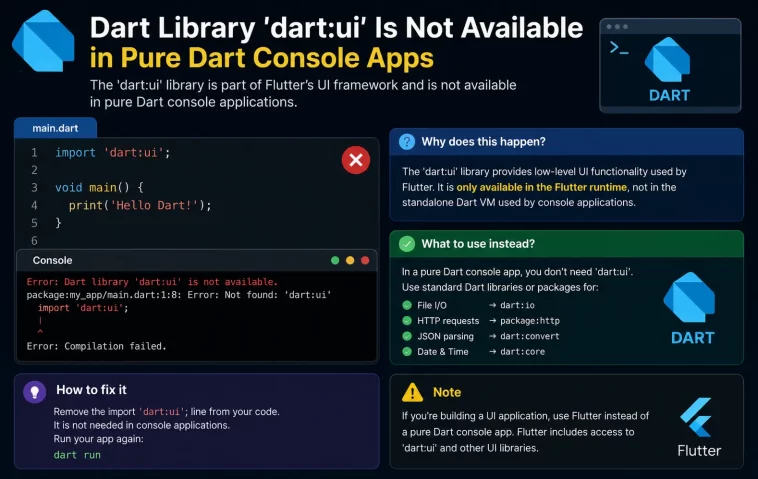
I hit this one building a small CLI tool that had nothing to do with Flutter — no widgets, no screens, just a script that processed some files. And then, out of nowhere, dart run throws dart library ‘dart:ui’ is not available on this platform and refuses to build. If you’re staring at that same message in a pure Dart console project, here’s what’s actually going on and how to get past it.
Quick Answer
- The error means something in your dependency tree is pulling in
dart:ui, which only exists inside the Flutter engine — not the standalone Dart SDK. - Run
dart pub depsto find which package is the culprit. - Remove or swap out the Flutter-dependent package for a pure-Dart alternative.
- If you genuinely need
dart:ui-style classes (Color, Offset, Rect, etc.) outside Flutter, look at thepure_dart_uipackage instead of importing Flutter directly. - Double check you’re running with
dart run, not accidentally through a Flutter-configured launch setup.
Why It Happens
dart:ui isn’t a normal Dart SDK library the way dart:io or dart:convert are. So when you try to run a pure Dart script and something in the import chain reaches for dart:ui, the compiler has nowhere to get it from and just fails.
There are a few specific ways this creeps into a project that has no business touching Flutter at all:
You imported a package that depends on Flutter, even indirectly. This is the big one. A lot of packages on pub.dev are “Flutter packages” under the hood even when the name doesn’t make that obvious — anything dealing with colors, geometry, painting, or widgets tends to import package:flutter/material.dart somewhere in its own source, which drags in dart:ui. Your pubspec.yaml might look totally clean, and the problem is two or three layers down in a dependency of a dependency.
Your pubspec.yaml still lists a Flutter SDK dependency from a copy-pasted starting point. I’ve done this myself — grabbed a pubspec.yaml from an old Flutter project as a template for a new console tool and forgot to strip the flutter: section. The Dart SDK sees that and tries to resolve packages against a Flutter-shaped project, not a plain one.
You’re running the file in an IDE configuration meant for Flutter. Not super common, but if your editor’s run configuration was set up for a Flutter project and you point it at a plain Dart file in the same workspace, some tooling combos get confused about which SDK context to use. From what I’ve seen this is rarer than the two causes above, but it’s worth ruling out if the first two don’t apply.
An overlooked cause worth mentioning: sometimes it’s not even your direct dependency — it’s a dev dependency. Test utilities and mocking packages occasionally have Flutter as a peer requirement without making that obvious in their README.
Step-by-Step Fixes
Step 1: Confirm you’re actually in a pure Dart project
Open pubspec.yaml and check for an environment: section with sdk: only (no flutter: line) and no flutter: dependency block. If you see flutter: sdk: flutter anywhere in there, that’s your answer — this project is configured as a Flutter project, not a pure Dart one, and dart:ui will resolve fine once you actually run it through Flutter tooling, or you need to strip that section out if you genuinely want it to stay Dart-only.
Step 2: Trace the dependency chain
Run this in your project root:
dart pub depsThis prints the full dependency tree. Look for any package that isn’t obviously Flutter-related but might still wrap it — painting libraries, chart packages, anything with “widget” or “render” in the name. The error message itself usually helps here too — it often prints a context line showing the import path, something like package:my_app => package:some_package => dart:ui. That line tells you exactly which package to go remove or replace.
Step 3: Remove or replace the offending package
Once you’ve found it, you’ve got two options. If you don’t actually need whatever that package provides, just delete it from pubspec.yaml and run dart pub get again. If you do need it — say, you wanted Color or Offset classes for some geometry math — swap to a pure-Dart equivalent. The pure_dart_ui package exists specifically for this: it reimplements the commonly-used dart:ui classes (Color, Offset, Rect, Size, and a handful of others) without any Flutter engine dependency, so CLI and server-side code can use them without triggering this error.
Step 4: Re-run with a clean pub cache if the error persists
Every now and then removing the package isn’t enough because of a stale resolution. So clear it out and rebuild:
dart pub cache repair
dart pub get
dart run bin/your_app.dart
This step honestly doesn’t fix it most of the time, but when the dependency graph is being stubborn about picking up your changes, it clears whatever’s cached and forces a fresh resolve.
What Actually Worked For Me
My first instinct was that I’d somehow broken my Dart SDK install, so I spent close to twenty minutes reinstalling and checking dart --version output like that was going to change anything. It didn’t, obviously — the SDK was fine the whole time.
What actually fixed it was running dart pub deps and scrolling through the tree line by line. Turns out I’d added a small utility package for generating placeholder images in my test fixtures, and that package quietly depended on Flutter’s painting library to do its image composition. I hadn’t even registered that as a “Flutter package” when I added it — the name gave zero indication. Swapped it for a plain image package that does roughly the same job without any Flutter ties, and the error went away immediately.
Not a glamorous fix. But that’s usually how it goes with dependency errors — less detective work, more just reading the tree carefully instead of guessing.
Advanced Fixes and Edge Cases
Check for conditional imports gone wrong. Some packages use conditional imports (import 'x.dart' if (dart.library.io) 'y.dart') to branch behavior between platforms. If a package’s conditional logic is misconfigured or you’re on an unusual platform target, it can resolve to the Flutter-dependent branch even in a pure Dart context. This is rare, but if pub deps doesn’t show an obvious culprit, check whether any dependency uses conditional imports around UI-related code.
Monorepo / workspace pubspec conflicts. If you’re working in a Dart workspace with multiple packages sharing a root pubspec.yaml, a Flutter dependency in one package can bleed into resolution for a sibling pure-Dart package depending on how the workspace is configured. Isolating the pure-Dart package into its own resolvable unit (separate pubspec.yaml, run dart pub get from inside that specific folder) usually sorts this out.
Analyzer says one thing, runtime says another. Occasionally the static analyzer won’t flag anything wrong, but dart run still throws the error at compile time. That’s because the analyzer doesn’t always fully resolve every conditional or transitive import path the same way the compiler does. Don’t trust a clean analyzer pass as proof the dependency chain is safe — always verify with an actual dart run.
Fixes That Get Recommended But Rarely Help
You’ll see people suggest reinstalling Flutter entirely, or switching Dart SDK versions, when this comes up in forum threads. In practice that almost never touches the actual cause, because the problem isn’t your SDK — it’s a specific package in your dependency graph. Downgrading or upgrading the Dart SDK version is another one that gets thrown around and, from what I’ve seen, fixes this maybe one time in twenty, usually only when the root cause happened to be an SDK constraint mismatch rather than an actual Flutter import.
Prevention Tips
- Before adding a new package to a pure Dart project, skim its
pubspec.yamlon pub.dev for aflutter:dependency section — it’s usually visible right on the package page. - Keep pure-Dart tools and Flutter apps in genuinely separate projects rather than sharing a
pubspec.yaml, even if it feels convenient short-term. - Run
dart pub depsoccasionally as a sanity check, especially after adding several new packages in one sitting. - If you need
dart:ui-style geometry or color classes outside Flutter, reach forpure_dart_uifrom the start instead of importing something Flutter-flavored and hoping it stays lightweight.
FAQ
Can I just install the Flutter SDK to fix this in a console app? No — installing Flutter doesn’t make dart:ui available to a plain dart run process. You’d have to actually run it through Flutter’s tooling, which defeats the point of a pure Dart console app.
Does this happen with dart:io too? No, dart:io is a standard Dart SDK library and works fine in console apps. This issue is specific to dart:ui, which belongs to the Flutter engine.
Is pure_dart_ui a good long-term dependency or just a workaround? It’s a legitimate small package for this exact use case — reimplementing a handful of dart:ui’s pure-data classes without engine dependencies. Your mileage may vary depending on how much of dart:ui’s surface area you actually need; it doesn’t cover everything, just the commonly used geometry and color classes.
Why didn’t this show up until I added a new package? Because the offending dependency wasn’t in your tree before. This error is almost always triggered the moment a Flutter-tied package (even several layers deep) gets added, not something that was lurking silently the whole time.
Editor’s Opinion
honestly this one’s annoying mostly because the error message doesn’t tell you which package caused it half the time, you gotta go dig for it yourself. once you know to check pub deps it’s like a two minute fix but getting to that point the first time is a little maddening. worth keeping this in your back pocket if you write a lot of small dart cli tools, cause it comes back around more than you’d think.
