I migrated a client’s site on a Friday afternoon, which — I know, I know, rule one of migrations is don’t do it on a Friday, and I still did it anyway. The new server was fine. The old one was fine. And yet for about six hours, half of visitors were landing on the old host with outdated content while the other half saw the new site correctly. That’s DNS propagation, and if you’re dealing with it right now after a host change, here’s what’s actually going on and what you can and can’t speed up.
Quick Answer
- DNS doesn’t “spread” evenly — it expires based on TTL, so some visitors update fast and others don’t until their cached copy times out
- Lower your TTL to 300 seconds before migrating, not after — this is the single biggest lever you have
- If you didn’t lower TTL in advance, you’re stuck waiting out the old TTL value, which could be minutes or up to 24+ hours
- Check your authoritative nameserver directly with
digto confirm the change actually saved before assuming it’s just propagation delay - Nameserver changes take longer than record changes — they have to propagate through an extra layer at the registry level
Why This Happens
DNS propagation issues aren’t really about the internet being slow to catch up — that’s the popular framing but it’s not quite accurate. What’s actually happening is a caching expiration process, and a few specific things drive how long it drags on.
TTL set too high before the change. This is the dominant factor, by a wide margin. If your old A record had a TTL of 86400 (24 hours) and you changed hosts without lowering it first, every resolver that cached your old IP in the hour before your change is entitled to keep serving that stale answer for up to a full day.
Nameserver changes involve an extra hierarchy layer. So if you’re not just changing an A record but switching nameservers entirely — moving from your old host’s DNS to a new provider’s — that change has to propagate through the TLD registry itself, not just your zone. This is why nameserver migrations tend to take noticeably longer than a plain record update.
ISP-level caching that ignores TTL more than it should. Most modern resolvers respect TTL fairly strictly, but some ISPs still cache more aggressively than the TTL technically allows, especially on residential connections. Not much you can do about this one directly — it’s outside your control.
Negative caching. Less talked about, but real: if a DNS query failed or returned nothing right before your change went live, that “no record” response can itself get cached for a while, which produces its own separate delay pattern that TTL-lowering doesn’t fully address.
The record didn’t actually save at the source. Sometimes what looks like “propagation is just slow” is actually “the change never went live on the authoritative nameserver in the first place” — a saved-but-not-applied setting, a typo in the record, or a caching layer inside the DNS provider’s own control panel showing you a stale view of your own zone.
Step-by-Step Fixes
Step 1: Confirm the record actually changed at the source
Don’t start with a public checker tool — start closer to the source:
dig yoursite.com A @ns1.yournewhost.comQuery your authoritative nameserver directly, not a random public resolver. If the new IP shows up here, your change genuinely saved and you’re dealing with pure propagation delay. If it doesn’t, stop — the problem is at your DNS provider’s end, not the wider internet.
Step 2: Check a major public resolver
dig yoursite.com A @1.1.1.1If this returns the new IP but your own connection still shows the old site, the issue is local to you, not global.
Step 3: Flush your local DNS cache
On Windows:
ipconfig /flushdnsOn macOS:
sudo dscacheutil -flushcacheOn Linux (systemd-resolved):
sudo systemd-resolve --flush-cachesAnd just try switching your own device to 1.1.1.1 or 8.8.8.8 temporarily — if your ISP’s resolver is lagging behind everyone else, this sidesteps it entirely without waiting for anything to expire.
Step 4: Work out the realistic remaining wait time
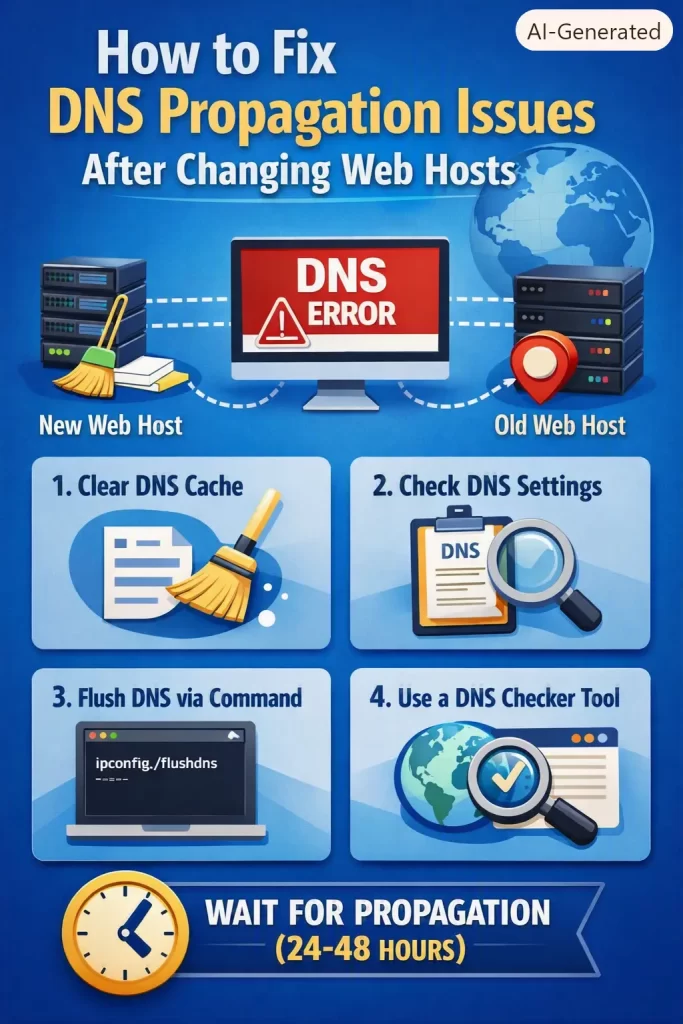
If the old TTL was, say, 3600 seconds (1 hour) and your change went live 20 minutes ago, the maximum remaining wait for any resolver is roughly 40 minutes — not the vague “24 to 48 hours” figure that gets repeated everywhere regardless of context. That range comes from worst-case scenarios with high TTLs, not a fixed universal rule.
Step 5: If you haven’t migrated yet, lower TTL first
For future migrations — this genuinely is the fix that matters most. Set your A record’s TTL down to 300 seconds at least 24 to 48 hours before the actual cutover. That gives existing caches time to expire under the old, longer TTL naturally, so that when you flip the record, the new low TTL is already what’s cached everywhere.
Step 6: Use a hosts file entry to test immediately (your machine only)
If you need to verify the new server works correctly right now, without waiting on propagation at all, edit your local hosts file:
203.0.113.10 yoursite.comThis makes your own machine resolve directly to the new server, bypassing DNS entirely — useful for testing, but remember to remove the entry once the real DNS change has fully propagated, or you’ll be the one person still hitting a hardcoded IP after everyone else has moved on.
What Actually Worked For Me
That Friday migration — the honest version. I’d lowered TTL in advance, or thought I had. Turned out I’d lowered TTL on the A record for the root domain, but completely forgotten the www CNAME had its own separate TTL still sitting at the old 24-hour default. So half my “propagation issue” wasn’t propagation at all, it was me missing a second record with independent caching behavior.
I burned probably 45 minutes checking public DNS checker tools and getting inconsistent results across regions, assuming that inconsistency itself was the problem, before it occurred to me to check each record’s TTL individually instead of just eyeballing the zone file. Once I saw the www CNAME was still on 86400, the mismatch made total sense. There wasn’t a fix for that specific migration beyond waiting it out, since the TTL clock was already ticking on old cached copies. But it did change how I plan every migration since — now I check every relevant record’s TTL individually, not just the one I think is “the important one.”
Advanced Fixes and Edge Cases
Split DNS behavior between resolvers. Occasionally different public resolvers genuinely disagree for a while, not due to caching but because your DNS provider’s own anycast network hasn’t finished syncing internally. This is rarer, but if dig against your authoritative nameserver itself gives inconsistent answers depending on which of the provider’s own servers you happen to hit, that’s a provider-side propagation issue, not a client caching issue — worth reaching out to their support directly.
Wildcard and subdomain caching quirks. If you’re migrating a site with several subdomains, each one can have an independently cached TTL clock, exactly like the www CNAME story above. Check dig against each subdomain that matters, not just the root domain.
DNSSEC validation delays. If DNSSEC is enabled on your domain, a botched signing update during migration can cause validating resolvers to reject the new records outright rather than just serving them slowly — this looks like propagation delay but is actually a validation failure, and it needs its own separate fix at the DNS provider level.
CDN-layer caching stacked on top of DNS caching. If you’re running Cloudflare or a similar CDN in front of your DNS, there’s sometimes an additional caching layer at the CDN edge that behaves independently of standard DNS TTL. Purging the CDN cache separately from waiting out DNS propagation is sometimes the actual missing step.
Prevention Tips
- Lower TTL to 300 seconds at least 24–48 hours before any planned migration, not on the day of
- Inventory every record that matters before migrating — root domain, www, mail, API subdomains, anything with its own independent TTL clock
- Keep the old server running and untouched for at least 24–48 hours after cutover so stragglers on stale DNS aren’t hitting a dead server
- Test with a hosts file entry before flipping DNS for real, so you’re not debugging server issues and propagation issues at the same time
FAQ
How long does DNS propagation actually take in 2026? Overwhelmingly dependent on your TTL setting at the time of the change — a 5-minute TTL means most resolvers catch up within an hour; a 24-hour TTL means some legitimately won’t update for close to a full day.
Why do some people see my new site immediately while others don’t for hours? Different resolvers cached your old record at different times, so they’re each running their own independent countdown until their cached copy expires.
Does clearing my browser cache fix DNS propagation? It can fix issues that are actually browser-level caching, but true DNS propagation delay lives at the resolver level, outside your browser entirely — flushing your OS-level DNS cache is more relevant than clearing browser history.
Can I speed up propagation after I’ve already made the change? Not meaningfully, no. The TTL that matters is the one that was live before you made the change — changing it after doesn’t retroactively shrink caches that already exist elsewhere.
Is it normal for nameserver changes to take longer than A record changes? Yes. Nameserver changes propagate through the registry level, which is a slower and more hierarchical process than a simple record update within an existing zone.
Editor’s Opinion
the “24-48 hours” line gets repeated so often that people panic even when their actual TTL guarantees a fix within the hour. lowering TTL in advance is genuinely the whole game here, everything else is just verification and patience. the subdomain TTL thing bit me once and i still double check every record now instead of assuming the root domain tells the whole story.
