Windows in 2026: Moving Past the Hype and Into the Performance Era
If you’ve spent any time on tech Twitter or Reddit over the last six months, you’ve undoubtedly seen the “leaks.” Alleged screenshots of a floating taskbar, rumors of a completely modular “CorePC” architecture, and the promise that Windows 12 would finally arrive in 2026 to save us from the baggage of the past.
But as we sit here in May 2026, the reality is far more grounded—and honestly, far more exciting. Microsoft has officially shifted its strategy away from the “Big Bang” OS release model. Instead of a Windows 12, we are witnessing the most aggressive and successful evolution of Windows 11 since its debut.
The focus for 2026 isn’t about a new version number; it’s about conquering the ARM ecosystem and fixing the responsiveness issues that have dogged the OS for years.
1. The Death of the “Windows 12” Rumor
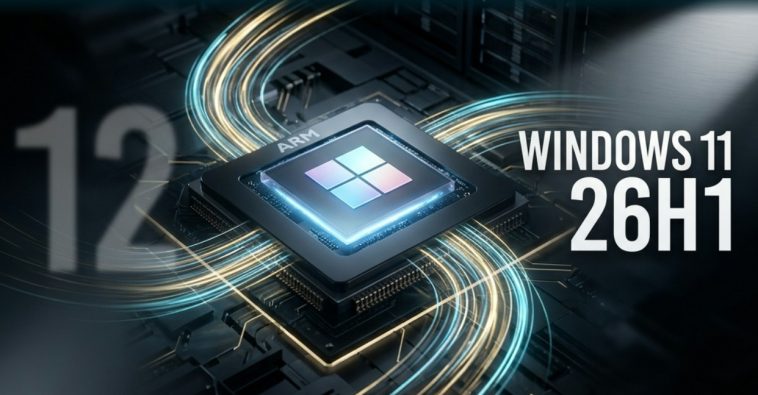
Let’s address the elephant in the room first: Windows 12 is not happening this year. Sources close to Redmond’s engineering teams have made it clear that the focus is on Windows 11 version 26H1.
The confusion stemmed from internal documents discussing “Next-Gen Windows,” which many interpreted as a marketing name. In reality, Microsoft is treating Windows 11 as a “forever OS” (much like they once promised for Windows 10), but with a twist: they are modularizing the backend without forcing a brand-new UI on users.
For the American consumer, this is actually good news. It means your current hardware won’t be “obsolete” by a new set of arbitrary TPM requirements this fall. Instead, the “26H1” update brings the performance improvements we were promised for a new OS, but within the stable environment of Windows 11.
2. The ARM Revolution: Snapdragon X2 and the Nvidia Entry
2026 will be remembered as the year the “Windows on ARM” dream finally caught up to Apple Silicon. While 2024 and 2025 were the “pilot” years for the Snapdragon X Elite, the new Snapdragon X2 chips hitting the market this month are a different beast entirely.
Microsoft has released a specialized build of Windows 11 (version 26H1) specifically for these ARM chips. Unlike the “one-size-fits-all” approach of the past, this build features a rewritten kernel scheduler designed for high-efficiency cores.
But the real shocker for the US market is the entry of Low Latency Profilinto the PC processor space. Reports indicate that Nvidia’s “N1” series of ARM-based chips are currently being tested by major OEMs like Dell and HP. With Nvidia’s graphics prowess integrated directly into an ARM SoC, the “thin and light” Windows laptop is finally becoming a viable gaming machine.
3. The “Low Latency Profile”: Ending the UI Lag
One of the most praised features in the May 2026 update is the Low Latency Profile (LLP). For years, Windows users have complained that the OS feels “heavier” than macOS or Linux, especially when opening the Start menu or searching for files.
LLP solves this by allowing the CPU to instantly ramp up to its maximum clock speed for a “burst” of 1 to 3 seconds whenever a UI action is triggered. In practice, this makes the OS feel incredibly snappy. Whether you’re launching a heavy app like Photoshop or just switching between virtual desktops, the “weight” of the UI has vanished.
In a productivity-obsessed market like the United States, this “snappiness” is a key selling point that could finally silence the critics who still pine for the speed of Windows 7.
4. Advanced Camera Controls: The Remote Work Polish
As remote and hybrid work become permanent fixtures of the American professional landscape, Microsoft is finally taking camera settings seriously. The May update removes the need for clunky third-party apps (like Logi Tune or Razer Synapse) for basic camera management.
Within Settings > Bluetooth & Devices, users now have access to Advanced Camera Controls, including hardware-level pan, tilt, and zoom (PTZ) for supported 4K webcoms. Combined with improved AI-driven background blur and “Eye Contact” corrections that run locally on the NPU (Neural Processing Unit), the quality of a standard Teams call has reached professional broadcast levels.
5. Security: Tighter Driver Rules and “Shell Hardening”
With cyber threats in 2026 becoming more sophisticated, Microsoft is tightening the screws on how drivers interact with the kernel. The May 2026 update introduces a new “Strict Driver Verification” mode that is mandatory for all new hardware sold in the US.
Furthermore, a new protection layer has been added to prevent one of the oldest tricks in the book: malicious CMD and PowerShell script execution via “living-off-the-land” techniques. By analyzing the intent of scripts in real-time using a local AI model, Windows can now block suspicious commands before they even execute, providing a massive safety net for enterprise users.
Conclusion: A Year of Substance Over Style
If 2024 was the year of “AI Hype” and 2025 was the year of “Hardware Transition,” then 2026 is the year of Substance.
Windows 11 version 26H1 proves that Microsoft doesn’t need a “Windows 12” to innovate. By focusing on ARM performance, UI responsiveness, and granular user controls, they are building a version of Windows that actually respects the user’s time and hardware.
The message from Redmond is clear: Windows 11 is here to stay, and it’s finally becoming the high-performance OS we all wanted it to be.
