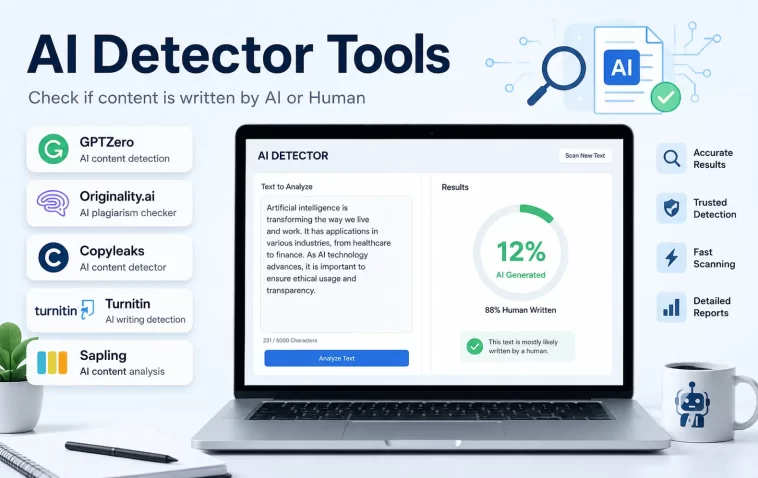
I’ve been running content through AI detectors for months now, mostly to double-check my own drafts before they go live, and honestly most “free AI detector tools” lists out there are just recycled affiliate junk. So I put together my own list based on the tools I’ve actually used, what their free tiers really let you do, and where each one falls apart.
Quick Answer — Best Free AI Detector Tools
- GPTZero — best overall free tier, 10,000 characters/month, decent accuracy on longer text
- ZeroGPT — unlimited free scans, no signup, but inconsistent on short text
- Copyleaks — strong on plagiarism + AI combo, free scans are limited per day
- Originality.ai — most accurate in independent tests, but only trial credits are free
- QuillBot AI Detector — unlimited free word count, flags simple writing too aggressively
Why You’d Even Need One
Most people reach for a free AI detector for one of three reasons: students checking an essay before submitting it, writers and editors verifying content before it goes live, or someone screening freelance work they’ve paid for. And none of those use cases need a paid enterprise plan — they need something fast, free, and good enough to flag obvious cases.
But here’s the thing nobody tells you upfront: no free tool is fully reliable. They’re useful as a first pass, not as a verdict. Keep that in mind as you go through this list, because I’ll mention accuracy issues for each one rather than pretending they’re all flawless.
The Tools
1. GPTZero
GPTZero is probably the most well-known name in this space, originally built for teachers. The free tier gives you 10,000 characters a month, which is enough for a few essays or blog posts but not much more.
What it does well: it shows a sentence-by-sentence breakdown, highlighting which specific lines look “AI-like” instead of just spitting out one score. That’s genuinely useful for figuring out why something got flagged.
What it doesn’t do well: short texts under 250 words give noisy results. I’ve seen the same paragraph score 40% AI one day and 65% the next, run minutes apart.
2. ZeroGPT
No account needed, no character limit that I’ve hit yet. So if you just want a quick free check without signing up for anything, this is the one I reach for first.
The catch — and there’s always a catch — is that ZeroGPT tends to flag formal or technical writing more aggressively than conversational text. Documentation, academic abstracts, and anything with a consistent tone gets hit hard.
3. Copyleaks
Copyleaks combines AI detection with plagiarism checking, which is handy if you’re worried about both at once. The free version caps you at a small number of scans per day rather than a character limit.
It’s solid for catching obvious cases. But for borderline text — stuff that’s human-written but unusually clean — it leans toward over-flagging, same as most tools on this list.
4. Originality.ai
This one’s the most accurate in basically every independent comparison I’ve come across, but I should be upfront: it’s not really free. You get a small batch of trial credits when you sign up, and after that it’s paid per word.
If you’re checking content professionally and accuracy actually matters for a business decision, it’s worth the trial at minimum. For a one-off personal check, it’s probably not worth the signup.
5. QuillBot AI Detector
QuillBot’s detector is free with no real character cap that I’ve run into, which makes it tempting to use as your main tool. Don’t, though — not as your only one.
It flags simple, clear sentences as AI more than any other tool I tested. So if you write in short, direct sentences (which, ironically, plenty of style guides recommend), expect inflated AI scores here.
6. Sapling AI Detector
Built originally for customer support teams checking AI-generated replies, Sapling’s free version works fine for quick single-paragraph checks. It’s less commonly mentioned than the others, but from what I’ve seen it performs about average — not the best, not the worst.
7. Content at Scale AI Detector
This one gives a more human-readable verdict (“highly likely human,” “likely AI,” etc.) instead of just a percentage, which some people find easier to interpret. The free version is scan-limited per day.
8. Writer.com AI Content Detector
Simple, free, no signup required for basic checks. It’s a decent option if you just need a fast yes/no answer and don’t care about a detailed breakdown.
9. Scribbr AI Detector
Aimed mostly at students, Scribbr’s free checker is straightforward and unlimited on basic checks, though it shares the same weakness as the rest — academic and formal writing styles trigger more false positives here than casual writing does.
Comparison Table
| Tool | Free Limit | Best Feature | Weak Point |
|---|---|---|---|
| GPTZero | 10,000 chars/month | Sentence-level breakdown | Inconsistent on short text |
| ZeroGPT | Unlimited, no signup | No account needed | Flags formal/technical writing |
| Copyleaks | Limited scans/day | Plagiarism + AI combined | Over-flags clean human text |
| Originality.ai | Trial credits only | Most accurate overall | Not really free long-term |
| QuillBot | Unlimited word count | No daily cap | Flags simple sentences hard |
Which One I Actually Use
For a quick gut check, I default to GPTZero first, mostly out of habit at this point. If the result looks off or borderline, I’ll run the same text through ZeroGPT just to see if the two agree at all — and honestly, half the time they don’t, which tells you something about how shaky these scores really are.
I tried relying on QuillBot alone for a while since it has no character cap. That didn’t go well — it flagged a chunk of my own writing as 80% AI just because the sentences were short and direct. So now I treat it as a backup, not a primary check.
Edge Cases Worth Knowing
- Mixed content (partly AI, partly human-edited) confuses almost every detector. Scores tend to land somewhere in the middle and aren’t meaningful either way.
- Translated text — even when translated by a human — often scores higher on AI detectors because translation tends to produce more “predictable” sentence structures than native writing.
- Heavily quoted or templated text (legal disclaimers, boilerplate sections) gets flagged constantly, regardless of who wrote the surrounding content.
Prevention Tips
- Never rely on one detector’s score alone — cross-check with at least one other tool.
- Treat any score under 30% difference between two tools as inconclusive rather than meaningful.
- If accuracy genuinely matters (academic, legal, or business decisions), budget for a paid tier rather than trusting a free scan as final proof.
FAQ
Is there a truly free AI detector with no limits at all? ZeroGPT is the closest — no signup, no hard character cap that I’ve hit. Accuracy is still hit or miss, though.
Which free AI detector is most accurate? Originality.ai tests best in most comparisons, but it’s barely free in practice — you get trial credits, then it’s paid.
Can free AI detectors tell ChatGPT apart from Claude or Gemini? Not reliably. Most were trained on older GPT output, so newer models from different companies don’t always trigger the same patterns.
Do these tools store the text I check? Some do, for training or quality purposes — check each tool’s privacy policy before pasting anything sensitive or unpublished.
Editor’s Opinion
honestly none of these are “good” in the way people want them to be, they’re just good enough for a quick first look. i use two of them together and still don’t fully trust the number. if you’re picking one free tool and sticking with it, GPTZero’s my pick, but don’t bet anything important on it alone.
