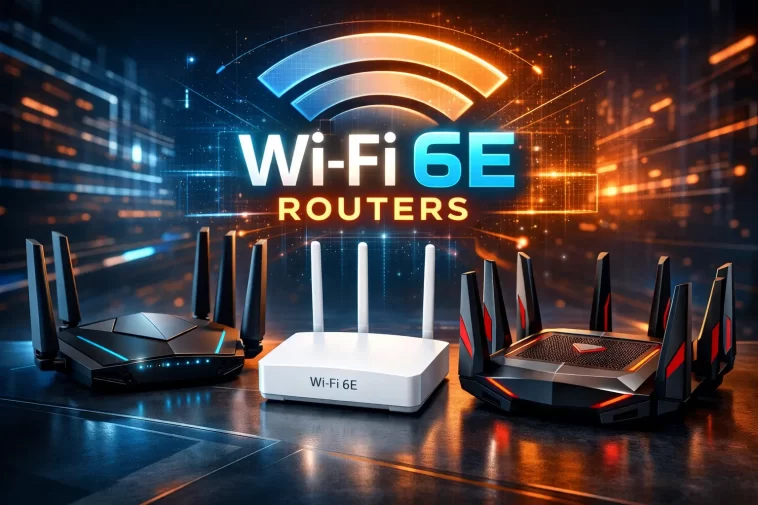
Wi-Fi 6E routers are the easiest upgrade you can make if your home has weak spots where the signal just won’t reach. That back bedroom, the basement, or the far corner of your living room doesn’t have to stay a dead zone forever. With the right router, you can finally get a strong, stable connection in every room without spending a fortune.
Wi-Fi 6E adds a brand new 6 GHz band on top of the usual 2.4 GHz and 5 GHz bands. Since only newer devices use this band, it stays far less congested, which means faster speeds and lower lag for the devices that support it.
In this guide, we’ll walk through the 10 best value Wi-Fi 6E routers you can buy right now, whether you need a single standalone unit or a full mesh system to cover a larger home.
What Makes a Wi-Fi 6E Router “Best Value”?
Before jumping into the list, it helps to know what actually separates a smart buy from an overpriced one.
- Real-world speed, not just marketing numbers — advertised speeds are almost always higher than what you’ll see in daily use.
- Coverage area — how many square feet the router (or mesh system) can realistically cover without dead zones.
- Number of connected devices supported — important for smart homes with dozens of gadgets.
- Wired port speed — a 2.5 Gbps port matters if your internet plan is faster than 1 Gbps.
- Price versus features — you shouldn’t have to pay flagship prices for solid, everyday performance.
With that in mind, here are the routers worth your money in 2026.
1. TP-Link Archer AXE75 — Best Overall Value
The Archer AXE75 consistently ranks as one of the best value Wi-Fi 6E routers on the market, and for good reason. It’s a tri-band router that includes the 6 GHz band without the flagship price tag.
Why it stands out:
- Strong close-range speeds that beat many similarly priced routers
- Simple setup through the Tek app
- Basic parental controls and a built-in VPN tool included for free
Keep in mind: It uses standard Gigabit Ethernet, so it won’t fully take advantage of internet plans faster than 1,000 Mbps.
2. TP-Link Deco XE75 — Best Mesh System for Whole-Home Coverage
If your dead zones span multiple rooms or floors, a mesh system almost always beats a single standalone router. The Deco XE75 is a tri-band mesh kit that can cover thousands of square feet when using the multi-pack option.
Why it stands out:
- Three-pack coverage stretches across most large homes
- Strong short-range speeds thanks to the 6 GHz band
- Easy expansion by adding more nodes later
Keep in mind: Speeds naturally drop the further you move from the nearest node, which is normal for any mesh setup.
3. Asus RT-AXE7800 — Best for Power Users
The RT-AXE7800 is a standalone router built for people who want strong performance without stepping up to a full mesh system. It includes a 2.5 Gbps port, which is a real advantage if you have a fast internet plan.
Why it stands out:
- Tri-band Wi-Fi 6E with wide 160 MHz channels
- A 2.5 Gbps WAN/LAN port plus additional Gigabit ports
- Strong processor that keeps routing and security features running smoothly
Keep in mind: It doesn’t cover as much ground as a mesh system, so larger homes may still need extra nodes.
4. Netgear Nighthawk RAXE300 — Best Alternative Pick
The RAXE300 is a solid tri-band Wi-Fi 6E router that competes closely with the Asus RT-AXE7800 in raw hardware specs. It’s a good option if you already prefer Netgear’s ecosystem.
Why it stands out:
- Tri-band performance with 6 GHz support
- Reliable build quality
- Works well as a standalone unit for small to mid-sized homes
Keep in mind: The app and firmware experience isn’t quite as polished as some competitors, and it costs more than the Archer AXE75 for similar performance.
5. Google Nest Wifi Pro 6E — Best for Smart Home Integration
If you already use Google smart home devices, the Nest Wifi Pro 6E is worth a serious look. It supports Matter and Thread out of the box, which makes it easy to connect smart home gadgets directly to your network.
Why it stands out:
- Extremely simple setup process
- Reliable mesh coverage across multiple nodes
- Built-in smart home hub features save you from buying separate hardware
Keep in mind: It doesn’t chase the highest possible throughput numbers, so speed-focused users may prefer a different pick.
6. Linksys Hydra Pro 6E — Best Budget Standalone
The Hydra Pro 6E is one of the more affordable ways to get real Wi-Fi 6E performance in a single router. It’s a great fit for smaller households and remote workers who need dependable connectivity without a big investment.
Why it stands out:
- Lower price point than most Wi-Fi 6E competitors
- Simple setup through the Linksys mobile app
- Reliable performance for everyday browsing, streaming, and video calls
Keep in mind: Performance drops noticeably at longer distances, so multi-floor homes may need extra mesh nodes for full coverage.
7. Eero Pro 6E — Best for Simplicity
Eero has built a reputation for dead-simple setup, and the Pro 6E carries that same philosophy into the Wi-Fi 6E space. It’s a mesh system designed to just work, right out of the box.
Why it stands out:
- One of the easiest setup experiences available
- Reliable mesh coverage that eliminates common dead zones
- Works seamlessly with other Amazon smart home devices
Keep in mind: It leans heavily on the Amazon ecosystem and offers less manual customization than routers like Asus or Netgear.
8. Linksys Velop Pro 6E — Best Mesh Alternative
The Velop Pro 6E is a tri-band mesh system built specifically to tackle dead zones in larger or oddly shaped homes. It’s a strong alternative if you want mesh coverage but prefer Linksys over TP-Link or Google.
Why it stands out:
- Tri-band setup with full 6 GHz support
- Designed for homes with multiple floors or tricky layouts
- Straightforward expansion with additional nodes
Keep in mind: As with any mesh system, actual speeds will vary depending on node placement and the distance between units.
9. TP-Link Deco XE5300 — Best for Large Homes
The Deco XE5300 hits a sweet spot for larger homes that want strong Wi-Fi 6E performance without paying Wi-Fi 7 prices. It handles streaming, video calls, and dozens of connected devices without noticeable slowdowns.
Why it stands out:
- Consistent speeds across multiple floors
- Compact node design that blends into most rooms
- Easy setup through the Deco app, with room to add more units later
Keep in mind: Like other mesh kits, it performs best when nodes are placed thoughtfully throughout the home rather than clustered together.
10. Netgear Nighthawk RAXE500 — Best High-Performance Standalone
For users who want a single router capable of handling heavy workloads, the RAXE500 delivers serious speed thanks to its 2.5 Gbps port and strong tri-band performance.
Why it stands out:
- Fast wired throughput for multi-gig internet plans
- Solid tri-band Wi-Fi 6E performance
- Covers a respectable area for a standalone unit
Keep in mind: It costs more than most routers on this list, so it’s best suited for users who genuinely need the extra wired speed.
Mesh System or Standalone Router: Which Should You Choose?
This is one of the most common questions when shopping for Wi-Fi 6E routers, and the answer depends entirely on your home.
- Single-floor apartment or small home: A standalone router like the Archer AXE75 or RT-AXE7800 is usually enough.
- Multi-floor house or home with thick walls: A mesh system like the Deco XE75 or Eero Pro 6E will handle dead zones far better than a single router.
- Large or oddly shaped home: Look at expandable mesh systems like the Velop Pro 6E or Deco XE5300, since you can add nodes as needed.
- Heavy gamer or power user with a fast internet plan: Prioritize routers with a 2.5 Gbps port, like the RT-AXE7800 or Nighthawk RAXE500.
Tips for Getting the Most Out of Your New Router
- Place your router or main mesh node in a central location, away from thick walls and metal objects.
- Keep firmware updated so you get the latest performance and security improvements.
- Use the 6 GHz band for devices that support it, and let older devices connect on 5 GHz or 2.4 GHz.
- If you’re using a mesh system, avoid placing nodes too close together or too far apart. A good rule of thumb is one node per floor or every 1,000–1,500 square feet.
- Restart your router occasionally, especially if you notice speeds slowing down over time.
Frequently Asked Questions
What is a Wi-Fi 6E router, and how is it different from Wi-Fi 6?
Wi-Fi 6E routers include everything Wi-Fi 6 offers, plus access to a new 6 GHz band. This band is far less congested than 2.4 GHz or 5 GHz, which usually means faster, more stable connections for supported devices.
Do I need Wi-Fi 6E if my devices don’t support it?
Older devices will still connect fine using the 2.4 GHz or 5 GHz bands. You just won’t get the extra speed benefit of the 6 GHz band until you upgrade your devices.
Is a mesh system always better than a single router for dead zones?
Not always. Mesh systems shine in larger homes or homes with multiple floors, but a single, well-placed standalone router can handle small to mid-sized homes just fine.
How much should I expect to pay for a good Wi-Fi 6E router?
Budget-friendly options like the Linksys Hydra Pro 6E or TP-Link Archer AXE75 offer solid performance at a lower price, while premium standalone routers and mesh kits can cost significantly more depending on features and coverage.
Can Wi-Fi 6E routers help with smart home devices?
Yes. Many newer Wi-Fi 6E routers, like the Google Nest Wifi Pro 6E, include support for smart home standards like Matter and Thread, making it easier to connect and manage smart devices.
How many mesh nodes do I actually need?
It depends on your home’s size and layout, but a general guideline is one node per floor or roughly every 1,000 to 1,500 square feet of coverage.
Final Thoughts
Upgrading to one of these Wi-Fi 6E routers is one of the most effective ways to finally get rid of home dead zones without overspending. Whether you need a simple standalone router or a full mesh system to blanket a larger home, there’s a strong value option on this list for almost every budget and layout.
Take a moment to think about your home’s size, your device count, and how much wired speed you actually need before choosing. The right match will make a noticeable difference the very first day you set it up.
