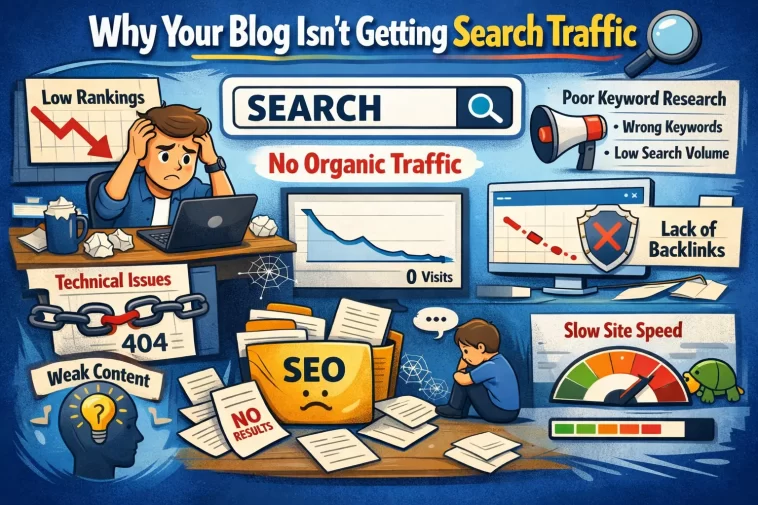
Your blog posts are published, indexed, and sitting at position 47 on Google — and that’s basically invisible. Increasing website traffic through SEO on a content site isn’t about writing more posts; it’s about fixing the specific reasons your existing content isn’t ranking, then building on what works. I’ve gone through this process on a few content sites, and the issues are almost always the same handful of things.
The Real Reasons Your Content Isn’t Ranking
Let’s start here because most “increase your traffic” guides skip straight to tactics without explaining why things aren’t working in the first place.
You’re targeting keywords that are too competitive. This is the most common mistake on newer blogs. Publishing a post about “best laptops” when your domain authority is 12 puts you up against CNET, Tom’s Guide, and The Verge. You won’t win that. Not yet.
Your content doesn’t match search intent. Google’s primary job is matching the right content format to what the searcher actually wants. If someone searches “how to clean a mechanical keyboard” they want a step-by-step guide, not a 2,000-word essay about keyboard history. Publish the wrong format and you’ll rank poorly even with great content.
You have zero backlinks pointing to your posts. Content without backlinks is content Google has no reason to trust. Internal links help, but they don’t replace external authority signals.
And here’s one people consistently overlook: thin content that technically answers the question but doesn’t answer it well enough. Google’s ranking systems have gotten better at measuring whether a page actually satisfies the query. A 600-word post that technically covers the topic but leaves obvious follow-up questions unanswered will lose to a thorough 1,800-word post that covers the topic completely.
Step 1: Fix Your Keyword Strategy First
Before writing another post, audit what you’re targeting.
Go to Google Search Console → Performance → Queries. Sort by impressions. You’re looking for keywords where you’re getting impressions but almost no clicks — these are posts ranking on page 2 or 3. Those are your fastest wins because Google already thinks your content is relevant, it’s just not good enough yet to push to page 1.
For new content, stop chasing head terms. Target long-tail keywords — three to five word phrases with lower search volume but lower competition. A keyword with 500 monthly searches and low competition will drive more traffic than a keyword with 50,000 searches you’ll never crack the top 10 for.
A practical workflow:
- Open Google and type your topic — look at “People also ask” and autocomplete suggestions
- Check what’s currently ranking for your target keyword — what format are they using? What do they cover?
- Find keywords where the top results are weak (thin content, low-authority sites, old posts not updated since 2019)
- Target those gaps
From what I’ve seen, one well-targeted post on a low-competition keyword that reaches position 3–5 will consistently outperform five posts targeting competitive terms that never crack page 2.
Step 2: Fix the Posts You Already Have
This is the part most bloggers skip entirely because it’s less exciting than publishing new content. But it usually moves the needle faster.
Go back to your Search Console impressions data. Find posts with 200+ monthly impressions but a click-through rate below 3%. Those posts are ranking — people are seeing them — but not clicking. That’s a title and meta description problem, not a content problem.
Rewrite your titles to be more specific and more compelling. “How to Speed Up WordPress” is weak. “Why Your WordPress Site Is Slow (And the Fix That Actually Works)” is better — it implies the writer has actually solved the problem, not just summarized documentation.
While you’re in those posts: check if they cover the topic fully compared to what’s currently ranking. If your post is 800 words and the top three results average 2,000 words covering subtopics you didn’t touch, expand it. Update the publish date after a meaningful update — not as a trick, but because Google does factor in content freshness for certain query types.
Step 3: Build Internal Links Deliberately
Internal linking is underrated on content sites. Most bloggers add internal links as an afterthought — one or two per post to whatever seems vaguely related.
A better approach: pick your most important posts (the ones targeting your best keywords) and treat them as “pillar” pages. Then make sure every relevant post you publish links to those pillars. This concentrates link equity on the pages you most want to rank.
When you publish a new post, go back to five or six older posts and add a contextual link to the new one. Not in a footer widget — in the body of the post, where it’s actually relevant. This signals to Google that the new content is connected to existing topical authority on your site.
So a site that’s been publishing for a year but doing this consistently will outrank a newer site with better individual posts, just because the internal linking structure is tighter.
Step 4: Get Some Backlinks Without Being Weird About It
Backlinks are the part of SEO everyone hates talking about honestly. Most advice is either “just write great content and links will come” (optimistic to the point of useless) or “do link outreach” (which most people find awkward and spammy).
The approaches that actually work for content sites without a huge budget:
Write content other people want to cite. Data posts, original research, definitive guides, free tools. Not “10 tips for X” — those don’t get linked. Posts that are the best available resource on a specific narrow topic do.
Guest posts on relevant sites. Not for the traffic — for the backlink. One contextual backlink from a relevant site in your niche is worth more than a dozen directory submissions. Pick sites that are actually read by your target audience.
Get listed in resource roundups. Many niche blogs publish “best resources for X” posts. Find them with a search like "best resources for" + [your niche] and pitch your most useful content.
That’s not a complete link-building playbook, but those three approaches are where I’d spend time if I were starting from near-zero referring domains.
Step 5: Sort Out Your Technical SEO
Technical issues won’t get you traffic on their own, but they can actively suppress rankings that should otherwise be there.
Run your site through Google Search Console’s Coverage report. Any “Excluded” or “Error” pages need attention. A high number of excluded pages (especially on a site with fewer than 100 posts) sometimes points to duplicate content from category/tag pages or pagination being indexed unnecessarily.
Check your Core Web Vitals in Search Console. If your Largest Contentful Paint is above 4 seconds on mobile, that’s a ranking factor working against you. On WordPress, this is usually fixable with a caching plugin, image optimization, and switching to a faster host or CDN.
One thing that’s easy to miss: make sure your important posts are actually being crawled regularly. Search Console → URL Inspection → Request Indexing on any post you’ve meaningfully updated. Google doesn’t automatically re-crawl updated content as fast as you’d expect.
What Doesn’t Work as Well as People Say
Publishing more posts faster. Volume without strategy just creates more thin content competing with itself. Ten focused, well-researched posts will beat fifty rushed ones almost every time.
Social media as a primary traffic driver for SEO. Social can drive short bursts of traffic, but it doesn’t compound the way search traffic does. It’s worth doing, but don’t let it distract from the fundamentals.
Chasing trending topics. Unless your site is built around news, trending content decays fast. Evergreen content that ranks for stable search queries is what builds sustainable traffic over time.
What to Actually Track
Don’t check Google Analytics every day. You’ll drive yourself crazy watching numbers that move too slowly to be meaningful on a daily basis.
Track these monthly:
- Organic clicks (Search Console) — are they trending up over 90-day periods?
- Number of keywords ranking in positions 1–10 (Search Console → Queries, filter by position)
- Top 10 posts by organic traffic — are the same posts dominating, or is the list getting broader?
- Referring domains — is the number growing, even slowly?
The goal is upward trends over months, not weeks. Content sites with good fundamentals typically see compounding growth — slow for the first 6–12 months, then noticeably faster once domain authority builds and more posts cross onto page 1.
FAQ
How long until SEO changes actually show results?
Realistically, 3–6 months for new content to settle into stable rankings. Updates to existing posts that are already indexed can show movement in 2–4 weeks. Anyone promising faster results is either selling something or got lucky.
My site has good content but still gets almost no traffic. What’s wrong?
Almost always one of three things: targeting keywords that are too competitive, no backlinks pointing to the site, or a technical issue blocking proper indexing. Check Search Console’s Coverage report first.
Does publishing frequency matter?
Less than quality does. Two solid posts per month consistently will outperform eight thin posts per month. That said, you do need some volume — a site with five posts total isn’t going to rank for much.
Do I need to be on every social platform too?
No. Pick one if you want the distribution, but don’t let social eat the time you should spend improving your content and building links. Organic search doesn’t care about your Twitter following.
My older posts are ranking on page 2. Should I rewrite them or write new content?
Update the page-2 posts first. They’re closer to page 1 than any new content you publish, and the update takes less time than a new post. Expand coverage, improve the title, add internal links from newer posts, then request re-indexing.
Is Rank Math or Yoast better for a WordPress content site?
Rank Math gives you more data in the free tier. Either one handles the fundamentals fine — the plugin matters a lot less than what you put in the SEO fields.
Editor’s Opinion
honestly the thing that makes the biggest difference for most content blogs is just targeting easier keywords earlier. people start blogs and immediately go after competitive terms, get no traction, and assume SEO doesn’t work. it works, you’re just fighting the wrong battles. fix your keyword targeting, update your weak-performing posts, build a few real backlinks — in that order. the compounding effect is real but it takes longer than anyone wants it to.
