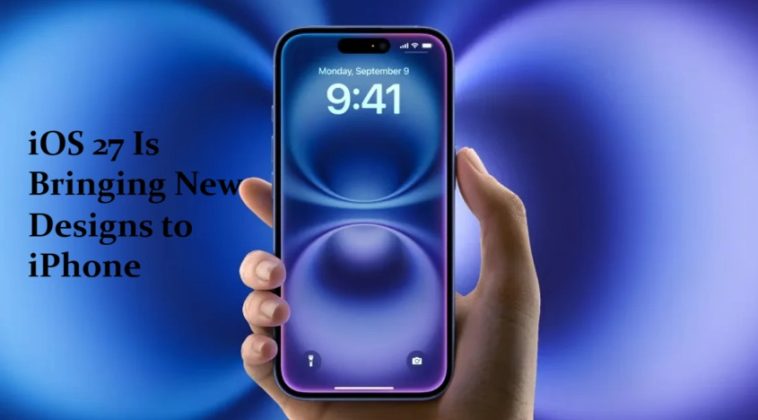
iOS 27 is shaping up to be one of the most design-focused updates Apple has shipped in years. With WWDC 2026 kicking off on June 8, the leaks have been coming fast — and what they’re describing isn’t just a minor polish job. Apple is making meaningful changes to some of the most-used apps on the iPhone, from Camera and Safari to Weather, Find My, and Image Playground.
Most of the details come from Bloomberg’s Mark Gurman, who has an exceptional track record on Apple leaks. Based on his reporting and supporting details from 9to5Mac and MacRumors, the picture of iOS 27 is getting clearer by the day. Here’s a thorough breakdown of what’s coming, what it means for everyday iPhone users, and why it matters.
The Big Picture: What iOS 27 Is Really About
Apple is planning “noticeable design changes across several areas” with iOS 27. The interface changes are specifically meant to streamline the Liquid Glass design language that was introduced with iOS 26 last year. 9to5Mac
iOS 26 was referred to as the most significant design change since iOS 7, featuring a complete visual overhaul inspired by Apple’s Vision Pro headset — the company called the new interface Liquid Glass, which included translucent panels for navigation and circular app icons. TechCrunch
iOS 27 isn’t trying to reinvent that. Instead, it’s refining it — fixing the rough edges, addressing user feedback, and deepening the customization options that power users have been asking for. These updates aim to make navigation more flexible and user-friendly, reflecting Apple’s focus on usability within existing design patterns. Tech Times
Think of iOS 26 as the revolution and iOS 27 as the refinement. That’s actually how Apple’s best update cycles have historically worked.
Camera App: Fully Customizable for the First Time
The Camera app is getting the most substantial redesign in iOS 27, and the headline feature is something iPhone users have wanted for a long time — full customization.
Apple plans to make the Camera app more customizable in iOS 27. Users will be able to select the features they want to see in the Camera app, like flash, exposure, timer, depth of field, photo styles, and resolution. MacRumors
Apple is referring to these controls as “widgets.” The idea is that instead of a fixed layout that every user sees regardless of how they shoot, you can build the camera interface around your own workflow. A portrait photographer might prioritize depth of field and photo styles. A video creator might front-load resolution and frame rate controls. Someone who shoots casually might strip it back to just the essentials. 9to5Mac
This is a significant shift in philosophy for Apple. The Camera app has historically been very opinionated about its layout — everything was in a fixed position, and you either adapted to it or worked around it. Giving users the ability to rearrange controls is a direct response to years of feedback.
The new customizable camera app will come with distinct widgets for each camera mode. That suggests the customization isn’t just about the main shooting interface — each mode (Photo, Video, Portrait, Cinematic, etc.) may have its own independently configurable set of controls. Wccftech
There’s also a new Siri mode coming to the Camera app that will push visual intelligence capabilities further. The integration of AI into the camera experience has been building gradually, and iOS 27 appears to take it a meaningful step forward.
Image Playground: A Complete Redesign Across All Platforms
Image Playground is getting a redesigned interface that will feature a new “describe a change” option, as well as the ability to produce more life-like results. Wccftech
The gallery structure of Image Playground is being overhauled entirely. The current version works well enough, but the workflow for generating and refining images has felt clunky to many users. The redesign aims to make the process faster and more intuitive — less time navigating menus, more time actually creating.
The “describe a change” feature is particularly interesting. Rather than regenerating an image from scratch when you want something slightly different, it sounds like you’ll be able to describe a specific modification — change the background, adjust the style, swap a color — and the app handles it without starting over. That’s a workflow improvement that will genuinely affect how people use the app day to day.
This redesign is rolling out across iOS, iPadOS, and macOS simultaneously, which signals that Apple sees Image Playground as a core cross-platform tool rather than a smartphone-specific feature.
Safari: A Smarter, More Organized Start Page
Safari’s update in iOS 27 is focused on organization — specifically, making it easier to get to your content without digging through menus.
In Safari, iOS 27 will introduce a new start page with four tabs at the top. This will make it easier to switch between favorites, bookmarks, a reading list of saved articles, and browsing history. 9to5Mac
This sounds like a small change, but in practice it removes several taps from common workflows. Currently, getting from your bookmarks to your reading list to your history requires navigating through a single combined view that mixes everything together. Four dedicated tabs at the top of the start page means one tap to switch between them — a genuinely cleaner experience for anyone who actively uses Safari for research, reading, or reference.
iOS 26 gave Safari a transparent address bar and more visual updates. iOS 27 builds on that foundation by improving functionality rather than just aesthetics. The start page redesign suggests Apple is thinking carefully about how people actually use Safari as a content hub — not just a browser, but a place to organize things they want to read, revisit, or find again. TechCrunch
Weather App: Detailed Data Without the Extra Taps
The Weather app will have a new Conditions panel for switching between temperature, rain, and wind from the main interface, without the need to tap into a weather module. MacRumors
This is a small but genuinely useful quality-of-life improvement. Right now, detailed weather data — the kind of granular information about precipitation probability, wind speed, or humidity — is buried behind taps. You see the headline temperature and forecast, but getting to the specifics requires extra navigation.
The new Conditions panel brings that data to the surface. The new Conditions panel on the main page for a particular city allows a user to see data points beyond temperature, including information on rain and wind — all without leaving the main screen. 9to5Mac
For anyone who checks weather before deciding whether to walk, cycle, or drive — or anyone who needs accurate wind or rain data for outdoor activities — this removes unnecessary friction from a daily interaction.
Find My: A Visual Refresh
Find My is getting a subtle visual refresh in iOS 27 and iPadOS 27, including new icons in the tab bar. 9to5Mac
This is the most minor update on the list, but it’s worth noting as part of the broader pattern. Apple is systematically working through its app library and bringing the visual language into alignment with the Liquid Glass design system. Find My’s tab bar icons getting a refresh is part of that larger effort — it’s consistency work rather than a feature addition.
Liquid Glass Gets Refined — Including a Course Correction
One of the more interesting aspects of iOS 27’s design changes is that Apple appears to be reversing a decision it made with iOS 26.
Apple is reversing course on one of the key design changes it introduced with iOS 26: the tab bar. Currently, most apps have a search button that sits separately from the rest of the navigation bar. In iOS 27, Apple plans to combine the search tab with the other tabs in apps such as Podcasts, TV, Music, Health, and News. 9to5Mac
This is notable because it’s a fairly explicit acknowledgment that the iOS 26 approach didn’t land the way Apple intended. Moving search out of the navigation bar was likely done for visual clarity, but users evidently found it less accessible in practice. Bringing it back into the tab bar restores discoverability — you see Search alongside the other navigation options rather than having to remember it’s somewhere else.
Search will be integrated within the bottom bar in most Apple apps. This kind of course correction is actually healthy to see. It signals that Apple is paying attention to how people actually use these interfaces after launch — not just how they look in design mockups. Wccftech
Siri Gets a Major Overhaul
The Siri changes in iOS 27 go beyond design — they represent a fundamental shift in how the assistant works.
A dedicated Siri app will list recent conversations and sport a feature that automatically purges conversations for added privacy. A new swipe-down-from-the-top gesture will unleash an AI-powered “Search or Ask” bar within the Dynamic Island. A long-press on the search bar will let users swap AI models that power the new multi-modal Siri. Wccftech
The ability to swap AI models is particularly significant. It suggests Apple is building Siri as a flexible interface layer rather than a locked-in assistant — users who want to use a different underlying model can do so within the same native experience. This is a competitive response to the growing market of third-party AI assistants and a meaningful step toward user choice.
Siri may appear more often through Dynamic Island or a “Search or Ask” style interface, making the assistant feel more present across the system and suggesting a shift toward more conversational interaction. Tech Times
When Is iOS 27 Coming?
Apple will preview the new iOS features at its WWDC 2026 keynote event on June 8. Developers will get access the same day, and a public beta will likely be available in July. iOS 27 will launch in September alongside new iPhones. MacRumors
Rumors suggest iPhone 12 models and newer will support iOS 27, with older devices like iPhone 11 potentially not getting full access. Some features may require newer hardware. Tech Times
If you want to try things early, signing up for the public beta in July is the easiest path. Just keep in mind that beta software can be unstable — it’s best run on a secondary device or with a full backup in place.
Why These Changes Matter
Taken individually, some of these updates look like incremental tweaks. Taken together, they tell a coherent story about what Apple is trying to do with iOS 27.
The Camera customization is the most user-visible change — it directly addresses a long-standing complaint and gives iPhone photographers real control over their workflow. The Liquid Glass refinements show Apple responding to real-world feedback rather than protecting design decisions for their own sake. The Siri overhaul positions Apple’s assistant for a more competitive AI landscape. And the app-by-app improvements to Safari, Weather, and Find My reflect steady, methodical polish.
iOS 26 was a bold swing. iOS 27 looks like the version that makes it comfortable to live in day to day.
FAQ
When will iOS 27 be officially announced?
Apple will officially unveil iOS 27 at its WWDC 2026 keynote on June 8. Developer betas will be available immediately after the keynote, with a public beta expected in July and a full release in September 2026. MacRumors
Which iPhones will support iOS 27?
Rumors suggest iPhone 12 models and newer will support iOS 27. Older devices like iPhone 11 may not get full access, and some features may require newer hardware depending on performance requirements. Tech Times
What is the biggest new feature in iOS 27?
The fully customizable Camera app is arguably the most impactful change for everyday users. For the first time, users will be able to select which features appear in the Camera app — including flash, exposure, timer, depth of field, photo styles, and resolution — and arrange them according to their own preferences. MacRumors
Is Apple fixing the Liquid Glass design issues from iOS 26?
Yes, at least partially. Apple is reversing the iOS 26 decision to separate the search button from the navigation bar, and plans to combine search with the other tabs in apps such as Podcasts, TV, Music, Health, and News in iOS 27. This is a direct response to usability feedback from iOS 26. 9to5Mac
What changes is Apple making to Siri in iOS 27?
iOS 27 will introduce a dedicated Siri app with a conversation history and automatic conversation deletion for privacy. A new swipe-down gesture from the top will open an AI-powered “Search or Ask” bar through the Dynamic Island, and users will be able to long-press the search bar to swap the AI model powering Siri. Wccftech
Will Safari look different in iOS 27?
Safari will get a new start page with four tabs at the top, making it easier to switch between favorites, bookmarks, a reading list of saved articles, and browsing history — all from the main page without navigating through a combined view. 9to5Mac
Is Image Playground getting better in iOS 27?
Yes. Image Playground is being redesigned with a new “describe a change” option that lets users make specific modifications to existing images, as well as improved capabilities for producing more life-like results. The gallery structure and workflow are also being overhauled for a faster, more fluid experience across iOS, iPadOS, and macOS. Wccftech
Final Thoughts
iOS 27 arrives at an important moment for Apple. iOS 26 was ambitious — perhaps the most visually ambitious iOS release since iOS 7 — and it needed a follow-up that could deliver on the promise of Liquid Glass while addressing the friction points that came with it.
Based on everything leaked so far, iOS 27 does exactly that. It’s a more considered, more user-responsive update. The Camera redesign alone gives iPhone photographers something they’ve been asking for years. The Siri overhaul keeps Apple competitive in an increasingly crowded AI assistant space. And the smaller refinements across Safari, Weather, and the navigation system show a team paying attention to how real people use their phones.
WWDC 2026 starts June 8. It won’t be long before we see how much of this holds up.
