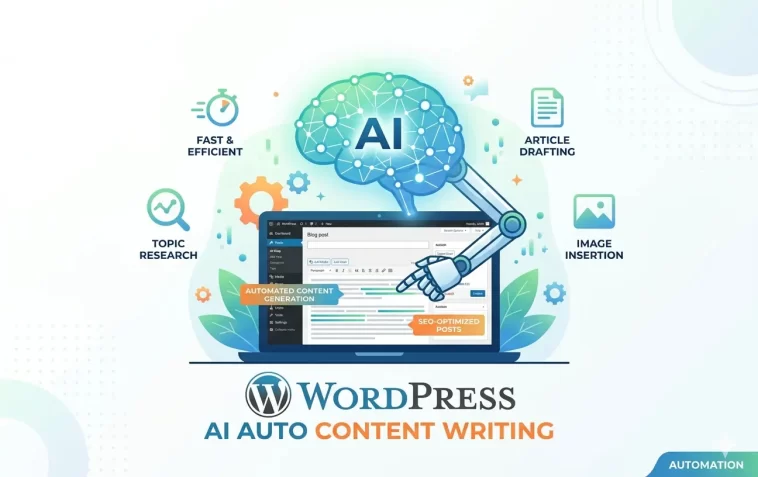
WordPress AI auto content writing and publishing has completely changed how site owners manage their blogs. What used to take hours — researching, writing, formatting, scheduling — can now be largely automated with the right tools.
This isn’t about replacing good writing with garbage. Done right, AI-assisted publishing helps you stay consistent, scale your content output, and spend more time on strategy instead of staring at a blank page.
Here’s a practical breakdown of how it works and which tools actually deliver.
Why Automate Content on WordPress?
Consistency is everything in content marketing. Sites that publish regularly outperform those that post sporadically — regardless of how good the individual posts are.
The problem: writing takes time. A lot of it.
AI automation helps by handling the repetitive, time-consuming parts:
- Research and outlining — AI can structure a post around a topic in seconds
- First draft generation — a solid starting point you can edit and improve
- SEO optimization — keyword placement, meta descriptions, schema suggestions
- Scheduling and publishing — posts go live automatically at the right time
- Internal linking — some tools suggest or add links to related content automatically
The result is a faster content pipeline that doesn’t require you to be at your desk every time a post needs to go live.
Method 1: AI Writing Plugins Directly Inside WordPress
The simplest approach is using a plugin that brings AI writing directly into your WordPress dashboard or Gutenberg editor.
Bertha AI
Bertha AI integrates directly with the WordPress block editor. You can generate full blog posts, product descriptions, and meta content without leaving WordPress. It supports bulk generation and has templates for different content types.
GetGenie AI
GetGenie is one of the most feature-rich AI writing plugins built specifically for WordPress. It includes:
- Blog post generation with SEO scoring
- Keyword research built in
- NLP-based content analysis
- One-click publish after generation
It works inside the Gutenberg editor and supports Rank Math and Yoast SEO integration, so your SEO fields get filled automatically.
Journalist AI (formerly WordHero)
Journalist AI focuses on automated article writing with built-in publishing. You give it a keyword, it researches the topic, writes a structured post, and publishes it on a schedule. It’s one of the more hands-off options available.
Method 2: External AI Tools + WordPress REST API
If you want more control over the AI model you’re using, you can connect external tools to WordPress via its REST API.
How It Works
- Generate content using an external AI tool (ChatGPT, Claude, Gemini, etc.)
- Use the WordPress REST API to push the content directly to your site
- Set the post status to
draftfor review orpublishto go live automatically
This approach requires a bit of technical setup but gives you full flexibility over your content pipeline.
Tools That Use This Method
- Zapier + OpenAI + WordPress — a no-code automation that triggers article creation and publishing based on conditions you set (new keyword in a spreadsheet, scheduled time, RSS feed update, etc.)
- Make (formerly Integromat) — more powerful than Zapier for complex workflows, with native WordPress and OpenAI connectors
- n8n — open-source automation tool, self-hostable, very flexible for custom AI publishing pipelines
Method 3: AI-Powered Autoblogging Plugins
Autoblogging plugins go one step further — they pull content from external sources, rewrite it with AI, and publish it automatically on a schedule.
WP Automatic Plugin
One of the oldest and most widely used autoblogging plugins. It can pull from RSS feeds, YouTube, Amazon, and other sources, then use AI rewriting to make the content unique. It supports scheduled publishing and category assignment.
Auto Blog AI
Specifically built for AI-driven autoblogging. You set your topics and keywords, and it handles everything — content generation, image sourcing, SEO meta fields, internal linking, and publishing. It supports multiple AI models including GPT-4.
Feedzy RSS Feeds
Feedzy imports content from RSS feeds and uses AI (via ChatGPT integration) to rewrite and summarize posts before publishing. It’s cleaner and more focused than WP Automatic, with a better user interface.
Important note on autoblogging: Purely automated, unreviewed content can hurt your site’s credibility and SEO over time. Use autoblogging as a starting point, not a replacement for editorial oversight.
Method 4: ChatGPT + Zapier + WordPress Automation
This is one of the most popular no-code setups for AI-powered WordPress publishing. Here’s how a basic workflow looks:
Step 1: You maintain a Google Sheet with blog post topics and target keywords.
Step 2: A Zapier trigger watches for new rows in the sheet.
Step 3: Zapier sends the keyword to OpenAI (ChatGPT API) with a prompt instructing it to write a full SEO-optimized blog post.
Step 4: The generated content is pushed to WordPress via Zapier’s WordPress integration, set as a draft or published directly.
Step 5: (Optional) Another step fills in the Rank Math or Yoast SEO meta fields automatically.
This whole flow can run without you touching it. Add a keyword to the sheet, and a draft post appears in your WordPress dashboard within minutes.
Method 5: Make.com (Integromat) Workflows
Make.com is more powerful than Zapier for complex content automation. It supports visual workflow building with branching logic, error handling, and more granular control over each step.
A typical Make.com AI publishing workflow:
- Trigger — scheduled time, new item in Airtable/Notion, or manual trigger
- Research module — web search or Perplexity API to gather current information on the topic
- AI generation — OpenAI or Anthropic API call to write the article
- Image generation — DALL·E or Stability AI to create a featured image
- WordPress module — creates the post with title, content, category, tags, featured image, and SEO meta fields
- Notification — sends you a Slack or email alert that a new draft is ready for review
This level of automation used to require custom coding. With Make.com, it’s drag and drop.
Method 6: Koala AI and Similar All-in-One Tools
Tools like Koala AI, Autoblogging.ai, and Seowriting.ai are purpose-built for generating and publishing long-form SEO content at scale.
Koala AI
Koala connects directly to your WordPress site via API. You give it a keyword, choose your content settings (length, tone, structure, internal links), and it generates a full article and publishes it directly to WordPress — including featured image, meta description, and FAQ schema.
It also has a bulk generation mode where you can upload hundreds of keywords and it processes them in a queue.
Autoblogging.ai
Similar to Koala but with a stronger focus on full automation. It supports scheduled publishing, automatic internal linking, and Amazon affiliate link insertion. Good for niche sites that need high-volume content.
SEOWriting.ai
SEOWriting.ai generates SEO-optimized articles with one click and has a direct WordPress integration. It also supports bulk article generation and automatic image insertion.
Method 7: Using the WordPress Block Editor With AI Assistants
If you prefer to stay inside WordPress but want AI help while writing manually, several tools add AI assistance directly to the Gutenberg editor:
- Jetpack AI Assistant — built by Automattic, integrates seamlessly into Gutenberg. Type a prompt and get content generated inline. Supports tone adjustment, summarization, and translation.
- Rank Math Content AI — if you already use Rank Math for SEO, their Content AI feature suggests improvements, generates missing sections, and helps with meta fields.
- AI Engine (by Meow Apps) — a flexible plugin that adds an AI chatbot, image generation, and writing assistant to WordPress. Supports multiple AI providers.
These tools don’t fully automate publishing, but they dramatically speed up manual writing.
Best Practices for AI-Generated WordPress Content
Automating content creation is powerful, but it comes with responsibilities. Here’s how to do it right:
Always Review Before Publishing
Even the best AI tools make mistakes — factual errors, awkward phrasing, outdated information. Set posts to draft by default and do a quick review before they go live. This is especially important for YMYL (Your Money or Your Life) topics like health, finance, or legal advice.
Add a Human Touch
Google’s helpful content guidelines favor content that demonstrates real expertise and experience. Add personal insights, examples, or original data where you can. Even a few sentences of genuine perspective make a post feel more trustworthy.
Optimize for SEO Properly
AI tools can suggest SEO settings, but always double-check:
- Focus keyword placement
- Meta title and description character counts
- Schema markup (especially FAQ and HowTo schema)
- Internal links to relevant existing content
Use Original Images
AI-generated or stock images are fine, but try to include original screenshots, charts, or photos where relevant. It differentiates your content and adds genuine value.
Monitor Performance
Track which AI-generated posts perform well and which don’t. Use Google Search Console to see impressions and clicks. Use those insights to refine your prompts and content structure.
Recommended Tool Stack for WordPress AI Publishing
Here’s a practical setup depending on your needs:
For beginners — simple and affordable:
- GetGenie AI (WordPress plugin)
- Rank Math (SEO)
- Cloudflare (performance + security)
For intermediate users — no-code automation:
- Koala AI or SEOWriting.ai (content generation)
- Zapier or Make.com (automation)
- WP Rocket (performance)
For advanced users — full custom pipeline:
- OpenAI or Anthropic API (content generation)
- n8n (self-hosted automation)
- WordPress REST API (publishing)
- Airtable or Notion (content calendar and keyword management)
FAQ: WordPress AI Auto Publishing
Is AI-generated content penalized by Google?
Google’s official stance is that it evaluates content quality, not how it was produced. AI content that is helpful, accurate, and written for people — not just search engines — is treated the same as human-written content. The issue is with low-quality, mass-produced content that adds no real value.
Can I fully automate publishing without reviewing posts?
Technically yes, but it’s not recommended. AI tools occasionally produce inaccurate information, especially on topics that change frequently. A quick review before publishing protects your credibility and prevents factual errors from going live.
How many posts can I publish per week with AI automation?
That depends on your tools and workflow. With a fully automated pipeline, you could technically publish dozens per week. However, publishing too much too fast on a new site can look unnatural to Google. A steady, consistent pace — even 3 to 5 quality posts per week — tends to perform better than flooding your site with content.
Do I need coding skills to set up AI publishing automation?
Not necessarily. Tools like Koala AI, GetGenie, and Zapier-based workflows require no coding at all. If you want a fully custom pipeline using the WordPress REST API and AI APIs directly, some basic understanding of APIs and JSON helps — but there are plenty of tutorials that walk through the process step by step.
Which AI model produces the best WordPress blog content?
GPT-4o and Claude are currently the strongest options for long-form blog writing. Both produce natural, well-structured content. The quality of your prompt matters more than the model — a well-crafted prompt with clear instructions about tone, structure, keywords, and audience consistently outperforms a vague one.
Can AI tools add images to my WordPress posts automatically?
Yes. Several tools (Koala AI, Make.com workflows, Auto Blog AI) can generate or source featured images automatically. Make.com workflows can connect to DALL·E or Stable Diffusion for AI-generated images, or to Unsplash/Pexels for free stock photos.
Is autoblogging safe for my WordPress site?
Autoblogging itself isn’t inherently risky, but the quality of what you publish matters. Publishing thin, duplicate, or low-quality content at scale can damage your search rankings over time. Always use AI to rewrite and add value to sourced content — never just republish it verbatim.
Final Thoughts
AI-powered content automation is no longer a future concept — it’s a present-day reality that thousands of WordPress site owners are already using to grow their content output.
The key is balance. Use AI to handle the heavy lifting, but stay in the loop. Review what gets published. Fix what doesn’t work. Add your own voice where it matters.
Start simple — try one tool, set up one workflow, and see how it performs. Once you’re comfortable, build from there.
The sites that will win in the next few years aren’t the ones that post the most AI content. They’re the ones that use AI smartly to produce genuinely helpful content at scale.
Which AI publishing tool are you currently using or thinking about trying? Share your experience in the comments.
