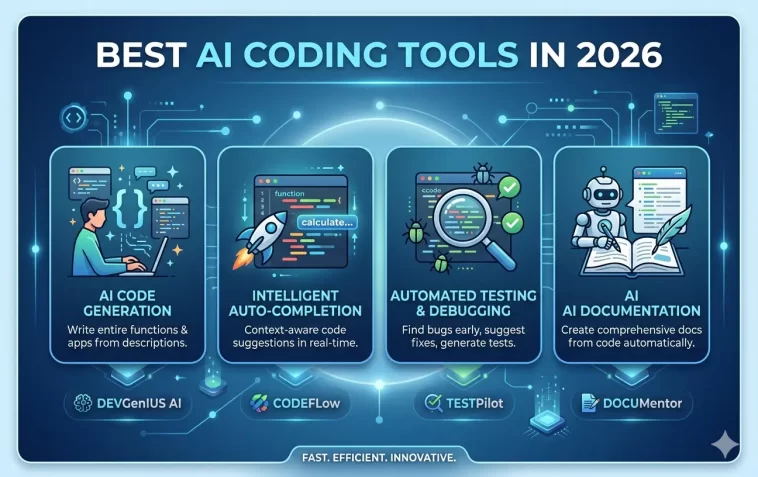
The best AI coding tools in 2026 are no longer just autocomplete helpers. They write full functions, debug errors, explain complex code, generate tests, and in some cases build entire features from a single prompt.
Whether you’re a solo developer, part of a large team, or someone who writes code occasionally, there’s an AI tool that fits your workflow. The hard part is figuring out which ones are actually worth your time.
This list covers the top 11 — what each one does, who it’s best for, and what sets it apart.
What Makes a Great AI Coding Tool?
Before diving in, here’s what separates the genuinely useful tools from the overhyped ones:
- Code quality — does it write correct, clean, production-ready code?
- Context awareness — does it understand your entire codebase, not just one file?
- IDE integration — does it work where you already code?
- Language support — how many programming languages does it handle?
- Speed — is it fast enough to not break your flow?
- Privacy — does it send your code to external servers?
With that in mind, here are the 11 best AI coding tools available right now.
1. GitHub Copilot
Best for: Developers already in the GitHub ecosystem
GitHub Copilot remains one of the most widely used AI coding tools in the world. Powered by OpenAI models, it integrates directly into VS Code, JetBrains IDEs, Neovim, and Visual Studio.
What it does well:
- Real-time inline code suggestions as you type
- Whole-function and whole-file generation
- Copilot Chat for asking questions about your code
- Pull request summaries and code review assistance
- Works across 30+ programming languages
The Copilot Workspace feature lets you describe a task in plain English and get a full implementation plan with code changes across multiple files — a major leap from simple autocomplete.
Pricing: ~$10/month for individuals, $19/month for business. Free tier available for students and open-source maintainers.
2. Claude Code
Best for: Agentic coding and complex multi-file tasks
Claude Code is Anthropic’s command-line coding agent. It’s not just a suggestion tool — it reads your entire codebase, understands the context, and can make changes across multiple files to complete a task.
What makes it stand out:
- Runs directly in your terminal
- Reads, edits, and creates files autonomously
- Can run tests, fix failures, and iterate until the task is done
- Handles large codebases with a very long context window
- Available as extensions for VS Code and JetBrains
Claude Code is particularly strong at refactoring, debugging difficult issues, writing documentation, and implementing features that span multiple parts of a codebase. It asks for confirmation before making changes, so you stay in control.
Pricing: Usage-based via Anthropic API, or included with Claude Pro/Max plans.
3. Google Antigravity
Best for: Agent-first development with Google ecosystem integration
Google Antigravity is an agentic development platform designed to help developers operate at a higher, task-oriented level. It combines a familiar, AI-powered coding experience with a new agent-first interface, allowing you to deploy agents that autonomously plan, execute, and verify complex tasks across your editor, terminal, and browser.
Antigravity is a fork of VS Code that pivots from AI-assisted coding to autonomous AI agents working in parallel on your codebase. It launched in November 2025 alongside Gemini 3 and has been in free public preview since May 2026.
What’s new in Antigravity 2.0 (announced at Google I/O 2026):
- A new desktop app that lets you orchestrate multiple agents and execute tasks simultaneously, with custom subagent workflows and scheduled background tasks
- A CLI tool (invoked as
agy) and an SDK for building custom agent workflows — making it a full development platform, not just an editor - Native voice command support, powered by Gemini 3.5 Flash
- Support for Claude Sonnet 4.6 and Opus 4.6 alongside Gemini 3 Pro under one roof
- An Antigravity export tool in AI Studio so developers can export existing projects and continue work locally
Google is also baking Antigravity’s capabilities into consumer products like Search, where users get a custom UI generated in real time — letting people build mini-apps while exploring a topic.
Pricing: Free public preview as of May 2026. A paid tier is expected once preview ends. A new AI Ultra plan at $100/month offers 5x higher AI limits than the Pro plan.
4. Cursor
Best for: Developers who want a full AI-native IDE
Cursor is a code editor built from the ground up with AI at the center. It’s based on VS Code, so the interface is familiar, but the AI capabilities go much deeper than any plugin could offer.
Key features:
- Composer — describe a feature and it writes code across multiple files
- Chat — ask questions about your codebase with full context
- Tab — smarter autocomplete that predicts your next edit, not just the next word
- Codebase indexing — it understands your entire project
- Supports multiple AI models (GPT-4o, Claude, Gemini)
Cursor has gained a massive following among professional developers because it genuinely speeds up complex tasks, not just boilerplate writing.
Pricing: Free tier available. Pro plan ~$20/month.
5. Windsurf (by Codeium)
Best for: Developers who want a free Cursor alternative
Windsurf is Codeium’s AI-native IDE, and it’s one of the most impressive free options in the market. Like Cursor, it’s built on VS Code and offers deep AI integration.
What sets Windsurf apart:
- Cascade — an agentic AI that can plan and execute multi-step coding tasks
- Real-time collaboration between you and the AI
- Strong context awareness across the entire codebase
- Fast inference, even on the free tier
Windsurf is rapidly closing the gap with Cursor, and for developers on a budget it’s the most capable free option available.
Pricing: Generous free tier. Pro plan available for power users.
6. Tabnine
Best for: Teams that need privacy and on-premise deployment
Tabnine has been around since before the AI coding boom, and it has evolved significantly. Its main differentiator is privacy — it offers on-premise deployment so your code never leaves your infrastructure.
Features:
- AI code completions trained on permissively licensed code only
- Full on-premise and air-gapped deployment options
- Team learning — adapts to your team’s coding style and patterns
- Works in all major IDEs
- Supports 30+ languages
For enterprises with strict data security requirements, Tabnine is often the go-to choice. Healthcare, finance, and government teams use it specifically because code stays internal.
Pricing: Free tier available. Business plans start at ~$15/user/month.
7. Amazon Q Developer
Best for: AWS users and enterprise development teams
Amazon Q Developer (formerly CodeWhisperer) is Amazon’s AI coding assistant, deeply integrated with the AWS ecosystem. If you work with AWS services regularly, it’s one of the most useful tools available.
Standout features:
- AWS-specific code suggestions for Lambda, S3, DynamoDB, and more
- Security scanning — flags vulnerabilities as you code
- /dev agent for generating entire features from a description
- IDE integration (VS Code, JetBrains, Visual Studio)
- References open-source code so you know when a suggestion resembles licensed code
The security scanning feature alone makes it valuable for teams that need to meet compliance requirements.
Pricing: Free tier for individuals. Pro plan $19/user/month.
8. Replit AI (Replit Agent)
Best for: Beginners, students, and rapid prototyping
Replit is a browser-based development environment, and its AI Agent takes prototyping to a new level. You describe what you want to build in plain English, and it sets up the environment, writes the code, and deploys it — all in one place.
Why it’s great for beginners:
- No local setup required — everything runs in the browser
- Replit Agent handles environment configuration automatically
- Deploy with one click
- Great for learning by seeing AI-generated code explained in context
- Supports dozens of languages and frameworks
For experienced developers, Replit is excellent for quick experiments, demos, and side projects where you don’t want to deal with infrastructure.
Pricing: Free tier available. Core plan ~$20/month.
9. Cody by Sourcegraph
Best for: Large codebases and enterprise teams
Cody is Sourcegraph’s AI coding assistant, and it’s built for scale. While other tools struggle with large, complex codebases, Cody is designed specifically for that environment.
Key capabilities:
- Searches your entire codebase — not just the open file
- Understands code across multiple repositories
- Explains legacy code and undocumented functions
- Generates code with full awareness of existing patterns and conventions
- IDE plugins for VS Code and JetBrains
For engineers working on large monorepos or microservice architectures with hundreds of services, Cody’s codebase-wide context is a genuine differentiator.
Pricing: Free tier for individuals. Enterprise pricing available.
10. Devin by Cognition
Best for: Fully autonomous coding tasks
Devin made headlines as the first “AI software engineer.” It’s not just a coding assistant — it’s an autonomous agent that can take a task from start to finish: research, plan, code, debug, and deploy.
What Devin can do:
- Set up development environments from scratch
- Build full applications from a specification
- Browse the web to research solutions
- Fix bugs by reading error messages and iterating
- Deploy to production environments
Devin is still best suited for well-defined, self-contained tasks. It’s not a replacement for a senior engineer on complex, ambiguous problems — but for clear tasks, it works with minimal supervision.
Pricing: Teams plan starts at $500/month. Priced for engineering teams rather than individuals.
11. Pieces for Developers
Best for: Developer workflow and knowledge management
Pieces takes a different approach to AI coding assistance. Instead of writing code, it focuses on helping you capture, organize, and reuse code snippets and context from your daily work.
What makes it unique:
- Saves code snippets with full context (where it came from, what it does)
- On-device AI processing — nothing leaves your machine
- Integrates with your browser, IDE, and productivity tools
- “Long-term memory” for your development work
- Generates code from saved context and past work
If you’ve ever copy-pasted the same utility function fifteen times or lost a Stack Overflow answer you needed, Pieces solves that problem elegantly.
Pricing: Free for individuals. Team plans available.
Quick Comparison Table
| Tool | Best For | Free Tier | Standout Feature |
|---|---|---|---|
| GitHub Copilot | All-around use | ✅ (limited) | Copilot Workspace |
| Claude Code | Agentic / multi-file | ✅ | Terminal-based agent |
| Google Antigravity | Agent-first / Google ecosystem | ✅ (preview) | Multi-agent orchestration + SDK |
| Cursor | AI-native IDE | ✅ | Composer multi-file editing |
| Windsurf | Free Cursor alternative | ✅ | Cascade agent |
| Tabnine | Privacy / enterprise | ✅ | On-premise deployment |
| Amazon Q | AWS development | ✅ | Security scanning |
| Replit AI | Beginners / prototyping | ✅ | One-click deploy |
| Cody | Large codebases | ✅ | Multi-repo context |
| Devin | Autonomous tasks | ❌ | Full software agent |
| Pieces | Knowledge management | ✅ | On-device AI memory |
How to Choose the Right AI Coding Tool
There’s no single best tool for everyone. Here’s a simple way to narrow it down:
You’re a beginner or student → Start with Replit AI. No setup, instant feedback, great for learning.
You want the best all-around assistant in your existing IDE → GitHub Copilot or Tabnine.
You want an AI-native editor experience → Cursor (paid) or Windsurf (free).
You work with large or legacy codebases → Cody by Sourcegraph.
You’re heavily invested in AWS → Amazon Q Developer.
Your team has strict data privacy requirements → Tabnine with on-premise deployment.
You want agentic, terminal-based coding → Claude Code.
You want to automate an entire development task → Devin.
You’re in the Google ecosystem or want multi-agent orchestration → Google Antigravity.
FAQ: Best AI Coding Tools 2026
Are AI coding tools worth it for professional developers?
Yes — the productivity gains are well documented. Studies from GitHub and McKinsey suggest developers using AI coding assistants complete tasks 30–55% faster on average. The tools are most effective for boilerplate, documentation, test writing, and debugging — tasks that are important but not where senior developers add the most unique value.
Will AI coding tools replace software developers?
Not in the foreseeable future. AI tools are excellent at execution — writing code that fits a pattern — but still struggle with system design, ambiguous requirements, novel problem-solving, and understanding business context. Developers who use AI tools effectively are becoming significantly more productive. Those who ignore them risk falling behind.
Which AI coding tool is the best for beginners?
Replit AI is the easiest starting point — no local environment setup, instant deployment, and a friendly interface. GitHub Copilot is also beginner-friendly if you’re already learning in VS Code.
Is my code safe when using AI coding tools?
It depends on the tool and the plan. Most cloud-based tools send code snippets to their servers for processing. Tools like Tabnine (on-premise) and Pieces (on-device) keep code local. For open-source or personal projects, cloud tools are generally fine. For proprietary enterprise code, review the vendor’s data handling policies carefully.
Can AI coding tools work offline?
Most require internet connectivity since they rely on cloud-based AI models. Tabnine offers an on-premise option, and Pieces processes data on-device. Some IDEs like Cursor allow you to connect local models (via Ollama), though the quality is typically lower than cloud models.
How accurate are AI-generated code suggestions?
Accuracy varies by task and language. For common patterns in popular languages (Python, JavaScript, TypeScript), accuracy is high. For niche languages, complex logic, or security-critical code, always review carefully. Never blindly trust AI-generated code — treat it as a capable junior developer whose work you still need to check.
Do AI coding tools support all programming languages?
Major tools like GitHub Copilot, Cursor, and Claude Code support 30+ languages including Python, JavaScript, TypeScript, Java, C++, Go, Rust, PHP, Ruby, and more. Less common languages have less training data, so suggestions are less reliable.
Final Thoughts
AI coding tools have moved from novelty to necessity in 2026. The question is no longer whether to use one — it’s which one fits your workflow best.
Start with one tool and actually learn it properly before switching. Most developers who feel AI tools “don’t work” are using them too passively — asking for too little or not giving enough context in their prompts.
The developers getting the most out of these tools are the ones treating AI as a collaborator, not a magic button. Give it context. Review what it produces. Iterate.
Pick one from this list and build it into your daily workflow. The productivity difference is real.
Which AI coding tool is your go-to in 2026? Drop a comment below — always curious what’s working for other developers.
