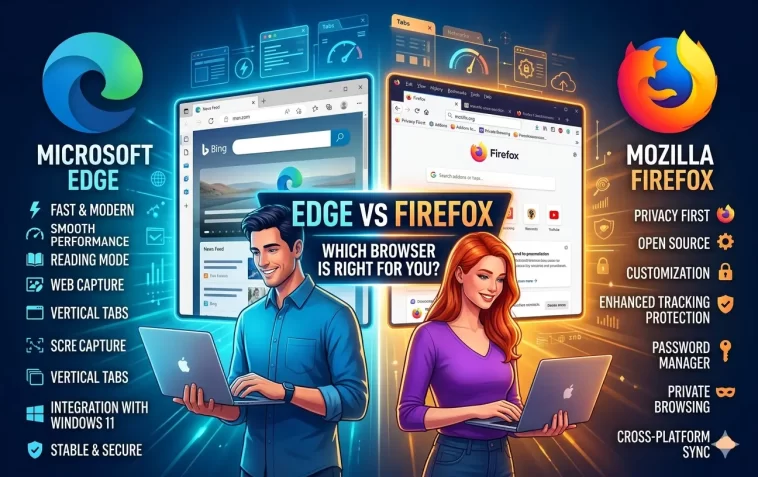
Edge vs Firefox is a comparison that doesn’t get talked about enough. Most browser debates focus on Chrome, but these two deserve a serious look — especially if you care about privacy, performance, or simply want something better than the default.
Both browsers have gone through major transformations in recent years. Microsoft Edge rebuilt itself from scratch in 2020. Mozilla Firefox has been steadily improving its speed and privacy tools. The result? Two genuinely strong browsers that appeal to very different types of users.
Let’s break it all down.
A Quick Background on Each Browser
Microsoft Edge
Edge started life in 2015 as Windows 10‘s default browser — and got a bad reputation fast. It was slow, limited, and couldn’t compete with Chrome.
In January 2020, Microsoft relaunched Edge using the Chromium open-source engine — the same foundation as Google Chrome. That single decision changed everything. The new Edge is fast, compatible with Chrome extensions, and packed with features most people don’t expect from a Microsoft product.
Mozilla Firefox
Firefox launched in 2004 and was once the world’s second most popular browser. It’s built by Mozilla, a non-profit organization whose stated mission is to keep the internet open and accessible for everyone.
Firefox uses its own engine — Gecko — not Chromium. That independence matters a lot when it comes to privacy and web standards. Firefox remains the most popular non-Chromium browser in the world.
Edge vs Firefox: Performance
Page Loading Speed
In real-world use, Edge and Firefox are both fast. Edge tends to perform slightly better on Windows machines because it’s deeply integrated with the operating system.
Firefox has improved significantly over the years. Its Quantum engine, introduced in 2017, was a major overhaul that made it genuinely competitive. For most everyday browsing, the difference is barely noticeable.
RAM and Memory Usage
Edge and Firefox both handle memory more efficiently than Chrome. That said, Edge’s Sleeping Tabs feature — which automatically pauses inactive tabs — gives it an advantage when you have dozens of tabs open.
Firefox manages memory well too, especially in recent versions. But it doesn’t have a built-in sleeping tabs system.
Battery Life
Edge includes an Efficiency Mode that kicks in when your laptop is running on battery. This actively reduces CPU and background activity to extend battery life.
Firefox doesn’t have an equivalent feature. On battery-heavy tasks like video streaming, Edge typically outlasts Firefox.
Edge vs Firefox: Privacy and Security
This is where the comparison gets really interesting — and where Firefox earns a lot of respect.
Firefox’s Privacy Philosophy
Firefox is built by a non-profit. Mozilla doesn’t make money from selling ads or user data. Its entire business model is centered around building a browser that protects users.
Out of the box, Firefox blocks:
- Third-party tracking cookies
- Cryptominers
- Fingerprinting scripts
- Social media trackers (Facebook, Twitter, LinkedIn, etc.)
Firefox also has a Total Cookie Protection feature that isolates cookies to the site that created them — preventing cross-site tracking without breaking your browsing experience.
Edge’s Privacy Controls
Edge offers three privacy modes — Basic, Balanced, and Strict — giving you control over how aggressively it blocks trackers. The default Balanced mode is reasonable but not as thorough as Firefox’s defaults.
Edge is made by Microsoft, a company that earns most of its revenue from enterprise software. But Microsoft does collect some diagnostic and usage data through Edge, and the browser is connected to Microsoft’s advertising platform.
Edge also includes Microsoft’s SmartScreen technology, which provides real-time protection against phishing sites and malicious downloads — particularly effective on Windows.
The Verdict on Privacy
For users who prioritize privacy above everything else, Firefox is the stronger choice. It blocks more by default, collects less data, and is backed by a non-profit with no advertising agenda.
Edge is not a bad privacy browser — especially compared to Chrome — but it doesn’t match Firefox’s defaults.
Edge vs Firefox: Features
Edge’s Built-in Tools
Edge is packed with features that feel like a full productivity suite:
- Copilot Sidebar — Microsoft’s AI assistant, available with one click
- Immersive Reader — removes distractions for clean, focused reading
- Collections — visual tool for saving and organizing web content
- Built-in PDF editor — annotate, sign, and fill PDFs without extra software
- Drop — share files and notes between your own devices
- Vertical Tabs — organize tabs as a sidebar instead of a horizontal strip
- Shopping tools — automatic coupons and price comparison at checkout
Firefox’s Built-in Tools
Firefox keeps things leaner, but what it includes is meaningful:
- Enhanced Tracking Protection — one of the best built-in privacy tools available
- Firefox View — syncs recently closed tabs and open tabs across devices
- Reader View — similar to Edge’s Immersive Reader for clean reading
- Picture-in-Picture — pop-out video player for multitasking
- Screenshot tool — take full-page screenshots without extensions
- Firefox Relay — generate fake email addresses to protect your real one (free tier available)
Extensions
Both browsers have solid extension ecosystems, but they work differently.
Edge supports extensions from two sources: the Microsoft Add-ons store and the Chrome Web Store. Because Edge is Chromium-based, it can install any Chrome extension directly. That’s a huge library.
Firefox has its own extension store — Mozilla Add-ons — with a large and well-curated selection. Most popular extensions are available for Firefox. However, some Chrome-exclusive extensions won’t be available.
If you rely on a specific extension, it’s worth checking whether it’s available for Firefox before switching.
Edge vs Firefox: Customization
Firefox Customization
Firefox is one of the most customizable browsers available. You can:
- Rearrange, add, or remove toolbar buttons freely
- Change the entire layout of the browser interface
- Use detailed themes that change every visual element
- Install extensions that modify core browser behavior at a deep level
For power users who want full control, Firefox is hard to beat.
Edge Customization
Edge offers solid but more limited customization. You can adjust the new tab page layout, choose themes, and enable or disable the sidebar. The vertical tabs feature is a nice option for people with wide monitors.
Edge feels more polished out of the box, but Firefox gives you more flexibility to make it your own.
Edge vs Firefox: Cross-Platform Support
Both browsers run on all major platforms:
Sync works well on both. Edge syncs through your Microsoft account; Firefox syncs through a free Firefox account.
One area where Firefox stands out: it has stronger support for Linux and older operating systems. Edge on Linux has improved but is still primarily optimized for Windows.
Edge vs Firefox: Developer Tools
Both browsers include excellent developer tools.
Edge’s DevTools are built on Chromium’s DevTools, which are industry-standard and widely used by web developers. Edge adds a few extras like the 3D View for visualizing page layers and a built-in accessibility checker.
Firefox has its own independent DevTools, which are highly regarded. Firefox is particularly strong for CSS debugging — its CSS Grid Inspector and Flexbox Inspector are widely considered the best available in any browser.
If you’re a web developer, you may actually want both installed for cross-browser testing.
Side-by-Side Comparison
| Feature | Edge | Firefox |
|---|---|---|
| Engine | Chromium | Gecko (independent) |
| Default Privacy | Moderate | Strong |
| Tracker Blocking | 3-level system | Comprehensive by default |
| RAM Usage | Low (Sleeping Tabs) | Low |
| Battery Efficiency | Excellent (Efficiency Mode) | Standard |
| Extension Library | Chrome + Microsoft stores | Mozilla Add-ons store |
| Built-in AI | Microsoft Copilot | No (extension available) |
| PDF Editing | Yes (built-in) | Basic (built-in) |
| Reading Mode | Yes (Immersive Reader) | Yes (Reader View) |
| Customization | Moderate | Excellent |
| Best For | Windows/Microsoft users | Privacy-focused users |
| Non-profit backed | No | Yes (Mozilla) |
Who Should Use Edge?
Edge is the better choice if:
- You use Windows and Microsoft 365 (Outlook, Teams, OneDrive)
- You want built-in AI tools without installing anything extra
- Battery life and RAM efficiency are top priorities
- You want access to Chrome extensions without using Chrome
- You prefer a polished, feature-rich experience out of the box
Who Should Use Firefox?
Firefox is the better choice if:
- Privacy is your top priority
- You want a browser backed by a non-profit, not a tech giant
- You use Linux or need strong cross-platform consistency
- You prefer a highly customizable browser interface
- You’re a web developer who needs strong CSS and layout debugging tools
- You’re wary of both Google and Microsoft having access to your data
Can You Use Both?
Absolutely. Many people install both and use each for specific tasks.
A common setup: use Firefox as your daily driver for most browsing (especially personal and sensitive tasks), and keep Edge available for Microsoft 365, work-related tools, or anything that requires tight Windows integration.
Both browsers can run independently, and you can set different browsers as defaults for different link types if needed.
FAQ: Edge vs Firefox
Is Edge faster than Firefox in 2026?
They’re close. Edge has a slight speed advantage on Windows due to OS integration, and its Sleeping Tabs feature makes it feel faster when many tabs are open. Firefox is fast and has improved significantly, but Edge generally wins on raw performance benchmarks on Windows.
Is Firefox more private than Edge?
Yes, generally. Firefox blocks more trackers by default and is backed by Mozilla, a non-profit with no advertising business. Edge offers good privacy controls but Microsoft collects some usage data, and the browser is connected to Microsoft’s ad network.
Can Firefox use Chrome extensions?
No. Firefox uses its own extension format and the Mozilla Add-ons store. Most popular extensions are available for Firefox, but some Chrome-exclusive ones are not. Edge, being Chromium-based, can install Chrome extensions directly.
Does Firefox drain battery faster than Edge?
Firefox doesn’t have a dedicated battery-saving mode like Edge’s Efficiency Mode. In extended use on battery, Edge typically provides better battery life. For desktop users, this difference doesn’t matter much.
Is Firefox still worth using in 2026?
Absolutely. Firefox remains the best mainstream browser for users who care about privacy and don’t want their browser tied to a big tech company. It’s fast, well-maintained, and highly customizable. Mozilla continues to update it regularly.
Which browser is better for Linux?
Firefox. While Edge is available on Linux, Firefox has longer-standing support, better community integration, and more consistent performance across Linux distributions.
Which browser is better for working from home?
It depends on your tools. If you use Microsoft Teams, Outlook, and OneDrive, Edge integrates seamlessly. If your workflow is more tool-agnostic or you value privacy in your work browsing, Firefox is a solid choice.
Is Edge a good replacement for Chrome?
Yes — for most users, Edge is a better version of Chrome. It uses the same engine, supports all Chrome extensions, but is lighter on RAM, better on battery, and has more built-in features. The main reason to stick with Chrome is if you’re heavily invested in Google’s ecosystem.
Final Thoughts
Edge and Firefox represent two different philosophies. Edge is Microsoft’s vision of a modern, productive, AI-powered browser. Firefox is Mozilla’s vision of an open, private, user-first web experience.
Neither is wrong. They’re just built for different people.
If you’re a Windows power user who wants tight Microsoft integration and doesn’t mind trading some privacy for convenience — Edge is excellent.
If you value your data, want a browser that’s genuinely working in your interest, and appreciate the ability to customize everything — Firefox is hard to beat.
Try both for a week. You might be surprised which one you end up preferring.
