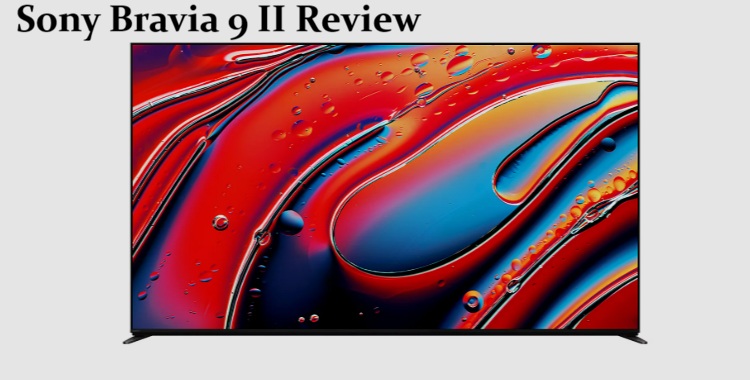
I sat through a full demo loop of the Sony Bravia 9 II next to a Bravia 9 and an actual mastering monitor before I let myself believe the marketing claims, and yeah — the colors held up. But $3,599.99 for the 65-inch model is a lot of money to spend on “the colors held up,” so let’s actually go through whether that premium makes sense for a normal living room, not a Sony demo room in Tokyo.
Quick Answer
- 65-inch starts at $3,599.99, scaling up to a 115-inch model at the top end.
- True RGB backlight uses individually controlled red, green, and blue LEDs instead of white LEDs with a color filter — meaning real brightness gains without washing out color.
- Sony claims 2x the color volume of the original Bravia 9 and 4x that of the Bravia 8 II QD-OLED.
- Big weakness: only two HDMI 2.1 ports, and the chipset (MediaTek Pentonic 1000) wasn’t upgraded, so this isn’t the gaming TV some people assumed it’d be.
- Worth it if you watch a lot of HDR content in a bright room and care about color accuracy over raw black levels. Skip it if you’re mainly gaming or want a true OLED-killer.
Why True RGB Actually Matters (And Why It’s Not Just a Buzzword)
Standard Mini LED TVs use white LED backlights filtered through liquid crystal layers to produce color. That filtering step is where you lose intensity — your TV is essentially throwing away light to make a color, instead of producing that color directly.
True RGB skips the filter. The Bravia 9 II has thousands of individually dimmable red, green, and blue diodes doing the color work directly, which is the same basic idea OLED uses at the pixel level, just scaled up to a backlight zone. That’s why Sony can claim both higher brightness and richer color at the same time — normally those two things fight each other.
There’s a real number behind the marketing here too. FlatpanelsHD counted 1,530 dimming zones (4,590 individual RGB zones) on the 65-inch model, which is actually a touch higher than the 1,512 zones on the original Bravia 9. So it’s not just an LED swap, the underlying dimming structure picked up a bump too — though, full disclosure, Sony reportedly scaled down the zone count compared to the 75-inch prototype they showed off back in 2024, so don’t go in expecting an unlimited upgrade path.
Where It Falls Short
This is the part most coverage glosses over. Sony didn’t touch the underlying processor — it’s still running the MediaTek Pentonic 1000 SoC from the regular Bravia 9. That matters for two concrete reasons:
Only two HDMI 2.1 ports. The mid-range Bravia 3 II actually has more modern HDMI capability than this $3,600 flagship does, which is a genuinely odd choice for Sony to make. If you’ve got a current-gen console, a soundbar, and a streaming box all wanting full-bandwidth HDMI 2.1, you’re going to be doing some cable shuffling.
No Dolby Vision 2 support. Sony’s been clear that this isn’t a permanent stance against the format, just a consequence of building True RGB on top of the existing chipset rather than a new one. Standard Dolby Vision still works fine.
So if your priority list has “gaming setup” near the top, this isn’t really built for you in its current form — that’s worth knowing before you spend flagship money on it.
Bravia 9 II vs Bravia 8 II vs Bravia 9: How They Actually Compare
| Model | Tech | Color Volume Claim | Best For |
|---|---|---|---|
| Bravia 9 II | True RGB Mini LED | 2x Bravia 9, 4x Bravia 8 II | Bright rooms, HDR-heavy content, color accuracy |
| Bravia 8 II | QD-OLED | Baseline | Dark room movie watching, deep blacks |
| Bravia 9 (2024) | Standard Mini LED | Baseline (Bravia 9 II reference point) | Budget-conscious Mini LED buyers |
Worth flagging — FlatpanelsHD’s own hands-on testing noted the Bravia 8 II QD-OLED still outperforms the Bravia 9 II in some areas, mainly contrast and black level in dark rooms. True RGB wins on brightness and color volume, not across the board.
Real-World Scenario
Picture a living room with big west-facing windows that floods the space with afternoon light. That’s genuinely the Bravia 9 II’s home turf — it’s built to hold color saturation and brightness even when ambient light is fighting it, which is exactly where standard OLED panels start to struggle. If your viewing room is dim and curtain-controlled most of the time, you’re paying for a strength you won’t use much.
Step-by-Step: Is This the Right TV For You
- Check your room’s lighting situation. Bright, sunlit living rooms are where True RGB earns its premium. Dedicated dark home theater rooms favor OLED instead.
- Audit your HDMI needs. Count how many 4K/120Hz-capable devices you actually own. Two HDMI 2.1 ports might genuinely be enough — or it might be a dealbreaker.
- Decide how much you care about gaming specifically. If next-gen console gaming at high refresh rates is a priority, this isn’t currently the strongest pick in Sony’s own lineup.
- Compare against the regular (non-PRO) pricing carefully. Some retailers list a “Bravia 9 II PRO” version with a longer warranty and extra perks at a markup — read the fine print before assuming you’re buying the base model.
- Watch for the size jump in price. The lineup scales from 65 inches all the way to 115 inches, and the price curve at the top end gets steep fast.
What Actually Stood Out To Me
Going in, I expected the off-angle viewing claim to be the weakest part of the pitch — that’s usually where Mini LED TVs, RGB backlight or not, fall apart compared to OLED. That’s not what happened. Sitting well off-center during the demo, colors stayed saturated in a way that genuinely surprised me, since LCD-based panels have never done that convincingly in my experience. The thing I’m still not sold on is the matte screen finish — it kills reflections nicely, but it also slightly softens highlight sparkle compared to a glossy panel. Not a dealbreaker, but it’s a real tradeoff, not a strict win.
Advanced Notes: Calibration and the “PRO” Variants
If you’re the type who calibrates a TV after buying it, know that the True RGB system changes how local dimming algorithms interact with color — Sony’s RGB Backlight Master Drive Pro is doing more real-time decision-making than a typical white-LED Mini LED set, since it’s balancing three independently controlled color channels per zone instead of one brightness value. From what I’ve seen reported, third-party calibration profiles for these aren’t mature yet simply because the TV is brand new — expect early calibration data to improve over the next few months as more units get into reviewers’ hands.
On the PRO variant: it adds a 3-year in-house replacement warranty (versus the standard 1-year), an upgraded backlit remote, extra Sony Pictures Core movie credits and a second year of VOD subscription, and an improved Voice Zoom 3 dialog enhancer. Whether that’s worth the markup depends entirely on how much you value the warranty extension — the AV features are nice-to-haves, not transformative.
Prevention Tips (Buying Smart, Not Just Buying)
- Don’t buy based on brightness numbers alone — Sony’s 4,000-nit figures are real, but room lighting determines whether you’ll ever notice the difference.
- Don’t assume retailer listings are the standard model — confirm whether you’re looking at the base Bravia 9 II or the PRO variant before checking out.
- Don’t skip checking your existing HDMI cable specs — older 2.0 cables will bottleneck this TV’s capabilities even with the right ports.
FAQ
Is the Sony Bravia 9 II better than OLED? Depends what you’re optimizing for. Brighter and more color-accurate in well-lit rooms, yes. Better black levels in dark rooms, no — the Bravia 8 II QD-OLED still wins there.
Does the Bravia 9 II support 4K 120Hz gaming? Yes, through its two HDMI 2.1 ports, but two ports is genuinely limiting if you’ve got multiple high-bandwidth devices.
What sizes does it come in? 65 inches up through a 115-inch model at launch.
Is the PRO version worth the extra cost? Mainly down to the extended warranty. If you don’t care about a 3-year replacement plan, the regular version covers the same picture quality.
Why didn’t Sony upgrade the chipset? Sony told FlatpanelsHD the decision was tied to how the True RGB backlight development process worked with the existing Pentonic 1000 SoC, not a cost-cutting move specifically.
Editor’s Opinion
look, the color stuff is real — i went in skeptical and came out actually impressed, which doesnt happen a lot with TV marketing. but the HDMI port count bugs me more than it probably should for something at this price. if you’re buying this purely for gaming i’d hold off, but for movies and bright-room HDR watching it’s legit one of the better options out right now.
