I deleted a story on purpose once, then immediately regretted it about ten minutes later — turns out ten minutes wasn’t the problem, thirty days would’ve been. If you’re trying to recover a deleted Instagram story after 24 hours, the fix depends entirely on whether it expired naturally or you deleted it yourself, and those two situations lead to different places on Instagram’s end. Let’s sort out which one you’re dealing with first, because that changes everything about where to look.
Quick Answer
- Story expired naturally (you didn’t delete it) → check Archive, it’s probably already there
- You deleted it yourself → check Your Activity > Recently Deleted, it stays there for 30 days
- Past 30 days with nothing saved or archived → it’s gone, and no app can legitimately pull it back
- Restoring a story doesn’t make it visible to followers again automatically — you have to re-share it
Why Recovery Isn’t Always Possible (And What “24 Hours” Actually Means Here)
There’s some mixing up of two different scenarios, so let’s separate them clearly, because the fix genuinely depends on which one applies to you.
Scenario one: the story simply expired. Instagram Stories vanish from your profile automatically after 24 hours — that’s expected, normal behavior, not a bug or a loss. If you have Story Archive turned on (it’s on by default for most accounts), the expired story didn’t actually disappear anywhere. It just moved into your private Archive, viewable only by you unless you re-share it.
Scenario two: you (or someone with access to your account) manually deleted it. This is different. A manually deleted story goes into a “Recently Deleted” holding area for 30 days before it’s gone for good. So if you’re past the 24-hour mark and the story was deleted on purpose rather than expiring, you’re looking at a completely different menu than someone whose story just timed out.
And here’s the thing that trips people up: if you deleted a story from within your Archive — meaning it had already expired and then you went and deleted the archived version too — that also lands in Recently Deleted for the 30-day window. It’s not gone immediately either way.
The genuinely overlooked cause behind “my story’s just gone and I can’t find it anywhere”: Story Archive being switched off. If that setting was disabled, expired stories don’t get saved anywhere at all once the 24 hours pass, and there’s no automatic backup for you to go dig through.
Step-by-Step: Checking the Archive (For Naturally Expired Stories)
- Go to your profile and tap the three-line menu in the top right.
- Tap Archive.
- Make sure Stories Archive is selected at the top (there are a few archive types, so this matters).
- Scroll chronologically to find the story you’re after.
- Tap it to view. From here you can re-share it to your active story tray, save it to your camera roll, or add it to a Highlight.
Worth saying plainly: restoring from Archive doesn’t put it back on your profile as a live, currently-running story automatically. So if you want followers to see it again, you need to tap through and re-share it — it becomes a brand new 24-hour story with today’s date, not the original one reappearing.
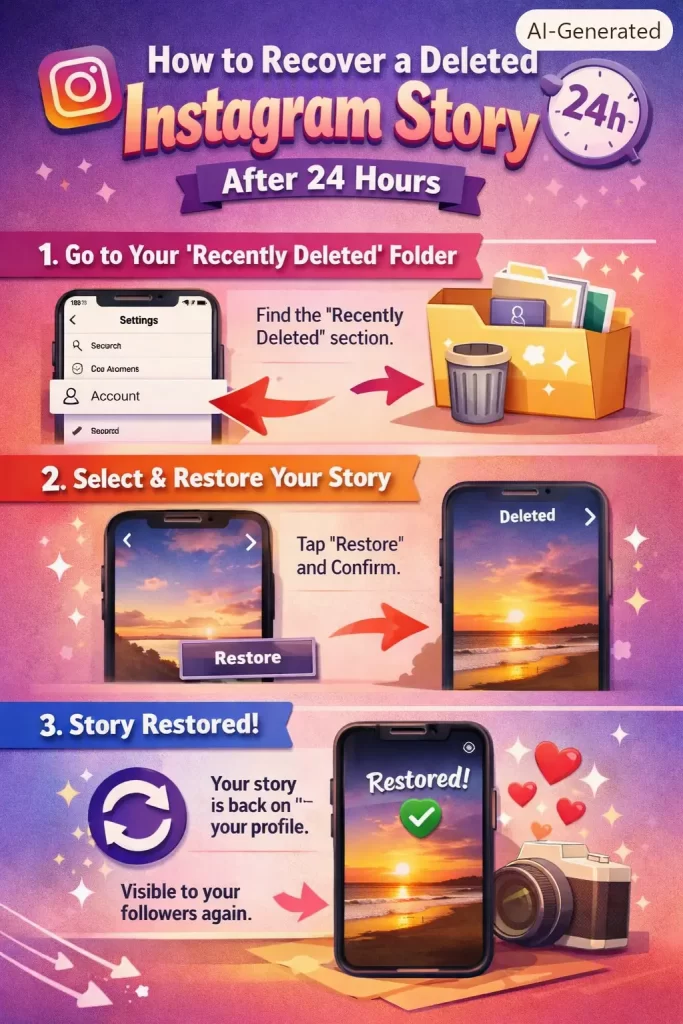
Step-by-Step: Recovering a Manually Deleted Story
- Go to your profile and tap the three-line menu.
- Tap Your Activity (some app versions label this Activity Center).
- Scroll to Recently Deleted.
- Find your story in the grid — content here is sorted by how recently it was removed.
- Tap the story to open it.
- Tap the three-dot menu and select Restore.
- Confirm if prompted.
Once restored, it lands back in your Archive, not on your live profile. But not on your public story tray though — same rule as above applies, you’d need to re-share it if you want it publicly visible again.
What Actually Worked For Me
Mine was the manually-deleted kind, not the naturally-expired kind, and I honestly assumed it was gone the second I hit delete. I went looking in the regular Archive first, found nothing, and figured that confirmed it — story archive doesn’t hold manually deleted content, it only holds naturally expired stuff, so of course it wasn’t there.
It was a half-remembered comment on a forum thread that pointed me toward “Your Activity” instead of Archive, which isn’t where I’d have thought to look on my own. Found it sitting in Recently Deleted within about a minute after that. So the lesson here isn’t some deep technical insight, it’s just that Instagram splits these into two separate systems and there’s no obvious link between them in the app pointing you from one to the other.
Advanced Notes and Edge Cases
If a story was shared to someone via DM before it expired or got deleted: the recipient may still be able to see it in the message thread for as long as it was originally active, but once it’s fully expired or deleted on your end, it typically disappears from the DM thread too. Don’t count on this as a backup method.
If you’re trying to see someone else’s deleted or expired story (not your own): you can’t, not through anything legitimate. Only the original poster’s private Archive holds that data. Apps and sites claiming to reveal a stranger’s expired story are misrepresenting what’s technically possible — Instagram doesn’t expose that data through any API, and no third-party tool has access to another user’s private archive.
If you deactivated or reinstalled the app and now can’t find archived stories: give it a minute after logging back in. Archive data is tied to your account server-side, not stored locally, so it should reappear once the app fully syncs — but if it’s been more than a day and things still look empty, try logging out and back in once.
If it’s been well past 30 days with nothing in Archive and nothing in Recently Deleted: it’s genuinely not recoverable through Instagram, and it’s not recoverable through any outside tool either, despite what some “story recovery” apps advertise. Be skeptical of anything asking for your Instagram login to “restore” content — that’s a common phishing setup dressed up as a recovery service.
Prevention Tips
- Double-check that Save Story to Archive is toggled on under Settings and privacy > Archiving and downloading, so this isn’t an issue going forward
- If a story really matters, add it to a Highlight before it expires — Highlights don’t run on the 24-hour clock and stay on your profile until you remove them yourself
- Save anything important to your camera roll as you post it, since that’s the one copy that’s fully under your control regardless of what Instagram does on its end
FAQ
Can I recover a story after the 30-day Recently Deleted window closes? No, not through Instagram, and not through any legitimate outside tool either.
Does restoring a deleted story reset its 24-hour timer? No. Restoring brings the content back into your Archive, but it doesn’t relaunch it as a live story with a fresh 24-hour countdown unless you manually re-share it.
Will my original viewer list come back if I restore a deleted story? Nope, that’s gone for good. Re-sharing creates a new story with a new (empty) viewer list.
Is there a way to see who viewed a story after it’s already expired? Not once it’s expired — the viewer list is only available while the story is live. This is one of the more common misunderstandings people have about how Stories work.
Do third-party “Instagram story recovery” apps actually work? Mostly no, and quite a few are outright scams asking for login credentials. Anything legitimately recoverable is accessible through Instagram’s own Archive or Recently Deleted sections — there’s no special outside access to data Instagram itself doesn’t expose.
Editor’s Opinion
the whole “recently deleted” vs “archive” split genuinely isnt obvious and i think thats on instagram honestly, they shouldve linked the two somewhere in the ui. also just, dont trust random recovery apps for this, if ur story isnt in one of the two normal spots its not coming back and no app is gonna change that no matter what the app store reviews say lol.
