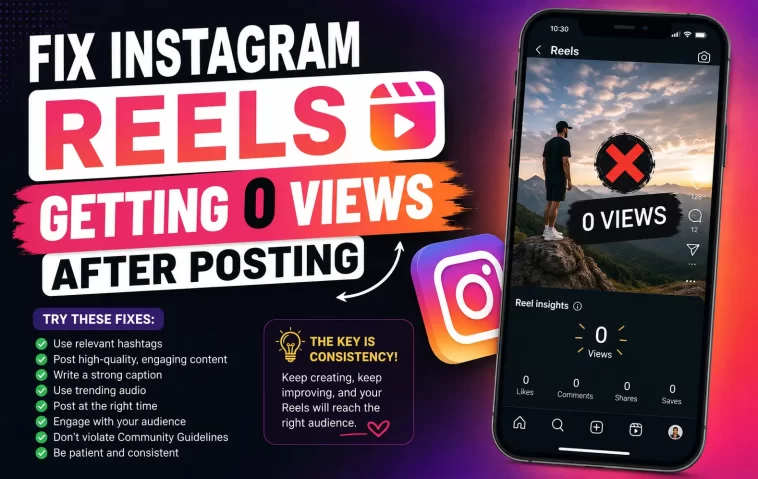
Quick Answer
- Check if it’s a display bug first — if likes and comments are coming in but views show 0, it’s probably a counting glitch, not a reach problem.
- Look at your Account Status (Settings → Account Status) for a note about reduced distribution or a guideline strike.
- If the Reel reuses content with a visible watermark from another app, that alone can tank distribution.
- New or recently inactive accounts often sit in a slower “trust-building” window before Reels get pushed to non-followers.
- Deleting and reposting the same Reel repeatedly makes things worse, not better.
Posting a Reel and watching it sit at 0 views for an hour is its own specific flavor of annoying, mostly because it could mean five completely different things. I’ve had this happen on an account that normally does fine, and my first move — checking if the app just hadn’t refreshed — turned out to be right that one time. But it isn’t always that simple, and figuring out instagram reels getting 0 views after posting usually means ruling out a few possibilities in order rather than assuming the worst one first.
Why This Happens
There isn’t one single cause here, and that’s honestly most of the frustration — the fix depends entirely on which of these is actually going on.
- A view-count display bug. Instagram’s had recurring issues where the view counter sticks at 0 while likes and comments still land normally. If engagement is happening but the number won’t move, this is probably it, and it usually self-corrects within a few hours.
- Reduced distribution from a policy flag. If a Reel — or your account generally — got flagged for violating community guidelines, Instagram can quietly limit how far things reach without an obvious in-app warning. This shows up in Account Status, not in a popup.
- Recycled or watermarked content. Reposting a video that still has a TikTok or CapCut watermark visible is one of the most reliable ways to get suppressed. Instagram’s systems actively detect this, and it’s not a rumor — it’s a documented deprioritization pattern.
- New account trust-building period. Accounts with little posting history or a long inactive stretch tend to get shown to smaller pools of people at first. So it’s not that you’re doing something wrong, it’s that the algorithm hasn’t built confidence in your account yet.
- A private account posting to non-followers. If your account is private, Reels basically can’t reach anyone outside your existing followers — no matter how good the content is. This one gets missed constantly.
- The delete-and-repost cycle. Deleting a Reel that flopped and reposting the same clip again can look like spam behavior to the system, and it tends to make distribution worse each time rather than giving you a clean second shot.
Common Scenarios
- Business or creator accounts posting consistently well but suddenly dropping to near-zero after a single Reel got reported, even if the report was baseless.
- New accounts posting their first handful of Reels and assuming something’s broken, when really they’re just in the early trust window.
- Accounts switching from private to public and expecting old content to suddenly reach further — it won’t retroactively, only new posts benefit.
- Anyone reposting trending audio or clips originally filmed for TikTok, watermark included, without realizing that’s actively working against them.
Step-by-Step Fixes
Step 1: Confirm it’s not just a display glitch
Check if the Reel has likes or comments despite the 0 view count. If engagement is showing but views aren’t, wait a few hours before doing anything else — this fixes itself more often than people expect.
Step 2: Check your Account Status
Go to Settings → Account Status. This is where Instagram actually tells you if a specific post got flagged or if your account’s reach has been reduced. Most people never open this page, which is a shame because it’s the most direct source of truth you’re going to get.
Step 3: Confirm the account is public
If you’re running a personal brand or business account, double check it isn’t set to private. Reels on private accounts don’t get served to the Explore or Reels tab for non-followers at all — that’s the whole reach mechanism cut off at the source.
Step 4: Look for a watermark or reused clip
If the footage originally came from another platform, check for a visible logo or watermark. If it’s there, crop it out or re-export the clip cleanly before your next post — and don’t repost the exact same watermarked file expecting a different result.
Step 5: Stop the delete-repost loop
If you’ve deleted this Reel and reposted it more than once already, stop. Leave it up, even if it’s underperforming, and let a genuinely different piece of content be your next post instead.
Step 6: Give new accounts time
If the account is under a couple of months old or was dormant for a long stretch, spend some time actually using Instagram like a normal person before posting — follow accounts in your niche, watch and engage with Reels in your feed, comment on a few things. It sounds almost too simple, but activity like this seems to speed up how quickly the algorithm starts trusting a newer account.
What Actually Worked For Me
The first time I hit this, I assumed it was a shadowban — that word gets thrown around constantly, and it felt like the obvious answer. So I did what everyone recommends: took a break from posting for two days, cleaned up hashtags, all of it. Nothing changed. Turned out, when I finally checked Account Status properly instead of just glancing at it, there was a note about a previous Reel that had been reported for music rights — not this one, but it had knocked my distribution down generally for a stretch. I hadn’t even noticed the original flag when it happened days earlier.
That’s not a satisfying answer, honestly. There wasn’t a clever fix, just patience and one appeal through the in-app report review option. It cleared up on its own about a week later. And if I’m being straight about it, the “take a break for 48 hours” advice that’s everywhere online did basically nothing for me directly — it just happened to line up with when Instagram’s flag expired anyway.
Advanced Fixes and Edge Cases
If Account Status shows nothing unusual but reach still tanked, check whether the audio track you used got removed or restricted for licensing reasons after you posted — this can quietly cut distribution on an otherwise fine Reel without any visible warning on the post itself.
For business accounts running ads alongside organic Reels, an active ad review or a billing issue on the connected ad account can sometimes bleed into organic reach oddly. Worth checking Meta Business Suite if you’re running both.
If multiple Reels in a row all sit at low or 0 views and Account Status is clean, consider whether your account got mass-reported by a coordinated group — this happens to creators covering contentious topics and doesn’t always show up clearly in the standard status page.
Prevention Tips
- Keep your account public if reach to non-followers matters to you.
- Never repost content with someone else’s platform watermark still visible.
- Check Account Status every so often, not just when something feels off.
- Resist the urge to delete and repost — let underperforming content stay up and move on to the next one instead.
- Warm up new accounts with a few weeks of normal activity before leaning on them for reach.
FAQ
Does deleting a low-performing Reel help my average engagement rate? Not really, and it might actively hurt your next post’s reach. Leave it.
Can a single reported Reel affect my whole account’s reach? Yes, this can happen, especially with repeated reports or a confirmed guideline violation — it’s not just that one post that suffers.
Is there a way to see exactly why a Reel got suppressed? Not always. Account Status gives you the clearest signal available, but Instagram doesn’t hand over a full explanation for every case.
Will switching to a Creator account fix low Reels views? No, account type alone doesn’t change distribution. It gives you access to more analytics, which helps you diagnose the problem, but it isn’t a fix by itself.
Editor’s Opinion
most of the “8 secret fixes” articles out there are just recycled nonsense, half of them make up settings that dont even exist. check account status first, thats the actual answer 80% of the time, everything else is guessing. and stop deleting your flops, it really does make it worse.
