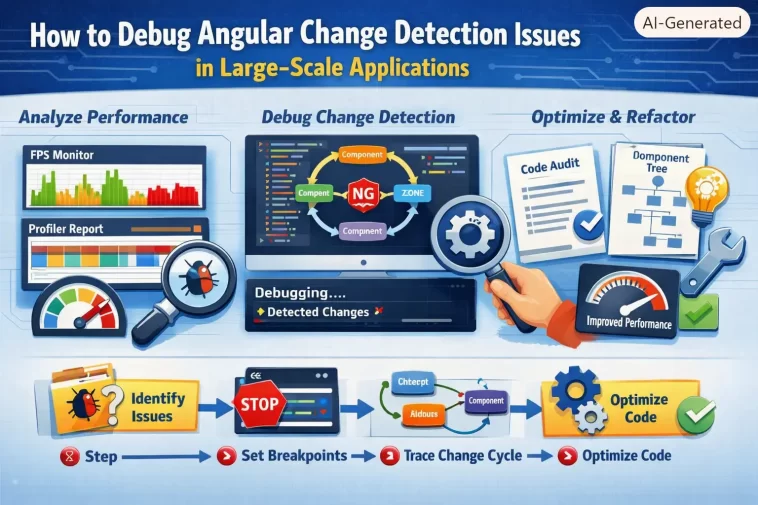
I once spent an entire afternoon convinced a component had a rendering bug, when the actual problem was that change detection wasn’t running on that branch of the tree at all. If you’re debugging Angular change detection issues in a large-scale application, the frustrating part isn’t usually the fix — it’s figuring out which of five or six plausible causes is actually the one happening in your app. So let’s go through the diagnostic process in an order that actually narrows things down, instead of guessing.
This is aimed at apps with real scale — deep component trees, mixed OnPush/Default strategies, maybe a partial migration to signals or zoneless sitting on top of legacy RxJS code. That combination is where change detection bugs get genuinely hard to trace.
Quick Answer
- First figure out whether you’re on Default, OnPush, or zoneless change detection — the debugging path is different for each
- Stale UI is almost always a missing change detection trigger, not a broken binding
ExpressionChangedAfterItHasBeenCheckedErroralmost always means something mutated state during a check that already ran- Use Angular DevTools’ profiler to actually see which components ran change detection and how often, don’t guess from logs
- Mixing OnPush components with mutable object references is the single most common root cause in large apps
Why Change Detection Issues Happen in Large Apps
Change detection problems in small apps and change detection problems in large apps aren’t really the same category of bug, honestly. Small apps mostly hit “why isn’t my binding updating” — one component, one fix. Large apps hit systemic issues where the problem is somewhere entirely different from where the symptom shows up.
A few real causes, not the generic “you forgot OnPush” answer:
Mutating objects/arrays instead of replacing references, under OnPush. OnPush skips checking a component unless it sees new input references (or an event, or a signal update, or async pipe emission). If a parent mutates an object in place and passes the same reference down, the OnPush child never gets notified — nothing changed from Angular’s perspective, even though your data did.
Mixed change detection strategies across a partially migrated app. This is huge in real codebases. You’ve got some components on Default, some on OnPush, some driven by signals, and if you’re on Angular 21+ possibly a zoneless root with a handful of libraries still expecting Zone.js patching underneath. Bugs show up specifically at the seams between these — a signal-driven leaf component nested under a Default-strategy ancestor that itself isn’t re-rendering when it should.
Detached change detectors that never got reattached. If something in your codebase calls detach() on a ChangeDetectorRef (common in performance-tuning code, virtual scroll implementations, or custom list rendering) and the corresponding reattach() path has a bug or an early return, that component silently stops updating and there’s no error thrown anywhere.
Async operations running outside Angular’s zone (or, in zoneless apps, without an explicit notification). Anything using raw setTimeout, third-party libraries with their own event loops, WebSocket libraries, or manual DOM event listeners attached outside Angular’s normal flow can update your data without Angular ever finding out.
Zoneless-specific: forgetting that Zone.js isn’t magically triggering things anymore. If you migrated to provideZonelessChangeDetection() (stable since Angular 20.2, and the default for new apps as of Angular 21), a huge category of “it just worked before” behavior stops working. Change detection now runs only on signal updates, template events, async pipe emissions, and a few explicit triggers — not on every async task completing like Zone.js used to force.
Comparison: Change Detection Strategies and Their Failure Modes
| Strategy | What triggers a check | Common failure symptom | Typical root cause |
|---|---|---|---|
| Default | Any Zone.js-detected async event, anywhere in the app | Slow apps, not usually “stale” UI | Excessive tree walking, not missing updates |
| OnPush | New input reference, event, async pipe emission, signal update, manual trigger | UI looks frozen/stale on specific components | Mutated (not replaced) input references |
| Zoneless | Signal updates, events, async pipe, explicit triggers only | UI doesn’t update after data changes from outside Angular’s normal flow | Missing signal usage, or async code Angular was never told about |
Not every row applies to every app — a lot of large codebases are running a mix of the first two, with zoneless adoption happening gradually component by component rather than all at once.
Step-by-Step Diagnostic Process
Step 1: Confirm which strategy is actually in play
Check app.config.ts (or your module bootstrap) for provideZonelessChangeDetection(). If it’s not there, you’re on Zone.js-based detection, and the relevant question becomes which components use ChangeDetectionStrategy.OnPush versus the default.
Step 2: Reproduce with Angular DevTools’ Profiler open
Open the Profiler tab, start recording, trigger the action that should update the UI, and stop recording. Look at whether the component you expect to update actually shows up in the recorded change detection cycle at all. If it doesn’t appear, change detection isn’t running there — that’s your answer right there, and you can stop guessing about bindings.
Step 3: Check for mutation vs. replacement
If the component in question is OnPush and it’s not appearing in the profiler trace, search for where its input data gets modified upstream. So look specifically for .push(), direct property assignment on nested objects, or spread operations that don’t actually happen (a common mistake: data.items.push(newItem) instead of data = {...data, items: [...data.items, newItem]}).
Step 4: For zoneless apps, check for un-tracked async work
Grep for raw setTimeout, setInterval, third-party SDK callbacks, and WebSocket message handlers. In a zoneless app, none of these automatically trigger change detection anymore. They need to either update a signal, run inside an effect(), or explicitly call the appropriate update mechanism.
Step 5: Watch for ExpressionChangedAfterItHasBeenCheckedError
This error means a value used in a template changed after Angular already finished checking it for this cycle — usually because something mutated state inside a lifecycle hook like ngAfterViewInit or ngAfterContentChecked. Wrap the offending update in a microtask, or better, move the logic to where it belongs (often ngOnInit or a signal-driven computed()).
What Actually Worked For Me
The afternoon I mentioned earlier — that one turned out to be a detached ChangeDetectorRef from a virtual-scroll implementation someone had written two years prior. I tried the obvious things first: checked the OnPush inputs, checked for mutation, added console logs in ngOnChanges. None of that showed anything wrong, because the component’s inputs genuinely were changing correctly. The issue was upstream of the binding logic entirely.
What actually cracked it was, honestly, a bit of luck — I opened the Profiler out of frustration more than strategy, and the component just wasn’t in the recorded trace at all. That’s not something console logs would’ve told me quickly. Once I knew it wasn’t running change detection at all, tracing back to the detach() call took about ten minutes.
The fix that’s recommended constantly online — “just add OnPush everywhere and it’ll be fine” — rarely solves this specific category of bug. OnPush changes when a component checks, but if change detection isn’t reaching the component at all (detached, or an ancestor never re-renders), adding OnPush to it does nothing.
Advanced Fixes and Edge Cases
Use provideCheckNoChangesConfig({ exhaustive: true, interval: <ms> }) in zoneless apps during development. This periodically re-checks bindings that wouldn’t normally get checked, and throws ExpressionChangedAfterItHasBeenCheckedError if it catches a change that would’ve silently slipped through — a genuinely useful way to catch hidden Zone.js-era assumptions still lingering in your code.
Trace the dependency injection graph if you suspect a shared service is the source of stale state. Angular 21’s angular:di-graph browser tooling exposes the full DI tree, which can help spot cases where two components think they’re sharing a service instance but are actually getting separate ones from different injector scopes — a subtle bug that looks exactly like a change detection failure but isn’t one.
Check for NgZone.runOutsideAngular() calls that never re-enter the zone. If legacy code intentionally runs something outside Angular’s zone for performance reasons, and the corresponding ngZone.run() call to bring the update back in is missing or conditional on a path that doesn’t fire, the resulting state change never triggers a check.
Audit third-party library compatibility before or during zoneless migration. Libraries that depend on Zone.js patching internally (some older charting libraries, certain analytics SDKs) can silently stop working correctly once Zone.js is removed from the build, even if nothing in your own code changed.
Prevention Tips
- Default to signals for new component state where practical — they eliminate an entire category of “did this actually trigger CD” ambiguity
- Never mutate objects or arrays that are passed as OnPush inputs; always replace the reference
- Use the Angular CLI’s zoneless migration tooling to get a component-by-component risk assessment before flipping the switch app-wide, rather than doing it all at once
- Keep the Profiler as a first debugging step for anything that “looks frozen,” not a last resort
FAQ
Does adding OnPush to every component automatically fix performance? Not automatically, and it can occasionally make things worse if inputs are being mutated instead of replaced — you’d get missed updates on top of the original performance problem.
Is zoneless change detection something I should adopt right now? It’s stable as of Angular 20.2 and the default for new Angular 21 apps, so it’s a reasonable target. But migrating an existing large app takes real auditing work first, especially around third-party libraries.
Why does my component update fine in isolation but not inside the real app? Almost always a change detection strategy mismatch somewhere in the ancestor chain — an OnPush ancestor not re-rendering means its OnPush descendants don’t get checked either, regardless of what’s happening at the leaf.
Can Zone.js and zoneless coexist during a gradual migration? Not within a single bootstrap — it’s an app-wide setting. Gradual migrations usually mean staying on Zone.js while incrementally adopting signals and OnPush everywhere, then flipping to zoneless once the app is signal-driven enough.
Is ExpressionChangedAfterItHasBeenCheckedError always a real bug? Pretty much, yes. It’s Angular telling you a value changed after it already finished checking that cycle — ignoring it just means the UI will occasionally be one render behind reality.
Editor’s Opinion
the detached changedetectorref thing doesnt get talked about enough imo, everyone jumps straight to “check your onpush inputs” and that advice is fine but it assumes cd is even reaching the component, which it might not be. profiler first, bindings second, thats the order i wish id learned years ago instead of the other way around.
