Had this happen on a client’s machine last week — Edge worked fine everywhere except one specific site, and every single time it hit that domain, the tab died with RESULT_CODE_KILLED_BAD_MESSAGE. Not a network error, not a certificate warning, just the tab getting killed outright. And that “only on this one site” pattern is actually the useful clue here, not a red herring like it first looks.
Quick Answer
- This error means Edge’s browser process deliberately killed a tab’s renderer process because it detected a message that didn’t match what the browser expected to receive
- <cite index=”59-1″>It generally occurs when Chromium-based browsers detect behavior considered unsafe, corrupted, or unexpected from a rendered process or extension, triggering a built-in safeguard that kills the offending process</cite>
- When it’s tied to specific sites rather than happening everywhere, an extension or antivirus injection interacting badly with that site’s scripts is the most likely cause
- Clearing site data and disabling extensions one at a time catches most cases
- If it started right after an Edge update, that’s a separate and sometimes temporary bug rather than something on your machine
Why It Fails
This one’s worth understanding at a basic level because it changes how you troubleshoot it. Edge (like Chrome) runs a separate process for each tab’s content, and those processes talk to the main browser process over an internal messaging system. <cite index=”58-1″>When an inbound message doesn’t match what the browser expects — no registered handler for it, or the message fails validation — Chromium’s safeguard terminates the render process rather than risk running it further.</cite> That’s the “bad message” part of the name, literally.
On specific HTTPS sites, a few things commonly trigger this:
A browser extension injecting scripts into that particular site. Extensions that modify page content (ad blockers, privacy tools, some shopping and coupon extensions) sometimes inject code that conflicts with a site’s own scripts in a way that produces exactly the kind of malformed internal message Chromium’s safeguard is built to catch. It only shows up on sites where that specific conflict occurs, which is why it looks so selective.
Antivirus software doing HTTPS inspection. Some antivirus suites intercept and re-encrypt HTTPS traffic to scan it, effectively sitting in the middle of the connection. If that inspection process modifies page content in a way the renderer doesn’t expect, you get the same kind of validation failure.
Corrupted site-specific data in your profile. Cookies, cached scripts, or site permissions tied to one domain can get corrupted without affecting anything else, which explains why clearing all browsing data sometimes works when a targeted per-site clear doesn’t quite cut it.
A specific Edge version regression. <cite index=”53-1″>Some users reported this error appearing after updating to a specific Edge build, affecting every website rather than just one</cite> — this is a different pattern from the site-specific version, but worth ruling out first since it’s the easiest to check.
The one that catches people off guard: it’s rarely the website’s fault, even though the error only shows up there. The site’s code is just the specific trigger for a conflict that already existed between your browser setup and something running alongside it.
Step-by-Step Fixes
Step 1: Confirm whether it’s really site-specific
Open an InPrivate window (Ctrl+Shift+N) and try the same site. InPrivate mode disables most extensions by default, so if the error disappears there, you’ve already narrowed it down significantly.
Step 2: Disable extensions one at a time
Go to edge://extensions/ and toggle everything off. Test the problem site. If it works, re-enable extensions one by one, testing after each, until you find the one causing it.
Step 3: Clear site-specific data
Go to Settings > Cookies and site permissions > Manage and delete cookies and site data, search for the specific domain, and remove its data. This is more surgical than a full browsing data wipe and worth trying first.
Step 4: Temporarily disable antivirus HTTPS scanning
If your antivirus has an “HTTPS scanning” or “SSL inspection” feature (common in Bitdefender, Kaspersky, and similar suites), disable it temporarily and retest. If the site loads fine with it off, you’ll want to add an exception for that domain rather than leaving scanning off entirely.
Step 5: Update Edge to the latest version
Go to edge://settings/help and let it check for updates. So this feels like an obvious step, but a surprising number of these reports trace back to a specific build that got patched shortly after.
Step 6: Reset Edge to default settings
Settings > Reset settings > Restore settings to their default values. This keeps your bookmarks and saved passwords but wipes custom flags, extension configurations, and other tweaks that might be contributing.
What Actually Worked For Me
First thing I tried was clearing cache and cookies for the whole browser, which felt like the obvious move. Didn’t help at all — same crash, same site, immediately on load.
Went through extensions next, disabling all of them, and the site loaded fine. So then it became a process of re-enabling one at a time, which is tedious but not actually that slow — maybe fifteen minutes total. Landed on a shopping-coupon extension that injects a floating widget into pages. Not one I’d have suspected first, honestly, since it worked fine on every other site the client used regularly. But that particular site had some kind of dynamic content loading that the extension’s injected script didn’t handle cleanly, and the two of them together produced the crash. Disabled just that extension, kept everything else, problem solved.
Your mileage may vary on which extension it turns out to be — from what I’ve seen, ad blockers and anything that modifies page content are the most common offenders, but it’s genuinely different depending on what’s installed.
Advanced Fixes and Edge Cases
Check edge://net-internals or DevTools console for correlating errors. Open DevTools (F12) on the problem site right before it crashes, if you can catch it in time, and look at the Console tab for any script errors immediately preceding the crash. This can point you toward exactly which injected or page script is misbehaving.
Test with browser flags disabled. Launch Edge with --disable-extensions --no-sandbox added to the shortcut target temporarily (right-click the Edge shortcut, Properties, edit Target). If it works clean this way, you’ve confirmed it’s extension or sandboxing related rather than a core browser bug.
Check for site isolation conflicts if you’re running enterprise policies. On managed machines with Edge policies pushed through group policy or Intune, site isolation settings can occasionally conflict with specific sites using unusual iframe or cross-origin patterns. This is a narrower case but worth checking on work laptops specifically.
Rule out a corrupted user profile folder. Rename (don’t delete yet) the Edge profile folder under %LocalAppData%\Microsoft\Edge\User Data and let Edge create a fresh one. If the problem disappears, you’ll need to migrate bookmarks and passwords manually rather than just copying the old folder back.
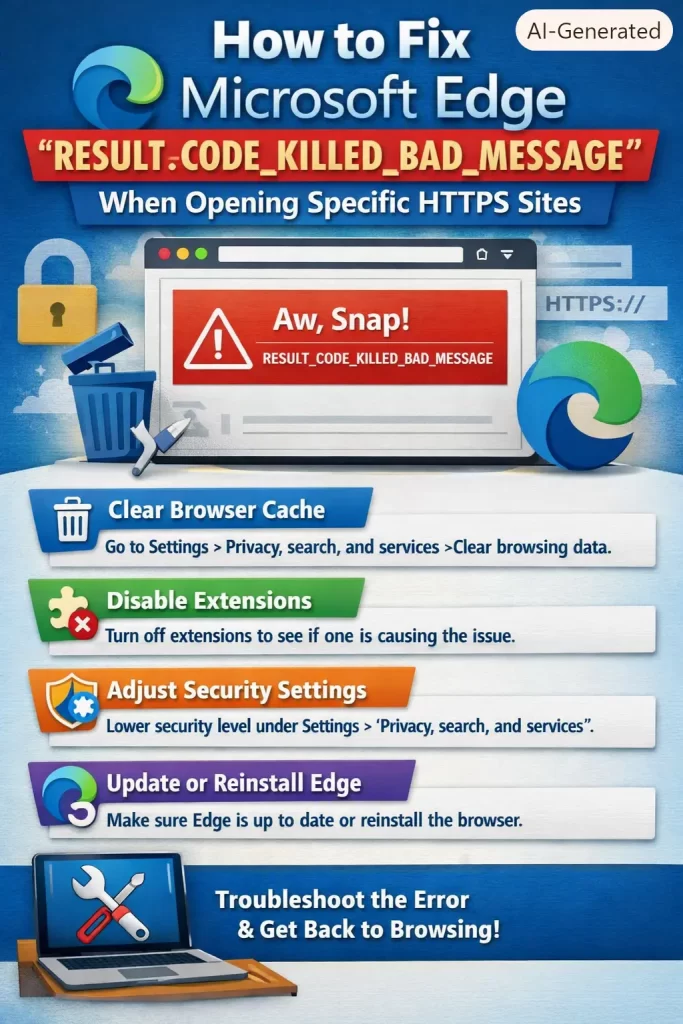
Prevention Tips
- Keep extensions to the minimum you actually use regularly — every one is a potential conflict source
- Add antivirus exceptions for sites you trust and use daily, rather than leaving HTTPS inspection blanket-enabled everywhere
- Update Edge promptly rather than deferring updates for long stretches, since some of these issues are version-specific bugs that get patched quickly
- If you manage multiple machines, note which extension combinations cause this so you’re not troubleshooting from scratch each time
FAQ
Is my data at risk when this error happens? No. It’s Edge protecting itself by killing a misbehaving process, not a sign of a breach or malware.
Why does it only happen on HTTPS sites and not HTTP ones? It’s not exclusively an HTTPS issue — it just shows up more there because HTTPS inspection tools and certain extension behaviors are more active on encrypted traffic.
Does this happen in Chrome too? Yes, since Edge and Chrome share the same underlying engine, and the error code is identical across both.
Will reinstalling Edge fix it? Sometimes, mostly because a reinstall resets extensions and settings, but it’s a heavier fix than just disabling the specific extension causing it.
Can a website itself cause this on purpose? Practically never. It’s almost always the interaction between your setup and the site, not something malicious the site is doing.
Editor’s Opinion
this ones a good example of an error message that sounds way scarier than what its actually doing. “killed bad message” reads like something broke catastrophically but really its just edge protecting itself from a conflict between an extension and a page script. the site specific part threw me off too at first, made it feel like something was wrong with that one site, when really the site was just the unlucky place where the conflict happened to show up. disable extensions first, save yourself the cache-clearing rabbit hole.
