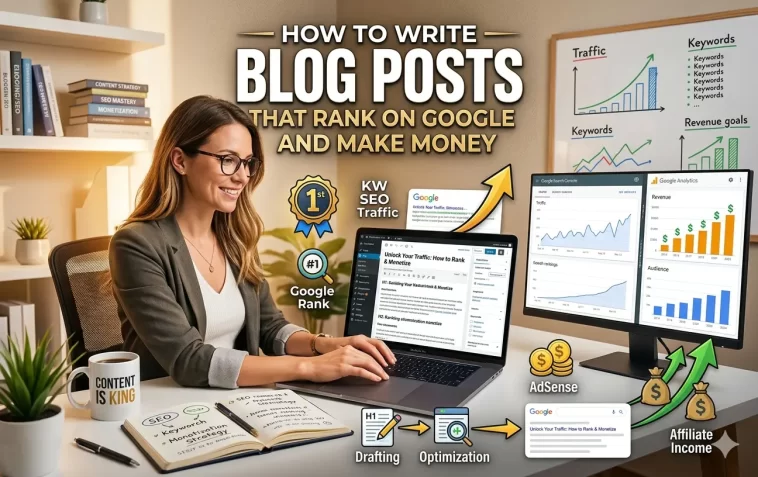
Write blog posts that rank on Google — that’s the goal every blogger has, but very few actually achieve it consistently.
Most people start a blog, write a few posts they’re proud of, and then wait. The traffic never comes. The money never follows. And eventually, the blog goes quiet.
The problem usually isn’t the writing. It’s the strategy behind it.
This guide walks you through exactly how to create blog posts that Google actually wants to rank — and how to turn that traffic into real income once it arrives.
Why Most Blog Posts Never Get Found
Before we talk about what works, it’s worth understanding why most content fails.
The average blog post gets almost no organic traffic. Not because it’s badly written, but because it was never built to rank. It targets the wrong keywords, doesn’t match what the searcher actually wants, or gets outcompeted by older, more authoritative pages.
Writing for Google isn’t about gaming the algorithm. It’s about understanding what people are searching for, giving them the best possible answer, and presenting it in a way that’s easy to read and trust.
Do those three things consistently, and ranking becomes far less mysterious.
Step 1: Start With Keyword Research
Every high-ranking blog post starts before a single word is written. It starts with a keyword.
A keyword is simply the phrase someone types into Google. Your job is to find keywords that:
- Have real search volume (people are actually looking for this)
- Aren’t too competitive (you can realistically rank for them)
- Align with what your blog covers
How to Find the Right Keywords
You don’t need expensive tools to get started. Here’s a simple process:
Use Google’s autocomplete. Type your topic into Google and see what phrases it suggests. Those suggestions are real searches real people are making.
Check “People Also Ask.” The expandable questions that appear in Google search results are goldmines for blog post ideas. Each one is a real question your audience is asking.
Use free keyword tools. Ubersuggest, AnswerThePublic, and Google Keyword Planner all show you search volumes for free. Ahrefs and Semrush offer deeper data when you’re ready to invest.
Target Long-Tail Keywords as a Beginner
A long-tail keyword is a more specific, longer phrase — for example, “how to start a food blog on a budget” instead of just “food blog.”
Long-tail keywords have lower search volume but also far less competition. For a new blog, ranking for ten long-tail keywords beats failing to rank for one broad keyword every time.
As your blog gains authority, you can start targeting more competitive terms.
Step 2: Understand Search Intent
This is the step most beginners skip — and it’s often why their posts don’t rank even when they target the right keyword.
Search intent is the reason behind a search. Google’s job is to match results to intent, not just keywords. If your content doesn’t match the intent, it won’t rank no matter how well-written it is.
There are four main types of search intent:
- Informational — the person wants to learn something (“how does affiliate marketing work”)
- Navigational — they’re looking for a specific site or page (“Mailchimp login”)
- Commercial — they’re researching before buying (“best email marketing tools”)
- Transactional — they’re ready to buy (“sign up for Mailchimp”)
Before you write a post, Google the keyword yourself. Look at the top-ranking pages. Are they how-to guides? List posts? Product comparisons? Detailed tutorials? That tells you exactly what format Google thinks best matches the intent — and you should follow suit.
If the top results are all “10 best X” listicles and you write a personal essay, don’t expect to rank. Match the format to the intent.
Step 3: Nail Your Post Structure
Structure matters for two reasons: it helps readers scan and understand your content, and it helps Google understand what your post is about.
Use a Clear Heading Hierarchy
Your post should follow a logical structure:
- H1 — your main title (only one per post)
- H2 — main sections
- H3 — subsections within H2s
- H4 — deeper breakdowns if needed
Include your focus keyword naturally in your H1. Use related terms and variations in your H2s. This isn’t about stuffing keywords — it’s about signaling to Google what topics your post covers.
Write a Strong Introduction
Your introduction has one job: keep the reader on the page. If someone bounces in the first ten seconds, Google notices — and it hurts your ranking.
A strong blog introduction:
- Acknowledges the problem or question the reader has
- Promises a clear, useful answer
- Gets to the point quickly — no long preambles
Skip the “In this post, I will tell you about…” openings. Lead with something that hooks the reader immediately.
Keep Paragraphs Short
Online readers scan before they read. Long walls of text drive people away. Keep paragraphs to 2–4 sentences. Use white space generously. Break complex ideas into bullet points or numbered lists when it makes things clearer.
Use a Logical Flow
Think of your post like a guided tour. Each section should build on the previous one, leading the reader toward a clear conclusion. If a section doesn’t add value or move the reader forward, cut it.
Step 4: Write Content That Earns Its Ranking
Google’s helpful content system is designed to reward content written by people with real experience and expertise. It’s specifically designed to push down generic, AI-generated filler that technically answers a question but doesn’t actually help anyone.
This is your advantage as a real person with real knowledge.
Cover the Topic Comprehensively
A top-ranking post doesn’t just touch on a subject — it covers it thoroughly. Before you write, look at the top 5 results for your keyword and ask yourself: what did they miss? What questions are still unanswered? What could I add that would make my post more complete?
Filling those gaps is exactly how new blogs outrank established ones.
Add Your Own Experience and Perspective
Generic advice is everywhere. What’s rare is someone who’s actually done the thing, made the mistakes, and can share what they learned.
Wherever possible, include:
- Personal examples or case studies
- Lessons from your own experience
- Honest opinions, not just neutral summaries
- Specific numbers, data, or results
This is what Google means by “experience” in its E-E-A-T framework (Experience, Expertise, Authoritativeness, Trustworthiness). It’s also what makes readers trust you enough to come back — or click your affiliate links.
Use Internal and External Links
Internal links point to other posts on your blog. They help Google discover your content and show readers what else you have to offer. Every post should link to at least 2–3 other relevant posts on your site.
External links point to reputable sources outside your blog — research studies, official sources, well-known publications. They signal to Google that your content is grounded in reliable information. Don’t be afraid to link out; it helps more than it hurts.
Step 5: Optimize for On-Page SEO
You don’t need to be an SEO expert, but a few basic optimizations make a real difference.
Use an SEO Plugin
If you’re on WordPress, install Rank Math or Yoast SEO. Both guide you through on-page optimization with a simple checklist. Green lights across the board doesn’t guarantee a ranking, but it means you’ve covered the basics.
Place Your Keyword Strategically
Your focus keyword should appear in:
- The post title (H1)
- The first paragraph of the post
- At least one H2 subheading
- The meta description
- The URL slug
- Naturally throughout the body (don’t force it)
The goal is natural placement — write for the reader first, then check that the keyword appears in the right spots.
Write a Compelling Meta Description
Your meta description is the short summary that appears under your link in Google search results. It doesn’t directly affect ranking, but it affects click-through rate — which does.
A good meta description:
- Includes your focus keyword
- Summarizes what the reader will get
- Has a subtle call to action (“Learn how…”, “Find out…”, “Discover…”)
- Stays under 160 characters
Think of it as a mini advertisement for your post.
Optimize Your Images
Every image in your post should have:
- A descriptive file name (not “IMG_4021.jpg”)
- Alt text that describes the image and includes relevant keywords where natural
- Compressed file size (use tools like TinyPNG or ShortPixel)
Image optimization improves page speed, which is a ranking factor, and makes your content accessible to visually impaired readers.
Aim for Fast Load Times
A slow blog loses readers and rankings. Use a caching plugin like WP Rocket or W3 Total Cache, compress your images, and choose a fast hosting provider. Google’s Core Web Vitals measure page speed and it directly influences where you rank.
Step 6: Monetize Your Traffic Strategically
Traffic without monetization is just a vanity metric. Here’s how to turn your ranked blog posts into income.
Match Monetization to Post Type
Not every post should be monetized the same way. Match your income method to the post’s intent:
| Post Type | Best Monetization |
|---|---|
| How-to guides | Affiliate links to tools/products mentioned |
| Product reviews | Affiliate links + display ads |
| Listicles (“best X”) | Affiliate links to each product |
| Informational posts | Display ads + email list opt-in |
| Comparison posts (“X vs Y”) | Affiliate links to both products |
Forcing affiliate links into posts where they don’t belong damages trust. Only recommend products you’d genuinely use or have experience with.
Build Your Email List From Day One
Your email list is the most valuable asset your blog has. Social media platforms change. Google algorithm updates happen. But your email list belongs to you.
Add an opt-in form or content upgrade to your highest-traffic posts. Offer something genuinely useful — a checklist, a template, a short guide — in exchange for an email address. Even 500 engaged subscribers can generate significant revenue when you have the right products to offer them.
Use Display Ads Wisely
Display ads are passive — once set up, they earn without any additional work. But they work best at scale.
- Google AdSense — low bar to entry; low RPM (revenue per thousand visitors)
- Mediavine — requires 50,000 sessions/month; much better rates
- Raptive — requires 100,000 pageviews/month; premium earnings
Don’t plaster ads everywhere from day one. Too many ads slow your site, hurt the user experience, and signal low quality to Google. Start with AdSense when you have traffic, then upgrade to premium networks as you grow.
Promote Affiliate Products Naturally
Affiliate marketing is the highest-earning monetization method for most bloggers. The key word is “naturally.”
The best affiliate posts:
- Recommend products the writer has genuinely used
- Explain why a product is recommended, not just that it is
- Disclose the affiliate relationship clearly (required by law in most countries)
- Focus on helping the reader make the right decision, not just make a purchase
Readers can tell the difference between a genuine recommendation and a thinly veiled sales pitch. Authenticity converts far better.
Step 7: Update and Improve Old Posts
Most bloggers focus entirely on publishing new content. The smarter move is also updating what you’ve already published.
Google favors fresh, current content. A post that was accurate in 2023 may contain outdated information in 2026 — and Google notices.
Every 6–12 months, revisit your most important posts and:
- Update any outdated statistics, tools, or references
- Add new sections based on what readers ask in comments
- Improve the introduction and meta description
- Add new internal links to posts published since
- Check for broken external links
A well-maintained post often climbs in rankings after an update — sometimes dramatically. It’s one of the most underrated tactics in blogging.
How Long Should a Blog Post Be to Rank?
There’s no magic word count. The right length is however long it takes to fully answer the question.
That said, most top-ranking posts are between 1,500 and 3,000 words for informational topics. Detailed guides and tutorials often run longer. Simple how-to posts can rank at 800–1,000 words if the topic is straightforward.
Don’t pad your posts to hit a word count. Every paragraph should earn its place. A tight 1,200-word post beats a bloated 3,000-word post every time.
Common On-Page SEO Mistakes to Avoid
- Keyword stuffing — repeating your keyword unnaturally reads badly and can hurt rankings
- Duplicate content — never publish the same content twice; it confuses Google
- Missing alt text — every image needs it
- Slow page speed — one of the most common and fixable ranking killers
- No internal linking — every post should connect to others on your site
- Ignoring mobile — over 60% of searches happen on mobile; your blog must look good on a phone
FAQ: Writing Blog Posts That Rank on Google
How long does it take for a blog post to rank on Google?
Most new blog posts take 3–6 months to rank on the first page of Google, assuming they’re properly optimized and the site has some authority. New blogs with no backlinks may take longer. Updating older posts and building internal links can accelerate the process.
How many keywords should I use in a blog post?
Focus on one primary keyword per post. You can naturally include variations and related terms throughout, but chasing multiple competing keywords in one post usually means ranking well for none of them. One post, one main keyword, done well.
Does post length affect Google rankings?
Length alone doesn’t determine rankings — relevance and quality do. That said, longer posts tend to rank better for competitive keywords because they cover topics more thoroughly. Aim to be as long as necessary and as short as possible.
How often should I publish new blog posts?
Consistency matters more than frequency. Two well-researched posts per month beats eight thin posts every time. Pick a publishing schedule you can maintain and stick to it. Google rewards consistent activity over sporadic bursts.
Do I need backlinks to rank a blog post?
Backlinks (other sites linking to yours) are a major ranking factor, but they’re not the only one. New blogs can rank for low-competition, long-tail keywords without many backlinks by focusing on quality content and strong on-page SEO. As your blog grows, earning backlinks through great content becomes increasingly important.
What’s the best way to structure a blog post for SEO?
Use a clear H1 title with your focus keyword, an introduction that hooks the reader and includes the keyword early, H2 subheadings that organize your content logically, short paragraphs with bullet points where helpful, and a conclusion with a clear takeaway or call to action.
Can I make money from a single blog post?
Yes. A single well-ranking post with strong affiliate links or high ad revenue potential can generate consistent income month after month. This is why experienced bloggers focus on creating “evergreen” content — posts that stay relevant and keep driving traffic for years.
Final Thoughts
Learning to write blog posts that rank on Google is one of the most valuable skills you can build as an online creator. It’s not about tricking an algorithm. It’s about genuinely helping people, presenting that help in a clear and trustworthy way, and making it easy for Google to understand what you’ve written.
The bloggers who earn well aren’t the most talented writers. They’re the ones who understand their audience, do their keyword research, structure their content with intention, and keep improving over time.
Write one great post. Optimize it properly. Watch what happens. Then repeat.
Every high-traffic blog started with a single post that ranked. Yours can too.
