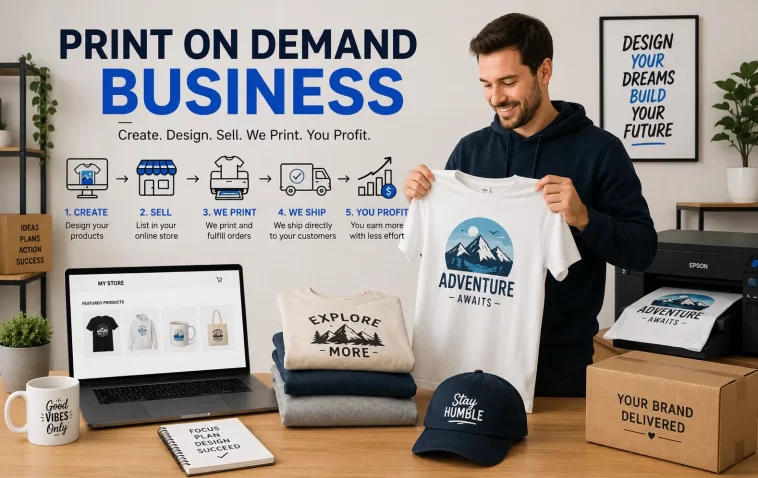
I started my first print on demand store with $0 in my pocket and about four hours of free time on a Sunday. No inventory, no upfront design budget, no fancy software subscription. Just a free Canva account, a Redbubble sign-up, and a stubborn refusal to spend money I didn’t have. So if you’re sitting there wondering whether print on demand with no money is even possible, yeah, it is — but the path looks a little different than the YouTube thumbnails make it seem.
This isn’t going to be a “get rich by Friday” post. It’s going to be the actual steps, the platforms that don’t ask for a dime upfront, and the mistakes that wasted my first few weeks for nothing.
Quick Answer
- Pick a no-cost POD platform (Redbubble, Printful + free Etsy/Shopify trial, or Society6) — no setup fees, no inventory
- Design with free tools: Canva, GIMP, or Photopea instead of paid Photoshop/Illustrator
- Use free niche research methods (Pinterest trends, Etsy search bar, Google Trends) instead of paid keyword tools
- Upload designs and let the platform handle printing, shipping, and customer service
- Reinvest your first profits into ads or a real domain once you’re actually making something
Why “No Money” Print on Demand Actually Works
Print on demand was built around the idea of zero inventory risk, so the “no money” part isn’t some hack — it’s baked into the model. The print provider only makes the product after someone buys it. You’re not fronting cash for stock that might never sell.
That said, there are a few reasons people think they need money when they don’t:
They assume they need a paid website. You don’t. Marketplaces like Redbubble, Society6, and Merch by Amazon already have the traffic and the checkout system built in. You’re trading a cut of your profit margin for zero setup cost, which is a fair deal when you’re starting from nothing.
They assume design software costs money. It doesn’t have to. Canva’s free tier and Photopea (a browser-based Photoshop clone) cover most beginner designs, and a lot of successful POD sellers never touch a paid tool until they’re already profitable.
They assume ads are required to get sales. Not true on day one. Marketplace platforms have internal search and browse traffic. Your first sales can come from people just searching the marketplace itself, not from a Facebook ad campaign you can’t afford anyway.
And look, I’m not saying money doesn’t help. It does. But it’s not the barrier people think it is.
Common Scenarios Where People Get Stuck
| Scenario | What Usually Happens | The Real Fix |
|---|---|---|
| Designing on a phone only | Designs look fine small, terrible printed large | Use Canva’s mobile app but check at 100% zoom before upload |
| Picking a saturated niche (cats, “good vibes” quotes) | Zero visibility against thousands of competitors | Go narrower — not “dog lover,” but “Belgian Malinois owner” |
| Using copyrighted images or fonts | Account suspension, sometimes permanent | Stick to fonts marked commercial-use-free and your own artwork |
| Expecting fast sales | Quit after 2 weeks with no orders | Most sellers don’t see consistent sales until 50-100+ designs are live |
Not every row applies to every platform, but these are the four I see come up over and over in forums and Discord groups.
Step-by-Step: Starting With Zero Budget
Step 1: Pick the Right No-Cost Platform
This decision matters more than people realize early on. Here’s roughly how the major free-to-join platforms break down:
- Redbubble — Easiest entry, built-in traffic, but lower per-sale margins (often $2-5 per item)
- Society6 — Similar to Redbubble, leans more toward art/home decor buyers
- Merch by Amazon — Huge potential traffic but requires an approval process and can take weeks (sometimes months) to get accepted
- Printful + free Etsy shop — More control over branding, but you’re responsible for driving your own traffic since Etsy charges listing fees (usually $0.20 per listing, which is close enough to free that it’s still worth mentioning)
If you genuinely have $0, start with Redbubble or Society6. Skip the Etsy route until you’ve got at least a few dollars for listing fees.
Step 2: Design With Free Tools
Canva is the obvious starting point. It’s not going to replace Illustrator for complex vector work, but for text-based designs, simple graphics, and pattern work, it’s genuinely enough.
A few practical notes here:
- Always design at the platform’s recommended resolution (usually 4500x5400px for shirts) — designing small and scaling up makes everything blurry
- Use transparent PNG backgrounds, not white backgrounds, or your design will show up with an ugly box around it on dark shirts
- Photopea is worth learning if you outgrow Canva — it’s free and handles layers, blending modes, and most things Photoshop does
Step 3: Research Niches Without Paid Tools
You don’t need Ahrefs or a $50/month trend tool to find a niche. Use what’s already free:
- Type a broad term into Etsy’s search bar and look at autocomplete suggestions — that’s real search demand
- Google Trends to see if a niche is rising, flat, or dying
- Pinterest’s search bar autocomplete works almost identically to Etsy’s
So the workflow is: type, see what autocompletes, narrow down, repeat. It’s not glamorous, but it’s free and it works.
Step 4: Upload, Tag, and List
This is where a lot of beginners rush and tank their own visibility. Tags and titles matter almost as much as the design itself.
Write titles like an actual search query, not like a creative headline. “Funny Golden Retriever Mom Shirt” outperforms “Best Friend Forever Tee” nearly every time because it matches what people are actually typing.
Step 5: Let It Sit, Then Iterate
Your first 10 designs probably won’t sell much. That’s normal, not a sign something’s broken. From what I’ve seen, the sellers who make it past month one are the ones who keep uploading consistently instead of judging each design individually.
What Actually Worked For Me
Honestly, my first attempt was a mess. I picked a generic “motivational quotes” niche because I saw someone on YouTube claim it was profitable, uploaded maybe 15 designs over two weeks, and got exactly one sale — and I’m still not sure that wasn’t a friend testing the link.
I tried tightening my SEO tags first, thinking that was the problem. It helped a little, but not much. Then I tried switching platforms entirely, moving some designs to Society6. Also didn’t move the needle much.
What actually worked, weirdly, was a half-remembered comment from a Reddit thread about niching down hard — like, uncomfortably specific. So I dropped “motivational quotes” entirely and made a small batch of designs for a specific dog breed community I happened to be part of (Cane Corso owners, if you’re curious). Eight designs, one weekend. That batch outsold my previous fifteen within ten days.
Not because the designs were better. Because the audience was smaller, more specific, and had way less competition to get buried under.
Advanced Tips for Scaling Past Zero Budget
Once you’ve got a little traction, here’s where it’s worth getting more deliberate:
Track which designs actually convert, not just which get views. Redbubble and similar platforms show you view counts, but views without sales usually mean your design is fine but your audience isn’t searching for it. Pull whatever basic analytics the platform gives you and look at conversion, not traffic.
Batch your designs by theme, not individually. Eight related designs in one niche outperform eight unrelated designs almost every time, because customers who like one design in a themed batch often browse the rest.
Watch for seasonal timing. Holiday and event-based niches (teacher appreciation, specific sports seasons, regional events) have predictable spikes. Uploading even 4-6 weeks ahead of the season matters more than people think — platforms need time to index and rank new listings.
Don’t ignore mockup quality. This sounds cosmetic but it isn’t. A design shown on a clean, well-lit mockup converts noticeably better than the same design on a flat, low-quality template. Free tools like Placeit have limited free mockups before they ask for payment, and Canva also has basic mockup templates now.
Prevention Tips: Avoiding the Common Wastes of Time
- Don’t spend hours perfecting one design before uploading — volume beats perfection early on
- Don’t pick a niche purely because it’s trending without checking competition level
- Don’t reuse fonts or clipart without checking the commercial license — this is the fastest way to get your account flagged
- Don’t expect month-one profit; treat the first month as data collection, not income
FAQ
Do I really need $0, or is that just marketing? You can genuinely start with $0 on Redbubble or Society6. Etsy and Printful routes need a few dollars for listing fees, but that’s a few dollars, not startup capital.
How long before I make my first sale? Varies wildly. Some people get a sale in week one out of luck. Others wait 2-3 months. From what I’ve seen, consistent uploading matters more than any single design.
Can I do this from a phone? Yes, mostly. Canva’s mobile app handles basic designs fine. Just double-check resolution and zoom in before uploading — phone screens hide a lot of flaws.
Is Merch by Amazon better than Redbubble for beginners? Not for someone starting today. The approval wait time makes Redbubble or Society6 more practical if you want to start immediately.
Do I need a logo or branding to start? No. Your designs are the product. Branding becomes useful once you’re running your own store, not on day one of a marketplace account.
Editor’s Opinion
honestly the “no money” framing is a little misleading because you’re still spending time, and time isnt free either. but if actual cash is the blocker, this is a real way in. just don’t expect it to feel like a business for the first month, it’ll feel like uploading stuff into a void. then one day it isnt a void anymore. thats basically the whole thing.
