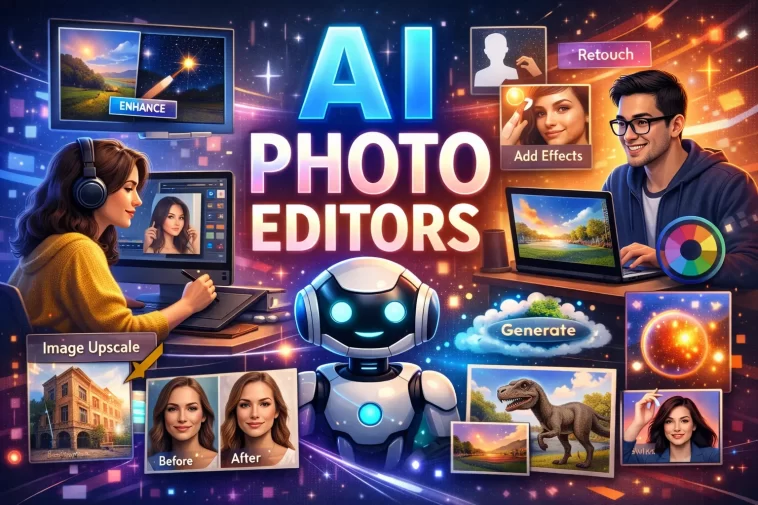
Best AI Photo Editors 2026 are changing the way people edit images. Whether you are a photographer, content creator, marketer, or casual user, modern AI-powered editing tools can save time and produce professional-quality results with minimal effort.
Artificial intelligence has become one of the most important technologies in photo editing. Instead of spending hours adjusting colors, removing backgrounds, or enhancing image quality manually, AI tools can complete these tasks in seconds. In 2026, AI photo editors are more powerful, accurate, and user-friendly than ever before.
In this guide, we will explore the 10 best AI photo editors in 2026, their key features, advantages, and who they are best suited for.
Why AI Photo Editors Are So Popular in 2026
Photo editing has traditionally required technical knowledge and experience. AI changes that by automating complex tasks.
Modern AI photo editors can:
- Remove backgrounds automatically
- Enhance image quality
- Eliminate unwanted objects
- Restore old photos
- Improve portraits
- Generate realistic effects
- Upscale low-resolution images
- Create artistic transformations
These features help users create professional results without advanced editing skills.
1. Adobe Photoshop AI
Adobe Photoshop continues to dominate the photo editing industry in 2026.
Its AI-powered tools have evolved significantly, making complex edits easier than ever.
Key Features
- Generative Fill
- AI object removal
- Smart selections
- Background replacement
- AI-powered image expansion
- Advanced retouching tools
Best For
Professional photographers, graphic designers, and businesses.
Pros
- Industry-leading features
- Excellent AI accuracy
- Frequent updates
Cons
- Monthly subscription required
- Learning curve for beginners
2. Luminar Neo
Luminar Neo remains one of the most popular AI-focused photo editors.
Unlike traditional editing software, it was designed specifically with AI tools at its core.
Key Features
- Sky replacement
- Portrait enhancement
- Relight AI
- Face retouching
- Object removal
Best For
Photographers who want fast, professional-quality edits.
Pros
- Beginner-friendly
- Powerful automation
- Excellent landscape editing
Cons
- Some advanced tools require extra purchases
3. Canva AI Photo Editor
Canva has become much more than a graphic design platform.
Its AI photo editing features make image enhancement simple and accessible.
Key Features
- Magic Edit
- AI background remover
- Image enhancement
- Text-to-image generation
- One-click adjustments
Best For
Social media creators and small businesses.
Pros
- Easy to use
- Cloud-based
- Affordable pricing
Cons
- Limited advanced editing options
4. Fotor AI
Fotor offers a complete set of AI-powered editing tools for beginners and professionals.
Its simple interface makes photo editing accessible to everyone.
Key Features
- AI image enhancer
- Portrait retouching
- Background removal
- AI object remover
- Photo restoration
Best For
Users looking for quick and easy edits.
Pros
- Fast processing
- User-friendly design
- Multiple AI tools
Cons
- Free version has limitations
5. Pixlr AI
Pixlr has become a favorite among users who want powerful editing tools without installing software.
Everything runs directly in the browser.
Key Features
- AI image generation
- Smart cutouts
- Background removal
- One-click enhancement
- Creative filters
Best For
Web-based editing enthusiasts.
Pros
- No installation required
- Fast performance
- Affordable plans
Cons
- Internet connection required
6. Topaz Photo AI
Topaz Photo AI specializes in image quality enhancement.
Its AI models are among the best available for sharpening and upscaling photos.
Key Features
- Noise reduction
- AI sharpening
- Image upscaling
- Face recovery
- Detail enhancement
Best For
Photographers working with low-quality images.
Pros
- Outstanding image quality improvements
- Advanced AI algorithms
Cons
- More expensive than some alternatives
7. PhotoDirector AI
PhotoDirector combines traditional editing tools with advanced AI capabilities.
It is especially popular among content creators.
Key Features
- AI avatars
- Object removal
- Sky replacement
- Face enhancement
- Artistic effects
Best For
Creative projects and social media content.
Pros
- Large feature set
- Easy learning curve
Cons
- Some AI features require premium plans
8. Remini
Remini has become famous for restoring and enhancing portraits.
Its AI technology can dramatically improve old or blurry photos.
Key Features
- Face enhancement
- Image restoration
- Photo sharpening
- AI portrait improvements
Best For
Portrait photography and photo restoration.
Pros
- Excellent facial enhancement
- Fast results
Cons
- Focused mainly on portraits
9. ON1 Photo RAW
ON1 Photo RAW combines AI tools with advanced photo management features.
It is often viewed as a strong alternative to Adobe products.
Key Features
- AI masking
- Noise reduction
- Portrait retouching
- Sky swapping
- Raw photo editing
Best For
Serious photographers.
Pros
- Powerful editing suite
- No mandatory subscription
Cons
- Can feel overwhelming for beginners
10. BeFunky AI
BeFunky offers simple AI-powered editing tools designed for everyday users.
It focuses on speed and convenience.
Key Features
- AI background remover
- Portrait retouching
- Artistic effects
- One-click enhancements
Best For
Casual users and bloggers.
Pros
- Extremely easy to use
- Affordable pricing
Cons
- Limited professional features
How to Choose the Best AI Photo Editor
The right AI photo editor depends on your specific needs.
Consider these factors before making a decision:
Your Experience Level
Beginners may prefer:
- Canva
- Fotor
- BeFunky
Advanced users may prefer:
- Photoshop
- ON1 Photo RAW
- Topaz Photo AI
Your Budget
Some tools offer free plans while others require subscriptions.
Always compare pricing against the features you actually need.
Editing Goals
Different tools excel in different areas:
- Portrait editing: Remini
- Professional editing: Photoshop
- Landscape photography: Luminar Neo
- Image upscaling: Topaz Photo AI
- Social media content: Canva
Benefits of Using AI Photo Editors
AI photo editors offer several important advantages.
Faster Workflow
Tasks that once took hours can now be completed in seconds.
Better Results
AI can identify subjects, faces, objects, and backgrounds with impressive accuracy.
Lower Learning Curve
Beginners can achieve professional-looking edits without years of experience.
Increased Productivity
Content creators and businesses can produce more visual content in less time.
Are AI Photo Editors Worth It in 2026?
For most users, the answer is yes.
AI photo editing technology has matured significantly. Modern tools deliver excellent results while reducing editing time dramatically.
Professional photographers still benefit from manual adjustments, but AI now handles much of the repetitive work efficiently.
As AI continues to improve, photo editing is becoming more accessible to everyone.
Final Thoughts
The best AI photo editors 2026 offer powerful tools that simplify image editing while delivering professional-quality results.
Adobe Photoshop remains the industry leader, but alternatives such as Luminar Neo, Canva, Topaz Photo AI, and Fotor provide excellent solutions for different needs and budgets.
When choosing an AI photo editor, focus on your editing goals, experience level, and budget. The right software can save time, improve image quality, and help you create stunning visuals with minimal effort.
FAQ
What is the best AI photo editor in 2026?
Adobe Photoshop AI is widely considered the best overall AI photo editor in 2026 due to its advanced features, accuracy, and professional capabilities.
Which AI photo editor is best for beginners?
Canva AI, Fotor, and BeFunky are excellent choices for beginners because they offer simple interfaces and automated editing tools.
Can AI photo editors replace professional photographers?
No. AI photo editors can automate many editing tasks, but creativity, composition, and photography skills still require human expertise.
Are there free AI photo editors available?
Yes. Canva, Pixlr, Fotor, and BeFunky offer free versions with basic AI editing features.
Which AI photo editor is best for image upscaling?
Topaz Photo AI is considered one of the best tools for image upscaling and detail enhancement.
Do AI photo editors work online?
Many AI photo editors, including Canva and Pixlr, operate entirely through a web browser without requiring software installation.
