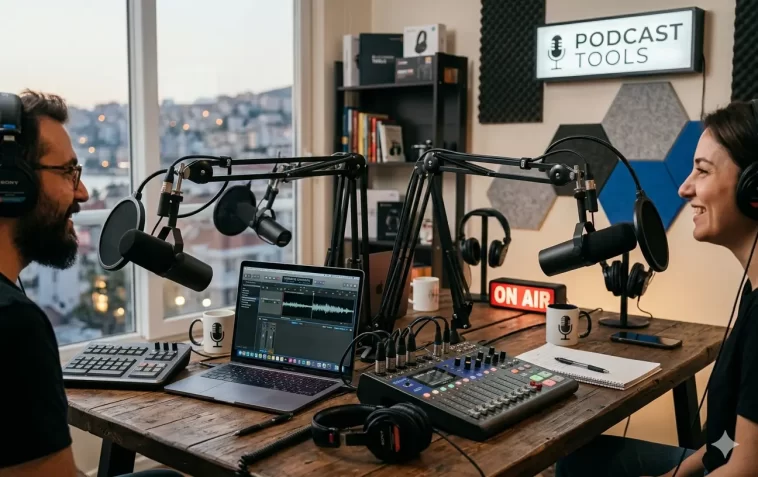
Best AI podcast tools in 2026 have completely changed the way creators produce, edit, and grow their shows. Whether you’re just starting out or you’ve been podcasting for years, the right AI tool can save you hours every week — and make your content sound more professional than ever.
This guide breaks down the top tools worth your time and money this year. No fluff, just honest picks with real use cases.
Why AI Tools Are a Game-Changer for Podcasters
Podcasting used to demand a lot of technical skill. You needed to know audio editing, show notes writing, SEO, and promotion — all at once.
AI has flipped that. Now a solo creator can do in two hours what used to take a full day. From removing filler words to generating full transcripts and repurposing clips for social media, the workflow is faster and cleaner.
If you’re not using at least one AI tool in your podcasting stack right now, you’re leaving time on the table.
What to Look for in an AI Podcast Tool
Before jumping into the list, it helps to know what actually matters when choosing a tool.
- Audio quality: Can it clean up background noise and remove filler words reliably?
- Transcription accuracy: Does it handle different accents and technical terms well?
- Editing workflow: Is the interface easy enough that you don’t need video tutorials just to get started?
- Repurposing features: Can it help you create clips, show notes, or social posts automatically?
- Pricing: Is it fair for the volume of content you produce?
Keep these in mind as you read through the picks below.
The Best AI Podcast Tools in 2026
1. Descript — Best for All-in-One Editing
Descript is still one of the most powerful tools in podcasting. You upload your audio, it transcribes it, and then you edit the audio by editing the text — like working in a Word document.
It removes filler words with one click, cleans up silences, and even has a voice cloning feature called Overdub. If you misspoke, you can correct it by typing — no need to re-record.
Best for: Solo podcasters and small teams who want a full editing suite in one place.
Standout feature: Text-based audio editing with AI filler word removal.
2. Riverside.fm — Best for Remote Recording + AI
Riverside has evolved beyond just remote recording. In 2026, it includes AI clip generation, automatic transcription, and smart show notes.
You record locally in high quality, and the platform handles everything after. It can identify the most engaging moments in your episode and turn them into short clips ready for Instagram or TikTok.
Best for: Podcasters who interview remote guests regularly.
Standout feature: AI-powered highlight clips directly from the recording session.
3. Cleanvoice AI — Best for Audio Cleanup
If your only problem is messy audio — too many “ums,” mouth clicks, or background noise — Cleanvoice is built specifically for that.
You upload the file, choose what to remove, and it processes the whole episode automatically. It’s not a full editing suite, but it does its one job extremely well.
Best for: Podcasters who record in decent environments but want polished audio fast.
Standout feature: Accurate filler word removal across multiple languages.
4. Podcastle — Best for Beginners
Podcastle is an AI-powered platform that handles recording, editing, transcription, and publishing in one clean interface.
It’s designed for people who aren’t audio engineers. The AI tools are intuitive, the interface is friendly, and the results are solid. There’s even a Magic Dust feature that improves audio quality automatically.
Best for: New podcasters who want a guided, beginner-friendly workflow.
Standout feature: One-click audio enhancement with minimal setup.
5. Adobe Podcast (Enhance) — Best Free Audio Enhancer
Adobe’s AI audio tool is still one of the most impressive free options available. You upload a voice recording, and it removes background noise and improves clarity in seconds.
It’s not a full podcast platform — it’s a specific tool for audio cleanup. But the quality is genuinely good, and the free tier is generous for solo creators.
Best for: Podcasters who just need quick audio cleanup without paying for a full subscription.
Standout feature: Studio-quality enhancement from any recording environment.
6. Swell AI — Best for Content Repurposing
Recording the episode is only half the work. Promoting it is the other half. Swell AI focuses on everything that comes after the recording.
It takes your audio or transcript and generates show notes, blog posts, social media captions, newsletters, and more. You connect your RSS feed and it works on your whole back catalog automatically.
Best for: Podcasters who want to turn one episode into weeks of content.
Standout feature: Bulk content generation from your entire podcast archive.
7. Auphonic — Best for Audio Leveling and Publishing
Auphonic has been around for a while, but its AI-powered loudness normalization and noise reduction are still industry-standard.
It integrates directly with most podcast hosting platforms, so your workflow goes from recording → Auphonic → publish without friction. It’s reliable, affordable, and widely trusted.
Best for: Podcasters who want consistent audio quality across every episode.
Standout feature: Automatic loudness normalization that meets all major platform standards.
8. Whisper (OpenAI) — Best for Accurate Transcription
OpenAI’s Whisper model powers a lot of third-party tools, but you can access it directly through various apps and APIs. It handles accents, technical vocabulary, and background noise better than most alternatives.
If transcription accuracy is your priority — for captions, show notes, or accessibility — Whisper-based tools are hard to beat.
Best for: Podcasters who need highly accurate transcripts, especially for niche or technical topics.
Standout feature: Strong performance with accented speech and domain-specific language.
How to Build a Simple AI-Powered Podcast Workflow
You don’t need to use every tool on this list. A focused stack of two or three tools is usually more effective.
Here’s a practical workflow that works in 2026:
- Record using Riverside.fm (high quality, remote-friendly)
- Clean audio with Cleanvoice AI or Adobe Podcast Enhance
- Edit in Descript using the transcript-based editor
- Repurpose with Swell AI for show notes and social content
- Publish through your hosting platform (Buzzsprout, Transistor, Spotify for Podcasters)
This flow handles everything from raw recording to finished episode — and most of it runs on AI.
Free vs. Paid AI Podcast Tools: What’s Worth Paying For?
Many creators start with free tiers and that’s completely fine. Here’s a quick breakdown:
Free tools worth using:
- Adobe Podcast Enhance (audio cleanup)
- Whisper-based transcription tools
- Auphonic free tier (2 hours/month)
Paid tools worth the investment:
- Descript (if you edit frequently)
- Swell AI (if content repurposing is part of your strategy)
- Riverside.fm (if you do regular guest interviews)
Don’t pay for tools you won’t use consistently. Start free, upgrade when the friction becomes obvious.
Common Mistakes Podcasters Make with AI Tools
Using AI doesn’t guarantee better content. Here are a few things to watch out for.
- Over-editing: Removing too many pauses can make your audio feel robotic and unnatural.
- Ignoring accuracy checks: AI transcripts are good but not perfect. Always review before publishing.
- Tool overload: Using five different platforms creates its own kind of friction. Pick a focused stack.
- Skipping human review on AI content: Show notes and blog posts generated by AI often need light editing to match your voice.
AI is a support tool, not a replacement for your judgment.
FAQ: Best AI Podcast Tools 2026
What is the best all-in-one AI podcast tool in 2026?
Descript is the most complete option for most podcasters. It handles editing, transcription, filler word removal, and even screen recording in one platform.
Can AI tools really replace a professional audio editor?
For most indie podcasters, yes. AI tools can handle noise removal, leveling, filler word cleanup, and transcript generation at a quality level that’s more than sufficient. Professional editors are still valuable for narrative-driven shows with complex audio design.
Which AI tool is best for podcast transcription?
Whisper-based tools consistently rank highest for accuracy, especially for technical or accented speech. Descript and Riverside both use strong transcription models as well.
Are there free AI podcast tools that are actually good?
Yes. Adobe Podcast Enhance (audio cleanup) and the Auphonic free tier are both genuinely useful at no cost. Most paid tools also offer free trials.
How do AI podcast tools help with SEO?
Tools like Swell AI generate show notes and blog posts from your audio. These text-based assets are indexable by search engines, which helps your podcast get discovered outside of podcast apps.
Is Riverside.fm good for beginners?
It’s beginner-friendly for remote recording, but the AI features may feel advanced at first. If you’re brand new to podcasting, Podcastle has a simpler starting point.
Final Thoughts
The best AI podcast tools in 2026 aren’t just about saving time — they’re about raising the quality ceiling for independent creators.
You don’t need a studio or a production team. You need the right tools, a clear workflow, and content worth recording. Start with one or two tools from this list, build your process, and expand from there.
The gap between amateur and professional-sounding podcasts has never been smaller. AI made that happen.
Updated for 2026. Tool features and pricing may change — always verify directly on each platform’s website before subscribing.
