
My Devin Desktop workspace indexing got stuck at “Building index” for almost twenty minutes on a repo that’s barely 800MB, and the fix turned out to be something I wasn’t even looking at. If you’re staring at a spinner that won’t move, or Devin Local keeps acting like it’s never seen your codebase before, you’re not alone — this has been a recurring complaint since the Windsurf-to-Devin-Desktop rebrand in June. So let’s get into what’s actually causing it and what tends to work.
A quick note before we start: Devin Desktop is the new name for Windsurf, the editor Cognition rebranded on June 2, 2026. If your menus still say “Windsurf” in places, that’s expected — not a bug. Same product, mostly the same indexing engine under the hood, just with Devin Local now doing the heavy lifting instead of legacy Cascade.
Quick Answer: Fixing Stuck Workspace Indexing
- Open Devin Desktop’s status bar and check if indexing is actually progressing (even slowly) or fully frozen
- Run “Cascade: Reset Session” or the equivalent Devin Local re-index command from the Command Palette
- If you’re on WSL, check for extensions doing aggressive file watching — Vue/Volar is a known offender
- Exclude build folders, node_modules, and vendor directories from indexing via your workspace settings
- Restart the IDE fully (not just reload window) if memory pressure has built up over a long session
Why Workspace Indexing Fails in Devin Desktop
There isn’t one single cause here. From what I’ve seen across a handful of projects, it’s almost always one of these three things, sometimes two at once.
First, repo size and file count. Devin Desktop’s indexing — whether it’s the legacy Cascade indexer or the newer Fast Context system in Devin Local — has to walk your entire workspace to build a usable map of it. On a small-to-medium repo that’s seconds. On something with hundreds of thousands of files, it’s a different story entirely, and the indexer can fall behind the actual rate of file changes if you’re switching branches or pulling updates while it’s still working.
Second, and this one trips people up constantly: extensions that do their own file watching on top of what the IDE is already doing. Two indexing systems competing for the same files is a mess, and it’s not always obvious that’s what’s happening because the symptom just looks like “indexing is slow.”
Third — and this is the one nobody expects — WSL. If you’re running Devin Desktop connected to Windows Subsystem for Linux, every file operation has to cross what’s called the 9P bridge between Windows and the Linux filesystem. That bridge has nowhere near the throughput of native disk access, so any extension or language server doing heavy file watching turns into a bottleneck fast. I didn’t think this applied to me until it did.
Common Scenarios Where This Shows Up
- Large monorepos (think 100k+ files) where indexing visibly crawls or appears to stall partway through
- WSL setups where the editor disconnects mid-index or becomes unresponsive
- Fresh clones of a repo where indexing seems to restart from zero every time you reopen the project
- Projects with deeply nested node_modules or vendor directories that aren’t excluded
- Switching from legacy Cascade to Devin Local and noticing indexing behaves differently than it used to
Indexing Behavior Comparison
| Scenario | Typical Symptom | Usual Cause | Fix That Usually Works |
|---|---|---|---|
| Small/medium repo, local filesystem | Indexing takes a while but completes | Cold start, no cached index yet | Just wait it out, or restart once |
| Large repo (250k+ files) | Indexing stalls or progress bar barely moves | Indexer overwhelmed, no exclusions set | Add .gitignore-style excludes for build/vendor dirs |
| WSL connection | Disconnects, freezes, “Building remote workspace index” forever | 9P bridge saturation from extension file watching | Audit WSL extensions, update WSL itself |
| Post Cascade-to-Devin-Local switch | Re-indexing triggers unexpectedly | New indexer doesn’t reuse old cache | Manual reset via Command Palette |
Not every row needs a perfect fix — the WSL one especially can take a few tries before it sticks.
Step-by-Step Fixes
Step 1: Check the actual indexing status
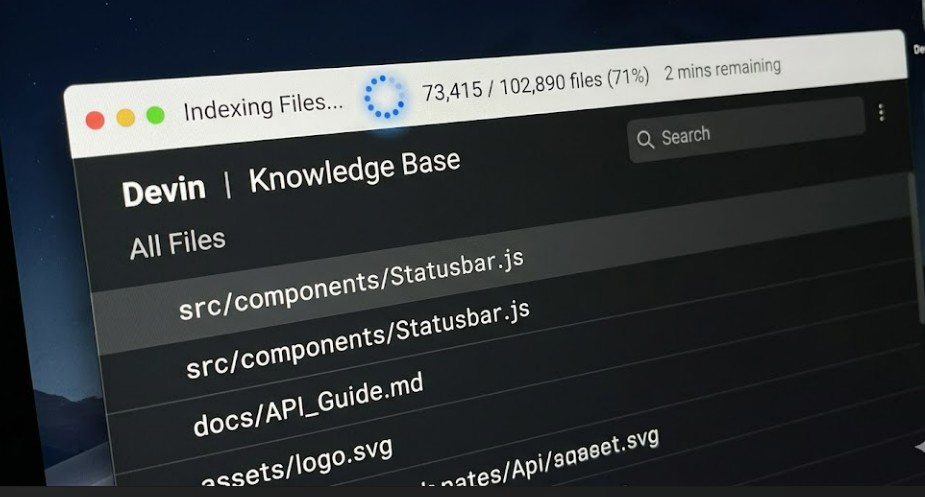
Look at the bottom status bar in Devin Desktop. There should be an indexing indicator. If it’s moving — even slowly — leave it alone. A genuinely stuck index usually shows the same percentage or file count for several minutes straight with zero CPU activity tied to it.
Step 2: Force a manual re-index
Open the Command Palette (Ctrl+Shift+P or Cmd+Shift+P on Mac) and run “Cascade: Reset Session” — yes, it’s still named after Cascade even under Devin Local in some builds, which is a little confusing but it does trigger a fresh re-index along with clearing session context.
So if that command doesn’t show up under that exact name for you, search for “reset” or “reindex” in the palette — naming has shifted a bit since the rebrand and I haven’t pinned down exactly which version changed what.
Step 3: Exclude unnecessary directories
Go to your workspace settings and add exclusion patterns for node_modules, dist, build, .venv, vendor, and any generated asset folders. The indexer doesn’t need to crawl compiled output or third-party packages to understand your actual code, and excluding these directories cuts the file count the indexer has to process by a lot on most JS/TS projects.
Step 4: Audit your extensions, especially on WSL
Open the Extensions panel while connected to WSL specifically — not just your local list — and check what’s installed in the WSL environment. The Vue (Volar) extension has been confirmed to cause excessive file indexing over the 9P bridge even in projects that don’t contain a single Vue file. Other framework-specific extensions like Angular or Svelte language tooling can behave the same way if they’re installed but not actually needed.
Uninstall anything you’re not actively using for that specific project. Don’t assume an extension that’s harmless on your local machine will behave the same way once it’s crossing the WSL filesystem bridge — it won’t necessarily.
Step 5: Update WSL itself
This one’s easy to overlook. Open PowerShell on the Windows host and run wsl –update, then fully restart WSL with wsl –shutdown before reopening Devin Desktop. Newer WSL releases include fixes specifically for 9P filesystem stability, and for a lot of users this alone resolves disconnection issues that restarting the IDE never fixed.
What Actually Worked For Me
My first move was the obvious one — restart the IDE. Didn’t help. Then I tried clearing the workspace cache folder manually, which felt like progress for about five minutes before indexing just… stalled again at almost the same spot.
I went down a rabbit hole checking my .windsurfrules file for syntax errors, since older docs mention malformed rule files can interfere with indexing. That wasn’t it either, though it’s a reasonable thing to rule out.
What actually fixed it was something I half-remembered from a WSL troubleshooting thread months back, completely unrelated to Devin Desktop: I had the Volar extension installed in my WSL environment from an old Vue side project, and my current repo has zero Vue in it. Uninstalled it, restarted the WSL backend, and indexing finished in under two minutes. I genuinely wasn’t expecting that to be the answer — it felt almost too easy after everything else I’d tried.
Advanced Fixes and Edge Cases
If the basic steps don’t get you anywhere, there are a couple of deeper paths worth checking.
Check WSL memory pressure directly. Run wsl –shutdown, then reopen WSL and immediately check memory usage before you even launch Devin Desktop. If WSL is already sitting at several GB of RAM used with nothing running, that’s a sign something from a previous session didn’t clean up properly, and indexing will fight for resources it doesn’t have.
Look at multiple language servers running simultaneously. If you’ve got TypeScript, a Ruby LSP, and something like Sorbet all active on the same large workspace, their combined file-watching overhead compounds with whatever the core indexer is doing. This can overwhelm the 9P bridge even on systems with 32GB of RAM or more — it’s not just a resource problem, it’s a contention problem between processes fighting over the same filesystem bridge.
Check the .devin/rules directory versus legacy .windsurf/rules. Devin Desktop reads both, with .devin/ taking precedence, but if you’ve got conflicting or duplicated rule files in both locations it can cause unexpected re-indexing behavior when the editor reconciles them. Not super common, but I’ve seen it mentioned enough to flag it.
Prevention Tips
- Set up directory exclusions in a new project before you start working, not after indexing already feels slow
- If you work in WSL regularly, keep your WSL version current — run wsl –update periodically, don’t wait for it to break
- Audit installed extensions per-environment occasionally, especially if you’ve carried over a long list from VS Code or another editor
- Keep an eye on repo size growth; if a project crosses into hundreds of thousands of files, plan for indexing exclusions proactively rather than reactively
- Avoid running indexing-heavy operations (a fresh clone, a big branch switch) at the same time as a large agent session — they compete for the same I/O
FAQ
Why does Devin Desktop say “Building remote workspace index” and never finish?
This usually means the indexer is stuck behind a filesystem bottleneck, most commonly WSL’s 9P bridge. Check your WSL extensions first.
Is this different from how Windsurf indexing worked before the rebrand?
Mostly the same engine, though Devin Local’s Fast Context system handles retrieval a bit differently than the legacy Cascade indexer did. If you’re still on Cascade, the older behavior applies until it’s fully retired.
Does excluding node_modules actually make a meaningful difference?
Yes, often a big one. On JS/TS projects node_modules can be a large chunk of total file count, and the indexer doesn’t need any of it to understand your actual source code.
Will reinstalling Devin Desktop fix stuck indexing?
Rarely, and it’s annoying that this gets recommended so often. A reinstall doesn’t touch the underlying cause — extension conflicts, WSL bridge saturation, or missing exclusions all persist through a clean install.
My repo isn’t that big, why is indexing still slow?
File count matters more than disk size. A repo with a deeply nested dependency tree or a huge number of small config files can index slower than a much larger repo with fewer, bigger files.
Editor’s Opinion
honestly the WSL/Volar thing annoyed me more than it should have, mostly because none of the obvious troubleshooting steps pointed at it. if you’re on WSL and indexing won’t behave, check your extensions before anything else — that’s the one people skip. everything else (exclusions, restarts, the reset command) is good practice anyway but for me it was a red herring. your setup might be totally different though, so don’t take my word as the final answer here.
