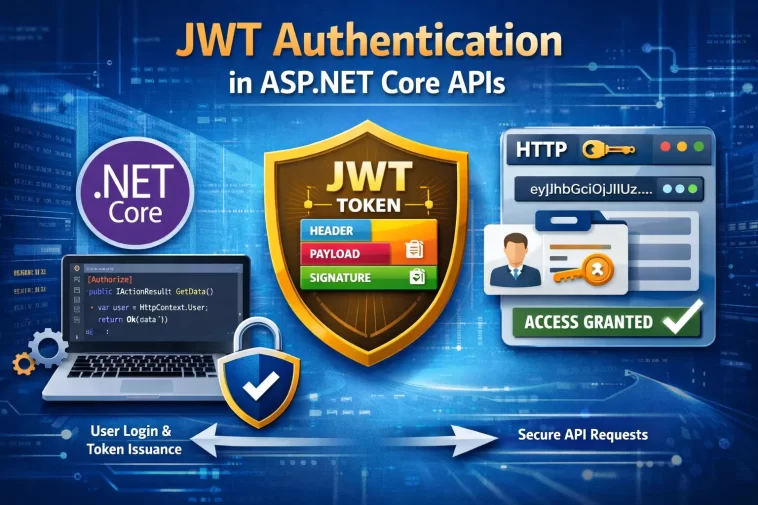
I shipped a JWT setup a couple of years back that technically worked — login returned a token, protected endpoints rejected requests without one, demo went fine. Then a teammate asked what happened if a token got stolen, and I didn’t have a good answer. Secure JWT authentication in ASP.NET Core isn’t hard to get “working.” Getting it actually secure is where most tutorials, mine included at the time, quietly stop short.
So this is the version I wish I’d had — working code, but also the parts that get skipped because they’re slightly more annoying to set up.
Quick Answer
- Use the
Microsoft.AspNetCore.Authentication.JwtBearerpackage and configureTokenValidationParameterswithValidateIssuer,ValidateAudience,ValidateLifetime, andValidateIssuerSigningKeyall set to true - Keep access tokens short-lived (15-30 minutes) and pair them with a separate, rotating refresh token
- Use RSA or ECDSA (asymmetric) signing instead of a shared HMAC secret if more than one service needs to validate tokens
- Never store the signing key in appsettings.json or source control — use environment variables, Azure Key Vault, or User Secrets in development
- Call
app.UseAuthentication()beforeapp.UseAuthorization()in the middleware pipeline, in that exact order
Why Most JWT Setups Are Less Secure Than They Look
A working JWT implementation and a secure one aren’t the same thing, and the gap between them comes down to a handful of specific issues.
Validation parameters get left incomplete more often than you’d guess. It’s entirely possible to wire up JWT bearer authentication, have it work in every demo and test, and still be skipping validation of the issuer or audience — which means a token meant for a completely different application or environment gets accepted without complaint. The middleware doesn’t warn you about this. It just quietly accepts more than you intended.
Symmetric keys get used in places where they shouldn’t. HMAC (HS256) is the simplest option, and it’s fine when one service issues and validates its own tokens. But the moment multiple services need to validate the same tokens, that shared secret has to live in multiple places, and every copy is a place it can leak from. Asymmetric signing (RS256 or ES256) sidesteps this by only requiring the public key for validation — the private key that actually signs tokens never has to leave the issuing service.
Tokens get treated as if they’re encrypted, and they’re not. JWTs are signed, not encrypted, unless you’re specifically using JWE on top. Anyone holding the token can Base64URL-decode the header and payload and read every claim in plain text. So if a custom claim has a user’s internal database ID, role, or anything else that shouldn’t be publicly visible, that’s already exposed the moment the token leaves the server, signature or no signature.
Revocation gets ignored because it’s genuinely awkward with pure JWTs. Statelessness is the whole appeal of JWT — no server-side session to check on every request. But that same statelessness means there’s no built-in way to invalidate a token early if a user logs out, gets their access revoked, or has their account compromised mid-session. Teams either accept that risk for the access token’s short lifetime, or they build a revocation layer on top, which adds back some of the state JWT was supposed to avoid in the first place.
Step-by-Step Implementation
Step 1: Install the package
bash
dotnet add package Microsoft.AspNetCore.Authentication.JwtBearerStep 2: Store your signing key outside of source control
For local development, use User Secrets:
bash
dotnet user-secrets set "Jwt:Key" "your-long-random-secret-here"For production, pull from an environment variable or a managed secret store like Azure Key Vault — never from a value committed to appsettings.json.
Step 3: Configure JWT bearer authentication in Program.cs
csharp
var key = Environment.GetEnvironmentVariable("JWT_SIGNING_KEY")
    ?? builder.Configuration["Jwt:Key"];

builder.Services.AddAuthentication(JwtBearerDefaults.AuthenticationScheme)
    .AddJwtBearer(options =>
    {
        options.TokenValidationParameters = new TokenValidationParameters
        {
            ValidateIssuer = true,
            ValidateAudience = true,
            ValidateLifetime = true,
            ValidateIssuerSigningKey = true,
            ValidIssuer = builder.Configuration["Jwt:Issuer"],
            ValidAudience = builder.Configuration["Jwt:Audience"],
            IssuerSigningKey = new SymmetricSecurityKey(
                Encoding.UTF8.GetBytes(key)),
            ClockSkew = TimeSpan.FromMinutes(2)
        };
    });

builder.Services.AddAuthorization();
That last setting, ClockSkew, is worth calling out. The default is five minutes, which is more forgiving than most APIs actually need. Tightening it reduces the window where an expired token might still slip through due to clock drift between servers.
Step 4: Add the middleware in the correct order
csharp
app.UseAuthentication();
app.UseAuthorization();
This order matters and it’s easy to get backwards without anything obviously breaking. Authorization depends on authentication having already run and populated HttpContext.User — flip the order and your [Authorize] attributes won’t have anything to check against.
Step 5: Build a token generation method
csharp
public string GenerateAccessToken(string userId, string role)
{
    var claims = new[]
    {
        new Claim(JwtRegisteredClaimNames.Sub, userId),
        new Claim(ClaimTypes.Role, role),
        new Claim(JwtRegisteredClaimNames.Jti, Guid.NewGuid().ToString())
    };

    var key = new SymmetricSecurityKey(Encoding.UTF8.GetBytes(_jwtKey));
    var creds = new SigningCredentials(key, SecurityAlgorithms.HmacSha256);

    var token = new JwtSecurityToken(
        issuer: _issuer,
        audience: _audience,
        claims: claims,
        expires: DateTime.UtcNow.AddMinutes(20),
        signingCredentials: creds);

    return new JwtSecurityTokenHandler().WriteToken(token);
}
Notice the claims list is short. Don’t pack the payload with more than the API actually needs to make authorization decisions — every extra claim is more decoded, readable data sitting in a token a client is holding.
Step 6: Protect endpoints
csharp
[Authorize]
[HttpGet("orders")]
public IActionResult GetOrders() { ... }

[Authorize(Roles = "Admin")]
[HttpDelete("orders/{id}")]
public IActionResult DeleteOrder(int id) { ... }
Step 7: Implement refresh tokens for anything beyond a short-lived session
Issue a separate, opaque refresh token alongside the access token, store it server-side (hashed, not plain), and rotate it on every use — meaning each refresh token works exactly once before being replaced. This keeps the access token’s lifetime short without forcing users to re-authenticate every twenty minutes.
Comparison: Signing Algorithm Choice
| Approach | Best For | Key Distribution | Risk If Compromised |
|---|---|---|---|
| HMAC (HS256) | Single service issuing and validating its own tokens | Shared secret must exist on every validating service | Compromise of any copy lets an attacker forge tokens |
| RSA (RS256) | Multiple services or microservices validating shared tokens | Public key distributed freely; private key stays with issuer | Only the issuing service’s private key matters |
| ECDSA (ES256) | Same use case as RSA, smaller key/signature size | Same model as RSA | Same as RSA, with better performance at scale |
What Actually Worked For Me
The setup I mentioned earlier worked fine until a security review flagged that we weren’t validating the audience claim — we’d left it out because the demo didn’t need multiple audiences, and then it just never got added back once the project grew past that. Nothing had broken. It just meant any correctly signed token, from any context using the same key, would have been accepted.
My first fix attempt was just adding ValidateAudience = true and calling it done, which broke every existing token in our test environment because none of them had an audience claim set in the first place — they’d been issued before the validation was added. So I had to go back and update the token generation method too, not just the validation side, and reissue test tokens before anything worked again. Small thing, but it’s the kind of detail that’s easy to forget: validation and issuance need to agree with each other, and tightening one without touching the other just breaks things in a confusing way.
What I’d do differently now is set all four validation flags to true from the very first commit, even in a throwaway demo, so there’s never a “we’ll add that later” gap to forget about.
Advanced Fixes and Edge Cases
Add JWT bearer events for debugging 401s that don’t make sense. A token that looks valid but gets rejected is one of the more frustrating things to debug blind. Hooking into OnAuthenticationFailed and OnTokenValidated events gives you visibility into exactly why a token failed, rather than guessing.
csharp
options.Events = new JwtBearerEvents
{
    OnAuthenticationFailed = context =>
    {
        Console.WriteLine($"Auth failed: {context.Exception.Message}");
        return Task.CompletedTask;
    }
};
Rotate signing keys without breaking tokens already in flight. If you’re using asymmetric signing and need to rotate keys, support validating against both the old and new public key for an overlap period, rather than cutting over instantly and invalidating every token issued in the last few minutes.
Use JWKS endpoints if you’re integrating with an external identity provider. Rather than hard-coding a public key, configure the JWT bearer handler to pull signing keys from the provider’s published JWKS endpoint. This handles key rotation on the provider’s end automatically, without requiring a deployment on your side every time they rotate.
Watch for tokens passed in URLs. Never accept or generate links with a JWT as a query parameter. URLs get logged by proxies, browsers, and servers along the way, and a token sitting in a URL is a token sitting in plain text in places you don’t control.
Prevention Tips
Set all four core validation parameters to true from the start of any project, not as something to circle back to. Keep claims minimal, since anything in the payload is readable by anyone holding the token. Store signing keys in a proper secret manager, never in appsettings.json, and never committed to source control even temporarily. And if more than one service needs to validate tokens, default to asymmetric signing rather than reaching for the simpler shared-secret approach and hoping it stays contained.
FAQ
Should I store the JWT in localStorage or a cookie on the client? HttpOnly cookies are generally safer against XSS than localStorage, though cookies bring their own CSRF considerations. There’s no universally perfect answer — it depends on your specific client architecture.
How short should an access token’s lifetime actually be? 15-30 minutes is the commonly cited range, and it’s a reasonable default. Shorter reduces the exposure window if a token leaks; longer means fewer refresh round-trips. Tune based on how sensitive the API actually is.
Can I just use a long-lived JWT and skip refresh tokens entirely? You can, but it defeats most of the security benefit of short-lived tokens, and a leaked long-lived token stays valid for as long as you set it to.
Do I need a full identity provider like Duende or Auth0, or can I build this myself? For anything beyond a small, internal API, a dedicated identity provider handles revocation, key rotation, and multi-client scenarios far better than a hand-rolled solution. Building it yourself is fine for learning or small projects, but production systems usually move to a dedicated IdP eventually.
Why does my token validate fine in Postman but fail in the browser? Usually CORS or a missing/incorrect Authorization header format — check that the client is sending exactly Authorization: Bearer <token>, not just the raw token.
Editor’s Opinion
the validation flags thing is the one i see skipped most, and it’s also the cheapest to just do right the first time. four boolean settings, basically zero excuse. asymmetric signing feels like overkill until you’ve got a second service that needs to validate tokens, and then it’s suddenly not optional anymore. set it up properly from the start and save yourself the migration later.
