A tested comparison of free cloud storage with the most free space, covering real storage limits, hidden catches, and which ones are actually worth trusting with your files.
My Experience Testing Free Cloud Storage Limits
I used to assume all free cloud storage plans were roughly the same, until I actually ran out of space on Dropbox after uploading a single folder of vacation photos. Two gigabytes disappears fast once you’re dealing with modern phone camera files.
That sent me down a real comparison of what each provider actually gives you for free, not just the headline number in their marketing. Some of these numbers looked amazing until I read the fine print on file size caps and bandwidth limits. Here’s the honest breakdown of the ten best free options and what you’re really getting with each one.
Quick Answer
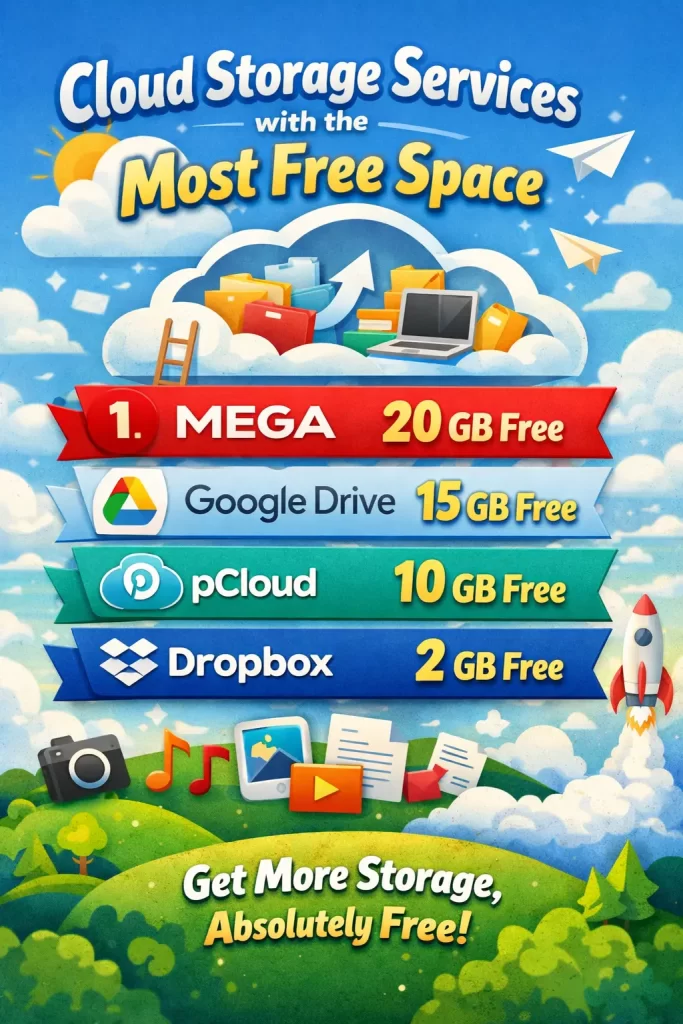
MEGA offers the most free space from a fully trustworthy provider at 20GB, permanently, with end-to-end encryption included. Google Drive’s 15GB is the most convenient option if you already use Gmail. TeraBox advertises 1TB free, which is real, but comes with a 4GB per-file upload cap and enough ads and privacy caveats that it’s best treated as extra space for non-sensitive files rather than your main backup.
Why Free Cloud Storage Limits Aren’t as Simple as They Look
Every provider advertises a headline storage number, but the real usable space often depends on rules buried in the fine print.
Things worth checking before you commit to a provider:
- Whether storage is shared across email, photos, and files, like Google’s combined pool
- Per-file upload size limits, which can make a large “free” allowance hard to actually fill
- Bandwidth or transfer caps, which throttle how much you can download in a day
- Inactivity deletion policies, since some providers reclaim free storage after months of no login
- Whether encryption is included free or locked behind a paid tier
Two providers offering “10GB free” can mean very different things in practice once these details are factored in.
The 10 Best Free Cloud Storage Services by Space
| # | Provider | Free Storage | Notable Catch |
|---|---|---|---|
| 1 | TeraBox | 1TB | 4GB file cap, ad-heavy, privacy concerns |
| 2 | MEGA | 20GB | Daily transfer/bandwidth limits |
| 3 | Google Drive | 15GB | Shared with Gmail and Photos |
| 4 | pCloud | 10GB | Encryption costs extra |
| 5 | Icedrive | 10GB | 100MB file cap, 3GB/day share bandwidth |
| 6 | Box | 10GB | Geared more toward business use |
| 7 | OneDrive | 5GB | Best value comes from paid Microsoft 365 bundle |
| 8 | Proton Drive | 5GB | Small free tier, strong privacy |
| 9 | Sync.com | 5GB | Zero-knowledge encryption included free |
| 10 | Dropbox | 2GB | Smallest free tier, hasn’t grown in years |
How to Choose and Set Up Free Cloud Storage
Match the provider to what you’re actually storing, then combine a couple of free accounts if you need more room than one alone provides.
Step 1: Decide What You’re Actually Storing
Sensitive documents, IDs, or financial records call for a provider with encryption included by default, not as a paid add-on. Casual media, backups, or large non-sensitive files can tolerate a service like TeraBox where privacy is a lower priority than raw space.
Step 2: Start With MEGA for the Best Free-to-Trustworthy Ratio
Sign up at mega.io with no credit card required. You’ll get 20GB permanently, with end-to-end encryption built in from the free tier, which is the most generous offer from a provider that doesn’t cut corners on privacy.
Step 3: Add Google Drive If You Already Use Gmail
If you have a Google account, you already have up to 15GB shared across Drive, Gmail, and Photos. Check your actual usage at one.google.com/storage before assuming you have the full amount available, since a busy inbox eats into the same pool.
Step 4: Use TeraBox Only for Non-Sensitive Files
If you genuinely need a large amount of space for things like personal video collections or non-critical backups, TeraBox’s 1TB is real. Just keep files under the 4GB per-file cap on the free tier, expect ads, and avoid uploading anything sensitive given its less transparent privacy policies.
Step 5: Layer On pCloud or Icedrive for Extra Room
Both offer 10GB free with no credit card. pCloud is a smart pick if you might eventually pay, since it also sells one-time lifetime plans. Icedrive has a cleaner interface but caps free-tier uploads at 100MB per file, so it’s better for documents than large media.
Step 6: Add OneDrive If You’re a Windows or Office User
OneDrive’s 5GB free tier is modest, but it’s already built into Windows and pairs naturally with Word, Excel, and PowerPoint if you use Microsoft’s apps regularly.
Step 7: Use Proton Drive or Sync.com for Sensitive Documents
Both include zero-knowledge encryption on their free tiers, meaning even the company can’t read your files. The free allowance is smaller at 5GB each, but for IDs, contracts, or anything you’d rather no one else could access, this trade-off is worth it.
Step 8: Stack Multiple Free Accounts for More Total Space
There’s nothing stopping you from using several providers at once. Combining MEGA, Google Drive, and pCloud alone gets you 45GB across separate accounts for zero cost, which covers most personal needs without paying for a single upgrade.
What Actually Worked For Me
I initially tried consolidating everything into one TeraBox account because the 1TB number looked unbeatable. Then I hit the 4GB file cap trying to upload a longer video file, and the constant ad interruptions on the free app made it more annoying than useful for daily access.
What worked better was splitting things by sensitivity: important documents went to MEGA and Proton Drive, casual backups and media went to TeraBox. So don’t chase the single biggest number, match each provider to what you’re actually storing there.
Advanced Fixes and Edge Cases
A few specific situations are worth planning around:
- Large single files, like 4K video, need a provider without a low per-file cap, which rules out TeraBox’s free tier and Icedrive for anything over 100MB
- Shared links with heavy traffic can hit bandwidth throttling on services like Icedrive or Dropbox, so check daily transfer limits before sharing publicly
- Long-term inactive accounts on some providers, including Icedrive, can be deleted after 12 months of no login, so log in periodically even if you’re not actively adding files
- Regulated or business-sensitive data should avoid providers without transparent data-handling policies, regardless of how much free space they offer
Prevention Tips
A little organization keeps a multi-provider free storage setup manageable.
- Keep a simple note of which files live on which provider
- Log into every account at least every few months to avoid inactivity deletion
- Never store your only copy of something important in a single free account
- Check each provider’s current storage limits periodically, since these do change over time
- Prioritize encryption for anything sensitive, even if it means less free space
FAQ
Q: Which free cloud storage actually gives the most usable space? A: TeraBox advertises the largest number at 1TB, but its 4GB per-file cap and ad-heavy free tier make MEGA’s 20GB a more practical “most space” answer for typical files.
Q: Is it safe to use TeraBox for personal files? A: It’s generally fine for casual, non-sensitive content, but its unclear data-handling policies and lack of zero-knowledge encryption mean it’s not the best choice for anything private or important.
Q: Can I combine multiple free cloud storage accounts? A: Yes, and it’s a common strategy. Stacking two or three providers can easily get you 40GB or more in total free space without paying for anything.
Q: Does Google Drive’s 15GB only apply to files I upload? A: No, it’s a shared pool that also covers Gmail attachments and Google Photos backups, so your actual available Drive space can be smaller than 15GB depending on how you use those other services.
Q: Which free cloud storage is best for sensitive documents? A: Proton Drive or Sync.com, since both include zero-knowledge encryption on their free tiers by default, rather than charging extra for it like some competitors.
Editor’s Opinion
honestly the terabox 1tb thing looks amazing on paper but once you actually try uploading real files the ads and the file size cap kinda ruin it. mega is still my top pick, 20gb with real encryption and no annoying catches. dont be affraid to just use two or three free accounts together, its way better then paying for storage you dont really need yet. just dont forget your passwords lol, thats the real risk with this strategy.
