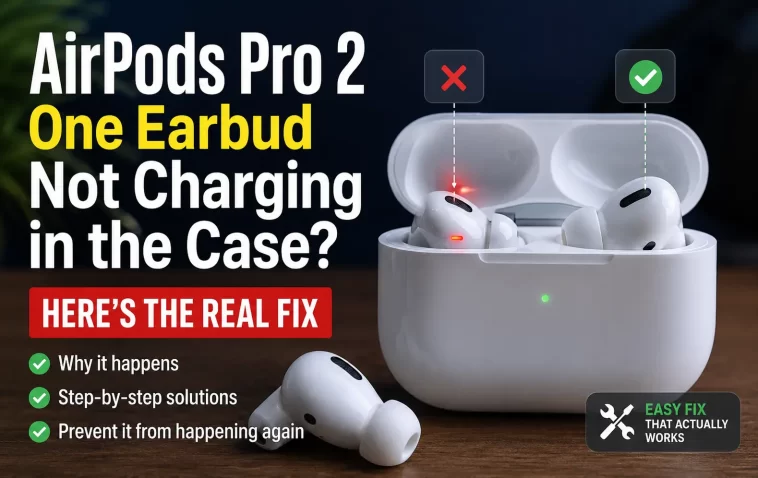
My left AirPod dropped to 1% overnight even though it had been sitting in a fully charged case the whole time. Right one was at 92%. Same case, same charging cycle, wildly different result — and if your AirPods Pro 2 have one earbud not charging in the case while the other one’s fine, you’re dealing with one of a handful of very specific causes, not a mystery. Most of the time it’s fixable at home in under ten minutes.
Quick Answer
- Clean the charging contacts on the earbud stem and inside the case slot with a dry, lint-free cloth or a dry toothbrush
- Make sure the case itself has real charge — under 10% and it may not have enough power to charge both sides evenly
- Remove both AirPods, close the lid for 30 seconds, reopen, and reinsert — this resets the contact handshake
- If that doesn’t hold, do a full factory reset and re-pair from scratch
- If the same earbud keeps failing after all of that, it’s likely a hardware fault and you’re looking at a repair or replacement
Why Only One Side Stops Charging
It’s almost never both AirPods failing at once, and that’s actually a useful clue — it usually means the case and cable are fine, and the problem is localized to one contact point.
Dirty charging contacts. This is the big one. Skin oil, ear wax, and pocket lint build up on the metal contacts at the bottom of the AirPod stem and on the matching pins inside the case. Even a thin film is enough to interrupt the connection intermittently — which explains why it sometimes charges and sometimes doesn’t, instead of just failing outright every time.
The AirPod isn’t seated all the way. So this sounds too obvious to matter, but it’s genuinely common. If the earbud drops in at a slight angle, or there’s debris in the slot pushing it up a hair, the magnets can hold it “closed enough” without the contacts actually touching.
Low case battery favoring one side. If the case is running low, it doesn’t always split power evenly. One AirPod can end up getting priority and the other gets skipped or cut short, especially with the lid open-close cycling that happens when you check on them.
A pairing or firmware glitch. Bluetooth state can get corrupted in a way that makes one AirPod appear stuck at a fixed battery percentage even while it’s technically sitting in a working charging slot. It’s not charging, it’s just not reporting correctly — though from the outside it looks identical to a hardware failure.
A damaged contact pin or a failing battery cell. This is the one nobody wants to hear, but it’s the actual cause in a meaningful minority of cases — especially with AirPods that are a year or two old and used daily. If cleaning and resetting genuinely don’t move the needle, this is where you’re headed.
Common Scenarios
| Scenario | Likely Cause | Try First |
|---|---|---|
| One AirPod at 0–10%, other near full | Dirty contact or bad seating | Clean contacts, reinsert firmly |
| Charging works only if you jiggle the earbud | Loose/dirty contact connection | Clean, check for debris in slot |
| Both work fine some days, one fails randomly | Low case battery or firmware glitch | Fully charge case, reset AirPods |
| Same AirPod always fails, cleaning doesn’t help | Damaged contact pin or dying battery cell | Apple diagnostics / repair |
| Issue started right after a drop or water exposure | Physical/contact damage | Inspect stem contacts closely, consider repair |
Step-by-Step Fixes
Step 1: Confirm the Case Actually Has Charge
Put both AirPods in, close the lid, and bring the case near your iPhone. Open the lid and check the battery card that pops up — it shows the case percentage along with both earbuds. Anecdotally, I’ve seen the “one side won’t charge” symptom show up most often when the case itself was hovering right around that 10% cutoff, so don’t skip this step even if you’re pretty sure the case is fine.
Step 2: Clean the Contacts — Carefully
Use a dry, soft-bristled toothbrush or a lint-free cloth. Gently brush the two small metal contacts on the bottom of the stem of the AirPod that’s not charging, and do the same for the matching contacts inside that specific slot in the case.
Don’t use compressed air, isopropyl alcohol, or anything wet inside the case — Apple specifically advises against it, and moisture in there causes more problems than it solves. And don’t try to pry the contact pins up with a pin or a paperclip. It’s tempting when you’re frustrated, but it’s an easy way to bend something that was working fine mechanically and just needed to be clean.
Step 3: Remove, Wait, Reinsert
Take both AirPods out of the case, close the lid, wait about 30 seconds, then open it and put both back in — press down firmly until you feel them seat. This forces a fresh contact handshake and clears a surprising number of one-sided charging glitches on its own.
Step 4: Check Battery Status Properly
Bring the case near your iPhone with the lid open and look at the AirPods battery widget (or Settings → your AirPods) rather than trusting a quick glance. Sometimes the reported percentage lags behind reality for a minute or two after reinsertion, so give it a moment before assuming the fix didn’t work.
Step 5: Reset and Re-Pair
If the problem’s still there, do a full reset. Put both AirPods in the case with the lid closed, wait 30 seconds, open it. On your iPhone go to Settings → Bluetooth, tap the “i” next to your AirPods, and choose Forget This Device. With the case lid open, press and hold the button on the back of the case for about 15 seconds until the light flashes amber. Then re-pair them like new.
What Actually Worked For Me
I went straight for the reset the first time, because that’s usually my instinct with anything Bluetooth. Didn’t help — left AirPod still showed empty the next morning. Tried it a second time thinking maybe I rushed the amber-light step. Still nothing.
What actually did it was almost embarrassingly simple: an old, dry toothbrush and about ninety seconds brushing out the left slot in the case. There was a small amount of grey lint packed in there, probably from months in a coat pocket, and once I cleared it and reseated the AirPod, it charged normally that same night and hasn’t dropped since. So I’d skip straight to physically checking the contacts before burning time on resets — that’s not the “correct” troubleshooting order Apple suggests, but it’s the one that would’ve saved me twenty minutes.
Advanced Fixes and Edge Cases
One AirPod stuck reporting a fixed percentage. If the number never changes no matter how long it charges, that’s more consistent with a firmware/reporting glitch than a dead battery. A full reset (not just remove-and-reinsert) is the right next step before assuming hardware failure.
Issue appeared right after exposure to water or a drop. Inspect the contact pins closely under good light for any visible corrosion, discoloration, or bent metal. If you see physical damage, cleaning won’t fix it — that’s a repair situation.
AirPods Diagnostics via Apple Support app. If you’re on iOS 16 or later, the Apple Support app can run a basic AirPods diagnostic that flags battery health issues specific to one earbud. It’s not exhaustive, but it’s a quick way to rule out a dying cell before you book an appointment.
Third-party or non-Apple charging cases. If you’re using a replacement case that wasn’t purchased through Apple, contact tolerances can be slightly off in a way that causes exactly this symptom. Worth testing with a known-good Apple case if you have access to one, just to isolate the variable.
Prevention Tips
- Wipe the contacts down every week or two if you use your AirPods daily — it genuinely helps
- Keep the case reasonably charged instead of letting it run down near empty regularly
- Avoid tossing the case loose in a pocket or bag with lint-heavy fabric
- Don’t leave AirPods in a hot car — heat is rough on battery longevity for both the case and the earbuds
FAQ
Why does only my left AirPod not charge, not the right one? No real pattern to which side fails more — it comes down to whichever contact happens to collect debris or lose a clean connection first.
Is it safe to clean the contacts myself? Yes, with a dry cloth or dry brush. Skip liquids and sharp tools.
How much case battery do I need for both AirPods to charge properly? Apple recommends the case have at least 10% before both AirPods will reliably charge.
Will resetting my AirPods delete anything important? No, it just clears the pairing. You’ll re-pair in about ten seconds and nothing else changes.
When should I stop troubleshooting and just contact Apple? If cleaning, reseating, and a full reset don’t fix it after a couple of tries, especially on an AirPod that’s still under warranty, it’s worth getting it looked at rather than repeating the same steps.
Editor’s Opinion
not gonna lie, i expected this to be a software problem and it turned out to be actual dirt in the case. kind of funny in hindsight. if your airpod’s not charging, do the dumb obvious thing (clean it) before the annoying thing (reset and re-pair everything). saved me a trip to the apple store and honestly saved me from being that guy arguing with a genius bar employee about a battery that just needed a toothbrush.
