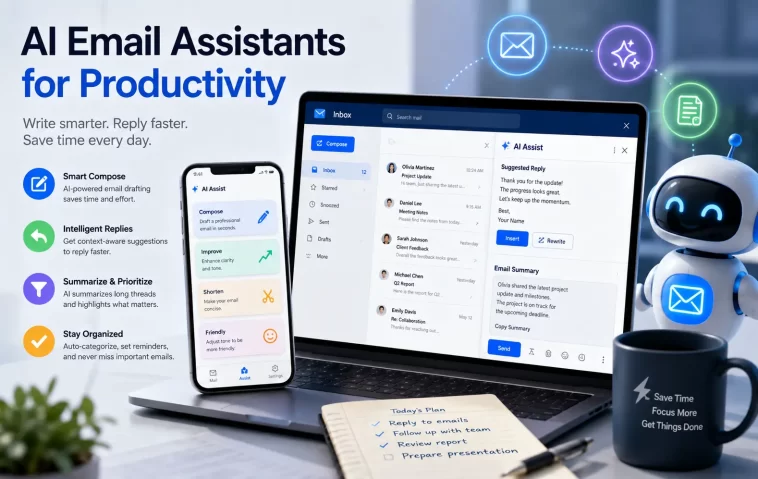
I used to spend nearly three hours every single day reading, sorting, and typing replies to messages. My inbox felt like a endless list of demands that kept me from doing real, deep work.
Last year, I decided I had enough of drowning in unread threads and endless back-and-forth scheduling. I spent several months testing the best AI email assistants on real workflows to see if technology could finally give me my mornings back.
The transformation was immediate. By delegating draft creation, sorting clutter, and finding lost attachments to intelligent software, I reclaimed over ten hours every week.
If you are struggling to keep up with your inbox overload, this guide walks you through the top tools available right now. You will learn which platform fits your specific workflow so you can stop managing messages and start executing high-impact work.
Why You Need an AI Email Assistant in 2026
Managing communication manually is no longer practical for busy professionals. The average knowledge worker receives over one hundred messages every day, creating constant cognitive overload.
Modern artificial intelligence tools do far more than offer basic spellcheck or predict the next word in a sentence. They analyze entire threads, understand context, draft complete responses in your tone, and automatically organize incoming messages.
When you adopt an intelligent inbox workflow, you reduce decision fatigue significantly. Instead of starting every reply from a blank screen, you simply review pre-written drafts and make quick tweaks before sending.
Beyond saving time, smart tools ensure important tasks never slip through the cracks. They flag urgent requests from priority contacts, set automatic reminders, and summarize long discussion chains into short action points.
Key Features to Look for in Smart Email Tools
Choosing the right platform depends entirely on how you handle daily messaging. Before picking a solution, evaluate these essential features to make sure you get maximum value:
- Contextual Auto-Drafting: The tool should analyze conversation context and write replies that sound naturally like you.
- Intelligent Search: You need the ability to search your entire message history using natural questions rather than complex keywords.
- Automatic Inbox Triage: High-priority messages from clients or bosses should automatically separate from low-priority newsletters.
- Team Collaboration: Look for internal chat and shared threads if you manage customer queries alongside colleagues.
- Privacy and Data Security: Ensure the software offers strong data protection standards so your sensitive communications remain secure.
The Best AI Email Assistants for Productivity in 2026
Here is a breakdown of the leading platforms on the market today. Each tool solves a unique set of inbox challenges, ranging from high-speed keyboard navigation to team-wide collaboration.
1. Superhuman AI: Best for Raw Speed and Power Users
Superhuman has long been recognized as the fastest email experience available for founders, executives, and sales leads. Its artificial intelligence integration takes that speed philosophy even further by turning your keyboard into a command center.
The app relies heavily on keyboard shortcuts, allowing you to process dozens of messages without your hands ever leaving the keyboard. Its Instant Reply feature analyzes incoming text and generates full three-paragraph responses in less than two seconds.
You can also use natural language commands to ask questions about your inbox history. For instance, you can ask when a specific vendor sent an invoice, and the system instantly pulls up the exact details.
While Superhuman carries a premium subscription cost, the sheer amount of time saved easily justifies the investment for high-volume communicators. It turns inbox processing into a fast, effortless routine.
Key Highlights
- 100ms Architecture: Every action, search, and view switch loads instantly without lag.
- Auto-Drafting in Your Tone: Learns your specific sentence structure and vocabulary over time.
- Split Inbox View: Automatically divides incoming messages into distinct focus channels.
2. Shortwave: Best for Deep Gmail Integration and Semantic Search
Shortwave was created by former Google engineers to transform Gmail into a modern, chat-like productivity workspace. It treats your email history as a rich, searchable knowledge base rather than a stack of old messages.
Its Ghostwriter feature studies your sent folder to match your precise communication style. When a complex message arrives, Ghostwriter prepares a detailed draft that matches your tone, structure, and typical greeting style.
The highlight of Shortwave is its conversational search capability. You can type natural questions like “What was the final budget approved for the Q3 campaign?” and receive a clear direct answer drawn straight from past emails.
It also automatically bundles promotional messages, receipts, and updates into single rows. This keeps your main workspace clean so you can focus entirely on messages that require real human thought.
Key Highlights
- AI Knowledge Retrieval: Answers complex questions using years of archived email history.
- Smart Bundles: Group minor notifications together to eliminate visual clutter.
- Ghostwriter Assistant: Generates authentic-sounding replies trained on your past writing habits.
3. SaneBox: Best for Automated Noise Filtering and Triage
If you do not want to abandon your current email provider or client interface, SaneBox offers the perfect background solution. It works quietly across Gmail, Outlook, iCloud, and custom server setups without forcing you to learn a new application.
SaneBox uses machine learning algorithms to analyze your past email habits. It determines which contacts matter to you and automatically routes non-essential messages into separate subfolders like SaneLater or SaneNews.
This automated filtering keeps your primary inbox free from low-priority distractions throughout the day. You only see messages that genuinely require your immediate attention, keeping your focus completely sharp.
At the end of the day, you receive a single summary digest showing all filtered messages. You can quickly skim this digest, move misplaced items with one click, and train the system to be even smarter over time.
Key Highlights
- Platform Agnostic: Works directly with your existing Gmail, Outlook, or IMAP account.
- Zero-Training Setup: Learns your personal priorities automatically based on how you interact with mail.
- SaneBlackHole: Unsubscribes you from unwanted lists with a simple drag-and-drop action.
4. Missive: Best for Team Collaboration and Shared Inboxes
For teams handling shared mailboxes like support, sales, or info addresses, Missive combines email, team chat, and task management into one unified dashboard. It prevents teammates from accidentally stepping on each other’s toes while answering client questions.
Missive allows team members to chat privately directly inside an email thread before sending an official reply. You can draft responses together in real time, leave internal notes, and assign specific threads to teammates.
Its integrated artificial intelligence features allow you to bring custom OpenAI integration directly into the workspace. You can create custom prompts for customer service replies, language translations, or quick message summaries.
This approach eliminates the need to forward messages back and forth internally or copy text into external messaging apps. Everything happens inside one streamlined interface designed for group output.
Key Highlights
- Internal Thread Chat: Discuss client emails privately with team members before replying.
- Shared Inboxes: Seamlessly manage info@ or help@ email addresses across departments.
- Custom Prompting: Generate tailored responses using your team’s specific guidelines.
5. Gmelius: Best for Converting Gmail into a Project Helpdesk
Gmelius transforms standard Gmail into a collaborative workspace equipped with project boards, shared inboxes, and automated workflows. It is built specifically for organizations that prefer to stay entirely within Google Workspace.
Its native assistant, Meli, manages incoming customer or internal requests automatically. Meli reads incoming tickets, summarizes lengthy background discussions, and suggests appropriate next steps or reply templates.
You can also build custom automated rules that assign incoming messages to specific department leads based on keywords or sender domains. This reduces manual routing tasks and speeds up customer response times.
By bringing kanban boards and workflow automation directly inside Gmail, Gmelius turns your inbox into an actionable project manager. It bridges the gap between client communication and task execution.
Key Highlights
- In-Inbox Kanban Boards: Turn email threads into actionable tasks on visual project boards.
- Automated Message Assignment: Route incoming requests to the right team member instantly.
- Meli AI Helper: Summarizes long customer conversations and generates fast draft replies.
6. Fyxer AI: Best for Automatic Executive Triage and Scheduling
Fyxer AI is designed specifically for executives, founders, and busy consultants who need high-level administrative support without hiring a full-time assistant. It acts as an autonomous layer over your existing inbox.
The software continuously reviews incoming messages, categorizes their urgency, and drafts appropriate responses before you even open your inbox. All you have to do is review the proposed draft, make minor edits, and hit approve.
Fyxer AI also excels at handling multi-step meeting scheduling conversations. It coordinates available times based on your calendar rules, responds to meeting requests, and sends confirmation invites automatically.
By combining proactive drafting with scheduling execution, Fyxer AI reduces administrative drag significantly. It delivers executive-level support at a fraction of traditional administrative costs.
Key Highlights
- Human-in-the-Loop Drafting: Pre-writes accurate replies while keeping final sending control in your hands.
- Autonomous Calendar Setup: Negotiates meeting times and creates calendar events automatically.
- Morning Executive Briefings: Delivers a clear daily summary of key priorities and pending tasks.
Comparison Table: Finding Your Ideal Assistant
To help you decide which tool fits your personal workflow, use this comparison table to evaluate key capabilities side-by-side:
| Tool Name | Best For | Standout Feature | Supported Platforms |
| Superhuman AI | Raw Speed & Power Users | 100ms shortcuts & instant replies | Web, iOS, Mac, Android |
| Shortwave | Deep Gmail Power Users | Natural language search across history | Web, iOS, Android (Gmail native) |
| SaneBox | Background Noise Control | Automatic sorting into custom folders | Works with all mail providers |
| Missive | Collaborative Teams | Private team chat inside email threads | Web, Desktop, Mobile |
| Gmelius | Gmail Helpdesk & Workflows | Kanban task boards inside Gmail | Google Workspace native |
| Fyxer AI | Executive Triage & Scheduling | Pre-drafted replies and auto-scheduling | Gmail, Microsoft Outlook |
How You Can Set Up an AI Email Assistant for Maximum Output
Adopting a new tool is only half the battle. To get genuine productivity gains, you must structure your daily setup carefully. Follow these straightforward steps to configure your workspace for peak efficiency:
Step 1: Clean Your Current Inbox First
Do not connect a smart assistant to a messy, chaotic inbox with thousands of unread messages. Archive everything older than thirty days to create a clean slate.
You are not deleting old records; you are simply moving them out of active view. This allows your new software to analyze relevant, recent communication without processing outdated clutter.
Step 2: Establish Your Core Tone Guidelines
Most intelligent email engines allow you to define tone preferences during initial setup. Take ten minutes to specify how you like to communicate with colleagues versus external clients.
Specify your preferred salutations, sign-offs, and sentence lengths. If you prefer concise, direct answers over lengthy pleasantries, make sure to set that preference clearly in the settings.
Step 3: Enable Human Approval Workflows
Never turn on fully autonomous auto-reply settings when starting with a new tool. Always use human-in-the-loop mode where the software generates drafts for your final review.
Spend the first two weeks reviewing every generated draft carefully. Correct minor phrasing errors and adjust tone choices; this active feedback teaches the engine how to match your voice accurately over time.
Step 4: Create Priority Rules for Key Contacts
Configure custom rules so messages from your most important clients, managers, or team members bypass basic filters. Highlight these contacts visually with distinct color tags or priority labels.
This setup ensures that urgent requests always catch your eye immediately, while secondary updates remain neatly organized in background folders for later review.
Frequently Asked Questions (FAQ)
What are the best AI email assistants for productivity in 2026?
The top options currently include Superhuman AI for speed, Shortwave for Gmail search, SaneBox for background filtering, Missive for team collaboration, Gmelius for task workflows, and Fyxer AI for executive scheduling.
Are AI email tools safe to use with sensitive work communications?
Reputable software providers use enterprise-grade encryption and strict privacy protocols. Look for platforms that guarantee your private data is never used to train public language models, and check for compliance standards like SOC 2 or GDPR.
Can these tools fully manage my calendar and schedule meetings?
Yes, tools like Fyxer AI, Superhuman, and specialized scheduling assistants can read your availability, suggest meeting times in email drafts, and automatically handle time zone conversions.
Will generated draft replies sound robotic to my clients?
Modern engines analyze your sent messages folder to learn your personal writing style, vocabulary, and sentence structures. After a short training period, generated drafts match your natural human tone remarkably well.
Do I need to switch my email address to use these services?
No, almost all major assistants connect directly to your existing Gmail, Google Workspace, Microsoft Outlook, or custom IMAP email accounts without requiring you to change your address.
Conclusion
Conquering inbox overload is no longer about working longer hours or checking your inbox late at night. By deploying the best AI email assistants, you can turn a chaotic source of stress into a streamlined, organized workflow.
Whether you choose Superhuman for raw speed, Shortwave for deep search, or SaneBox for automated filtering, the key is taking action today. Pick the platform that aligns with your daily routine, set up smart drafting rules, and take back control of your time.
Editor’s Opinion
i have been testing these tools for months now, and honestly, they changed how i work every day. before using them, i spent half my morning just answering messages and feeling super stressed. now i just click approve on pre-written drafts and move on. sure, sometimes the tone needs a tiny fix, but the time saved is massive. if you ask me, anyone dealing with inbox overload should try at least one of these platforms today. it makes your producitvity skyrocket and keeps your mind clear for actual deep work.
