Finding the right AI writing assistants for bloggers used to feel like guessing. I tried three different tools in my first month of scaling up content, wasted money on one that produced generic drafts, and only landed on a workflow that actually worked after a lot of trial and error.
Quick Answer
If you just want the short version: Claude and ChatGPT are the strongest general-purpose AI writing assistants for bloggers right now, Jasper and Writesonic lean harder into marketing and SEO workflows, and Grammarly stays the go-to for polishing whatever draft you end up with. Most solo bloggers do fine with one drafting tool plus one editing tool, and only add a dedicated SEO platform once they’re publishing consistently.
There isn’t one “best” tool for everyone. It depends on how many posts you publish, how much editing time you have, and whether you already have a content workflow or you’re starting from zero.
Why This Decision Trips People Up
A lot of bloggers pick a tool based on a YouTube review and then get frustrated when it doesn’t fit their actual workflow. That’s not really the tool’s fault.
Here’s what usually goes wrong:
- You pick a tool built for marketing copy when you actually need long-form, research-heavy blog posts
- You expect the AI to handle SEO on its own, when most writing tools don’t do keyword research or SERP analysis
- You skip the editing step entirely, and the draft reads exactly like what it is: unedited AI output
- You buy an expensive plan before knowing if you’ll actually publish consistently enough to need it
Once you separate “what generates the draft” from “what optimizes it for search” and “what polishes the final version,” picking tools gets a lot simpler.
Common Scenarios
Different bloggers need different things from an AI writing assistant. Here’s how that usually breaks down.
The solo blogger publishing 1-4 posts a month. You don’t need a big stack. One strong drafting assistant plus a free editing tool covers almost everything.
The blogger scaling up to 5-15 posts a month. At this volume, a dedicated SEO tool starts paying for itself, since manual keyword research eats too much time.
The content team publishing daily or near-daily. This is where enterprise SEO platforms and brand-voice tools become worth the cost, because consistency across multiple writers matters more than any single draft.
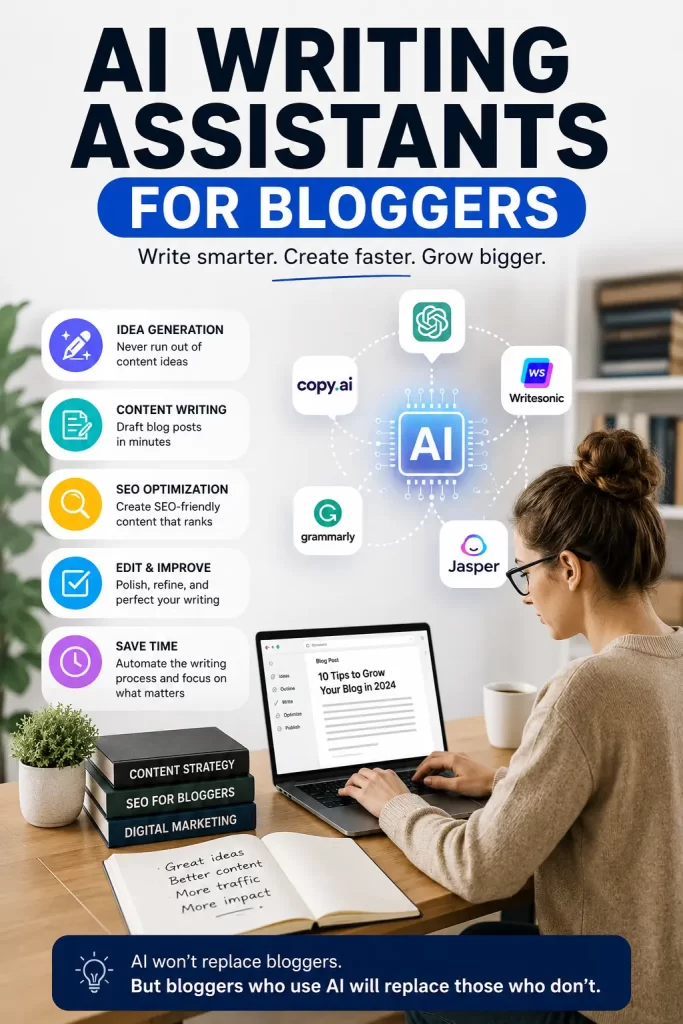
Step-by-Step: How to Choose Your AI Writing Assistant
Here’s how you can actually walk through this decision instead of guessing.
Step 1: Figure Out Your Publishing Volume First
Before you look at any tool, be honest about how often you’ll publish. If you’re posting once a week, a $20/month general assistant is plenty. If you’re running multiple sites or publishing daily, you’ll want tools built for volume, like Koala Writer or Jasper’s content pipelines.
Your budget should follow your output, not the other way around. A lot of bloggers overspend on tools they only use twice a month.
Step 2: Pick Your Primary Drafting Tool
This is the tool that turns your topic and notes into an actual first draft. Here are the main options worth considering:
- Claude – Known for natural-sounding long-form writing, holding an argument across a full article, and fewer clichéd openers. Works well when you feed it research and past posts to match your voice.
- ChatGPT – Flexible and useful at nearly every stage: outlines, drafts, headline ideas, and social copy. Not a dedicated SEO tool, so you’ll still need to build your own prompts.
- Jasper AI – Built around brand voice and templates, with agent-style workflows for teams producing content at scale.
- Writesonic – Leans into SEO-focused workflows, useful if you want writing and optimization closer together.
- Koala Writer – Fast, generates full posts with headings and FAQs quickly, good for bloggers who prioritize speed over deep customization.
Try the free tier or trial of two tools on the same topic and compare the drafts side by side. That fifteen-minute test tells you more than any review will.
Step 3: Add an SEO Layer Once You’re Publishing Consistently
A drafting tool writes the content. It usually doesn’t tell you what your competitors are ranking with, what headings to include, or what your ideal word count should be.
Tools like Surfer SEO, Frase, and NeuronWriter fill that gap:
- Surfer SEO – Analyzes keyword density, heading structure, and NLP terms against top-ranking pages. Best for bloggers serious about organic traffic, though it’s pricier and has a learning curve.
- Frase – Combines SERP research with content briefs, good for planning before you write.
- NeuronWriter – A more affordable alternative that still gives solid optimization scoring.
You don’t need this step on day one. Add it once you have a publishing rhythm and want to close the gap between “good writing” and “writing that ranks.”
Step 4: Always Run a Human Editing Pass
This is the step most bloggers skip, and it’s usually the one that matters most. AI drafts, even good ones, tend to have a slightly generic rhythm and repeat phrasing if you’re not careful.
- Run the draft through Grammarly or a similar editor for grammar and clarity
- Read it out loud once; anything that sounds stiff usually needs a rewrite
- Add your own examples, opinions, or a personal story the AI couldn’t have written
- Cut anything that feels like filler, even if the AI wrote it confidently
This step is what separates a blog post that ranks and gets shared from one that reads like a template.
Step 5: Match Your Stack to Your Budget
You don’t need every tool at once. Here’s a rough guide based on what bloggers actually spend:
- Starter stack (under $20/month): One free or low-cost drafting tool, plus a free editing tool. Fine for a blog’s first year.
- Growth stack (around $45-70/month): A paid drafting assistant plus one SEO optimization tool. This covers quality and rankings without overspending.
- Team stack ($150+/month): Enterprise SEO platform, a dedicated writing tool with brand voice controls, and an editing subscription for multiple writers.
Start at the bottom of this list. You can always upgrade once a tool proves it’s saving you real time.
Advanced Tips and Edge Cases
A few things that aren’t obvious until you’ve been doing this for a while:
- If you write across multiple niches or sites, save your style notes separately for each one. One AI “voice” rarely fits both a tech blog and a music history blog well.
- Long-context tools work best when you feed them actual examples of your past posts, not just instructions. Show, don’t just tell.
- If an AI detector flags your content, it’s often less about the tool and more about missing personal detail. Specific anecdotes and real numbers are what usually fix it.
- Don’t chase every new AI writing tool that launches. Most bloggers get better results from mastering one tool’s prompts than from switching tools every month.
Prevention Tips: Avoiding Common Mistakes
- Don’t publish a first draft straight from any AI tool without reading it fully yourself
- Don’t rely on AI for fact-checking; verify statistics, dates, and claims separately
- Don’t pick a tool based only on price; a cheaper tool that needs three extra editing passes isn’t actually saving you time
- Don’t ignore your own writing voice completely; readers notice when every post sounds the same as every other AI-written blog
FAQ
What is the best free AI writing assistant for bloggers? ChatGPT’s free tier and Claude’s free tier both work well for beginners who want to test a workflow before paying for anything. Pair either one with Grammarly’s free plan for basic editing.
Can I use AI writing assistants for bloggers without it sounding robotic? Yes, but it takes editing. Add personal stories, specific examples, and your own opinions after the draft is generated, and read the final version out loud before publishing.
Do AI writing tools handle SEO automatically? Most general drafting tools don’t. You’ll usually need a separate SEO tool like Surfer SEO, Frase, or NeuronWriter if you want keyword and SERP-level optimization.
How much should a solo blogger spend on AI tools? Somewhere between $0 and $45 a month covers most solo bloggers comfortably: one drafting tool, one editing tool, and an SEO tool only once you’re publishing regularly.
Is it worth using more than one AI writing assistant at the same time? Sometimes. Some bloggers draft with one tool and use a second tool purely for headline variations or social snippets. It’s not necessary when you’re starting out, though.
Editor’s Opinion
honeslty i think people overthink this way too much. you dont need five tools, you need one good one and a habit of actually editing what it gives you. i tried jumping between tools for months and my writing didnt get better, it just got more confusing. pick claude or chatgpt, stick with it a few weeks, then decide if you need more. thats it, dont overspend before you even know if your gonna publish consistently.
