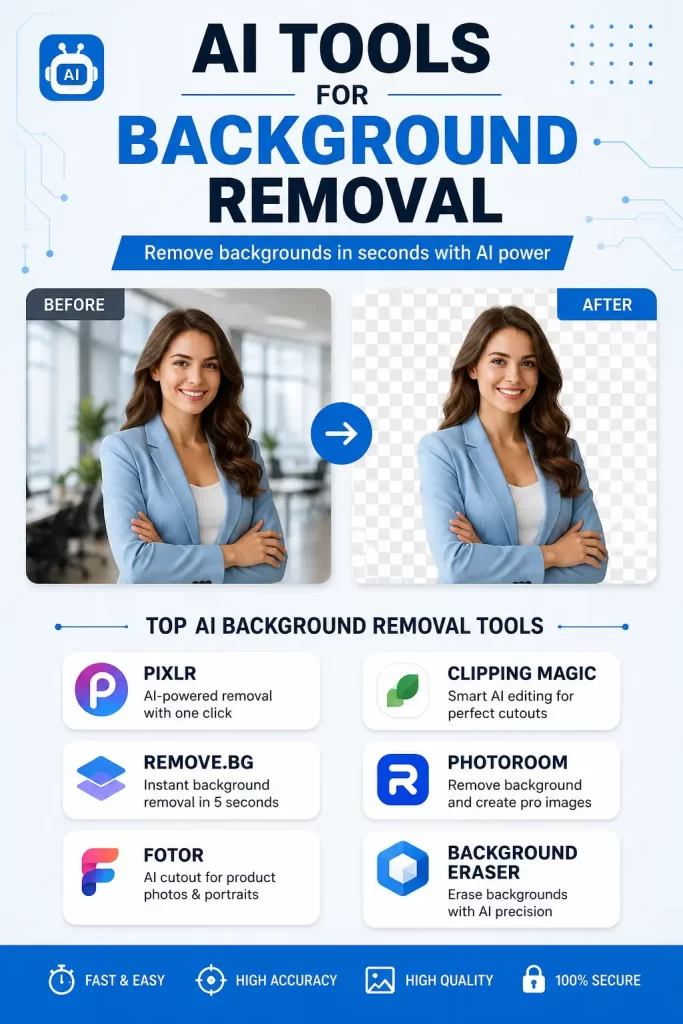
Best AI Tools for Background Removal in Photos have completely changed the way I edit images. I still remember spending nearly an hour trying to remove a background with manual selection tools. Even after all that work, the edges around hair and clothing still looked messy. Today, AI does the same job in seconds, and the results are often better than what I could achieve manually.
If you regularly edit product photos, create social media graphics, design marketing materials, or simply want clean profile pictures, choosing the right AI background remover can save you a lot of time. Some tools focus on speed, while others deliver studio-quality precision with advanced editing features.
In this guide, you’ll discover the ten best AI tools for background removal, their strengths, weaknesses, pricing, and which users they suit best.
Why Use AI for Background Removal?
Traditional background removal requires selecting objects manually using brushes, lasso tools, or masks. That process often becomes frustrating when working with:
- Hair
- Fur
- Transparent objects
- Jewelry
- Shadows
- Glass
- Complex edges
AI recognizes these details automatically. Instead of drawing selections yourself, the software identifies the subject and separates it from the background within seconds.
The biggest advantages include:
- Faster editing
- Better edge detection
- Consistent quality
- Easy batch processing
- No professional editing skills required
Whether you’re editing one image or hundreds, AI dramatically reduces your workload.
What Makes a Good AI Background Removal Tool?
Not every AI editor performs equally well.
Before choosing one, consider these factors.
Accuracy
The software should separate the subject cleanly without cutting off important details.
Hair Detection
Hair remains one of the hardest elements to process. Better AI tools preserve individual strands naturally.
Editing Options
Removing the background is only one part of the job. You may also want to:
- Replace backgrounds
- Add shadows
- Blur backgrounds
- Change colors
- Resize images
Processing Speed
Fast processing matters if you’re editing dozens or hundreds of photos.
Batch Processing
Businesses often edit multiple images every day. Batch editing can save hours.
Price
Some AI tools are completely free, while others require subscriptions for HD downloads or commercial use.
1. Remove.bg
Remove.bg is probably the most recognized AI background remover available today.
It specializes in one task: removing backgrounds automatically. Upload your image, wait a few seconds, and download the result.
Best For
- Product photos
- Portraits
- Social media images
- Online stores
Pros
- Excellent edge detection
- Extremely fast
- API available
- Batch processing
- Works in browser
Cons
- High-resolution exports require credits
- Limited editing tools
2. Adobe Express Background Remover
Adobe Express combines AI background removal with graphic design tools.
Instead of simply deleting the background, you can continue editing the image immediately.
Best For
- Marketing graphics
- Presentations
- Posters
- Social media
Pros
- Professional-quality AI
- Large template library
- Easy editing
- Cloud storage
Cons
- Premium features require subscription
- More features than casual users may need
3. Canva Background Remover
Canva has become one of the easiest design platforms available.
Its built-in AI background remover integrates directly into the editor, making it ideal for creating social posts, flyers, and presentations.
Best For
- Beginners
- Social media
- Content creators
Pros
- One-click removal
- Easy drag-and-drop editor
- Thousands of templates
- Team collaboration
Cons
- Requires Canva Pro
- Edge detection isn’t perfect on difficult images
4. PhotoRoom
PhotoRoom is designed especially for ecommerce sellers.
If you sell products online, this tool can generate professional product photos with clean white or customized backgrounds.
Best For
- Amazon sellers
- Etsy shops
- Shopify stores
Pros
- Excellent product photography tools
- AI shadows
- AI backgrounds
- Batch editing
Cons
- Watermark on free version
- Premium needed for HD exports
5. Clipdrop
Clipdrop offers several AI editing features besides background removal.
You can remove backgrounds, upscale images, erase unwanted objects, and even relight photos.
Best For
- Designers
- Digital artists
- Marketing teams
Pros
- High-quality AI
- Multiple AI editing tools
- Good hair detection
Cons
- Subscription required for unlimited use
6. Pixlr AI
Pixlr has evolved from a simple online editor into a powerful AI image editing platform.
Its AI background remover works surprisingly well while keeping the interface beginner-friendly.
Best For
- Bloggers
- Students
- Small businesses
Pros
- Free plan available
- Browser-based
- Quick editing
- Additional AI tools
Cons
- Advertisements in free version
- Daily usage limits
7. Fotor AI Background Remover
Fotor combines AI editing with traditional photo enhancement.
Besides removing backgrounds, you can improve lighting, sharpen photos, and apply artistic effects.
Best For
- Casual users
- Bloggers
- Social media creators
Pros
- Easy interface
- Multiple editing tools
- Mobile support
Cons
- Premium exports
- Free version limitations
8. Cutout.pro
Cutout.pro focuses heavily on AI image processing.
It supports background removal for people, products, vehicles, pets, and even animated images.
Best For
- Businesses
- Developers
- Ecommerce
Pros
- API support
- Batch processing
- Good object recognition
Cons
- Credit-based pricing
- Some advanced tools cost extra
9. Slazzer
Slazzer was built specifically for automatic background removal.
It offers desktop software, browser editing, and integrations with several ecommerce platforms.
Best For
- Businesses
- Photographers
- Agencies
Pros
- Accurate AI
- Fast processing
- Desktop apps
- API
Cons
- Credit-based downloads
- Limited editing options
10. Erase.bg
Erase.bg offers a very simple interface that anyone can use.
The AI removes backgrounds from people, pets, vehicles, logos, and products with just one upload.
Best For
- Beginners
- Personal projects
- Quick edits
Pros
- Easy to use
- Fast processing
- Mobile support
- Free for basic use
Cons
- Advanced editing is limited
- High-resolution downloads may require payment
Comparison Table
| Tool | Free Version | Batch Editing | Best For |
|---|---|---|---|
| Remove.bg | Yes | Yes | General use |
| Adobe Express | Limited | No | Designers |
| Canva | Limited | No | Social media |
| PhotoRoom | Yes | Yes | Ecommerce |
| Clipdrop | Limited | Yes | Creative professionals |
| Pixlr AI | Yes | Limited | Bloggers |
| Fotor | Yes | No | Casual editing |
| Cutout.pro | Limited | Yes | Business |
| Slazzer | Limited | Yes | Agencies |
| Erase.bg | Yes | Limited | Beginners |
How to Choose the Right AI Background Remover
The best tool depends on what you actually need.
Choose Remove.bg if speed is your priority.
Choose PhotoRoom if you sell products online.
Choose Canva if you already create graphics regularly.
Choose Adobe Express if you need professional editing features beyond simple background removal.
Choose Pixlr if you’re looking for a free option with additional editing tools.
Tips for Better Background Removal Results
Even the smartest AI performs better with a good image.
Follow these tips:
- Use high-resolution photos.
- Keep the subject well lit.
- Avoid blurry images.
- Separate the subject from the background when taking the picture.
- Remove unnecessary objects before uploading.
- Check the edges after processing.
- Add realistic shadows when replacing the background.
Small improvements before uploading often produce much cleaner results.
Common Mistakes to Avoid
Many users expect perfect results from every image.
These mistakes often reduce accuracy:
- Uploading blurry photos
- Using low-resolution images
- Crowded backgrounds
- Poor lighting
- Subjects blending into the background
- Not checking the final edges
Sometimes a tiny manual adjustment makes the final image look much more professional.
Free vs Paid AI Background Removers
Free versions are excellent for occasional editing.
However, paid plans usually provide:
- Higher resolution downloads
- Faster processing
- Batch editing
- Commercial licenses
- More AI editing tools
- No watermarks
If you edit images every week, upgrading can quickly save enough time to justify the cost.
Final Thoughts
AI background removal has become incredibly reliable over the past few years. What once required advanced editing skills can now be completed in seconds with a single click.
You don’t need expensive software or years of experience anymore. Whether you’re running an online store, creating YouTube thumbnails, designing social media content, or editing personal photos, there’s an AI tool that fits your workflow and budget.
The key is choosing the platform that matches your editing needs instead of simply picking the most popular one. Speed, accuracy, batch processing, and editing features all matter depending on the type of work you do.
Frequently Asked Questions
Which AI background remover is the most accurate?
Remove.bg and Adobe Express consistently deliver excellent edge detection, especially for portraits and detailed subjects like hair.
Are AI background removers free?
Most platforms offer free versions with limitations such as lower image resolution, watermarks, or download limits.
Can AI remove backgrounds from product photos?
Yes. Tools like PhotoRoom, Remove.bg, and Cutout.pro are designed specifically for ecommerce product photography.
Do AI tools work on mobile devices?
Yes. Many services provide Android and iPhone apps in addition to browser-based editors.
Can I replace the removed background?
Yes. Most AI editors allow you to add solid colors, transparent backgrounds, custom images, gradients, or AI-generated scenes.
Which tool is best for beginners?
Erase.bg and Canva are among the easiest options for first-time users because of their simple interfaces and one-click editing.
Is AI background removal better than Photoshop?
For most everyday tasks, AI is much faster. Photoshop still offers more manual control for complex editing projects.
Editor’s Opinion
I think AI background removers are one of the few AI tools that really save time every day. I still check the edges before using the image, but most of the time they look really good. My favrite choice is Remove.bg because its just fast and simple. Its not perfect every single time, but honestly it gets the job done without wasting hours.
