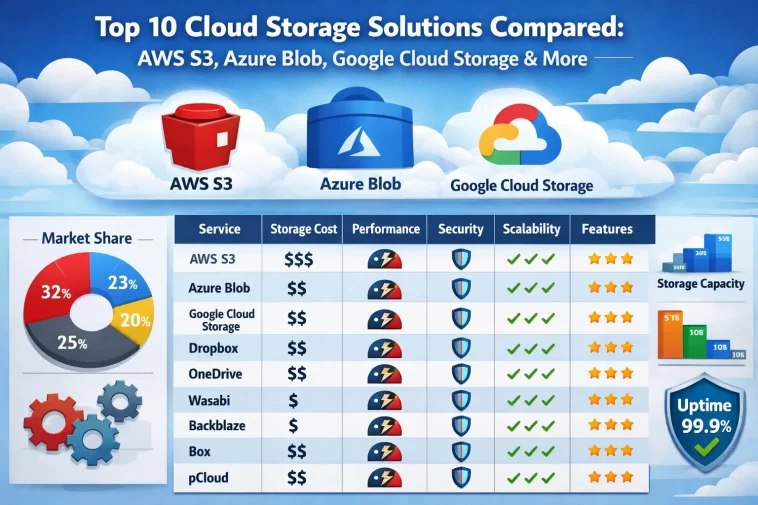
Choosing the right cloud storage solution can make a real difference to your business — in cost, performance, security, and how easily your team can build on top of it. With so many options available in 2026, it can be hard to know where to start.
This guide compares the top 10 cloud storage solutions in detail, starting with the three giants — AWS S3, Azure Blob Storage, and Google Cloud Storage — and working through seven strong alternatives worth knowing about.
Why Cloud Storage Matters for Your Business
Cloud storage is no longer just a backup tool. Today it powers everything from website assets and application data to machine learning datasets and enterprise archives.
The right platform depends on your workload, budget, team expertise, and compliance requirements. A startup building a web app has very different needs from a hospital managing medical imaging data or a media company streaming video to millions of users.
Here is what to look for when comparing cloud storage solutions:
- Pricing structure — storage costs, egress fees, and request charges
- Performance — throughput, latency, and availability SLAs
- Security and compliance — encryption, access controls, and certifications
- Ecosystem integration — how well it connects with your existing tools
- Scalability — how easily it grows with your data
1. Amazon S3 (Simple Storage Service)
Amazon S3 is the gold standard of cloud object storage. Launched in 2006, it was one of the first cloud storage services ever offered and remains the most widely used platform in the world.
Key Features
- Virtually unlimited storage with no minimum capacity requirements
- 11 nines of durability (99.999999999%) — data is automatically replicated across multiple facilities
- Storage classes including S3 Standard, S3 Intelligent-Tiering, S3 Glacier, and S3 Glacier Deep Archive for cost optimization
- S3 Lifecycle policies automatically move data between storage classes based on rules you define
- S3 Event Notifications trigger Lambda functions, SQS queues, or SNS topics when objects are created or deleted
- Strong consistency for all read and write operations, introduced in 2020
- S3 Object Lock for WORM (write once, read many) compliance storage
Pricing (Approximate)
- Standard storage: ~$0.023 per GB/month
- Glacier Deep Archive: ~$0.00099 per GB/month
- Data transfer out to internet: ~$0.09 per GB (first 10 TB/month)
- PUT/COPY/POST requests: $0.005 per 1,000 requests
Best For
Large enterprises, developers building on AWS, companies with complex data lifecycle needs, and anyone who needs the broadest ecosystem of integrations.
Limitations
- Egress fees can add up quickly for data-heavy applications
- Pricing complexity can be difficult to predict without careful planning
- Vendor lock-in is a real consideration given how deeply AWS integrates its services
2. Microsoft Azure Blob Storage
Azure Blob Storage is Microsoft’s answer to S3 and is the natural choice for organizations already running on Azure or Microsoft 365. “Blob” stands for Binary Large Object — it stores unstructured data like images, videos, documents, and backups.
Key Features
- Three access tiers: Hot (frequent access), Cool (infrequent access), and Archive (rarely accessed data)
- Lifecycle management policies automatically transition blobs between tiers
- Azure Data Lake Storage Gen2 is built on top of Blob Storage, adding hierarchical namespace support for big data analytics
- Immutable storage with WORM policies for compliance
- Geo-redundant storage (GRS) replicates data to a secondary region automatically
- Azure CDN integration for fast global content delivery
- Private endpoints keep data traffic entirely within the Azure network
Pricing (Approximate)
- Hot tier: ~$0.018 per GB/month
- Cool tier: ~$0.01 per GB/month
- Archive tier: ~$0.00099 per GB/month
- Data egress: ~$0.087 per GB (first 10 TB/month)
Best For
Microsoft-centric organizations, enterprises running Azure workloads, teams using Power BI or Azure Synapse Analytics, and businesses with strong compliance requirements.
Limitations
- Archive tier rehydration can take hours
- Pricing across tiers and redundancy options can be confusing
- Performance can vary more than AWS S3 under very high concurrency workloads
3. Google Cloud Storage (GCS)
Google Cloud Storage is a strong competitor to both S3 and Azure Blob, offering excellent performance, competitive pricing, and tight integration with Google’s analytics and AI/ML tools.
Key Features
- Four storage classes: Standard, Nearline, Coldline, and Archive
- Strong global consistency — changes are immediately visible across all regions
- Autoclass feature automatically moves objects to the most cost-effective storage class based on access patterns
- Object versioning to protect against accidental deletions
- Cloud Storage FUSE allows GCS buckets to be mounted as file systems
- Pub/Sub notifications trigger workflows when objects change
- Integration with BigQuery, Vertex AI, and Dataflow for seamless data analytics pipelines
Pricing (Approximate)
- Standard storage: ~$0.020 per GB/month
- Nearline: ~$0.010 per GB/month
- Coldline: ~$0.004 per GB/month
- Archive: ~$0.0012 per GB/month
- Egress to internet: ~$0.08 per GB (first 1 TB free per month)
Best For
Data engineering and ML teams, companies using Google Workspace, organizations building on Google Cloud, and teams that prioritize simplicity alongside powerful analytics.
Limitations
- Smaller overall ecosystem compared to AWS
- Support can be less responsive than AWS or Azure at lower tiers
- Market share and community resources are smaller, meaning fewer third-party integrations
4. Cloudflare R2
Cloudflare R2 is the newest disruptor in cloud storage and has quickly become one of the most talked-about alternatives to the big three. Its headline feature is bold: zero egress fees.
Key Features
- Zero egress fees — you pay only for storage and operations, never for data transfer out
- S3-compatible API makes migration from AWS S3 straightforward
- Distributed globally across Cloudflare’s massive network for low-latency access
- R2 Workers integration lets you run serverless code right at the edge alongside your data
- Automatic encryption at rest and in transit
- No minimum storage duration unlike some cold storage tiers on other platforms
Pricing (Approximate)
- Storage: ~$0.015 per GB/month
- Class A operations (writes): $4.50 per million requests
- Class B operations (reads): $0.36 per million requests
- Egress: $0.00 — completely free
Best For
Content-heavy applications, media companies, developers frustrated by AWS egress costs, and teams already using Cloudflare for CDN or security.
Limitations
- Younger platform with fewer enterprise features
- No built-in data lifecycle management as mature as S3
- Not ideal for complex analytical workloads
- Less robust compliance certification portfolio compared to AWS or Azure
5. Backblaze B2
Backblaze B2 is one of the most cost-effective cloud storage platforms available, designed to offer S3-compatible storage at a fraction of the price. It has built a strong reputation among developers, media companies, and MSPs.
Key Features
- S3-compatible API for easy migration and broad tool compatibility
- Extremely low storage pricing — significantly cheaper than AWS S3
- Free egress to Cloudflare through the Bandwidth Alliance partnership
- Lifecycle rules for automatic deletion or version archiving
- Server-side encryption with optional custom keys
- Large file support up to 10 TB per file
- Simple, transparent pricing with no surprise fees
Pricing (Approximate)
- Storage: ~$0.006 per GB/month
- Download: ~$0.01 per GB (free to Cloudflare CDN)
- API calls: $0.004 per 10,000 Class B transactions
Best For
Media production companies, developers needing affordable backup storage, small to medium businesses watching cloud costs, and anyone pairing storage with Cloudflare CDN.
Limitations
- Fewer global regions compared to the big three
- No native advanced analytics integrations
- Not suitable for enterprises requiring extensive compliance certifications
- Performance at very high throughput may not match AWS S3 or GCS
6. IBM Cloud Object Storage
IBM Cloud Object Storage is built for enterprise organizations with demanding requirements around compliance, security, and geographic data sovereignty.
Key Features
- Dispersed storage technology — data is broken into slices and distributed across nodes, so no single node holds readable data
- Immutable object storage for regulatory compliance (SEC, FINRA, CFTC)
- Flexible deployment — available as public cloud, private cloud, or on-premises via IBM Cloud Satellite
- Strong encryption with customer-managed keys through IBM Key Protect
- Integration with IBM Watson and IBM Analytics for enterprise AI workloads
- High availability with configurable resiliency across regions, data centers, or cross-region
Pricing (Approximate)
- Smart Tier storage: ~$0.023 per GB/month (auto-adjusts based on access)
- Vault (infrequent): ~$0.0085 per GB/month
- Cold Vault: ~$0.004 per GB/month
- Egress: ~$0.05–$0.09 per GB depending on region and volume
Best For
Financial services, healthcare, and government organizations with strict compliance needs, enterprises already using IBM infrastructure, and businesses requiring on-premises deployment options.
Limitations
- Smaller developer community than AWS or GCS
- Interface and tooling can feel less modern compared to competitors
- Pricing is less transparent and requires direct engagement for enterprise contracts
7. Oracle Cloud Infrastructure (OCI) Object Storage
Oracle Cloud Infrastructure Object Storage is often overlooked but offers aggressive pricing and strong database integration, particularly appealing to Oracle database users.
Key Features
- Standard and Archive tiers for cost optimization
- Strong Oracle Database integration — ideal for organizations using Oracle Autonomous Database
- Auto-tiering moves objects between Standard and Infrequent Access tiers automatically
- Immutable storage with retention locks for compliance
- Pre-authenticated requests allow temporary access to objects without credentials
- OCI FastConnect integration for private, dedicated network connections
Pricing (Approximate)
- Standard storage: ~$0.0255 per GB/month
- Infrequent Access: ~$0.0102 per GB/month
- Archive: ~$0.0026 per GB/month
- Egress: First 10 TB/month free, then ~$0.0085 per GB — one of the lowest egress rates among major providers
Best For
Oracle database users, enterprises running Oracle ERP or applications, and cost-conscious organizations that want low egress fees from a major provider.
Limitations
- Smaller partner ecosystem than AWS or Azure
- Less mature tooling for non-Oracle workloads
- OCI’s overall market share means fewer community resources and third-party integrations
8. Wasabi Hot Cloud Storage
Wasabi has built its entire brand around one promise: the cost and simplicity of a single flat-rate hot storage tier with no egress fees and no API request fees.
Key Features
- No egress fees and no API request charges — just one flat storage price
- S3-compatible API for easy integration with existing tools
- 11 nines of durability matching AWS S3
- Immutable buckets for compliance and ransomware protection
- Multiple regions across the US, Europe, and Asia-Pacific
- Wasabi Ball physical data import service for large data migrations
Pricing (Approximate)
- Storage: ~$0.0068 per GB/month (flat rate, all regions)
- Egress: $0.00
- API requests: $0.00
- Minimum storage duration: 90 days (objects deleted before 90 days are still charged for 90 days)
Best For
Backup and recovery workflows, media asset storage, surveillance video, and any workload where predictable, flat-rate pricing matters most.
Limitations
- 90-day minimum storage duration can make it expensive for frequently changing data
- Fewer advanced cloud-native features compared to AWS, Azure, or GCS
- No compute services — it is purely storage, so you will need another platform for processing
- Limited compliance certifications compared to enterprise-grade providers
9. Alibaba Cloud OSS (Object Storage Service)
Alibaba Cloud OSS is the dominant cloud storage platform in China and one of the largest cloud providers in Asia. For businesses operating in or targeting the Asia-Pacific market, it is hard to ignore.
Key Features
- Extensive Asia-Pacific regional coverage with data centers across China, Southeast Asia, Japan, and Australia
- Multiple storage classes: Standard, Infrequent Access, Archive, and Cold Archive
- Image and video processing capabilities built directly into the storage service
- OSS Transfer Acceleration for fast cross-border data transfers
- Server-side encryption with Alibaba KMS key management
- Lifecycle management and versioning similar to S3
Pricing (Approximate)
- Standard storage (China regions): ~$0.02 per GB/month
- Infrequent Access: ~$0.015 per GB/month
- Archive: ~$0.0045 per GB/month
- Egress: Varies significantly by region — China domestic transfers are inexpensive, cross-border fees are higher
Best For
Businesses operating in China or the Asia-Pacific region, ecommerce platforms, and companies that need local data residency in Chinese territory.
Limitations
- Data sovereignty and regulatory concerns for Western businesses
- Documentation and support quality is stronger in Mandarin than in English
- Cross-border performance can be inconsistent
- Less suitable for companies with no Asia-Pacific presence
10. MinIO
MinIO is a different kind of option on this list — it is open-source, self-hosted object storage that gives you complete control over your data. It is S3-compatible and can run on any hardware or cloud environment.
Key Features
- Fully S3-compatible API — any tool that works with S3 works with MinIO
- Self-hosted — run on bare metal, Kubernetes, private cloud, or any public cloud
- Extremely high performance — benchmarked at over 325 GiB/s read and 165 GiB/s write on standard hardware
- Erasure coding for data protection without full replication overhead
- Multi-cloud and hybrid support — deploy across environments from a single interface
- Enterprise features including encryption, IAM, and bucket replication
- Active-active replication across sites for disaster recovery
Pricing
- Open-source version: Free (you pay only for your own infrastructure)
- MinIO Enterprise: Subscription-based pricing starting around $10,000/year for commercial support and advanced features
Best For
Organizations with strict data sovereignty requirements, enterprises that want to avoid vendor lock-in entirely, engineering teams with Kubernetes expertise, and businesses where the cost of cloud storage at scale makes self-hosting financially attractive.
Limitations
- Requires your own infrastructure management and expertise
- No managed service — operational burden falls on your team
- Not suitable for teams without strong DevOps capabilities
- No global CDN or edge delivery built in
Head-to-Head Comparison Table
| Platform | Storage Cost (per GB/month) | Egress Fees | S3 Compatible | Best Use Case |
|---|---|---|---|---|
| AWS S3 | ~$0.023 | Yes (~$0.09/GB) | Native | Enterprise, broad ecosystem |
| Azure Blob | ~$0.018 (Hot) | Yes (~$0.087/GB) | Partial | Microsoft-centric orgs |
| Google Cloud Storage | ~$0.020 | Yes (~$0.08/GB) | Partial | Analytics, ML workloads |
| Cloudflare R2 | ~$0.015 | Free | Yes | Content delivery, web apps |
| Backblaze B2 | ~$0.006 | ~$0.01/GB | Yes | Budget storage, media |
| IBM Cloud | ~$0.023 | ~$0.05–$0.09/GB | Partial | Enterprise compliance |
| Oracle OCI | ~$0.0255 | Low (~$0.0085/GB) | Partial | Oracle workloads |
| Wasabi | ~$0.0068 | Free | Yes | Backup, flat-rate billing |
| Alibaba OSS | ~$0.020 | Varies | Partial | Asia-Pacific operations |
| MinIO | Infrastructure cost only | Self-managed | Yes | Sovereignty, self-hosted |
How to Choose the Right Cloud Storage Solution
With ten solid options on the table, here is how to narrow it down.
Choose AWS S3 if…
You are building on AWS, need the broadest ecosystem of integrations, or require the most mature enterprise feature set available anywhere.
Choose Azure Blob Storage if…
Your organization runs Microsoft 365, Azure Virtual Machines, or relies on Microsoft analytics tools like Power BI and Azure Synapse.
Choose Google Cloud Storage if…
Your team uses BigQuery, Vertex AI, or other Google Cloud data services, and you want the tightest analytics integration possible.
Choose Cloudflare R2 if…
Egress costs are killing your budget and you already use Cloudflare for CDN or security. It is a particularly strong option for content-heavy web applications.
Choose Backblaze B2 if…
You need affordable, reliable storage for media files, backups, or any workload where cost per GB matters more than advanced cloud-native features.
Choose Wasabi if…
You want completely predictable billing with no egress or API fees, especially for backup, surveillance, or large media archives with stable storage needs.
Choose MinIO if…
Data sovereignty, vendor independence, or regulatory requirements make self-hosting essential, and your team has the technical capability to manage it.
Frequently Asked Questions (FAQ)
What is the cheapest cloud storage solution?
For pure storage cost per GB, Backblaze B2 (~$0.006/GB/month) and Wasabi (~$0.0068/GB/month) are the cheapest managed options. MinIO can be even cheaper if you own your own hardware and have the expertise to run it.
Which cloud storage has the best performance?
AWS S3 and Google Cloud Storage consistently lead in performance benchmarks for high-concurrency workloads. MinIO holds the performance crown for self-hosted deployments, with exceptional throughput on properly configured hardware.
What are egress fees and why do they matter?
Egress fees are charges for transferring data out of a cloud storage platform to the internet or another provider. They can add up to a significant portion of your total cloud bill — sometimes more than the storage cost itself. Cloudflare R2 and Wasabi both offer zero egress fees, which can result in major savings for data-heavy applications.
Is AWS S3 still the best cloud storage in 2026?
AWS S3 remains the most feature-rich and widely integrated cloud storage platform available. For most enterprise use cases it is still the default choice. However, for cost-sensitive workloads, newer competitors like Cloudflare R2, Backblaze B2, and Wasabi offer compelling alternatives.
Can I migrate from AWS S3 to another platform easily?
Yes, especially to platforms that offer an S3-compatible API (Cloudflare R2, Backblaze B2, Wasabi, MinIO). Tools like rclone make migration straightforward. The harder part is updating application code and removing dependencies on AWS-specific S3 features.
Which cloud storage is best for GDPR compliance?
AWS S3, Azure Blob, and Google Cloud Storage all offer GDPR-compliant configurations with EU data residency options. IBM Cloud and Oracle OCI also have strong compliance frameworks. The key is choosing a region within the EU and configuring the appropriate access controls and data processing agreements.
What is the difference between object storage and block storage?
Object storage (like S3, Azure Blob, GCS) stores data as objects with metadata, ideal for unstructured data like images, videos, and backups. Block storage divides data into fixed-size blocks and is used for databases and operating system volumes where low-latency random read/write access is needed.
Final Thoughts
There is no single best cloud storage solution — the right choice depends entirely on your workload, budget, and ecosystem. AWS S3 remains the default for good reason, but the landscape in 2026 is far more competitive than it was even a few years ago.
If egress costs are a concern, Cloudflare R2 or Wasabi deserve serious consideration. If you are all-in on Microsoft, Azure Blob is the obvious fit. If data sovereignty is non-negotiable, MinIO gives you complete control.
Take the time to map your actual requirements against each platform’s strengths — and run a cost estimate with your real data volumes before committing. The savings can be substantial.
