Windows 11 themes are finally getting the attention many users have been waiting for. Microsoft has quietly rolled out a brand-new Themes section inside the Microsoft Store, bringing hundreds of personalization options together in one easy-to-access place. The move is designed to make customizing Windows 11 faster, simpler, and more enjoyable for everyday users.
For years, Windows users have relied on scattered theme downloads or manual searches to refresh their desktop experience. While Windows has always supported customization, finding high-quality themes was not always straightforward. With this latest update, Microsoft aims to change that by offering a centralized hub where users can explore and apply themes with just a single click.
A Dedicated Themes Section Inside Microsoft Store
The newly added Themes category in the Microsoft Store focuses entirely on visual personalization. Users can browse through hundreds of Windows 11 themes, all neatly organized and available directly from Microsoft’s official app store. This eliminates the need for third-party websites or risky downloads, making personalization both safer and more convenient.
Microsoft has confirmed that more than 400 themes are currently available in this section, with dozens of them being newly added. The company also hinted that the number will continue to grow over time.
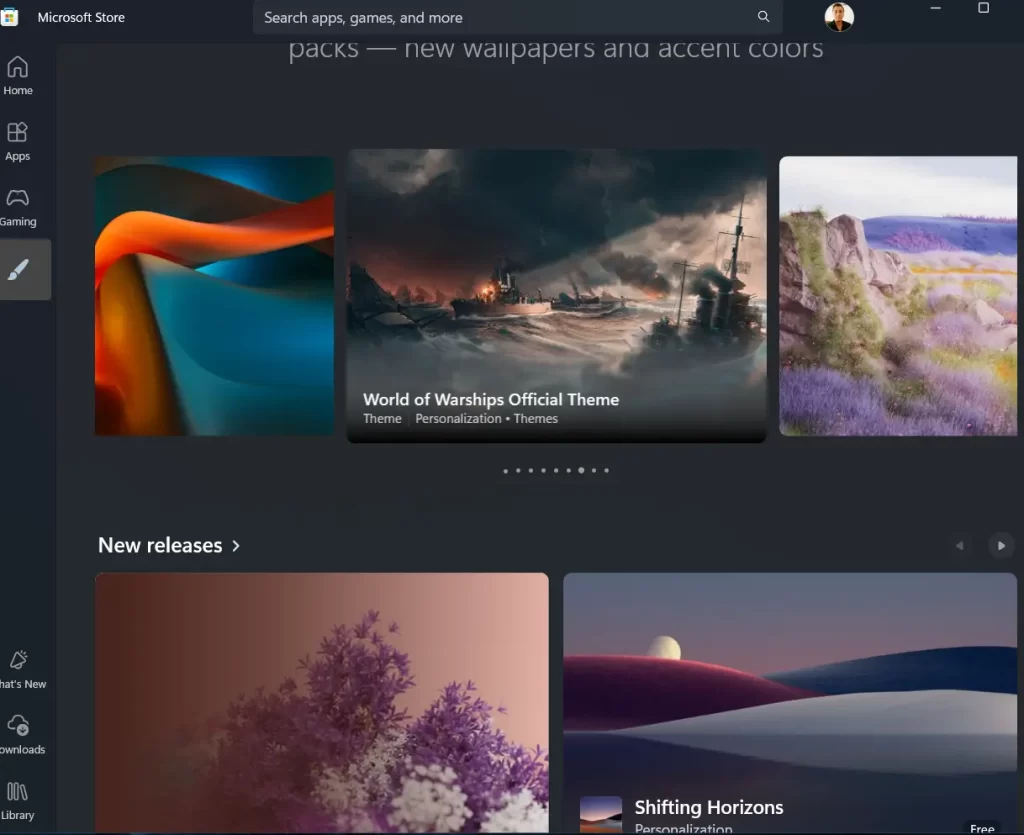
Themes for Every Taste and Style
One of the most impressive aspects of the new hub is the variety it offers. Windows 11 themes now cover a wide range of categories, including:
- Nature and landscapes
- Seasonal and floral designs
- Ocean and underwater visuals
- Gaming-inspired themes
- Animated and artistic collections
Whether you prefer calm natural scenes or bold, colorful designs, Microsoft appears to have considered every type of user.
What These Themes Include — and What They Don’t
At the moment, these themes mainly consist of wallpaper collections and accent colors. While they don’t yet include system sounds, icons, or mouse cursors, they still provide a noticeable visual refresh. Many users describe them as enhanced wallpaper packs, but with better organization and easier access.
Even with these limitations, having everything in one place makes a big difference. Browsing, previewing, and installing themes now takes seconds instead of minutes.
Gradual Rollout to Selected Users
Microsoft has stated that the Themes section is currently being rolled out to selected Windows 11 users. If you don’t see it in your Microsoft Store yet, there’s no need to worry. The company confirms that wider availability is coming soon. In some cases, themes can still be downloaded via direct links.
Microsoft’s Bigger Vision for Personalization
In its official announcement, Microsoft emphasized its long-term goal: turning every Windows device into a true reflection of its owner. The company also acknowledged popular third-party tools like Lively Wallpaper and TranslucentTB, signaling that deeper customization may continue to be supported in the future.
For users who felt bored with the default look of Windows 11, this update is a clear step in the right direction.
