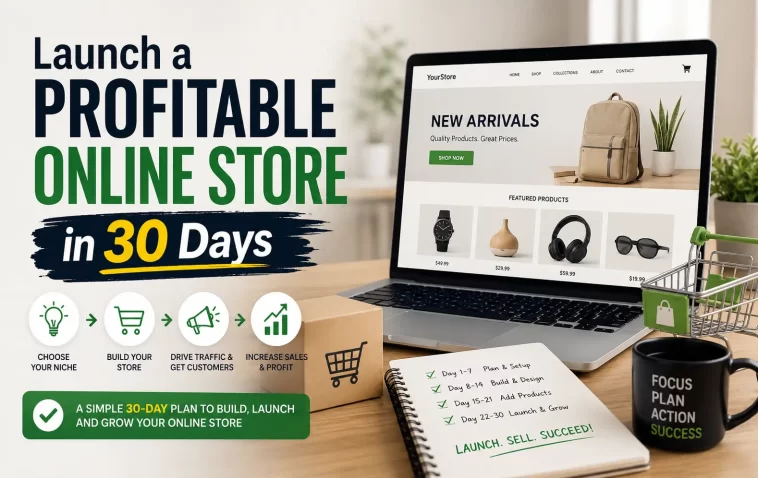
Thirty days sounds tight until you realize most of the delay in launching an online store isn’t the building part — it’s the deciding part. I burned almost two weeks on my first store just picking between Shopify and WooCommerce before I’d written a single product description. So this guide skips the decision paralysis and gives you an actual day-by-day path to launch a profitable online store in 30 days, the way I’d map it out if I were starting again tomorrow.
I’m not going to pretend every store hits profit by day 30. Some don’t. But the structure below gets you to a real, sellable, functioning store with actual traffic running through it — and for a lot of niches, that’s enough time to land your first sales too.
Why Most 30-Day Store Launches Fail
Before the plan, it helps to know where this usually goes sideways. From what I’ve seen across a handful of stores (mine and a few friends’), it’s rarely the platform’s fault.
Picking a product before picking a problem. A lot of people start with “I want to sell candles” instead of “who’s underserved and what do they need.” Products without a clear buyer end up invisible in a crowded market.
Spending week one on logo design. Branding feels productive, but it doesn’t generate a single sale. Stores that launch fast tend to use a clean template and a decent font pairing, not a custom-designed identity from day one.
No traffic plan until after launch. This is probably the biggest one. If you don’t know where your first 100 visitors are coming from before you launch, you’re going to spend days 25-30 panicking instead of selling.
Underestimating supplier lead time. If you’re doing dropshipping or print on demand, fine, this matters less. But if you’re holding any inventory at all, supplier delays can quietly eat half your 30 days before you even notice.
Quick Answer: The 30-Day Framework
- Days 1-5: Validate the niche and product, not the brand
- Days 6-12: Build the store on a no-code platform (Shopify, or WooCommerce if you’re comfortable with WordPress)
- Days 13-18: Set up payments, shipping, and a minimum of 8-10 product listings
- Days 19-24: Launch a small, controlled traffic test (organic + one paid channel)
- Days 25-30: Analyze, fix the obvious leaks, and push harder on whatever’s actually converting
Week 1: Validation Before Anything Else
So here’s the part everyone wants to skip, and it’s exactly the part that decides whether days 20-30 feel good or miserable.
Pick a niche using actual demand signals, not gut feeling. Search volume on Google Trends, Etsy/Amazon bestseller lists in adjacent categories, and even TikTok hashtag volume all work as free validation signals. You’re not trying to find something with zero competition — that usually means zero demand too. You want something with real competition but a gap you can fill (a specific audience, a specific price point, a specific angle competitors are ignoring).
Talk to potential buyers if you can. This sounds like startup-bro advice, but even five DMs to people in a relevant Facebook group or subreddit asking “would you buy X if it solved Y” gives you more signal than a week of spreadsheet research.
And don’t skip this: check if you can actually source or make the product reliably. I once validated a product idea that had real demand, then spent three days finding out every supplier I contacted had an 8-week lead time. That killed the timeline before the store even existed.
Week 2: Building the Actual Store
By day 6, you should know your niche and have a rough product list. Now you build.
Step 1: Choose Your Platform
Shopify is the fastest path for most beginners — it’s built for this exact use case, and you can have a functional storefront in a single afternoon. WooCommerce is cheaper long-term if you already know WordPress, but it’s slower to set up if you don’t.
Don’t overthink this decision. Both platforms can get you to a profitable store. The platform matters way less than people online make it sound.
Step 2: Keep the Design Simple
Use a free or low-cost theme. Customize logo, colors, and homepage layout, but resist redesigning everything from scratch. A clean, fast-loading store with a basic theme outsells a slow, over-designed store almost every time — site speed actually affects conversion rate, not just SEO.
Step 3: Write Product Pages That Actually Sell
This is where a lot of new store owners write like a catalog instead of a salesperson. Specs matter, but specs alone don’t sell. Lead with the problem the product solves, then back it up with the details.
A decent product page usually includes:
- A clear, benefit-first headline (not just the product name)
- 3-5 real product photos, ideally lifestyle shots, not just plain white background
- A short paragraph addressing the most common buyer hesitation (shipping time, sizing, return policy)
- Reviews or social proof, even just 2-3 if that’s all you have at launch
Step 4: Set Up Payments and Shipping Before You Think You’re Ready
Stripe and PayPal integrate quickly on most platforms, usually under an hour combined. Shipping setup takes longer than people expect, mostly because shipping rate calculators need real weight and dimension data per product, and that data is easy to get wrong on the first pass.
Week 3: The Traffic Test
Here’s the part most “launch in 30 days” guides gloss over completely: a store with zero traffic plan is just a website nobody sees.
Pick one organic channel and one paid channel, and don’t spread yourself across five platforms at once. Trying to run TikTok, Instagram, Pinterest, and Google Ads simultaneously in week 3 usually means doing all four badly instead of one well.
For organic, this usually means short-form video (TikTok/Reels) if your product is visual, or SEO content if it’s more of a considered purchase. For paid, a small Meta Ads or Google Shopping budget — even $10-20/day — gives you real signal on which products and audiences actually respond.
Track conversion rate, not just traffic. A store getting 50 visitors a day with a 3% conversion rate is in better shape than one getting 500 visitors a day at 0.2%. Traffic without conversion is just a vanity number.
What Actually Worked For Me
My first real launch, I did basically everything backwards from what I’m telling you here. I spent four days on branding before I had a single product sourced, then panicked in week 3 when I realized I had zero traffic strategy and only nine days left.
What ended up working wasn’t some clever growth hack. It was honestly kind of boring — I posted in three relevant Facebook groups (with permission from the mods, which matters, don’t skip that step) and ran a tiny $15/day Meta ad campaign targeting an audience I’d built from a competitor’s followers. That’s it. Combined, those two channels got me my first 11 sales in about six days.
I’d tried a Google Ads campaign first, actually, and it flopped — way too broad a keyword set for a small budget, and I burned through $80 with almost nothing to show for it. So the lesson, at least for my situation, was that paid search needed more budget than I had to work with, while social ads with a narrow audience performed better on a shoestring. Your mileage may vary depending on the product, obviously — physical, visually appealing products tend to do better on social; more “considered” purchases sometimes do better on search.
Advanced Tips for Pushing Past Day 30
If you’re past launch and want to keep building momentum:
Set up basic email capture from day one, even before launch. A simple “notify me when we launch” popup with a 10% discount incentive builds a list you can email on launch day instead of starting from zero.
Watch your cart abandonment rate. Most stores lose 60-70% of carts. An automated abandoned cart email sequence (most platforms have this built in) can recover a meaningful chunk of that for almost no extra work.
Don’t ignore mobile experience. A huge share of traffic, especially from social ads, comes in on phones. If your checkout is clunky on mobile, you’re losing sales you never even see in the data — they just bounce silently.
Diversify traffic sources gradually, not all at once. Once one channel is working, add a second. Adding five channels before any of them works just spreads your attention too thin to learn anything.
Prevention Tips
- Don’t launch with fewer than 8-10 products; a tiny catalog looks unfinished, not minimalist
- Don’t skip a returns/refund policy page — its absence quietly kills trust at checkout
- Don’t set your ad budget so low you can’t gather meaningful data (under $5/day rarely tells you anything useful)
- Don’t ignore your supplier’s actual fulfillment time when promising shipping dates to customers
FAQ
Can I really launch a profitable store in 30 days with no experience? Launch, yes, almost certainly. Profitable specifically by day 30 — depends heavily on niche, budget, and a little luck. Treat profitability as a likely outcome of months 2-3, with day 30 being “functional and selling something.”
How much money do I actually need for this timeline? Realistically $200-500 minimum if you’re including a small ad budget, platform fees, and basic product photography. Less than that is possible but tight.
Should I use dropshipping to move faster? It removes the inventory and lead-time risk, which does help the 30-day timeline. Margins are usually lower, though, so it’s a tradeoff, not a free win.
What if I don’t hit any sales by day 30? It happens, especially in slower or more “considered” niches. Don’t scrap the store — look at your traffic-to-conversion ratio first before assuming the product itself is the problem.
Editor’s Opinion
30 days is doable but it’s a tight squeeze and honestly week 1 is the part people rush through the most, which is backwards. spend the time there. the building part (week 2) is genuinely the easy bit now with how good shopify and woocommerce have gotten. the traffic part is where most people just freeze up, so just pick one channel and go, even if its not perfect.
