I’ve moved sites between hosts more times than I’d like to admit, usually because I picked the wrong one the first time based on a flashy homepage discount. Choosing the right web hosting isn’t complicated once you know what actually matters versus what’s just marketing noise, and that’s what this guide is about.
If you’re setting up your first site or migrating away from a host that’s been quietly annoying you for a year, this should save you from repeating my mistakes.
Quick Answer: What Actually Matters
- Uptime should be 99.9% or higher, and it should be backed by an actual SLA, not just a claim on the homepage
- Server storage type matters more than most people realize — NVMe or SSD, never spinning disks
- Renewal pricing is often 3-5x higher than the intro rate, so check that before you sign up
- Support quality matters more than support hours — a live chat that just copies FAQ links isn’t real support
- Hosting type should match your site’s actual traffic and complexity, not the biggest plan available
Understanding the Different Types of Hosting
Before comparing providers, it helps to know what you’re actually choosing between. Most people default to whatever’s marketed hardest, which isn’t always what fits their site.
Shared Hosting
This is the entry point for most personal blogs, portfolios, and small business sites. Your site shares server resources with a bunch of other websites, which keeps the price low but limits performance during traffic spikes.
It’s a fine starting point if your site is new and you don’t yet know how much traffic to expect.
VPS Hosting
A virtual private server gives you dedicated resources on a shared physical machine, along with root access and more control over your setup. This suits growing sites, SaaS projects, or anything that’s outgrown shared hosting but doesn’t need a full dedicated server yet.
Managed WordPress Hosting
If your site runs on WordPress, this hosting type handles updates, caching, and a chunk of the security work for you. It costs more than generic shared hosting, but it removes a lot of the maintenance headache for content-heavy sites.
Dedicated Servers
An entire physical server dedicated to one site. This is overkill for most people, but it’s the right call for large, high-traffic sites that need predictable performance without sharing resources with anyone else.
Cloud Hosting
Cloud hosting pulls resources from multiple servers rather than one physical machine, which generally means better scalability and fewer single points of failure. It’s become a common middle-ground option as pricing has come down.
The Factors That Actually Matter (And the Ones That Don’t)
Uptime and SLA
A hosting provider should offer a clear uptime guarantee, ideally with some form of compensation if they miss it. Anything below 99.9% starts to add up to real downtime over a year, and for a business site, downtime translates directly into lost revenue.
Page Speed and Infrastructure
NVMe or SSD storage, modern CPUs, and solid networking directly affect how fast your pages load. This matters more than it used to, since search engines have leaned harder into page experience as a ranking signal.
Pricing Transparency
This is where a lot of people get burned. Introductory discounts often hide a renewal price that’s several times higher, and that’s not always disclosed clearly at checkout. Always check the renewal rate before signing up, not just the flashy first-year number.
Support Quality
Fast access to a real person who can actually diagnose a problem matters far more than a polished support page. If you can, test the pre-signup chat before committing — ask a specific technical question and see how the agent responds.
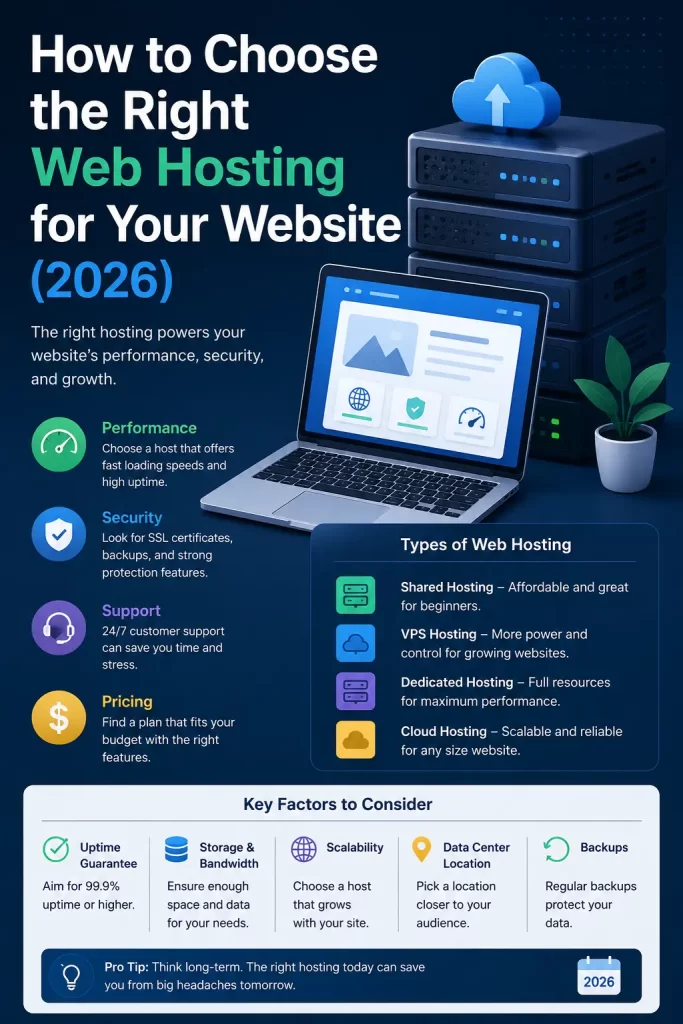
Web Hosting Types Compared
| Hosting Type | Best For | Typical Monthly Cost | Control Level |
|---|---|---|---|
| Shared | Blogs, portfolios, small sites | $1-$5 | Low |
| Managed WordPress | Content-heavy WordPress sites | $10-$30 | Medium |
| VPS | Growing sites, SaaS, internal tools | $15-$60 | High |
| Cloud | Sites needing scalability | $10-$50+ | Medium-High |
| Dedicated | Large, high-traffic sites | $80-$300+ | Full |
There’s no single “best” row here. The right choice depends entirely on where your site actually sits right now, not where you hope it’ll be in two years.
Step-by-Step: Choosing Your Host
Step 1: Estimate your actual traffic honestly. Most new sites don’t need more than shared hosting or a small VPS plan. Overbuying capacity you won’t use for a year is a common and avoidable mistake.
Step 2: Check the renewal price, not just the intro price. Look for the plan’s pricing page and find the renewal rate explicitly, or ask support directly if it’s not listed clearly.
Step 3: Confirm the storage type. Look for NVMe or SSD in the plan details. If a host doesn’t mention storage type at all, that’s usually a sign it’s older, slower infrastructure.
Step 4: Test support before you commit. Ask a real technical question through pre-signup chat. How they respond tells you a lot about what happens later when something actually breaks.
Step 5: Check migration support if you’re switching hosts. Many providers offer free site migration for new customers, which can save you a genuinely frustrating weekend if you’re moving an existing site.
What Actually Worked For Me
I switched hosts twice in one year before landing somewhere that actually stuck. The first move was to a host with a great homepage discount and terrible renewal pricing, which I only noticed when my card got charged four times the amount I expected.
The second move went better because I actually tested support before signing up this time, asking a specific question about database limits on their shared plan. The answer I got back was clear and specific, not a copy-pasted FAQ link, and that turned out to be a decent predictor of how support handled things later when I actually needed help with a slow site.
Common Mistakes to Avoid
- Choosing a plan based on the biggest discount rather than the renewal price
- Assuming more RAM or storage automatically means a faster site
- Ignoring backup frequency until after a site gets hacked or corrupted
- Picking dedicated hosting for a site that’s not close to needing it yet
- Skipping the support test because the signup process seemed smooth enough on its own
Frequently Asked Questions
Do I need coding knowledge to use web hosting?
No. Most modern hosting providers include website builders, one-click WordPress installs, and visual dashboards that don’t require any code. Some HTML or CSS knowledge helps if you want more customization, but it’s not required to get a site running.
What’s the difference between hosting and a domain name?
A domain name is your site’s address. Hosting is the actual server space where your site’s files live. You need both, and while some companies sell them together, they’re technically separate services.
Is shared hosting good enough for a small business site?
For a low-traffic small business site, yes, it’s usually fine. If you’re running an online store or expect regular traffic spikes, managed WordPress or VPS hosting is a safer bet.
How important is server location?
It matters more for global audiences and speed-sensitive sites, but for most local or regional businesses, the performance difference is minor compared to other factors like storage type and server load.
Should I trust hosting review sites completely?
Not blindly. A lot of hosting review content includes affiliate links, which can bias the top recommendations. Cross-check a few independent sources and look for specific performance data, not just star ratings.
Can I switch hosts later if I choose wrong?
Yes, and it’s more common than you’d think. Most hosts offer migration tools or free migration assistance, though moving a complex site can still take some planning to avoid downtime.
Editor’s Opinion
honestly the biggest lesson i learned from switching hosts twice is that the homepage price means nothing, always check the renewal cost before you sign up for anything. also test their support with a real question before you commit, it tells you more than any review site will. dont overbuy hosting for a site that gets 50 visitors a month, you can always upgrade later when you actually need it.
