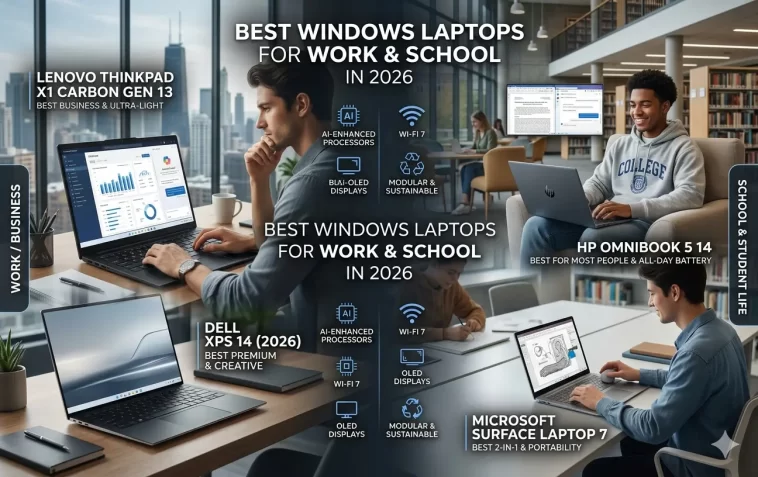
Best Windows laptops for work and school in 2026 — that’s what thousands of people are searching for right now. Whether you’re a student heading into a new semester or a professional tired of a sluggish old machine, picking the right laptop matters more than ever.
The market in 2026 is packed with options. AI-powered chips, thinner designs, and longer battery life have made this one of the best years to buy. But more choices also mean more confusion.
This guide cuts through the noise. We’ll cover the top Windows laptops across different budgets and use cases, so you can pick the one that actually fits your life.
Why Windows Still Dominates Work and School
Windows laptops hold the biggest share of the laptop market for a reason. They offer unmatched software compatibility, flexible hardware options, and price points for every budget.
Most workplaces run Windows-based tools — Microsoft 365, Teams, SharePoint, and countless industry-specific apps. For students, Windows works with virtually every learning management system, coding environment, and design tool out there.
In 2026, Microsoft’s Copilot AI features are baked into the OS, making everyday tasks faster. And with ARM-based chips from Qualcomm and new Intel Core Ultra processors, performance and battery life have both taken a big leap.
What to Look for Before You Buy
Before jumping into specific models, here’s what actually matters:
- Processor: Intel Core Ultra 5/7, AMD Ryzen 7 (or newer), or Qualcomm Snapdragon X Elite for ARM-based machines. For light use, any of these will do fine.
- RAM: 16GB is the new baseline for smooth multitasking. 8GB will feel limiting within a year or two.
- Storage: 512GB SSD minimum. 1TB if you store a lot of files locally.
- Battery life: Look for 10+ hours of real-world use, not just the manufacturer’s claim.
- Display: 1080p is fine for budget picks. 2K or OLED panels are worth the upgrade if you’re on screen all day.
- Weight: If you carry it daily, aim for under 1.5 kg (about 3.3 lbs).
- Ports: Check for USB-A, USB-C, and HDMI. Dongles get old fast.
Best Windows Laptops for Work and School in 2026
1. Dell XPS 13 (2026 Edition) — Best Overall
The Dell XPS 13 has been a top pick for years, and the 2026 model keeps that streak going. It now comes with the Intel Core Ultra 7 processor and up to 32GB of LPDDR5 RAM.
The 13.4-inch OLED display is stunning — sharp, vivid, and easy on the eyes during long study or work sessions. Battery life hits around 11–12 hours in real use, which is excellent for its size.
It’s not cheap, starting around $1,299, but it’s hard to beat for professionals who want a portable powerhouse.
Best for: Professionals, writers, anyone who wants premium build quality.
2. Microsoft Surface Laptop 6 — Best for Microsoft 365 Users
If you live in Microsoft’s ecosystem, the Surface Laptop 6 is a natural fit. It’s designed specifically around Windows 11 and Copilot AI features, and it shows in day-to-day use.
The 13.5-inch PixelSense touchscreen has a 3:2 aspect ratio — taller than most laptops — which means more vertical space for documents and web pages. That’s genuinely useful for school papers and spreadsheets.
Battery life is solid at 13–14 hours, and it’s available in configurations starting around $1,099.
Best for: Students, office workers, Microsoft 365 power users.
3. ASUS Zenbook 14 OLED — Best Value Premium Laptop
The ASUS Zenbook 14 hits a sweet spot between performance and price. Powered by an AMD Ryzen AI 9 processor, it handles everything from video editing to coding without breaking a sweat.
The 14-inch 2.8K OLED panel is one of the best displays in its price range. Colors are accurate, contrast is deep, and text looks crisp — great for reading and design work.
It starts around $899, which is competitive for what you get. Weight is just under 1.4 kg, so it’s easy to carry all day.
Best for: Students and professionals who want premium specs without the premium price tag.
4. HP Spectre x360 14 — Best 2-in-1 Windows Laptop
Need a laptop that doubles as a tablet? The HP Spectre x360 is still the best 2-in-1 Windows machine you can buy.
The 360-degree hinge lets you flip it into tent or tablet mode, and the OLED touchscreen responds beautifully with or without the included stylus. If you take handwritten notes or annotate PDFs, this workflow is hard to give up.
Powered by Intel Core Ultra 7, it handles demanding workloads and provides around 12 hours of battery life. Pricing starts near $1,399.
Best for: Students who prefer handwritten notes, creative professionals, hybrid workers.
5. Lenovo ThinkPad X1 Carbon Gen 13 — Best for Business
The ThinkPad X1 Carbon has been the go-to business laptop for decades. The Gen 13 keeps everything that made it great and adds modern internals.
It’s incredibly light — under 1.12 kg — while still offering a full-size keyboard with excellent travel and tactile feedback. That keyboard is genuinely one of the best you’ll find on a laptop.
Security features like a fingerprint reader, IR camera, and a physical webcam shutter make it a solid choice for corporate environments. Prices start around $1,499, and business buyers often get enterprise discounts.
Best for: Business professionals, frequent travelers, enterprise users.
6. Acer Aspire 5 (2026) — Best Budget Windows Laptop
Not everyone needs to spend over $1,000. The Acer Aspire 5 proves you can get a reliable, capable laptop for around $499–$599.
It runs on an AMD Ryzen 5 or 7 processor, with 16GB of RAM and a 512GB SSD as standard in the updated 2026 configurations. The 15.6-inch 1080p IPS display is comfortable for everyday work and streaming.
Battery life is around 8–9 hours — not class-leading, but decent. Build quality is plastic, but it doesn’t feel cheap. For students on a tight budget, it’s one of the most sensible buys out there.
Best for: Students on a budget, casual home users, first laptop buyers.
7. Samsung Galaxy Book4 Pro 360 — Best for Creators
Samsung’s Galaxy Book4 Pro 360 targets creators and multimedia users. The 16-inch Dynamic AMOLED 2X display is one of the most color-accurate panels you’ll find at this price — great for photo editing, video review, or just watching films.
It integrates tightly with Samsung phones and Galaxy AI features, which is a bonus if you’re already in that ecosystem. The Snapdragon X Elite chip makes it fast and energy-efficient.
It starts around $1,299 and comes with Samsung’s S Pen stylus included.
Best for: Content creators, Samsung Galaxy phone users, design students.
Windows Laptops Compared at a Glance
| Laptop | Price (from) | Best For | Battery Life |
|---|---|---|---|
| Dell XPS 13 (2026) | $1,299 | Overall best | ~12 hours |
| Surface Laptop 6 | $1,099 | Microsoft users | ~14 hours |
| ASUS Zenbook 14 OLED | $899 | Value premium | ~11 hours |
| HP Spectre x360 14 | $1,399 | 2-in-1 flexibility | ~12 hours |
| ThinkPad X1 Carbon Gen 13 | $1,499 | Business/enterprise | ~12 hours |
| Acer Aspire 5 (2026) | $499 | Budget pick | ~9 hours |
| Samsung Galaxy Book4 Pro 360 | $1,299 | Creators | ~13 hours |
Tips for Students Specifically
If you’re buying for school, keep a few extra things in mind:
- Check your school’s software requirements. Some programs (especially engineering or design software) need specific specs. Confirm before buying.
- Look for student discounts. Dell, Microsoft, HP, and Lenovo all offer education pricing that can save you $100–$300.
- Don’t skip the warranty. A 2-year accidental damage protection plan is worth it for a laptop that goes everywhere with you.
- Consider weight carefully. A 15-inch laptop feels very different after carrying it across campus all day.
- Get at least 16GB RAM. Modern browsers, video calls, and multitasking will eat through 8GB quickly.
Tips for Work and Professional Use
If you’re buying for professional work:
- Prioritize keyboard quality. You’ll type thousands of words on it. Test it if possible.
- Think about port selection. Working from different locations means you might need HDMI, USB-A, or an SD card slot without a dongle.
- Consider your IT department’s requirements. Some businesses require specific certifications (like Intel vPro) for security compliance.
- Check webcam and microphone quality. With hybrid work still common, a decent built-in camera matters more than it used to.
Should You Buy Now or Wait?
Honestly? Now is a great time to buy. The Snapdragon X Elite and Intel Core Ultra platforms are mature, and prices have stabilized after the supply chain chaos of earlier years.
If you’re waiting for a massive leap in performance, the next generation of chips won’t arrive until late 2026 or early 2027 — and the current generation is already excellent.
If you need a laptop for the upcoming school year or a work project, there’s no reason to hold off.
Frequently Asked Questions (FAQ)
What is the best Windows laptop for students in 2026?
The ASUS Zenbook 14 OLED is a top pick for students — it offers excellent performance, a beautiful display, and a price around $899 that’s more manageable than premium alternatives. For students on a tighter budget, the Acer Aspire 5 at around $499–$599 is a reliable choice.
Is 8GB RAM enough for a laptop in 2026?
Not really. While 8GB can technically run Windows 11, you’ll notice slowdowns when multitasking — especially with browser tabs, video calls, and office apps open at the same time. 16GB is the recommended minimum for a smooth experience in 2026.
How long should a good Windows laptop last?
A well-built laptop with at least 16GB RAM and a 512GB SSD should remain usable for 4–6 years with normal care. Choosing a model with a solid warranty and good build quality extends that lifespan.
Are Snapdragon X Elite laptops better than Intel laptops?
It depends on the use case. Snapdragon X Elite laptops (like the Samsung Galaxy Book4 Pro 360) offer exceptional battery life and run very cool. Intel Core Ultra models tend to have better compatibility with legacy Windows software and often perform better in demanding tasks. For most users, both are excellent.
What’s the best Windows laptop under $500?
The Acer Aspire 5 (2026) is the best option at that price point. It includes an AMD Ryzen processor, 16GB RAM, and 512GB SSD in its latest configuration — solid specs for the money.
Do I need a touchscreen on a Windows laptop?
Not necessarily. Touchscreens are genuinely useful for 2-in-1 laptops where you rotate or detach the display. On a standard clamshell laptop, most people rarely use it in practice. Save the money for better specs unless you specifically want stylus input or tablet mode.
Which Windows laptop has the best battery life in 2026?
The Microsoft Surface Laptop 6 and Samsung Galaxy Book4 Pro 360 consistently top battery life charts, both offering 13–14 hours in real-world use. Snapdragon-based laptops also tend to outlast Intel counterparts in this area.
Final Thoughts
There’s no single “best” Windows laptop — it depends on your budget, how you use it, and what you value most.
For most students and professionals, the ASUS Zenbook 14 OLED or Microsoft Surface Laptop 6 hit the best balance of performance, portability, and price in 2026. If budget is tight, the Acer Aspire 5 gets the job done without compromise on the essentials.
Whatever you choose, prioritize RAM, battery life, and build quality over flashy features you won’t use. The right laptop should feel invisible — it just works, every day, without getting in your way.
