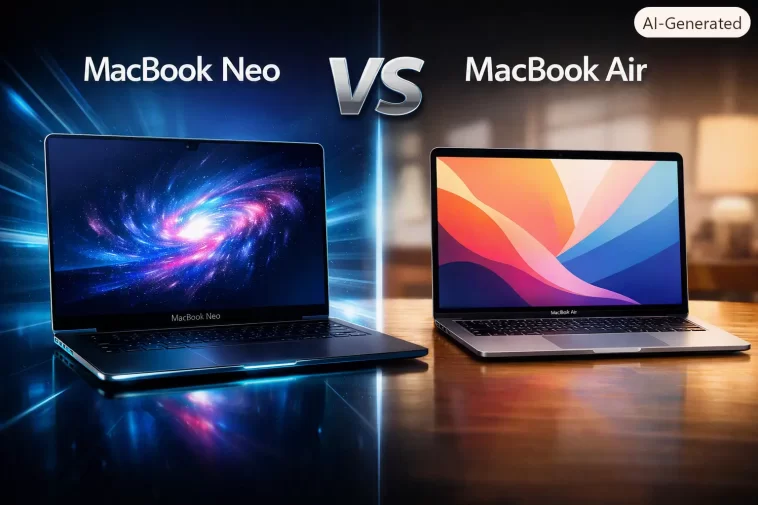
MacBook Neo vs MacBook Air is the question I keep getting asked since Apple launched its cheapest Mac ever back in March. I spent a few hours with both machines side by side at a store near me, and the gap between them is bigger than the $500 price difference makes it look. So let’s get into what actually separates these two before you hand Apple your money.
Quick Answer
- MacBook Neo runs on the iPhone-derived A18 Pro chip, while MacBook Air uses the full M5 chip built for laptops.
- Neo starts at $599 with 8GB RAM and 256GB storage; Air starts at $1,099 with 16GB RAM and 512GB storage.
- Neo has two lower-speed USB-C ports and no MagSafe; Air has Thunderbolt/USB4 ports plus MagSafe 3 charging.
- Neo is 13-inch only; Air comes in 13.6-inch and 15.3-inch sizes.
- Air is the better pick for anyone doing real multitasking, photo editing, or heavier workloads — Neo is built for browsing, note-taking, and light school or office use.
Spec Comparison
| Spec | MacBook Neo | MacBook Air (M5) |
|---|---|---|
| Chip | Apple A18 Pro (6-core CPU, 5-core GPU) | Apple M5 (10-core CPU, 8 or 10-core GPU) |
| Starting RAM | 8GB | 16GB |
| Starting Storage | 256GB | 512GB |
| Display | 13.0″ Liquid Retina, 500 nits | 13.6″ or 15.3″ Liquid Retina, 500 nits |
| Ports | 2x USB-C (one USB3, one USB2) | Thunderbolt/USB4 + MagSafe 3 |
| Battery | Up to 16 hours | Up to 18 hours |
| Starting Price | $599 | $1,099 (13″) / $1,299 (15″) |
Why the Price Gap Is Bigger Than It Looks
The A18 Pro in the Neo is basically an iPhone chip, not a Mac chip, and that’s not a knock — it’s genuinely capable for what it is. But it wasn’t designed around sustained multitasking the way the M5 was. And that shows up fast once you’re juggling more than a browser and a Pages document.
RAM is the other quiet killer here. 8GB on the Neo versus 16GB standard on the Air isn’t a small gap anymore, especially with how much memory Chrome tabs and Apple Intelligence features eat up in the background. I’ve had 8GB Macs choke on a dozen tabs plus Slack running, and from what I’ve seen, the Neo will hit that wall the same way.
Storage speed matters too, though people rarely think about it. The Air’s SSD is noticeably faster at large file transfers — exporting a big video project or copying a folder of RAW photos is where you’ll actually feel the difference, not just in benchmark numbers nobody looks at twice.
Where the Neo Actually Wins
It’s not all bad news for the cheaper machine, though.
Price. This one’s obvious, but it’s worth saying plainly — $599 for a real Mac, running full macOS, is something Apple has never done before. The old 12-inch MacBook and even the base MacBook Air never got this low.
Weight. At 2.7 pounds, the Neo is genuinely light in a bag, and for students carrying it between classes all day, that matters more than benchmark scores.
Color options. Silver, Blush, Citrus, and Indigo, each with a matching keyboard — it’s a small thing, but Apple clearly built this to appeal to students and casual buyers who want personality, not just specs.
Common Buying Mistakes
People assume “it’s an Apple laptop, so it’ll be fine for anything.” That’s not entirely accurate — the Neo is fine for a specific kind of use, and outside that lane it struggles. Buying it expecting MacBook Air-level multitasking is the single biggest regret I’ve seen people post about online.
Another mistake: assuming the base 256GB storage on the Neo is enough long-term. It fills up fast once you factor in macOS updates, a handful of apps, and any local media. If you’re not syncing everything to iCloud, budget for the 512GB option.
Who Should Buy the MacBook Neo
- Students who mainly need web browsing, note-taking, and word processing
- Anyone replacing an aging Chromebook or budget Windows laptop
- People who want a second, portable Mac to pair with a desktop
- Buyers who prioritize price and portability over raw performance
- Light users who don’t run demanding creative apps
Who Should Buy the MacBook Air
- Photo and video editors doing anything beyond basic trims
- Developers running local builds, virtual machines, or Docker containers
- Anyone who multitasks heavily across many apps at once
- Users who want Thunderbolt speeds for external drives or displays
- People planning to keep the laptop 5+ years and want it to age well
What Actually Changed My Mind
I went into this expecting to recommend the Neo to basically everyone on a budget, because on paper it looks like a no-brainer — full macOS for $599. But then I actually tried opening a dozen tabs, a couple of Pages docs, and Spotify at the same time on the demo unit, and it started stuttering in a way I genuinely wasn’t expecting from a brand new machine.
The Air, running the same rough workload, didn’t blink. That’s when it clicked for me that the Neo isn’t a cheaper Air — it’s a genuinely different tier of machine wearing similar branding, closer in spirit to an iPad with a keyboard than to a real laptop replacement.
So my advice shifted from “buy the Neo unless you need power” to “buy the Neo only if you’re sure you’ll stay inside its lane.”
Performance in Real-World Use
Web browsing, email, and document editing feel close to identical between the two — you probably won’t notice a difference doing everyday tasks. Where it splits apart is anything involving export, rendering, or running multiple demanding apps together.
Photo editing in something like Lightroom is where the Neo starts showing its limits, particularly with large batches. Video export times on the Air are noticeably shorter, and that gap widens the longer the clip.
Gaming is close in casual titles but the Air’s stronger GPU pulls ahead in anything graphically heavier, including newer Apple Arcade titles built to take advantage of the M5’s Neural Accelerators.
Battery and Charging
Both last a full day of normal use, but the Air edges ahead with roughly 18 hours versus the Neo’s 16 in Apple’s own testing — and real-world numbers usually land a bit under that for both. The bigger difference is charging: the Air supports MagSafe 3 for faster, cable-free-feeling charging, while the Neo charges over USB-C only, which some people genuinely prefer since it means one less cable type to carry.
FAQ
Is the MacBook Neo good enough for college? For note-taking, essays, and browsing, yes. For video editing majors or CS students running heavier dev tools, go with the Air instead.
Can the MacBook Neo run Xcode? Technically yes, but with 8GB RAM it’ll be a rough experience for anything beyond small projects.
Does the MacBook Neo support two external monitors? No — it supports one external 4K display through its single USB3 port.
Is MagSafe missing from the Neo a big deal? Not really, though you lose the fast-charging convenience. USB-C charging still works fine day to day.
Which one holds its resale value better? Historically, MacBook Air has held value better than budget Mac models, and there’s no reason to expect the Neo to be different.
Can you upgrade RAM or storage later on either model? No — like all current Macs, RAM and storage are soldered in on both, so buy the configuration you’ll actually need upfront.
Is the screen quality different between them? Both use Liquid Retina displays at 500 nits, but the Air’s panel is slightly larger and sharper depending on the size you pick.
Does the Neo support Apple Intelligence? Yes, it runs Apple Intelligence features, though heavier AI tasks will feel snappier on the Air’s stronger Neural Engine.
Editor’s Opinion
honestly I went in wanting to love the Neo — a $599 real Mac sounds great on paper. but after using it next to the Air, it’s clear this is a light-use machine wearing a MacBook badge, not a budget Air replacement. if your work fits inside its lane, great, save the money. if you’re not sure, just get the Air, you won’t regret the extra RAM.
