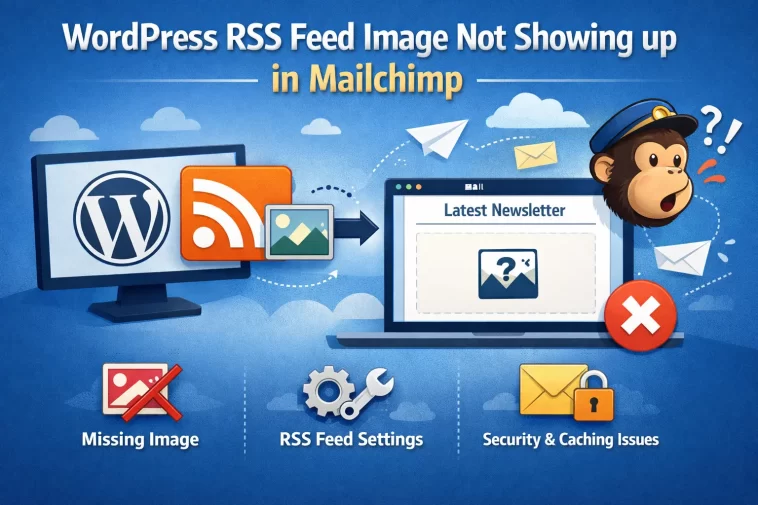
RSS-to-email campaigns are one of those “set it and forget it” features until the featured images just stop showing up, and then you’re stuck staring at a blank gray box where your post thumbnail should be. I ran into this on a client site last month — post content synced fine, images just weren’t rendering in the Mailchimp email templates. Turned out to be three separate issues stacked on top of each other, which is honestly pretty typical for this specific problem.
Quick Answer
- Mailchimp’s RSS-to-email feature pulls the featured image from your feed’s
<enclosure>or<media:content>tag, not just any image in the post content - Most default WordPress RSS feeds don’t include featured images unless a plugin or theme function adds that tag
- Image URLs need to be publicly accessible and use HTTPS — mixed content or blocked crawler access will cause silent failures
- CDN or image optimization plugins sometimes rewrite URLs in a way that breaks the feed reference before Mailchimp ever sees it
- Testing your raw RSS feed XML directly (not just the rendered blog page) is the fastest way to confirm what Mailchimp is actually receiving
Why the Featured Image Doesn’t Make It Into the Feed
So here’s the core issue that trips almost everyone up: WordPress’s default RSS feed template doesn’t automatically include the featured image at all. It’s not a bug, it’s just how core WordPress feeds are built — they focus on post content and excerpt, not media enclosures. Mailchimp’s RSS campaign merge tags specifically look for image data in the feed’s XML structure, and if it’s not there, there’s nothing for Mailchimp to grab regardless of how the image looks on your actual site.
1. No <enclosure> or <media:content> tag in the feed XML. This is the most common cause by far. Mailchimp’s *|RSSITEM:IMAGE|* merge tag needs one of these specific tags present in each feed item. If your theme or feed doesn’t generate them, the merge tag has nothing to reference and just renders blank.
2. Featured image not set at all on some posts. Obvious, but worth checking directly — if a post uses an image embedded in the body content instead of a proper Featured Image, most feed image solutions won’t pick it up since they’re looking specifically at the featured image field, not scanning post content for the first <img> tag.
3. Image URL blocked from external access. If your site has any kind of hotlink protection, firewall rule, or staging-environment authentication still active, Mailchimp’s servers can’t fetch the image even if the enclosure tag technically exists and points to a valid-looking URL.
4. CDN or lazy-load plugins rewriting the src attribute. Some image optimization and CDN plugins replace the real image URL with a placeholder or a lazy-loading data attribute in the rendered HTML. If whatever’s generating your enclosure tag pulls that placeholder instead of the actual final URL, Mailchimp ends up with a broken or blank reference.
Comparison: Common Fixes and Their Reliability
| Fix | Fixes Missing Enclosure Tag? | Fixes Blocked Access? | Effort Level |
|---|---|---|---|
| Add enclosure tag via functions.php snippet | Yes | No | Low, one-time code add |
| Use an SEO plugin’s feed image feature (Yoast, RankMath) | Yes | No | Low |
| Disable hotlink protection for Mailchimp’s IP range | No | Yes | Medium |
| Whitelist Mailchimp user-agent in security plugin | No | Yes | Medium |
| Switch featured image source instead of CDN-rewritten URL | Partial | Yes | Medium to high |
Step-by-Step Fixes
Step 1: Check What’s Actually In Your Feed Right Now
Visit yoursite.com/feed/ directly in a browser and view the raw XML (or use “view source” if your browser renders it). Search for <enclosure or media:content within an item. If it’s not there at all, that confirms the root cause immediately, and you can skip straight to Step 2.
Step 2: Add Featured Image Support to Your RSS Feed
If you’re using Yoast SEO or Rank Math, check their RSS feed settings first — Yoast has an “RSS feed” tab under SEO settings where you can insert the featured image into feed content, and Rank Math has similar options under its General Settings sitemap/feed area. This is the easiest fix and doesn’t need any code.
If you’re not using either plugin, add this to your theme’s functions.php (or a custom plugin, which is safer if you ever switch themes):
php
function add_enclosure_to_feed() {
    if (has_post_thumbnail()) {
        $thumbnail_id = get_post_thumbnail_id();
        $image = wp_get_attachment_image_src($thumbnail_id, 'full');
        if ($image) {
            echo '<enclosure url="' . esc_url($image[0]) . '" length="0" type="image/jpeg" />';
        }
    }
}
add_action('rss2_item', 'add_enclosure_to_feed');
Not the most elegant snippet in the world, but it’s the standard approach and it works reliably across most themes.
Step 3: Verify the Image URL Is Actually Reachable
Copy the image URL straight out of your feed XML and open it in an incognito browser window (logged out, no cached credentials). If it doesn’t load, or redirects somewhere unexpected, that’s your access issue — not a Mailchimp problem at all.
Step 4: Check for CDN/Lazy-Load Interference
Temporarily disable any image CDN or lazy-loading plugin and regenerate the feed. If the enclosure URL changes to a proper direct image link instead of a placeholder, you’ve found the conflict. Most CDN plugins have a setting to exclude RSS feeds from URL rewriting — check their documentation for that specific option rather than disabling the whole plugin permanently.
Step 5: Force Mailchimp to Re-Fetch the Feed
Mailchimp caches RSS feed data for a while. After fixing the feed itself, create a test RSS campaign (don’t send it, just get to the preview step) to force a fresh fetch, or wait for the next scheduled RSS check cycle if you’re using an automated RSS-driven campaign.
What Actually Worked For Me
My first assumption was that it was purely a Yoast settings issue, since that’s the most commonly cited fix online. Turned the feed image option on, checked the raw feed, and — the enclosure tag was there now, correctly pointing to what looked like a valid image URL. But Mailchimp’s preview still showed a blank space where the image should be.
That’s not entirely accurate actually, let me back up — the image did occasionally show up in Mailchimp’s preview, just inconsistently, which made it even more confusing than a flat failure would’ve been. Eventually I noticed the site was running a CDN plugin (WP Rocket’s built-in CDN feature, in this case) that was rewriting the enclosure URL to a CDN subdomain, but that subdomain’s SSL cert had an issue that only affected requests from certain user agents — Mailchimp’s crawler being one of them, apparently, while regular browsers didn’t hit the same problem. Excluding the feed URL pattern from CDN rewriting in WP Rocket’s settings fixed it completely. Honestly wouldn’t have found this without checking the actual CDN URL directly rather than just trusting that “it looks like a valid URL” meant it was actually serving correctly.
Advanced Fixes and Edge Cases
Feed caching plugins serving stale XML. If you’re running a caching plugin that also caches feed URLs (not all of them exclude /feed/ by default), you might be looking at an outdated version of your feed even after making fixes. Clear feed-specific cache or exclude /feed/* from your caching rules entirely — feeds should generally stay dynamic.
Multiple image sizes causing Mailchimp to grab the wrong one. If your enclosure tag points to a full-size original image that’s enormous (10MB+), some email clients or Mailchimp’s own processing can time out or fail to render it in campaigns. Consider using a medium or large registered image size in the enclosure function instead of the raw full-size original.
Checking Mailchimp’s actual RSS feed validation. Mailchimp has a feed validator you can run your RSS URL through when setting up an RSS-driven campaign — it’ll flag missing required tags directly rather than making you guess. Worth running this any time the automated campaign preview looks wrong, before assuming it’s a WordPress-side problem.
Server-level user-agent blocking. Some security plugins or server firewalls block requests from what they consider “bot” user agents, and Mailchimp’s feed-fetching crawler can occasionally get caught in that net. Check your security plugin’s blocked-requests log around the time of a failed campaign send to rule this out.
Prevention Tips
- Test your raw feed XML directly any time you change themes, CDN settings, or security plugins — don’t just trust that the visual site looks fine
- Exclude feed URLs from CDN rewriting and aggressive caching rules from the start
- Set featured images consistently on every post meant for RSS distribution, rather than relying on in-content images
- Keep a bookmark to Mailchimp’s feed validator tool for quick checks whenever something looks off in a campaign preview
FAQ
Why does the image show fine on my website but not in the Mailchimp email? Because Mailchimp isn’t reading your rendered webpage at all — it’s reading your RSS feed’s raw XML, which is a completely separate data source that may not include the image the same way.
Does adding the enclosure tag fix it for posts I’ve already published? Yes, as long as those posts have a featured image set, the enclosure tag generates dynamically based on the feed request, it’s not something that needs to be baked in per post ahead of time.
Can I use a different image than the featured image in my RSS-to-email campaigns? Not through the standard *|RSSITEM:IMAGE|* merge tag, no — that specifically pulls from the enclosure tag. You’d need a custom merge tag setup or manual campaign editing for anything more flexible.
Is this a Mailchimp bug or a WordPress issue? Neither, really — it’s just a gap between what WordPress feeds include by default and what Mailchimp’s RSS feature expects to find. Once you know that, it stops feeling like a bug on either side.
Will this same fix work for other email platforms that use RSS-to-email, like ConvertKit or ActiveCampaign? Mostly yes, since they generally rely on the same standard enclosure/media tags, but check each platform’s specific documentation since merge tag names and exact requirements can differ slightly.
Editor’s Opinion
this is one of those bugs that looks like its mailchimps fault until you actually go look at your own feed xml and realize wordpress never included the image tag to begin with. always check the raw feed first before blaming the email platform, saved me a ton of back and forth with support that honestly wouldnt have gone anywhere.
