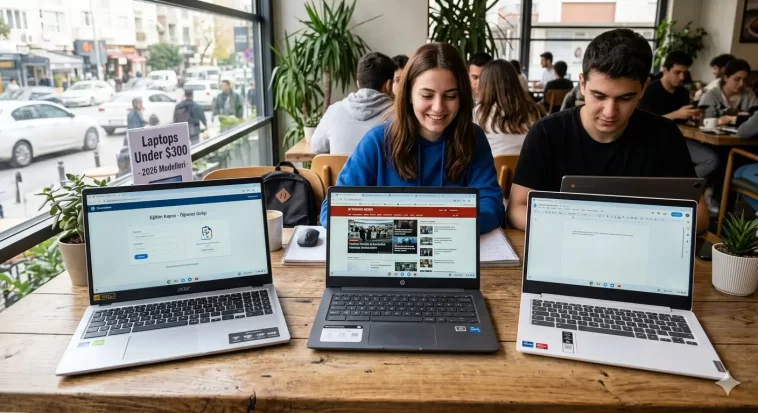
The best laptops under $300 in 2026 are more capable than ever — but you still need to choose carefully. At this price, you will find a solid mix of Windows laptops and Chromebooks that handle everyday tasks comfortably: web browsing, document editing, video streaming, video calls, and light school or work use.
This guide covers the top picks for 2026, with honest advice on what you can realistically expect from a $300 laptop — and what you cannot.
What to Expect from a Laptop Under $300
Before diving into the list, it helps to set realistic expectations. Budget laptops in this price range are designed for everyday computing, not heavy lifting.
You can expect:
- Web browsing, email, and cloud-based apps working smoothly
- Decent battery life (8–12 hours on Chromebooks, 6–10 hours on Windows)
- 1080p Full HD displays on most modern models
- 8GB RAM on the better picks (minimum recommended for Windows 11)
- SSD or eMMC storage for faster boot times than older hard drives
You should not expect:
- Photo or video editing performance
- Gaming beyond browser-based or cloud-streamed titles
- Premium build quality (plastic bodies are the norm)
- High-resolution or high-refresh-rate displays
- Great webcams (720p is standard here)
With those expectations in check, let us look at the best options available right now.
Windows vs Chromebook: Which Should You Buy?
This is the most important decision at the under-$300 price point.
Choose a Chromebook if:
- You mostly live in a browser (Google Docs, Gmail, YouTube, Netflix)
- You are a student who uses Google Classroom or similar tools
- You want the best battery life for the money
- You want a fast, virus-resistant experience with minimal setup
Choose a Windows laptop if:
- You need specific Windows software (Microsoft Office desktop apps, school or work programs)
- You prefer a traditional desktop environment with full file management
- You need USB-connected devices that require Windows drivers
At under $300, Chromebooks generally offer better performance-per-dollar because Chrome OS is lighter than Windows 11. However, Windows laptops give you much broader software compatibility — a meaningful advantage for many users.
1. Acer Aspire Go 15 — Best Windows Laptop Under $300
Price: ~$299 | OS: Windows 11 | Display: 15.6-inch FHD | CPU: Intel Core i3-N305 | RAM: 8GB | Storage: 128GB UFS
The Acer Aspire Go 15 is the top Windows laptop recommendation at this price point and it is not particularly close. For $299, you get a full Windows 11 machine with a large 15.6-inch Full HD IPS display, a genuinely comfortable keyboard, and an Intel Core i3-N305 processor — one of the better chips you will find in this price class.
Battery life is a genuine strength, testing at over 10 hours in real-world use. That is better than many laptops twice the price. The port selection is practical with HDMI, USB-A, and USB-C all included.
The weaknesses are real but predictable. The 720p webcam is poor, the speakers are average, and the performance will feel sluggish if you push it with heavy multitasking. It is not a powerful machine — but it is an honest, reliable one that does exactly what you need a basic laptop to do.
For anyone who needs a Windows laptop and does not want to spend more than $299, this is the one to buy.
Best for: Students, home users, everyday Windows tasks, office and document work
2. Lenovo IdeaPad Slim 3i Chromebook 14 — Best Chromebook Overall
Price: ~$230–$250 | OS: Chrome OS | Display: 14-inch FHD | CPU: Intel Celeron N4500 | RAM: 8GB | Storage: 64GB eMMC
The Lenovo IdeaPad Slim 3i Chromebook 14 consistently ranks as one of the best-tested budget Chromebooks available. What sets it apart from similarly priced Chromebooks is the 8GB of RAM — most budget Chromebooks come with only 4GB, which creates noticeable slowdowns when multiple tabs are open. The extra RAM makes a real difference for daily use.
The 14-inch FHD display is crisp and comfortable for both work and entertainment. Build quality feels solid for a Lenovo at this price, the keyboard is well-spaced, and battery life is strong. Chromebooks of this type boot in seconds, receive automatic security updates from Google, and run Android apps from the Google Play Store — giving you access to a wide library of mobile applications on top of everything available in the browser.
If you are primarily a web-based user and want the best-performing Chromebook you can find under $250, this is the clear choice.
Best for: Students, casual users, Google Workspace power users, anyone wanting the best Chromebook value
3. ASUS Chromebook CX1 15.6-inch — Best Budget Chromebook for Screen Size
Price: ~$230–$270 | OS: Chrome OS | Display: 15.6-inch FHD NanoEdge | CPU: Intel Celeron N4500 | RAM: 4GB | Storage: 64GB eMMC
The ASUS Chromebook CX1 offers a striking 15.6-inch Full HD display with thin NanoEdge bezels — the kind of screen-to-body ratio you usually see on more expensive laptops. If display size matters to you, this Chromebook delivers an impressive viewing experience at a very low price.
The keyboard is comfortable with well-spaced keys and a satisfying typing feel. It handles everyday browsing, streaming, and document work without issue. The 87% screen-to-body ratio makes it feel modern, and the large display is ideal for students or remote workers who spend long hours reading or watching content.
The 4GB of RAM is its biggest weakness. You will notice slowdowns when many browser tabs are open simultaneously. It is workable for light use, but if you regularly open 10+ tabs, the IdeaPad 3i Chromebook with 8GB is the smarter long-term choice.
Best for: Media consumption, students wanting a large screen, light everyday computing
4. HP Chromebook 14 — Best for Simplicity and Reliability
Price: ~$199–$250 | OS: Chrome OS | Display: 14-inch HD | CPU: Intel Celeron N4120 | RAM: 4–8GB | Storage: 64GB eMMC
HP’s Chromebook 14 is one of the most consistent budget laptops on the market. It is not the most exciting device, but it is reliable, well-supported, and straightforward to use — which is exactly what a lot of people need.
The 14-inch display keeps the form factor compact and portable. HP’s build quality at this price is solid, the keyboard is comfortable, and the battery consistently delivers a full day of use. Chrome OS handles all the basics well: browsing, Google Docs, YouTube, video calls, and Android apps from the Play Store all work smoothly.
This is an excellent choice for parents buying a first laptop for a child, for seniors who want a simple device for browsing and video calls, or for anyone who just needs something dependable without complications.
Best for: Children, seniors, first-time laptop buyers, anyone wanting simplicity and reliability
5. Lenovo IdeaPad Flex 3i Chromebook — Best 2-in-1 Under $300
Price: ~$250–$280 | OS: Chrome OS | Display: 11.6–14-inch touchscreen | CPU: Intel Celeron N4500 | RAM: 4–8GB | Storage: 64GB eMMC
The Lenovo IdeaPad Flex 3i is a convertible 2-in-1 Chromebook with a 360-degree hinge — it flips from laptop mode to tent mode, stand mode, or full tablet mode. The touchscreen opens up Android tablet apps alongside the full Chrome OS experience.
The IdeaPad Flex 3i is one of the longest-lasting battery performers in this entire price category, with some configurations achieving over 16 hours of battery life in testing. That is exceptional — more than most laptops at any price point. For students who go all day without a charger, this is a significant practical advantage.
The touchscreen is responsive and the convertible design makes it versatile for note-taking, reading, and media consumption in different orientations. At this price, the 2-in-1 flexibility is a genuine bonus rather than a marketing gimmick.
Best for: Students, tablet/laptop hybrid users, anyone who values all-day battery life above all else
6. Acer Chromebook 315 — Best Large-Screen Budget Chromebook
Price: ~$199–$230 | OS: Chrome OS | Display: 15.6-inch HD | CPU: Intel Celeron N4000 | RAM: 4GB | Storage: 64GB eMMC
The Acer Chromebook 315 is one of the most affordable 15-inch laptops you can find anywhere. At around $200, it undercuts most of its competition significantly while delivering the basics reliably: web browsing, streaming, Google Docs, and video calls all work without issue.
The large display makes it a comfortable choice for home use where portability is less important. It is lightweight for its size and easy to carry. Acer’s build on this model is plastic but sturdy enough for everyday home or school use.
This is not a performance machine — even by budget standards. The 4GB of RAM and Intel Celeron N4000 chip means you need to keep multitasking light. But for a household shared laptop, a secondary device, or a child’s first computer, it is hard to argue with the price.
Best for: Home users, secondary devices, households needing a simple shared laptop
7. Samsung Galaxy Chromebook Go — Best for Build Quality at Budget Price
Price: ~$200–$250 | OS: Chrome OS | Display: 14-inch HD | CPU: Intel Celeron N4500 | RAM: 4GB | Storage: 64GB eMMC
Samsung brings its trademark design sensibility to the budget Chromebook space with the Galaxy Chromebook Go. The build quality feels noticeably more premium than similarly priced competitors — the chassis is slim, the design is clean, and it looks more expensive than it costs.
Chrome OS runs snappily on this hardware, and Samsung’s integration with Android devices is useful if you already own a Galaxy phone. The 14-inch form factor hits the sweet spot for portability and usability.
Like most 4GB Chromebooks, it is not suited to heavy multitasking, but for its intended use — everyday browsing, streaming, and Google apps — it performs well and holds up reliably over time.
Best for: Samsung ecosystem users, style-conscious buyers, everyday Chromebook use
8. Lenovo 2026 IdeaPad Business Laptop — Best Windows Laptop for Students
Price: ~$270–$300 | OS: Windows 11 | Display: 15.6-inch FHD | CPU: Intel N4500 dual-core | RAM: 16GB | Storage: 256GB PCIe SSD
This 2026 Lenovo IdeaPad business laptop stands out at the under-$300 price point by offering 16GB of RAM and a 256GB PCIe SSD — specs that are genuinely impressive at this price. The combination of more RAM and faster SSD storage means it handles Windows 11 and light multitasking noticeably better than most budget Windows alternatives.
It also comes with Wi-Fi 6 for faster wireless connectivity, a USB-C port, and Copilot AI built into Windows 11. The 15.6-inch Full HD display is comfortable for extended use.
At this price, compromises exist: the processor is an entry-level dual-core chip, not a performance CPU, and build quality is firmly in the budget plastic category. But the RAM and storage specs make it punching above its price class for Windows users.
Best for: Students needing Windows software, budget-conscious buyers wanting more RAM and storage
9. ASUS Chromebook CX14 Plus — Best Chromebook with AI Features
Price: ~$239–$280 | OS: Chrome OS | Display: 14-inch FHD | CPU: Intel Core 3 | RAM: 8GB | Storage: 128GB
The ASUS Chromebook CX14 Plus is a Chromebook Plus model — a Google-certified tier that means it meets a higher standard of performance and includes access to advanced Google AI features including Gemini. It comes with a 12-month Google One AI Premium subscription included.
The Intel Core 3 processor is a step above the Celeron chips found in most Chromebooks at this price, delivering noticeably snappier performance for multitasking and demanding web apps. The 8GB RAM and 128GB storage are excellent for this price range.
For students and professionals who want access to AI writing tools, smart features, and a more capable Chrome OS experience, the CX14 Plus represents outstanding value for money.
Best for: Students who want AI tools, Chromebook Plus features, higher performance within the budget
10. NIMO 17.3-inch Windows Laptop — Best for Large Screen on a Budget
Price: ~$270–$300 | OS: Windows 11 | Display: 17.3-inch FHD IPS | CPU: Intel Core i3-1215U | RAM: 16GB | Storage: 1TB SSD
The NIMO 17.3-inch laptop offers remarkable specifications for the price: a Core i3-1215U processor (which outperforms the older i5-1135G7 in benchmarks), 16GB RAM, a full 1TB SSD, and a large 17.3-inch Full HD IPS display. These are numbers you would normally expect to pay $400–$500 to get.
It also features a backlit keyboard, fingerprint reader, USB-C with 65W fast charging, Wi-Fi 6, and Bluetooth 5.2 — a port and feature set that competes with much more expensive laptops.
Build quality is basic plastic and it is not a brand with the recognition of Lenovo or Acer, but for pure specification value at under $300, nothing on this list comes close. For users who prioritize storage, screen size, and RAM over brand prestige, this is a compelling option.
Best for: Users who need large storage, big screen, and maximum specs per dollar
Quick Comparison Table
| Laptop | Price | OS | Display | RAM | Storage | Best For |
|---|---|---|---|---|---|---|
| Acer Aspire Go 15 | ~$299 | Windows 11 | 15.6″ FHD | 8GB | 128GB UFS | Best Windows overall |
| Lenovo IdeaPad Slim 3i Chromebook | ~$240 | Chrome OS | 14″ FHD | 8GB | 64GB eMMC | Best Chromebook overall |
| ASUS Chromebook CX1 15.6″ | ~$250 | Chrome OS | 15.6″ FHD | 4GB | 64GB eMMC | Large screen Chromebook |
| HP Chromebook 14 | ~$220 | Chrome OS | 14″ HD | 4–8GB | 64GB eMMC | Simplicity, reliability |
| Lenovo IdeaPad Flex 3i | ~$260 | Chrome OS | 14″ touch | 4–8GB | 64GB eMMC | Best 2-in-1, battery life |
| Acer Chromebook 315 | ~$210 | Chrome OS | 15.6″ HD | 4GB | 64GB eMMC | Cheapest large-screen pick |
| Samsung Galaxy Chromebook Go | ~$230 | Chrome OS | 14″ HD | 4GB | 64GB eMMC | Build quality, Samsung fans |
| Lenovo IdeaPad Business 2026 | ~$285 | Windows 11 | 15.6″ FHD | 16GB | 256GB SSD | Students, Windows specs |
| ASUS Chromebook CX14 Plus | ~$260 | Chrome OS | 14″ FHD | 8GB | 128GB | AI features, performance |
| NIMO 17.3-inch | ~$290 | Windows 11 | 17.3″ FHD | 16GB | 1TB SSD | Max specs for the money |
Tips for Buying a Laptop Under $300
A few things to keep in mind before you hit buy:
- Prioritize RAM over processor — 8GB RAM makes a bigger real-world difference than a faster chip at this price point. Avoid 4GB Windows laptops if possible
- SSD over eMMC over HDD — PCIe SSD is fastest, eMMC is acceptable, spinning hard drives are outdated and noticeably slow
- Chromebooks age well — Google supports Chromebooks with security updates for at least 8 years from the date of sale. Check your specific model’s Auto Update Expiration (AUE) date before buying
- Check the display resolution — Aim for 1920×1080 Full HD. Older 1366×768 HD displays are noticeably less sharp, especially on 15-inch screens
- Consider refurbished — A refurbished business laptop (ThinkPad, Dell Latitude) in the $200–$300 range can significantly outperform a brand-new budget consumer laptop
FAQ: Best Laptops Under $300
Q: Can you get a good laptop under $300 in 2026? Yes — but with realistic expectations. Laptops in this price range handle everyday tasks well: browsing, streaming, video calls, documents, and school work. They are not suited for gaming, video editing, or professional creative work.
Q: Are Chromebooks better than Windows laptops under $300? For most everyday users, yes. Chrome OS is lighter than Windows 11, so Chromebooks feel faster on the same hardware, have better battery life, and require less maintenance. Choose Windows only if you need specific Windows-only software.
Q: How much RAM do I need in a budget laptop? 8GB is the recommended minimum in 2026 — especially for Windows 11. 4GB works acceptably on Chromebooks but will feel cramped with many browser tabs open. Avoid 4GB RAM on any Windows laptop.
Q: Is a $300 laptop good for college? Absolutely, especially for students using Google Workspace, Microsoft 365 online, or other web-based tools. The Lenovo IdeaPad Slim 3i Chromebook and the Acer Aspire Go 15 are both excellent college picks at this price.
Q: What is the difference between eMMC and SSD storage? eMMC (embedded MultiMediaCard) is slower flash storage common in budget laptops and Chromebooks. PCIe SSD is faster and closer to what premium laptops use. Both are significantly faster than a traditional spinning hard drive. For Chromebooks, eMMC is perfectly fine since Chrome OS is light. For Windows, an SSD is strongly preferred.
Q: Can I game on a laptop under $300? Not locally — the integrated graphics in budget processors cannot run modern games. However, cloud gaming services like Xbox Cloud Gaming, NVIDIA GeForce NOW, and Amazon Luna can stream games to any laptop with a decent internet connection, which works well on budget hardware.
Q: Is it worth buying a refurbished laptop instead of a new one under $300? Often yes. A refurbished Lenovo ThinkPad or Dell Latitude in the $200–$280 range can offer significantly more processing power and build quality than a new budget consumer laptop. Just buy from a reputable refurbisher with a warranty.
Q: Do Chromebooks work without the internet? Better than they used to. Google Docs, Sheets, and Slides work offline. Many Android apps work offline as well. However, Chromebooks are designed primarily for connected use, so offline capability is more limited than Windows.
Final Thoughts
The under-$300 laptop market in 2026 is genuinely competitive. For most buyers, the choice comes down to two options: the Acer Aspire Go 15 if you need Windows, or the Lenovo IdeaPad Slim 3i Chromebook if you live in a browser and want the best performance for the money.
If battery life is your top priority, the Lenovo IdeaPad Flex 3i Chromebook is unbeatable. If you want AI features and a step up in performance, the ASUS Chromebook CX14 Plus is worth the extra few dollars.
None of these laptops will wow you with speed or build quality. But every single one of them will reliably get your work done — and at this price, that is exactly the point.
