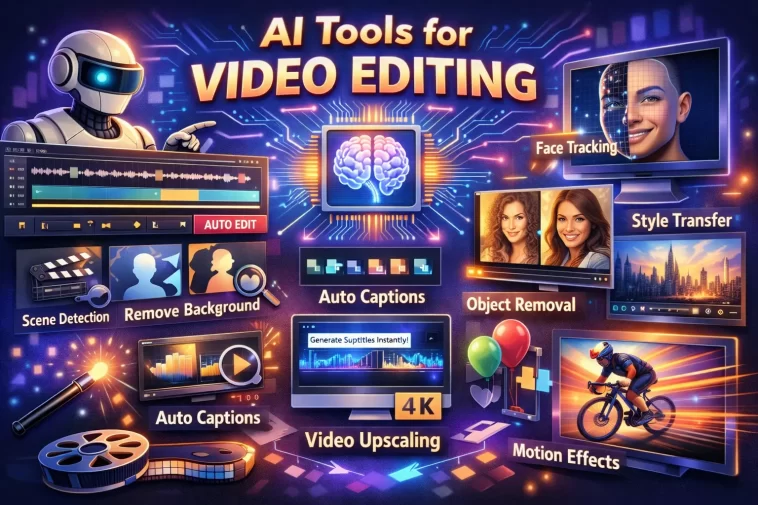
Video editing used to require years of experience, expensive software, and hours of manual work. In 2026, AI has changed that completely. Whether you’re a solo YouTube creator, a social media manager, or a professional filmmaker, there’s an AI video editing tool built for your workflow.
The best AI video editors don’t just automate tedious tasks — they make creative decisions, suggest cuts, remove silences, generate captions, and even create entire videos from text prompts. The gap between beginner and professional output has never been smaller.
This guide covers the ten best AI video editing tools in 2026, what each one does best, and who it’s built for.
What Makes an AI Video Editor Worth Using?
Not every tool that slaps “AI” on its homepage deserves the label. Here’s what genuinely useful AI video editing looks like:
- Automatic cutting and trimming — removes silences, filler words, and dead air without manual scrubbing
- Smart scene detection — identifies and organizes footage automatically
- Auto captions and subtitles — accurate transcription with one click
- AI voiceover and dubbing — generates or replaces narration in multiple languages
- Text-to-video generation — creates video content from a written prompt
- Style and color grading — applies cinematic looks automatically
- Repurposing tools — converts long videos into shorts, reels, and clips automatically
With that in mind, here are the ten best options right now.
1. Adobe Premiere Pro (AI-Powered)
Adobe Premiere Pro has always been the industry standard for professional video editing, and its AI features — powered by Adobe Sensei and the newer Firefly Video model — have made it even more dominant in 2026.
The AI Extend feature lets you stretch a clip seamlessly when you need a few extra frames. Auto Reframe automatically adjusts aspect ratios for different platforms — converting a 16:9 YouTube video to a 9:16 Reel in seconds. Speech to Text generates accurate captions with speaker detection, and Remix intelligently adjusts your music track to fit any video length.
For professional editors, the AI features don’t replace the workflow — they eliminate the slow parts of it.
Best for: Professional editors, filmmakers, and agencies who need industry-standard tools with AI acceleration.
Standout features:
- Auto Reframe for multi-platform export
- AI-powered speech-to-text captions
- Generative extend and fill
- Firefly Video integration for AI-generated content
- Seamless Creative Cloud integration
2. CapCut (Pro AI)
CapCut started as a mobile editing app and has evolved into one of the most capable AI video editors available — especially for social media content. Its AI features are extensive and surprisingly powerful for the price.
Auto captions work in dozens of languages with high accuracy. The AI background remover works on video, not just photos. Smart cut removes silences and filler words automatically. And the text-to-video feature generates short clips from prompts that are genuinely usable without heavy editing.
CapCut’s biggest advantage is accessibility — it runs on mobile, desktop, and browser, with a free tier that covers most casual creators’ needs.
Best for: Social media creators, TikTok and Reels editors, and beginners who want powerful AI features without a steep learning curve.
Standout features:
- Auto captions in 50+ languages
- AI video background removal
- Text-to-video generation
- Smart silence removal
- Free tier with substantial features
3. Descript
Descript takes a completely different approach to video editing. Instead of working on a timeline, you edit your video by editing a transcript. Delete a sentence from the text and it disappears from the video. Change a word and Descript’s Overdub AI voice cloning rewrites it in your voice.
This makes Descript extraordinarily fast for talking-head videos, podcasts, and interview content. Removing filler words, fixing mistakes, and restructuring content that would take an hour in a traditional editor takes minutes in Descript.
The AI Eye Contact feature even corrects eye contact in footage where the speaker was looking at their script instead of the camera.
Best for: YouTubers, podcasters, educators, and anyone producing talking-head or interview-style content.
Standout features:
- Edit video by editing text transcript
- AI voice cloning (Overdub)
- Automatic filler word removal
- Eye contact correction
- Screen recording built in
4. Runway ML (Gen-3)
Runway is where professional AI video generation lives in 2026. Its Gen-3 Alpha model produces cinematic AI video from text prompts or reference images at a quality level that was unimaginable just two years ago.
Beyond generation, Runway offers a full suite of AI editing tools — background removal, motion tracking, inpainting (removing objects from video), and frame interpolation. The Act One feature can transfer facial expressions and motion capture from a webcam recording onto a generated character.
Runway is being used by professional studios and independent filmmakers alike. It’s not cheap, but for creative professionals, the output justifies the cost.
Best for: Filmmakers, creative directors, visual artists, and studios pushing the boundaries of AI-generated content.
Standout features:
- Gen-3 text-to-video generation
- Video inpainting and object removal
- Motion transfer and Act One
- Frame interpolation for smooth slow motion
- Professional-grade output quality
5. Opus Clip
Opus Clip is built for one specific job — taking long videos and automatically turning them into short viral clips — and it does that job better than almost anything else.
Upload a long YouTube video, podcast, or webinar and Opus Clip’s AI identifies the most engaging moments, cuts them into 60–90 second clips, adds captions, reframes for vertical format, and scores each clip by its predicted viral potential. The whole process takes a few minutes.
In 2026, with short-form content driving the majority of video growth, Opus Clip has become an essential tool for any creator with a long-form back catalog.
Best for: YouTubers, podcasters, and brands who want to repurpose long-form content into short-form clips automatically.
Standout features:
- AI viral clip detection and scoring
- Automatic vertical reframing
- Auto captions with word highlighting
- Bulk processing of multiple videos
- Direct publishing to TikTok, Reels, and Shorts
6. Synthesia
Synthesia is the leading AI avatar video platform. Instead of filming yourself, you type a script and an AI avatar — realistic, customizable, and available in 130+ languages — presents it on screen.
It’s used heavily for corporate training videos, product explainers, onboarding content, and internal communications. In 2026, Synthesia avatars have become noticeably more realistic, with natural micro-expressions and gesture variety that reduce the uncanny valley effect significantly.
You can use one of Synthesia’s built-in avatars or create a custom avatar from your own likeness.
Best for: Businesses, L&D teams, marketers, and creators who need professional-looking video without filming equipment or on-camera presence.
Standout features:
- 230+ AI avatars
- 130+ language support with lip sync
- Custom avatar creation from your own video
- PowerPoint to video conversion
- Brand kit and template library
7. Pictory AI
Pictory specializes in converting text into video automatically. Paste in a blog post, article, script, or URL and Pictory pulls relevant stock footage, adds AI voiceover, generates captions, and produces a finished video — all without touching a timeline.
For content marketers and creators with large amounts of written content, Pictory is one of the fastest ways to produce YouTube videos at scale. It’s also excellent for creating short highlight clips from long recorded videos.
Best for: Content marketers, bloggers, and faceless YouTube channel operators who want to convert written content into video efficiently.
Standout features:
- Blog post to video conversion
- AI voiceover with multiple voice options
- Auto video highlights from long recordings
- Brand colors and logo integration
- Script-to-video workflow
8. InVideo AI
InVideo AI sits at the intersection of script writing and video production. Describe the video you want in plain text — topic, tone, length, target platform — and InVideo generates a script, matches stock footage to each scene, adds voiceover, and produces a complete video ready for export.
In 2026, InVideo AI has improved its footage matching significantly. The AI understands context well enough to choose clips that actually match your narration rather than just matching keywords superficially.
It’s a strong choice for faceless YouTube channels and anyone who needs to produce a high volume of videos quickly.
Best for: Faceless YouTube creators, social media managers, and marketers who need high-volume video production from text prompts.
Standout features:
- Full text-to-video pipeline
- Contextual stock footage matching
- AI voiceover with natural delivery
- YouTube Shorts and Reels optimization
- Easy script editing within the platform
9. HeyGen
HeyGen is Synthesia’s closest competitor and, in several areas, its superior. Its AI avatar quality is exceptional — particularly its Video Translation feature, which can take any video of a real person speaking and re-dub it into another language with accurate lip sync.
This has made HeyGen hugely popular with creators and businesses that want to reach international audiences without re-filming content. A video shot in English can be professionally dubbed into Spanish, French, Japanese, and a dozen other languages in minutes.
HeyGen also supports custom avatars and has strong API access for teams that want to automate video generation at scale.
Best for: International content creators, global marketing teams, and businesses needing multilingual video at scale.
Standout features:
- Best-in-class video translation with lip sync
- Photorealistic custom avatars
- 40+ language dubbing support
- API access for automated pipelines
- Interactive avatar feature for demos and training
10. Veed.io
Veed.io is a browser-based video editor with a strong set of AI features that make it one of the most practical tools for everyday creators. Everything runs in the browser — no downloads, no installation.
Its AI subtitle generator is among the most accurate available, supporting over 100 languages. The Magic Cut feature removes silences automatically. The AI Avatars tool lets you generate presenter videos without filming. And the Teleprompter feature is genuinely useful for recording directly within the platform.
Veed.io hits a sweet spot between simplicity and capability that makes it ideal for creators who need professional results without complex software.
Best for: Content creators, educators, and small businesses who want a simple, browser-based editor with solid AI features.
Standout features:
- Accurate AI subtitles in 100+ languages
- Magic Cut silence removal
- AI avatar video generation
- Built-in screen and webcam recording
- No software installation required
Quick Comparison: Which AI Video Tool Is Right for You?
| Tool | Best For | Complexity | Price Range |
|---|---|---|---|
| Adobe Premiere Pro | Professional editing | High | $$$ |
| CapCut Pro | Social media, beginners | Low | Free – $$ |
| Descript | Talking-head, podcasts | Low–Medium | $$ |
| Runway ML | AI generation, filmmakers | Medium–High | $$$ |
| Opus Clip | Repurposing long videos | Low | $$ |
| Synthesia | Avatar videos, business | Low | $$$ |
| Pictory AI | Blog-to-video, faceless | Low | $$ |
| InVideo AI | Faceless channels, volume | Low | $$ |
| HeyGen | Multilingual video, avatars | Low–Medium | $$$ |
| Veed.io | Browser-based, everyday use | Low | Free – $$ |
How to Choose the Right AI Video Editor
With ten solid options on this list, the right choice comes down to your specific use case:
- You film yourself talking → Descript or CapCut
- You make faceless videos → InVideo AI or Pictory AI
- You need professional editing → Adobe Premiere Pro
- You want AI-generated footage → Runway ML
- You repurpose long content → Opus Clip
- You need avatar presenters → Synthesia or HeyGen
- You want multilingual video → HeyGen
- You want browser simplicity → Veed.io
- You edit for social media → CapCut Pro
Most professional creators end up using two or three tools together — for example, Descript for editing, Opus Clip for repurposing, and CapCut for final social media formatting.
Frequently Asked Questions
What is the best AI video editing tool in 2026? Adobe Premiere Pro leads for professional editing, while CapCut, Descript, and Veed.io are top choices for creators who want powerful AI features with a lower learning curve. The best tool depends on your specific workflow.
Can AI edit a video automatically? Yes. Tools like Descript, CapCut, and Opus Clip can automatically remove silences, add captions, reframe for different platforms, and cut highlight clips with minimal manual input.
What is the best free AI video editor? CapCut and Veed.io both offer strong free tiers with genuine AI features including auto captions, silence removal, and background removal.
Which AI tool is best for repurposing YouTube videos into Shorts? Opus Clip is the leading tool for this specific task, automatically detecting the most engaging moments and formatting them for vertical short-form platforms.
What is the best AI tool for faceless YouTube channels? InVideo AI and Pictory AI are both excellent for faceless channels, turning text prompts or blog posts into complete videos with stock footage and AI voiceover.
Can AI tools dub videos into other languages? Yes. HeyGen is the leader in AI video translation and dubbing, offering lip-synced dubbing in 40+ languages from a single source video.
Is Runway ML worth the price? For creative professionals and filmmakers working with AI-generated content, yes. Runway’s Gen-3 output quality is significantly ahead of most alternatives and is being used in professional productions.
AI video editing in 2026 is no longer about replacing editors — it’s about removing the parts of video production that eat time without adding creativity. The best creators use these tools to move faster, produce more, and spend their energy on the things that actually make their content worth watching.
Pick the tool that fits your workflow, start with a free trial, and see how much time you get back.
