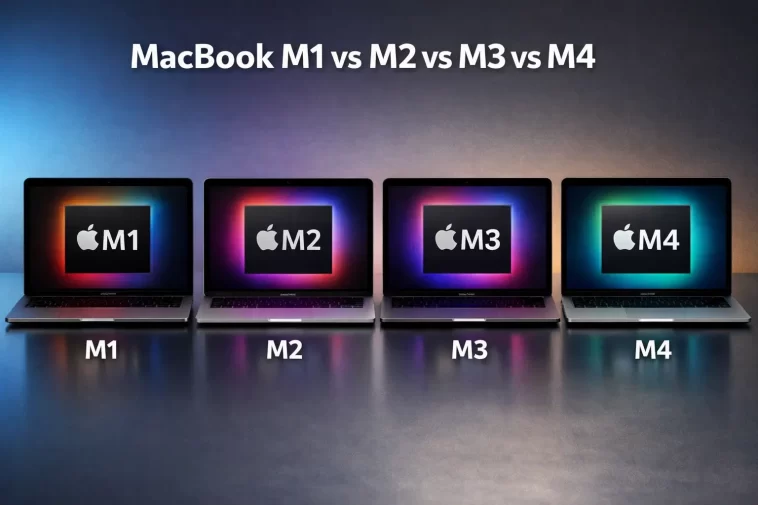
I remember when I first started looking at MacBooks seriously. The lineup was already confusing enough with different screen sizes, Pro and Air models, and storage tiers — and then Apple started rolling out M1, M2, M3, and M4 chips in rapid succession. I genuinely didn’t know where one ended and the other began. If you’re in that same spot right now, this guide is exactly what you need.
The difference between MacBook M1, M2, M3, and M4 chips matters a lot — especially when you’re spending $999 to over $3,000 on a laptop. Understanding what each generation actually brings to the table helps you avoid overpaying or underbuying. Let’s break it all down.
A Quick Look at Apple’s M-Series Chip Timeline
Apple made a massive shift in 2020 when it moved away from Intel processors and introduced its own custom silicon. Each chip generation since then has been built on ARM-based architecture and features what Apple calls a “unified memory architecture” — meaning the CPU, GPU, and Neural Engine all share the same memory pool rather than working with separate RAM sticks.
Here’s a quick overview before we dive deep:
- M1 — Released November 2020. Apple’s first custom Mac chip.
- M2 — Released June 2022. Refined performance, more transistors.
- M3 — Released October 2023. First 3nm chip, major GPU upgrade.
- M4 — Released late 2024. Serious AI focus, 10-core CPU, 16GB standard RAM.
Each generation also comes in Pro, Max, and Ultra variants for power users — but this guide focuses on the base chips you’ll find in most MacBook Air and entry MacBook Pro models.
MacBook M1: Where It All Started
The M1 chip was a genuinely revolutionary product. Before it, Apple’s Intel-based MacBooks were throttled, ran hot, and drained battery fast. The M1 changed everything almost overnight.
What Makes the M1 Special
The M1 launched with an 8-core CPU (four performance cores, four efficiency cores) and a 7-core or 8-core GPU depending on the configuration. It was built on TSMC’s 5nm process with 16 billion transistors. The Neural Engine offered 11 TOPS (trillion operations per second) for machine learning tasks.
For everyday use, the M1 was — and honestly still is — incredibly capable. You can comfortably handle:
- Web browsing across dozens of tabs
- 4K video playback
- Photo editing in Lightroom or Photoshop
- Light video editing in Final Cut Pro
- Coding, writing, and office productivity
Battery life was another standout. The MacBook Air M1 regularly hit 14+ hours of real-world usage, something Intel machines never came close to matching.
Where the M1 Shows Its Age
The M1 maxes out at 16GB of unified memory, which is a hard ceiling. If you’re running multiple virtual machines, working with large video files, or pushing heavy ML workloads, you’ll eventually feel that limit. The GPU also only has 7 or 8 cores, while later generations pushed that much further.
MacBook M2: Refinement Over Revolution
The M2, released in mid-2022, didn’t completely reinvent the wheel. Instead, it built on the M1’s foundation with meaningful but measured improvements.
What’s New in M2
Apple moved to a second-generation 5nm process for M2, squeezing in 20 billion transistors — up from the M1’s 16 billion. This gave the chip a noticeably faster CPU and GPU performance.
Key M2 upgrades over M1:
- CPU performance cores clock up to 3.5 GHz (vs 3.2 GHz on M1)
- Memory bandwidth jumped to 100 GB/s (up from 68.25 GB/s on M1)
- Max RAM increased to 24GB (M1 topped out at 16GB)
- GPU upgraded to 8 or 10 cores (vs 7 or 8 on M1)
- Media engine added hardware-accelerated ProRes video encoding and decoding
In real-world use, the M2 felt smoother during sustained workloads. Video exports were faster. Apps loaded quicker. But for light users coming from M1, the difference wasn’t dramatic enough to justify an immediate upgrade.
One fair criticism of the M2 was early SSD issues. Some base configurations shipped with slower single-chip SSDs that impacted write speeds compared to M1 models with dual-chip designs. Apple eventually addressed this, but it’s something to be aware of on older M2 stock.
Who the M2 Makes Sense For
If you can find an M2 MacBook Air at a reduced price — which you absolutely can now — it’s an excellent daily driver. You get a redesigned chassis, MagSafe charging, and a 1080p webcam alongside that performance bump.
MacBook M3: The First Real Architectural Leap Since M1
The M3 chip, launched in October 2023, represented something the M2 didn’t: a genuine architectural shift. Apple moved to TSMC’s 3nm process for the first time, and the GPU received upgrades that changed what MacBooks could handle graphically.
What the M3 Chip Actually Changes
The jump to 3nm meant Apple packed more transistors — around 25 billion in the base M3 — into a smaller die while improving power efficiency. The result was better performance per watt, which translates to longer battery life and less heat.
But the biggest M3 story is the GPU. Apple introduced three major GPU technologies:
- Hardware-accelerated ray tracing — Realistic lighting and shadows in supported apps and games
- Dynamic caching — GPU memory is allocated dynamically in real time rather than in fixed chunks, which reduces waste and boosts performance
- Mesh shading — More efficient geometry processing for 3D content
These weren’t just marketing features. For designers, 3D artists, video editors, and developers working with Apple’s Metal graphics API, the M3 GPU was a meaningful leap over M2 — let alone M1.
M3 CPU Performance
CPU gains from M2 to M3 were more modest. Single-core performance improved, but the change wasn’t dramatic for everyday productivity tasks. Where you really notice M3’s CPU advantage is in sustained workloads — long renders, large compilations, extended processing — because the chip runs cooler and throttles less.
Max RAM also moved up to 24GB for base configurations, with Pro and Max variants going higher.
MacBook M4: Where Apple Gets Serious About AI
The M4 chip, released in late 2024, felt different from the previous generation jumps. Apple wasn’t just polishing existing architecture — it was preparing MacBooks for a new era of on-device AI computing.
The Big M4 Changes
You should pay attention to a few things M4 does differently:
1. Moved to ARMv9 instruction set. The M4 is the first Apple Silicon chip to use ARMv9, which unlocks newer capabilities including improved security and performance headroom for future software.
2. Neural Engine doubled. The M4’s Neural Engine delivers 38 TOPS — more than double the M3’s 18 TOPS. This makes tasks like AI-enhanced photo editing, local language models, and machine learning workflows dramatically faster.
3. 10-core CPU is now standard. Earlier base M chips had 8-core CPUs. The M4 bumps that to 10 cores across the board, which shows up in multi-core benchmarks: roughly 25% faster than M3 in sustained multi-threaded workloads.
4. 16GB RAM is now the baseline. Previous generations shipped with 8GB as the entry option, which was widely criticized. Apple finally set 16GB as the minimum for M4 Macs — a long-overdue improvement.
5. Built on second-gen 3nm (N3E). While M3 was Apple’s first 3nm chip, M4 refined that process for better efficiency and yield. The M4 also contains 28 billion transistors.
6. Single-core performance jumped 22% over M3. That’s the largest generational single-core leap since the original M1.
M4 in Practice
Photo editing with AI-assisted masking tools runs noticeably faster on M4. Local large language models process tokens significantly quicker. Video upscaling using machine learning completes in roughly half the time compared to M3.
The MacBook Air M4 also launched at $999 — cheaper than its predecessor at launch — while offering more performance, more base RAM, and better efficiency. For most buyers, this is where the sweet spot now lives.
M1 vs M2 vs M3 vs M4: Side-by-Side Comparison
Here’s a quick reference chart for the base chip specs across all four generations:
| Feature | M1 | M2 | M3 | M4 |
|---|---|---|---|---|
| Release Year | 2020 | 2022 | 2023 | 2024 |
| Process Node | 5nm | 5nm (2nd gen) | 3nm | 3nm (2nd gen) |
| Transistors | 16B | 20B | 25B | 28B |
| CPU Cores | 8 | 8 | 8 | 10 |
| Max GPU Cores | 8 | 10 | 10 | 10 |
| Max Base RAM | 16GB | 24GB | 24GB | 32GB |
| Neural Engine | 11 TOPS | 15.8 TOPS | 18 TOPS | 38 TOPS |
| Memory Bandwidth | 68 GB/s | 100 GB/s | 100 GB/s | 120 GB/s |
Which MacBook Chip Should You Buy?
You don’t always need the newest chip. Here’s a straightforward breakdown based on use case:
Buy M1 if…
- You’re on a tight budget and find a good secondhand or refurbished deal
- Your work involves basic office tasks, writing, light browsing, and email
- You don’t plan to keep the machine for more than 3–4 years
Just know that Apple no longer sells M1 MacBooks new, so you’d be buying refurbished or used.
Buy M2 if…
- You can find one at a significant discount (which is common now)
- You need a machine for everyday productivity and don’t want to pay M4 prices
- You want a redesigned form factor at a reduced cost
Buy M3 if…
- You do a lot of graphic-heavy work and care about GPU performance
- You want ray tracing and dynamic caching in your creative apps
- You’re buying a MacBook Pro specifically for visual production work
Buy M4 if…
- You want the best value in Apple’s current lineup
- You care about longevity — M4 will be supported the longest going forward
- You use or plan to use AI-powered features on your Mac
- You’re buying new and don’t want to compromise on RAM (16GB baseline is a big deal)
Does Upgrading from M1 to M4 Make Sense?
If you’re currently on an M1 Mac, here’s the honest answer: it depends on what you do.
For most everyday users — browsing, writing, video calls, light editing — M1 still handles everything well. The software experience is smooth, and Apple continues to support it.
But if you’re hitting memory limits at 16GB, noticing your machine struggling with heavier creative or AI workloads, or planning to keep your next Mac for five or more years, the jump to M4 is absolutely worth making. The single-core performance alone is around 60–70% better than M1 depending on the benchmark, and the AI capabilities gap is even wider.
Going from M2 or M3 to M4 is a harder sell unless AI workflows matter to you or you specifically want the doubled Neural Engine.
Frequently Asked Questions (FAQ)
Is M1 still good in 2025?
Yes, for light to moderate use, M1 is still a capable chip. It handles everyday productivity tasks without issue. However, the 16GB RAM ceiling and aging neural engine make it less ideal if you’re planning a long-term purchase.
What’s the biggest difference between M3 and M4?
The M4’s biggest improvements are its doubled Neural Engine (38 TOPS vs 18 TOPS), the switch to ARMv9 architecture, a 10-core CPU instead of 8, and 16GB of base RAM instead of 8GB. CPU single-core performance is also around 22% faster.
Is M2 worth buying in 2025?
At a discount, yes. M2 MacBooks are often available refurbished at great prices and are still more than capable for most users. Just don’t buy one at full retail when M4 exists at a similar or lower price.
What does the Neural Engine do and why does it matter?
The Neural Engine is a dedicated chip for machine learning tasks. It accelerates things like facial recognition, image processing, on-device AI features (like Apple Intelligence), and local language model inference. M4’s doubled TOPS means AI tasks run significantly faster without needing cloud processing.
Can I upgrade RAM in a MacBook after buying?
No. Apple Silicon MacBooks use unified memory that is soldered directly to the chip. You cannot upgrade RAM after purchase, so it’s critical to buy the right amount upfront. For most users in 2025, 16GB is the minimum recommended.
Is M4 overkill for everyday use?
Not really, especially now that the M4 MacBook Air starts at $999 with 16GB of RAM. You get excellent performance, long software support, and future-proof AI capabilities — all without a premium over older models.
Will M5 replace M4 soon?
M5 chips have begun appearing in 2025 in some Pro configurations, but M4 MacBooks remain current and will continue to receive software updates for many years. There’s no reason to wait unless you specifically need M5-tier performance for heavy workloads.
Understanding the difference between MacBook M1, M2, M3, and M4 makes it much easier to spend your money wisely. If you’re buying new today, the M4 is where Apple’s lineup is at its best value. If you’re budget shopping, M2 refurbished is a solid call. And if you’re already on M1 and your workflow is comfortable, there’s no urgent reason to upgrade — but the gap is growing every year.
